An intuitive, centralized UI for native Windows NTFS compression to safely reclaim storage space
Release Date:
Coming soon
Developer:
Publisher:
Tags

Sign in to add this item to your wishlist, follow it, or mark it as ignored

This game is not yet available on Steam

Coming soon

Interested?
Add to your wishlist and get notified when it becomes available.
 

About This Software

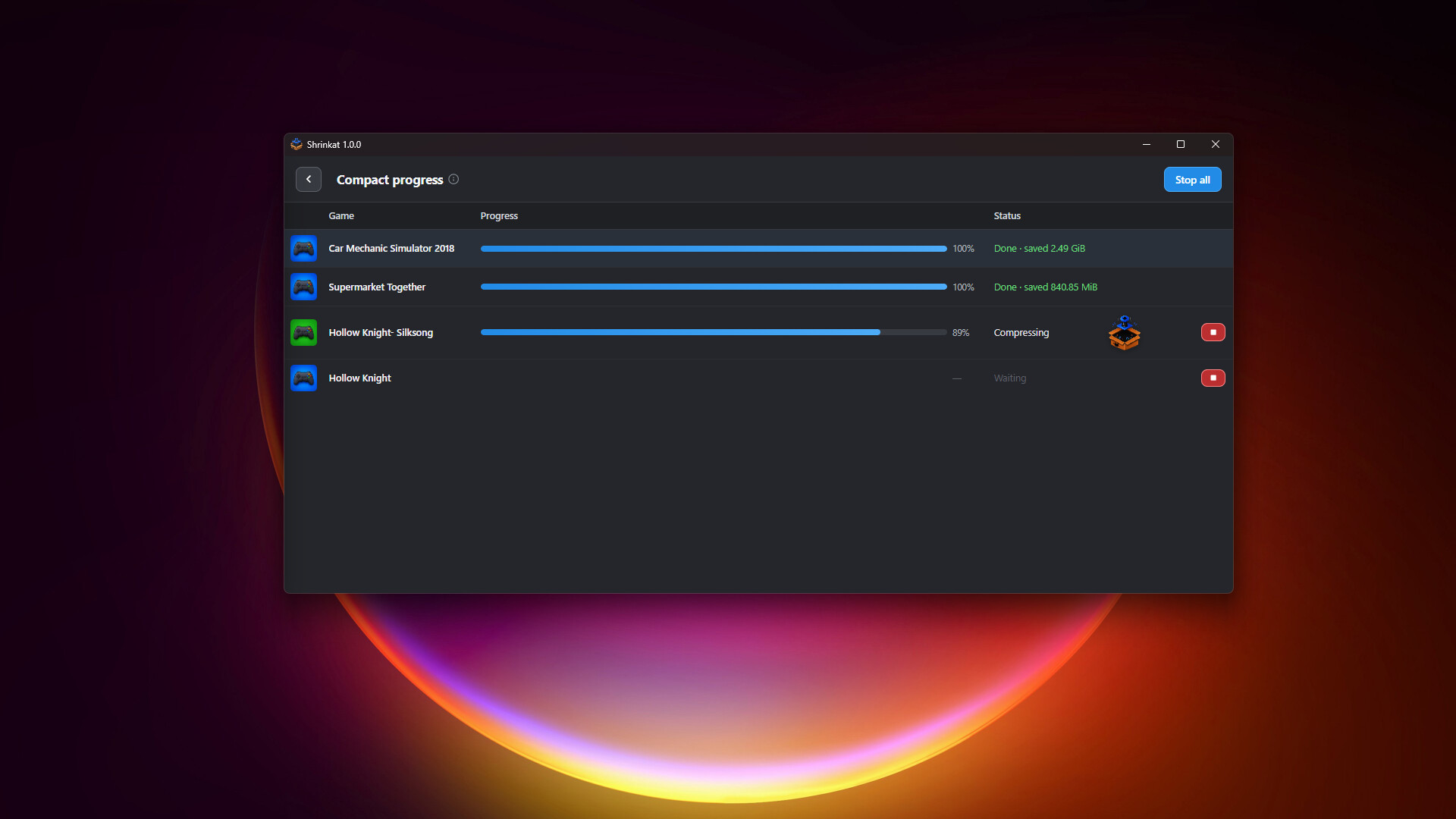
Shrinkat is a streamlined utility that provides an intuitive UI for Windows’ built-in NTFS folder compression—a safe system feature that shrinks your files directly on the drive so they take up less space, while allowing your games and launchers to still run exactly as usual. This utility gives you an easier way to choose install folders, select compression strength, and manage storage actions all in one place. It automatically discovers game libraries from Steam and other supported platforms—as well as custom paths you add manually—allowing you to easily queue batch compression or decompression tasks with real-time progress tracking.

Features

  • Platform Auto-Discovery: Instantly detects installed games from Steam and other major launchers right out of the box. Need to compress something else? Use the "Add manually" button to track any custom installation folder.

  • Set-and-Forget Automation: Enable Automatic Compression in your Settings. When your PC is idle and no games are running, the app silently reviews your library and optimizes uncompressed or newly updated titles in the background without competing for system resources.


Compression Strength

Shrinkat lets you choose which of Windows' native compression algorithms will be used, allowing you to choose the best balance of speed and space savings for your hardware:

  • LZX (Maximum Savings): Slowest execution time, but yields the highest amount of reclaimed disk space. Better for massive game libraries and long-term storage.

  • XPRESS 16K (Balanced): Offers good savings with balanced processing speeds. The recommended default for general use.

  • XPRESS 8K / 4K (Fastest): Moderate savings but faster. Better for older CPUs or when you want a quick optimization run.

AI Generated Content Disclosure

The developers describe how their game uses AI Generated Content like this:

AI tools were used to generate the visual assets, logos, and images featured on this store page and inside the application. The software itself is a local utility and does not dynamically generate any AI content during runtime.

System Requirements

    Minimum:
    • Requires a 64-bit processor and operating system
    • OS: Windows 10 (64-bit), Version 1803 or newer
    • Processor: 64-bit dual-core CPU
    • Memory: 4 GB RAM
    • Graphics: Modern integrated graphics
    • Storage: 300 MB available space
    • Additional Notes: NTFS volume required; Requires Microsoft Edge WebView2 Runtime (Included in windows 11 and 10 starting from version 1803)
    Recommended:
    • Requires a 64-bit processor and operating system
    • OS: Windows 11 64-bit
    • Memory: 8 GB RAM
    • Graphics: Modern integrated graphics
There are no reviews for this product

You can write your own review for this product to share your experience with the community. Use the area above the purchase buttons on this page to write your review.

Review Filters