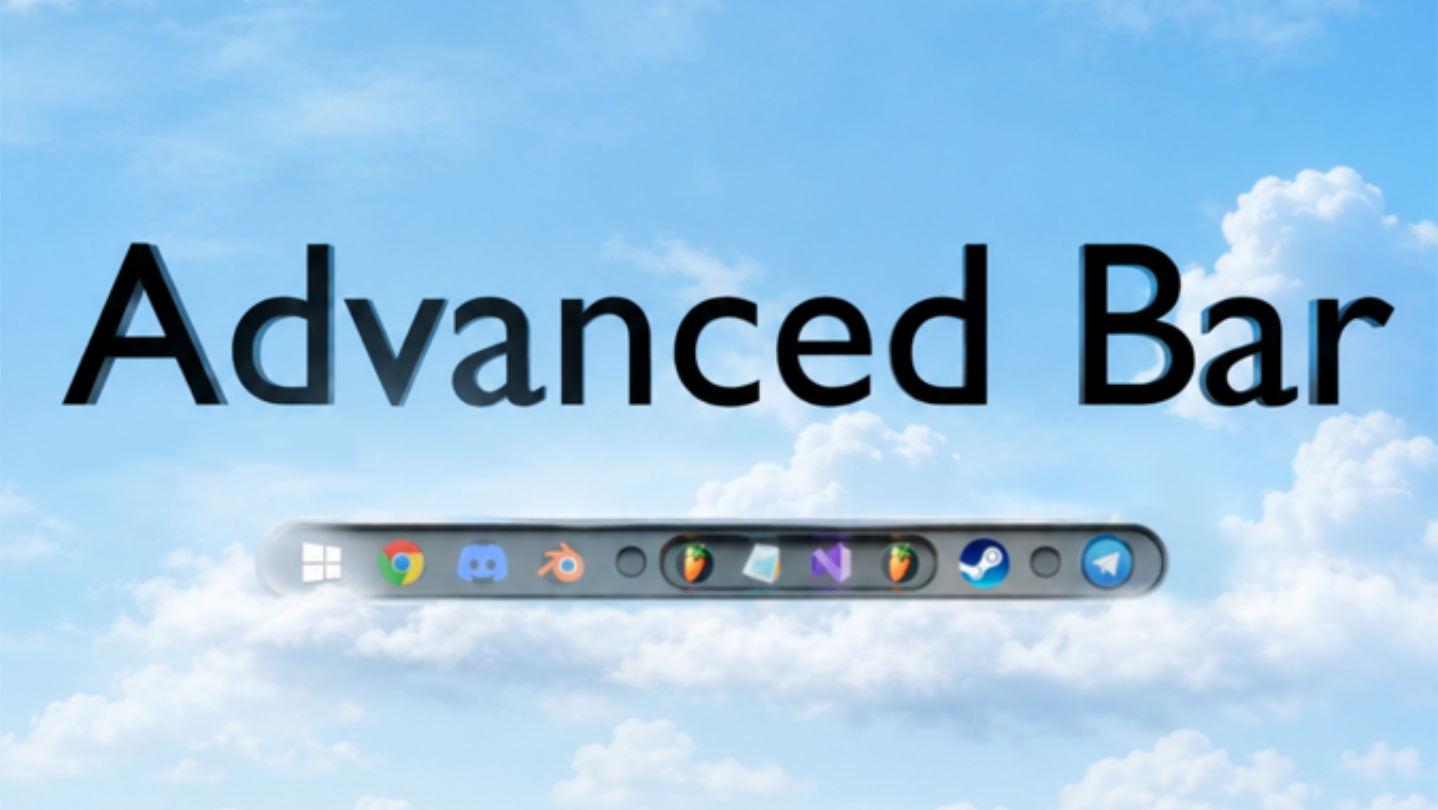
Customize the Windows taskbar: replace the Start button, customize the color of apps, sort them into groups, listen to music using the advanced built-in player, hide the taskbar, and discover even more features with the Advanced Bar!

Sign in to add this item to your wishlist, follow it, or mark it as ignored

Early Access Software

Get involved with this software as it develops.

Note: This Early Access software is not complete and may or may not change further. If you are not excited to use this software in its current state, then you should wait to see if it progresses further in development. Learn more

What the developers have to say:

Why Early Access?

“I'm developing the program alone, and that's why user feedback is especially important to me. Early Access is an opportunity to collaborate on the program, adding the features people really need. The sooner you start leaving feedback, ideas, and suggestions, the faster Advanced Bar will develop and improve.

I'll take all community comments into account and want everyone to feel included in the project. Users whose ideas are included will be specifically mentioned within the project. With your support and feedback, together we can create a truly unique and convenient utility for Windows!”

Approximately how long will this software be in Early Access?

“The program is planned to be in Early Access for about a year. During this time, Advanced Bar will receive new features, interface improvements, optimizations, and many changes based on community feedback. This timeframe may change depending on the pace of development and the number of ideas I want to implement together with users.
The most important thing for me is that the utility is optimized for most systems, and I plan to add a Linux port a little later.”

How is the full version planned to differ from the Early Access version?

“A full version doesn't mean the end of updates or the addition of new features. However, the final version is considered to be one in which the core features have been fully refined, and the interface and system interaction are as stable and user-friendly as possible.

I plan to include at least the following features in the final version:

1. The ability to create custom animations for taskbar applications:

Specifically, the MouseEnter, MouseMove, and MouseLeave events, which the user can fully customize and use as a preset. Two startup animations are available in early access.

2. Publish created animations to the Steam Workshop.

3. The ability to display animated icons for the Start button EXACTLY with a transparent background (instead of the current black background).

4. The ability for the player to edit the sound of a third-party application, rather than the track playing within the player (specifically, the equalizer: boosting or lowering frequencies): games, videos, and music outside the player.

5. Multiple monitor support

6. Right-side taskbar placement (the Start button is in the right corner, and the time and tray area is on the left)

7. Editing the color palette of a custom Start button (a custom Start button is one that has been added by the user to the Start button library (Advanced Mode, Air Mode).”

What is the current state of the Early Access version?

“Since I haven't been able to test the program on all PC configurations, I can only evaluate its current state based on my own system. Throughout development, I've been using the Advanced Bar daily instead of the original Windows taskbar, so the program is constantly being tested in real-world use.

The last few months have been primarily dedicated to optimization and stability improvements. Currently, the program's workload is as follows:

The program requires 140 to 220 MB of RAM;
-Light Mode — 0-1% CPU;
-Advanced Mode — 3-5% CPU (depending on the tasks being performed);
-Air Mode — 3-5% CPU (depending on the tasks being performed);”

Will this software be priced differently during and after Early Access?

“I don't plan to change the price, but any changes will always be announced in advance.”

How are you planning on involving the Community in your development process?

“I will be releasing the very first version of Advanced Bar during Early Access.

It won't be perfect, and I invite you to participate in the development to ensure the game turns out the way you want it to. I will share my thoughts and suggestions with you, and acknowledge any mistakes that clearly won't be entirely avoidable. I also welcome your ideas and suggestions! I will definitely listen to them, as you are the ones shaping the future of Advacned Bar.

You can contact me through the Telegram channel, which is listed in the Basic info tab. All my social networks will also be listed inside the app in the "About" tab.”
Read more
This game is not yet available on Steam

Planned Release Date: Q3 2026

Interested?
Add to your wishlist and get notified when it becomes available.
 
See all discussions

Report bugs and leave feedback for this software on the discussion boards

About This Software

Advanced Bar lets you change the appearance of your taskbar using a three-tier system:

Light Mode:

Fine-tunes the transparency of your taskbar, but also allows you to add a custom static/animated background to the bar. This mode is designed for users who don't need to completely replace their taskbar, but want to change its most obvious parts.

Advanced Mode:

This is the basic mode, in which the taskbar is completely replaced with a custom one. This mode allows you to:

- New window switching system:

Windows displays as many thumbnails as you have open application windows—that is, if you have four open windows, you'll see four thumbnails. My program offers a different option:

1. The position of the cursor on a single thumbnail determines which window (preview) is shown to the user: if you have four open windows, the thumbnail is divided into four equal parts.

2. Completely close an application process without clicks: You can hover over the name of the displayed preview – this starts the process closing process (lasts 4 seconds). This action doesn't require any clicks.

- Change the Start button:

1. Replace the Windows Start button with any image (GIF, PNG, JPG).

2. When you hover over the Start button and wait a few seconds, a separate hidden window appears where you can write a hidden note that will be stored until the end of the workday.

3. Separate context menu for Start: Right-clicking on it will unlock even more features – one of them is: Gradient Layer: Adds a gradient to the panel, making icons more legible if your wallpaper is bright and detailed.

- App Groups:

1. Now, an app you need but that visually clutters your taskbar can be hidden within a group. This allows you to keep the app from being removed from the taskbar while still having quick access to it—handy if you have several identical apps in different versions.

2. A group can hide all apps at once, leaving only the Start button. In reality, you can have up to 100 apps in the taskbar, but they are only visible when open.

- Music Player:

1. Previously, to listen to downloaded music, users had to keep two windows open in the taskbar: the music folder and the player itself. Now you have a separate button in the right area that opens the player with more functionality:

2. Music Equalizer: Boost the bass or other frequencies in a track if the original isn't as dynamic.

3. Playlists: Now you can sort your music into playlists, separating music for games or work.

4. Track Cover: Add any image (jpg, png) to a track that particularly resonates with you.

5. Notes for each individual track: You can leave a comment or lyrics here.

6. Track Playback Modes: Loop and Shuffle.

- Control Panel:

1. Desktop users can now change brightness programmatically: a quick access slider will appear that changes the monitor's brightness.

2. Quick access bindings for programs (2): If you definitely don't need groups and an application in the taskbar is distracting, you can add a binding in a separate window.

3. Exit Advanced Bar: This simply exits the program.

- Application icon color in the taskbar: You can now customize the color for all applications, calibrating the application color to match your desktop wallpaper. The program calculates the brightness of each icon, so all applications will be approximately the same brightness.

- Show application location without clicking: You can find out the exact location of an application by hovering over the icon and waiting 2 seconds. This feature can be disabled in a separate context menu.

- Caps Lock indicator: There's now a small arrow next to the language button that displays the caps lock status.

- Initial sync with the real taskbar:

The first launch will sync your original taskbar with the Advanced Bar, and all other changes will be local.

Air Mode:

Offers all the features of Advanced Mode, but now both the taskbar and the right control area are in capsules, allowing you to:

1. Hide the taskbar.

2. Move the right control area.

3. Increase the work area.

System Requirements

    Minimum:
    • OS: Windows 10, Windows 11
    • Processor: 1.66 GHz Intel i5 or equivalent
    • Memory: 2048 MB RAM
    • Graphics: HD Graphics 4000 or above
    • Storage: 2000 MB available space
    • Additional Notes: Power requirements depend on enabled features and modes.
    Recommended:
    • OS: Windows 10, Windows 11
    • Processor: Intel i7
    • Memory: 2048 MB RAM
    • Graphics: NVIDIA GeForce GTX 660, AMD HD7870, 4 GB VRAM or above
    • Additional Notes: Power requirements depend on enabled features and modes.
There are no reviews for this product

You can write your own review for this product to share your experience with the community. Use the area above the purchase buttons on this page to write your review.

Review Filters