Constructive Solid Geometry CAD for VR/AR for easy modeling of game assets or 3d printing functional parts.

Sign in to add this item to your wishlist, follow it, or mark it as ignored

Early Access Software

Get involved with this software as it develops.

Note: This Early Access software is not complete and may or may not change further. If you are not excited to use this software in its current state, then you should wait to see if it progresses further in development. Learn more

What the developers have to say:

Why Early Access?

“The full capabilities of the Steam Frame are currently unknown. Taking full advantage of the Steam Frame may take some time as it's not currently available. While the software is sufficient for constructing functional objects for 3D printing I would like to add more features to output game assets with full materials. The foundation of the application can be taken in multiple directions, e.g. 3D printing, game ready assets, hard surface modeling, and early access will be used to gain feedback from the users as to which areas to focus on. The early access period will also be used to get feedback on experimental builds. Larger shape possibilities such as truncated solids with easily scalable faces leads naturally to additional features like vertex/edge/face manipulation and vertex painting. There is a desire for rigging/animation support and this will be explored to see if it's a pleasant experience on standalone Steam Frame and whether it's a good fit for the app which is currently geared to more functional 3D printing or quick block outs of game levels.”

Approximately how long will this software be in Early Access?

“6-12 months after acquiring a Steam Frame to ensure an optimal experience on stand alone Frame.”

How is the full version planned to differ from the Early Access version?

“Planning for better support for multiple materials per object, both for game assets and multimaterial 3D printing. Make more use of all the extra inputs on Steam Frame controllers to rely even less on menus. Better use of the object palette for kit bashing. Sharing of palettes through Steam Workshop. Perhaps restructuring of the attachment system to bring it to all shapes(All shapes now have attachments!). Planned to add mirror modifier(added!) and cut planes. Depending on performance of Steam Frame may or may not move some custom geometry functions to C++. Possible upgrades to the polygon editor and graph system. Redesign of icons for better readability as the currently used Material Icons lack coherent icons for some shapes and/or functions. Possible redesign of UI for better UX. Better UX for transferring files off headset to NAS or PC, hopefully NFS support is trivial on the Steam Frame, if not a simple receiver app will be available. Experimental conversion of object hierarchies to OpenSCAD format maybe added to the app itself but currently relies on a separate Common Lisp application. Possible addition of a motion control mode so that you can explore blocked out game levels from a user perspective and not a god like development perspective.”

What is the current state of the Early Access version?

“Fully usable for design and construction of functional parts for 3D printing. Outputs meshes with only one material in glb/gltf/stl formats. Outputting to GLB/GLTF as a scene with separate meshes also makes it useful to quickly block out game levels for further refinement elsewhere.”

Will this software be priced differently during and after Early Access?

“Price for commercial use,e.g. designing and selling STL's for selling or game assets for pay to play games, will increase as more beneficial features are added. Non commercial use will remain free. ”

How are you planning on involving the Community in your development process?

“The goal is to fill a current void in XR/VR creator development tools and will rely on user feedback to guide the expansion or focus of the final toolset.
An attempt has been made to make the whole application user customizable, from fonts. colours, input actions and timing, etc.. but any user feedback to friction points will be taken into account. The goal is for people to be able to setup everything so it feels natural for them so please share any issues you encounter. Any added functionality from user feedback will NOT take away from previously added functionality, additions will provide more user customization to deal with additional feature requests. Community feedback will help determine which areas should receive more focus and attention, with users being able to test and give feedback on beta builds with experimental features separate from the main application. For example it is almost possible to currently use with a single hand without menus, whether or not that should be a goal is up to you the user. While I am not colour blind, and therefore it is not currently a focus, I would have no problem with users sharing their colour schemes, whether through the Steam Workshop or as feedback on Discord for inclusion in the app itself.”
Read more
This game is not yet available on Steam

Planned Release Date: To be announced

Interested?
Add to your wishlist and get notified when it becomes available.
 
See all discussions

Report bugs and leave feedback for this software on the discussion boards

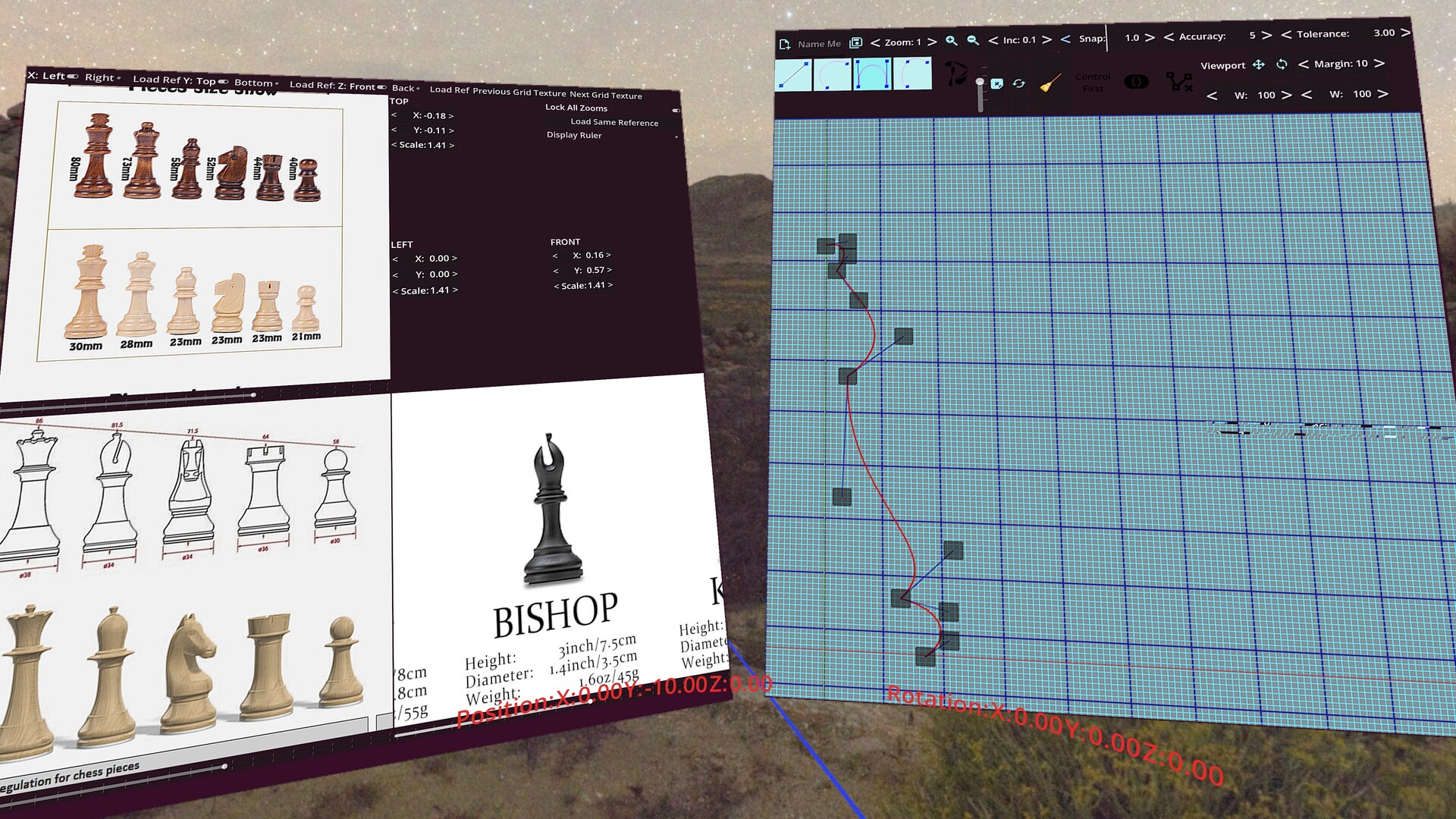
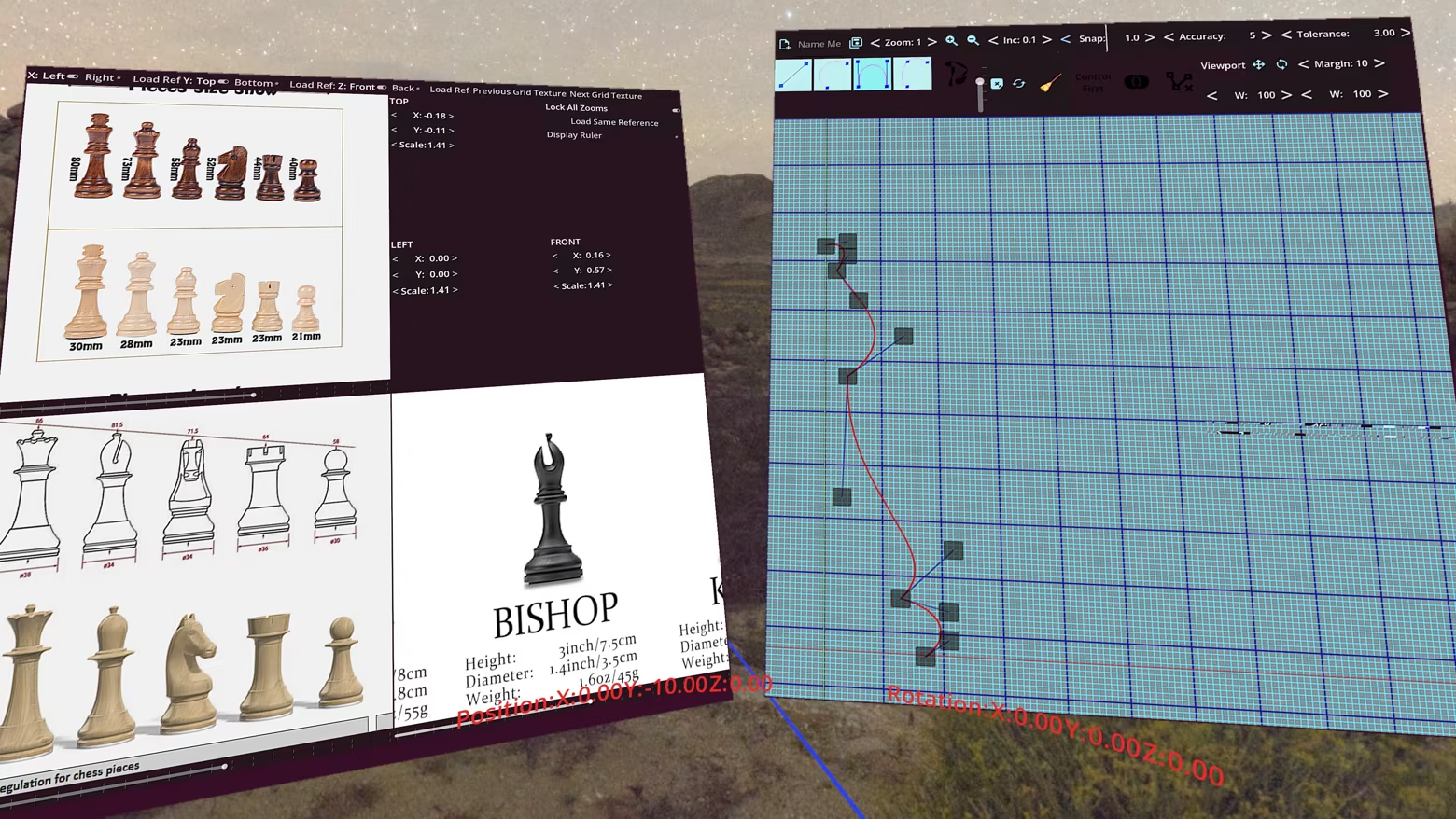
Extrusion/Lofting of 2D Paths

Shapes can be created through lofting or extrusion of 2D paths. Path construction is done through a combination of lines, weighted quadratic beziers(default weight suitable for creating arcs), cubic beziers, and smooth cubics.

Constructive Solid Geometry

Object construction through boolean combinations of basic shapes in an object hierarchy.

Advanced shapes such as rounded cubes, with options for which faces are rounded,

pills, tubes, filets(2D and 3D), make construction even faster.

Shape attachments for ease of construction

Child objects can be attached to a specific parents face,edge, or corner.

Attachments guarantee that changing a parents dimensions will keep children where you want them.

Orthographic views

An orthographic view panel is provided with customizable textures for easier visual measurement.

Ability to load individual reference images for each view, TOP/BOTTOM, LEFT/RIGHT, FRONT/BACK. Ability to load the same image to all viewports with controls for pan and zoom for copying from orthographic renderings of parts. Comes with a ruler to match scale and ability to lock all views to the same zoom. 

Extensive use of OpenXR Composition Layers

The fully customizable cylindrical HUD (font size/colour, radius, angle, aspect ratio) is rendered crystal clear by use of composition layers.

Every panel that displays menus, orthographic view, vector graph, is also rendered using composition layers. Panels can be grabbed, placed anywhere, and resized by simply using both grips and pulling.

Shape Distributors

Distributors allow child constructs to be distributed in rows, columns, and layers for grid spacing.

Radial and spherical distribution similarly distribute over rings, arms, and layers.

Objects can be left un-transformed or having a specific face oriented towards the origin, the vertical y-axis, or a user chosen 3D point in space.

Customizable Render/Preview profiles

Objects are constructed using the preview settings, reducing the need for expensive computing while dynamically combining objects. Preview settings are set globally for all objects of the same family, e.g. cylinders constructed from 12 sides. Render settings are used when exporting objects as stl or glb/gltf. Settings can be adjusted individually for each object and will be used when exporting that particular shape, e.g. if you want to make a triangular tube set sides to 3 in the options for that shape in the object hierarchy.

About This Software

Construct manifold geometry using CSG with output to GLB/GLTF and/or STL for 3D printing. Designed to be used with VR controllers allowing for manipulation of shape properties, rotation, position, scaling, units, all without fumbling through menus.

Attachments make for easy placement of child objects on the face/edge/corner of a parent shape, automatically updating for changes in the dimensions of the parent.

Easier construction with distributors, which allow automatic placement of child objects in a row/column/layer, whether in a grid, radial or spherical distribution. Easy alignment of any face of the child primitive to the Y-Axis or origin/arbitrary point.

System Requirements

    Minimum:
    • Memory: 8 GB RAM
    • VR Support: OpenXR capable devices, e.g. Quest 3, Steam Frame
There are no reviews for this product

You can write your own review for this product to share your experience with the community. Use the area above the purchase buttons on this page to write your review.

Review Filters