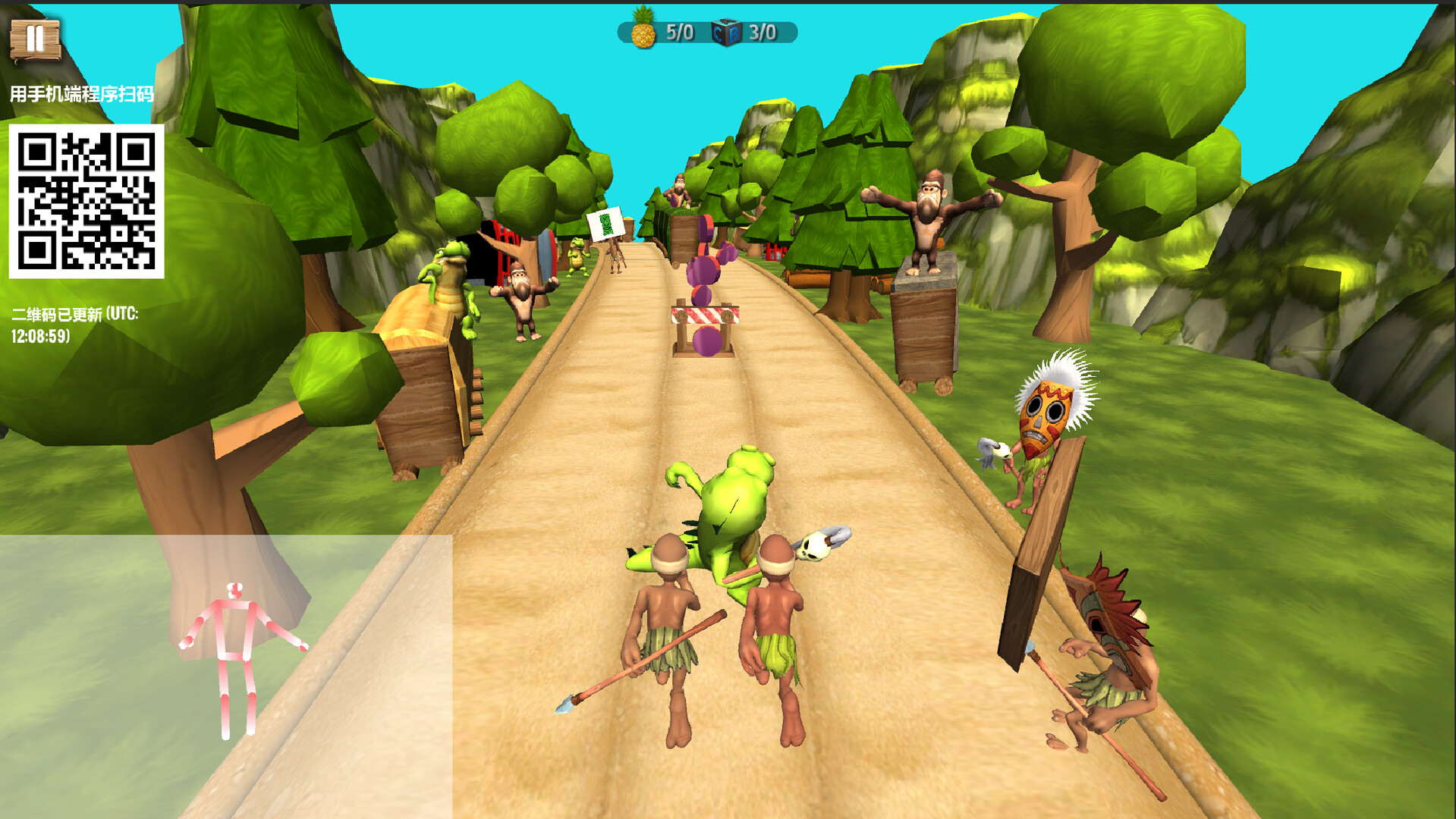
This content requires the base game runner on Steam in order to play.

Sign in to add this item to your wishlist, follow it, or mark it as ignored

Downloadable Content

This content requires the base game runner on Steam in order to play.

Buy Runner - TV Edition


About This Content

This DLC requires the base game "Jungle Run Motion Edition" in order to run.

🏃 Jungle Run Motion Game · Big-Screen Expansion Pack

This expansion pack provides a big-screen solution for the "Jungle Run Motion Edition" game. If you do not have a camera configured for your computer, or if you wish to play "Jungle Run Motion Edition" on your TV, you can purchase this DLC pack to make it possible.

You can enjoy the game on your TV big screen via the following two methods:

Method 1: Phone + PC (cast to TV via Steam Link)

Method 2: Phone + TV Box (run directly on Android TV; PC is only used for QR code authentication)

📦 Expansion Pack Contents

This expansion pack contains two independent programs:

  • Mobile App: Motion capture program (Android), file name phoneRunner.apk. Launch this program to perform body motion capture using your phone's camera.

  • TV Program: Game program (Android), file name TVRunner.apk. This can be run directly on your TV or TV box (used in Method 2).

📦 Operation Instructions

🎮 Method 1: Phone + PC (cast to TV)

Required devices: Android phone, Windows PC, TV (casting via Steam Link)

Steps:

  • Install the programs

    • Install the motion capture app on your phone (obtain from the expansion pack)

    • Ensure that the "Runner" main program is installed on your PC (Steam will update it automatically)

  • Launch and authenticate

    • Open the game on your PC, and select the "Phone + PC" mode from the main menu

    • A QR code will appear in the upper-left corner of the game

    • Open the motion capture app on your phone and scan the QR code to complete authentication

  • Start the game

    • After authentication is successful, the phone will automatically begin body motion capture, and the data will be transmitted wirelessly to the PC

    • The PC game will start immediately

  • Cast to TV

    • Open the Steam Link app on your TV (must be on the same local network as your PC)

    • Select your PC, and the game screen will be cast to your TV's big screen

🎮 Method 2: Phone + TV (game runs directly on TV)

Required devices: Android phone, Android TV / TV box, Windows PC (only used for QR code authentication)

Steps:

  • Install the programs

    • Install the motion capture app on your phone (obtain from the expansion pack)

    • Install the game program on your Android TV / TV box (obtain from the expansion pack)

    • The "Runner" game must be installed on your PC (Steam will update it automatically)

  • Launch and authenticate

    • Open the game on your PC, and select the "Phone + TV" mode from the main menu

    • A QR code will appear in the upper-left corner of the PC screen

    • Open the game on your TV, and leave it on the waiting-for-connection screen

    • Open the motion capture app on your phone and scan the QR code on the PC screen

  • Start the game

    • After authentication is successful, the phone will begin capturing motion, and the data will be sent directly to the TV

    • The game starts on the TV, and the PC does not need to be involved in the subsequent process

⚠️ Important Notes

  • Ensure that your phone, PC, and TV (or TV box) are connected to the same local network, otherwise authentication may fail

  • Keep the playing environment well-lit and ensure your entire body is visible within the camera frame

  • If the capture frame rate on your phone is too low, you can lower the camera resolution in the app settings to improve performance

  • Obtaining the phone and TV programs: After purchase, a download entry is provided in the main program menu, which allows you to directly open the expansion pack folder to obtain the APK files

If you only wish to play this game on your PC and already have a camera, you can purchase the base version of "Runner" directly.

System Requirements

    Minimum:
    • OS *: windows 7 、10、11各种版本
    • Processor:
    • Memory: 4 GB RAM
    • Graphics:
    • DirectX: Version 9.0
    • Network: Broadband Internet connection
    • Storage: 2 GB available space
    • VR Support: Just need a camera
    • Additional Notes: Just need a camera
* Starting January 1st, 2024, the Steam Client will only support Windows 10 and later versions.
There are no reviews for this product

You can write your own review for this product to share your experience with the community. Use the area above the purchase buttons on this page to write your review.