This content requires the base application Hagicode on Steam in order to run.

Sign in to add this item to your wishlist, follow it, or mark it as ignored

Downloadable Content

This content requires the base application Hagicode on Steam in order to run.

This content is not yet available on Steam

Planned Release Date: 2026

Interested?
Add to your wishlist and get notified when it becomes available.
 

About This Content

Hagicode: Turbo Engine DLC
is the most efficiency-focused of the three DLCs, and the one power users tend to notice the fastest. Unlike cosmetic add-ons, it solves a practical question: whether the default capability is enough to support higher-frequency, more complex workflows.

Why this is the first DLC I usually recommend

Both the free version and the main Steam release include a default proposal concurrency limit of 3. Proposals in generating, executing, and archiving states all count toward that shared limit.
The core upgrade in Turbo Engine DLC is expanding that limit from 3 to 32, so you can keep multiple proposals moving in heavier parallel workflows. This is not just a nice-looking number on paper. It directly affects whether you can smoothly push multiple requirements, implementation directions, and organization tasks at the same time.
If you have already moved from "trying HagiCode once in a while" to "using it every day for real work," Turbo Engine DLC is usually the one worth buying first.

Core upgrades

If what you care about most is "what exactly is already available right now," think of it as these shipped capabilities:
  • Proposal concurrency increases from 3 to 32. This is still the most important and most immediately noticeable upgrade in Turbo Engine DLC. Generating, executing, and archiving proposals all share the same concurrency pool, so the higher ceiling directly changes whether you can keep several task lines moving in parallel.
  • Extended document themes. This is not just a generic wording toggle. In adventure party management related screens, you can switch to extended Document Themes and preview terminology and copy across the workspace, history area, and fallback grouping in real time.
  • Custom
    Co-Authored-By
    in AI Compose Commit.
    In Git settings, you can save a default
    Co-Authored-By
    mode. In a single AI Compose run, you can also temporarily switch to a custom collaborator name and email, or omit that trailer entirely for that run.
  • Brand customization. After Turbo Engine DLC is enabled, you can upload a header logo, set the application title, browser title, and the brand click-through link. In other words, it does not just replace a small icon in the corner. It opens up the entire workspace header brand area for customization.
  • Custom avatar upload and shared reuse. This is not only about changing the picture for the current Hero. You can now upload a custom avatar for the current Hero and reuse avatars from the shared custom avatar library in create, edit, and bulk creation flows.
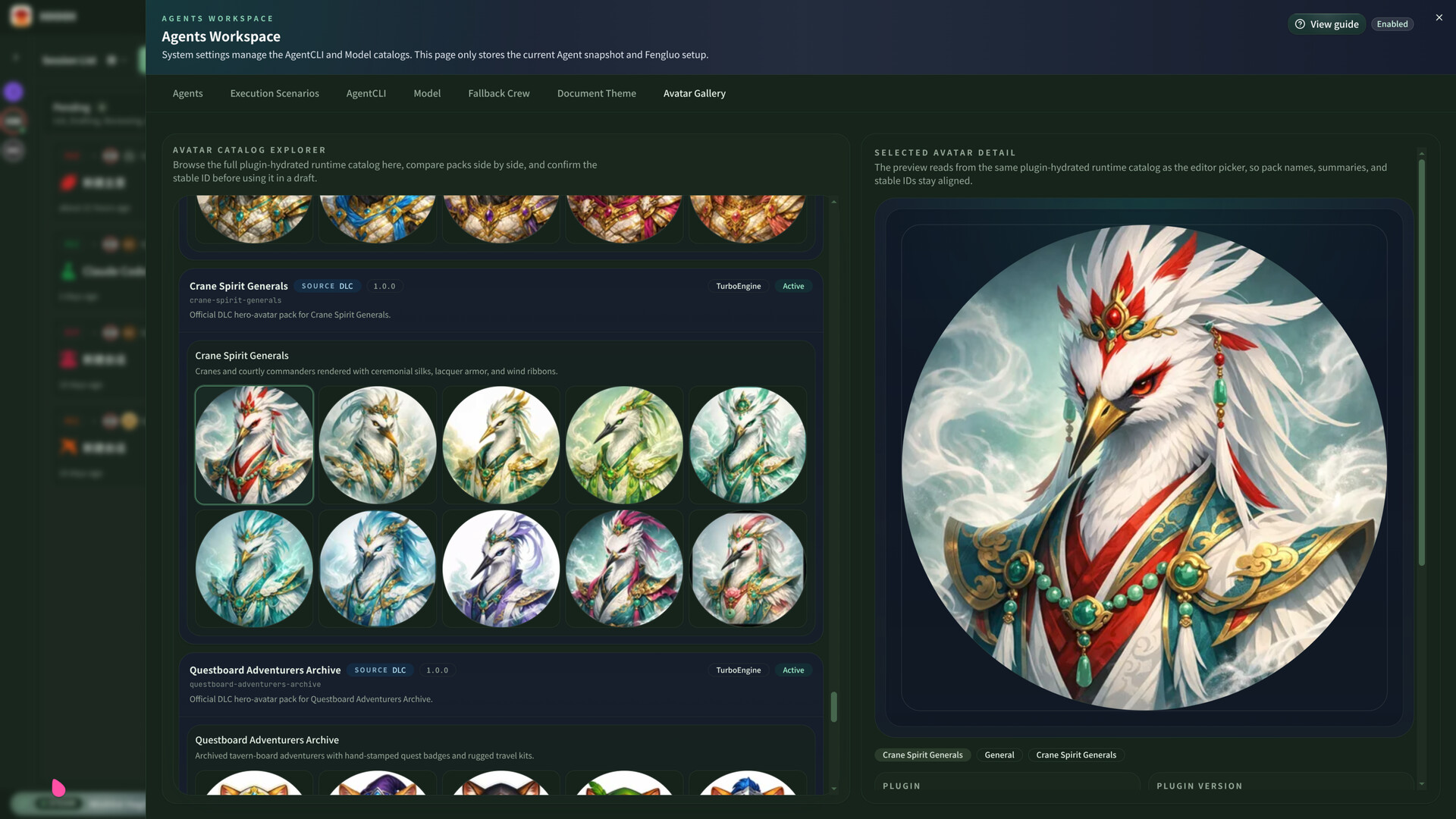
  • Official DLC avatar resources wired into the runtime gallery. Turbo Engine DLC avatar resources appear inside Hero Avatar Gallery and bulk creation flows, so they are not just promotional assets shown on a store page. They are already connected to real workflows as usable avatar assets.
In other words, Turbo Engine DLC now covers a full upgrade chain of higher concurrency + stronger Git workflow + deeper personalization, not just a bigger concurrency number.

Who should buy it

  • Users who regularly push multiple proposals, implementation branches, or documentation tasks at the same time.
  • Heavy users who need a higher limit than the default 3 concurrent proposals.
  • Users who want extended document themes, Git
    Co-Authored-By
    customization, avatar expansion, custom avatar upload, and brand customization in the Steam workspace.
If you already clearly feel that 3 concurrent proposals are not enough, or you want stronger control over how the interface presents your workspace, this DLC is basically a must-have upgrade rather than an optional cosmetic extra.

AI Generated Content Disclosure

The developers describe how their game uses AI Generated Content like this:

Hagicode is a software tool for code development that interfaces with third-party CLI tools. Accordingly, it invokes third-party CLI tools for content generation. These CLI tools, including Claude Code, Codex, Gemini CLI and others, are installed and used by users on their own computers independently.
Users utilizing these CLI tools are generally professional developers. Hagicode does not invoke any third-party AI generation services other than the aforementioned CLI tools. It merely acts as a caller to coordinate and display outputs returned by the CLI tools.
Therefore, Hagicode shall not be liable for the generated results and content. Hagicode is not the actual generator and implementer, but only a caller.

System Requirements

Windows
SteamOS + Linux
    Minimum:
    • Requires a 64-bit processor and operating system
    • OS: Windows 10
    • Processor: 4
    • Memory: 4 GB RAM
    • Network: Broadband Internet connection
    • Storage: 1 GB available space
    Recommended:
    • Requires a 64-bit processor and operating system
    • OS: Windows 11
    • Processor: 16
    • Memory: 32 GB RAM
    • Network: Broadband Internet connection
    • Storage: 10 GB available space
    Minimum:
    • OS: Linux 6.9
    • Processor: 4
    • Memory: 4 GB RAM
    • Network: Broadband Internet connection
    • Storage: 2 GB available space
    Recommended:
    • OS: Linux 6.9
    • Processor: 16
    • Memory: 32 GB RAM
    • Network: Broadband Internet connection
    • Storage: 10 GB available space
There are no reviews for this product

You can write your own review for this product to share your experience with the community. Use the area above the purchase buttons on this page to write your review.