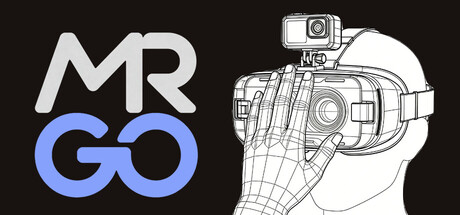
MRGO: VR to MR, easy to GO! Universal MR utility for OpenXR VR headsets. [REQUIRED: External USB webcam connected to PC; headset built-in cameras NOT supported]. Enable hand-tracking and environmental passthrough for immersive simulators. Supports all standard OpenXR and SteamVR hardware.
Release Date:
Jun 9, 2026
Developer:
Publisher:
Tags

Sign in to add this item to your wishlist, follow it, or mark it as ignored

VR Supported

Buy MRGO


About This Software

Overview

MRGO is a Mixed Reality (MR) enhancement utility designed for VR headsets compatible with the OpenXR standard.
[CORE REQUIREMENT] This application relies ENTIRELY on an external physical USB webcam (UVC compliant) connected to the PC. It CANNOT access or use the built-in passthrough cameras on VR headsets (such as Meta Quest, Pimax, etc.).

Design & Features

  • Dual Passthrough Experience: Utilizing advanced hand-detection technology, MRGO offers both "Hand Passthrough" and "Full Environmental Passthrough (Panorama Mode)". You can choose to overlay only your hands onto the virtual cockpit or switch to Panorama Mode to see your real-world flight gear in real-time.

  • Intuitive Gesture Interaction: Break free from complex keyboard binds. MRGO supports multiple natural gestures, including Open Palm, Fist, OK Sign, V-Sign, and Thumbs-Up. With the flexible "Gesture-to-Key" mapping, you can trigger in-game commands and switches directly with your hands.

  • Automatic Occlusion Switching: Features intelligent camera detection. When you physically block the camera with your hand, the software can automatically switch to Full Passthrough mode, allowing you to quickly handle real-world tasks (like checking your phone or drinking water).

  • Hardware Compatibility: Supports most standard UVC-compliant USB webcams (USB 3.0 recommended for low latency). Any camera recognized by Windows can be utilized by the software.

  • Verification Logic: The software monitors camera status in real-time. PLEASE NOTE: Gesture recognition and resolution adjustment options will ONLY become active and visible after a valid external camera is detected by the system.

  • Simulator Presets: Includes optimized configurations for leading flight and driving simulation titles, supporting deep customization to enhance operational efficiency.

  • Performance Optimized: Built with an intelligent dynamic frequency scaling system and lossless image algorithms, providing high-quality visuals with nearly zero impact on system resources or frame rates.

  • Universal Compatibility: Fully supports both OpenXR API Layer and SteamVR modes, compatible with most modern PC VR hardware environments.

Localization

The user interface currently supports Simplified Chinese and English.

System Requirements

    Minimum:
    • Requires a 64-bit processor and operating system
    • OS *: Windows® 7 64-bit
    • Processor: Intel® Core™ i5-4590 / AMD FX™ 8350 or equivalent
    • Memory: 8 GB RAM
    • Graphics: NVIDIA® GeForce® GTX 970 / AMD Radeon™ R9 290 or equivalent
    • DirectX: Version 11
    • Sound Card: DirectX Compatible Sound Card
    • VR Support: OpenXR-compatible VR Headset. REQUIRED: External USB Webcam connected to PC (Headset built-in cameras are NOT supported). (需要兼容 OpenXR 的 VR 头显。必须使用连接至 PC 的外部 USB 摄像头,不支持头显自带摄像头。)
    • Additional Notes: Requires an OpenXR-compatible runtime (e.g., SteamVR). IMPORTANT: This app is a PC utility that relies entirely on a physical USB webcam plugged into the computer's USB port. It CANNOT access the built-in passthrough cameras of headsets like Meta Quest. Please ensure a UVC-compliant USB camera is detected by Windows before launching to enable hand-tracking and resolution settings. (需要安装支持 OpenXR 的运行时(如 SteamVR)。重要提示:本软件是 PC 增强工具,完全依赖插入电脑 USB 接口的物理 USB 摄像头。它无法调用 Meta Quest 等头显自带的透视摄像头。请在启动前确保 Windows 已识别到符合 UVC 协议的 USB 相机,以开启手势跟踪和分辨率设置。)
    Recommended:
    • Requires a 64-bit processor and operating system
    • OS: Windows® 10/11 64-bit
    • Processor: Intel® Core™ i7-8700K / AMD Ryzen™ 5 3600 or equivalent
    • Memory: 16 GB RAM
    • Graphics: NVIDIA® GeForce® RTX 2060 / AMD Radeon™ RX 5700 XT or equivalent
    • DirectX: Version 12
    • Storage: 1 GB available space
    • Sound Card: DirectX Compatible Sound Card with surround sound support
    • VR Support: OpenXR-compatible VR Headset. REQUIRED: External USB Webcam connected to PC (Headset built-in cameras are NOT supported). (需要兼容 OpenXR 的 VR 头显。必须使用连接至 PC 的外部 USB 摄像头,不支持头显自带摄像头。)
    • Additional Notes: Requires an OpenXR-compatible runtime (e.g., SteamVR). IMPORTANT: This app is a PC utility that relies entirely on a physical USB webcam plugged into the computer's USB port. It CANNOT access the built-in passthrough cameras of headsets like Meta Quest. Please ensure a UVC-compliant USB camera is detected by Windows before launching to enable hand-tracking and resolution settings. (需要安装支持 OpenXR 的运行时(如 SteamVR)。重要提示:本软件是 PC 增强工具,完全依赖插入电脑 USB 接口的物理 USB 摄像头。它无法调用 Meta Quest 等头显自带的透视摄像头。请在启动前确保 Windows 已识别到符合 UVC 协议的 USB 相机,以开启手势跟踪和分辨率设置。)
* Starting January 1st, 2024, the Steam Client will only support Windows 10 and later versions.
There are no reviews for this product

You can write your own review for this product to share your experience with the community. Use the area above the purchase buttons on this page to write your review.

Review Filters