Playto Lite is a free game screen translator. Local OCR reads any PC game's on-screen text and shows the meaning in place as a translation overlay — no Alt-Tab. You can also try the full app's learning tools: word book, flashcards, spaced repetition. Offline · No subscription.

Sign in to add this item to your wishlist, follow it, or mark it as ignored

Free Demo

Play Playto Lite: Game Screen Translator

Check out the full game


About This Demo

Playto Lite is a free game screen translator. While you play, it reads the on-screen text of your PC game with local AI and shows the meaning right there as a real-time translation overlay — no Alt-Tab, no second screen. JRPGs, visual novels, strategy games: anything with text on screen.


It works two ways. As a translator it is there to be used properly, not for a few minutes — translate as much as you need while you play. It is also a working sample of the full Playto app, so the learning side is here too — Word Book, flashcards, spaced repetition (SRS) — in smaller portions.

As a translator — use it as long as you like

  • Fixed region — Set one area, such as a subtitle bar or a dialogue box, and it keeps reading the text there as it changes.

  • Quick Translate — Drag a box around anything on screen and read it on demand: a menu, an item description, a sign.

  • Automatic log — Every line you meet is recorded, so you can look back mid-session to check a meaning or a reading.

  • Runs offline — Translation happens entirely on your PC. No internet connection is needed while you play — nothing on your screen leaves your machine unless you opt in to Playto Cloud.

  • Supported languages — Chinese (Simplified), Chinese (Traditional), Czech, Danish, Dutch, English, Finnish, French, German, Greek, Hungarian, Italian, Japanese, Korean, Norwegian Bokmål, Polish, Portuguese, Romanian, Russian, Spanish, Swedish, Turkish, Vietnamese.

Playto Cloud (Beta)

Prefer not to wait for the translation model to download — or running one isn't an option on your PC? Playto Cloud translates in the cloud instead. Opt in and start translating right away, while the local model keeps downloading in the background. Free trial credits are currently included.


Cloud translation is optional and off by default. Playto stays local-first — the cloud receives only what's needed to translate; see our privacy policy for details.

Try the learning side too

These are the full app's study tools, included here in sample portions.

  • Word Book — Save the words and sentences you want to remember, up to 100 words and 50 sentences. Only what you pick is kept — a record you selected, not an AI dump.

  • Flashcards with SRS — Review saved items with spaced repetition, timed to the forgetting curve.

  • Album — Keep up to 5 captured scenes as full images with their translation.

  • Text-to-speech — Hear captured sentences read aloud. Available for these languages: English, Japanese, Spanish, French, Italian and Portuguese.

  • Anki export — Export your Word Book as a TSV file, or package Album scenes with their images as an Anki deck (.apkg) to review anywhere. A natural fit for sentence mining.

What the full version adds

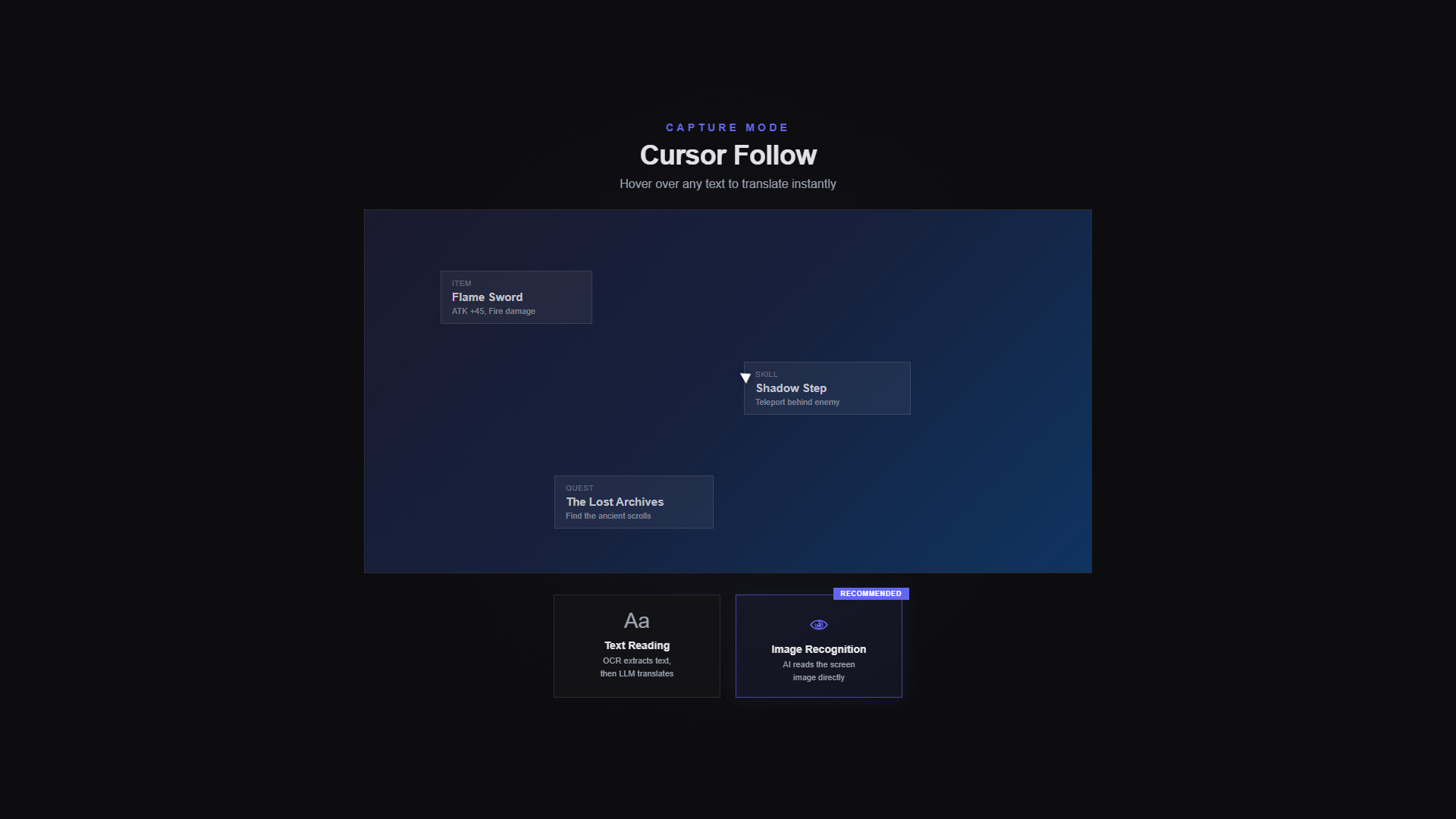
  • Cursor-follow — Works like a mouse tooltip translator, reading wherever you point: dialogue, item tooltips, menus, UI labels. Nothing to set up first.

  • Window mode (beta) — Translates the whole game window in the background and brings the overlay up only when you want it.

  • Multiple fixed regions — Watch several areas of the screen at once.

  • Text+ and Image modes — Text+ runs OCR with AI vision behind it and applies your glossary. Image hands the screen to a local vision model, which is how stylized fonts, brush lettering, vertical Japanese writing and text painted into textures get read.

  • Game Audio (Beta) — Voice lines are transcribed while you play, translated, and collected in their own log — tap a word to look it up, or save a line with its original audio clip. Only the game's own audio is captured, never your mic.

  • 8 quiz modes — Multiple choice, fill in the blank, dictation, meaning match, context quiz and more.

  • Per-game glossary — A game screen doesn't tell the AI who is speaking or what happened earlier. Register character names and custom terms and they carry into that game's translations, the way you want them.

  • No limits — Unlimited words, sentences, game profiles and albums.

Free to keep

The translator side is not capped, so you can leave it running for as long as you play. The full version lifts the ceiling: read wherever you point, watch several regions at once, and save as much as you want. If Playto becomes part of how you play, we'd be glad to have you on the full version.

How translation works

On-screen text is read by OCR. Word meanings come from a dictionary, and sentences are translated by a local LLM running on your own PC — you choose which model to run. The free edition reads with the same OCR and the same local AI as the full version; the full version adds Text+ and Image modes for screens plain OCR finds hard.

No mods, no plugins, any PC game

Playto runs as an overlay over any PC game, so there is no game-specific setup to do. Translation uses open-source AI models running locally on your PC.

Before you start

  • VRAM — Local AI needs GPU memory in addition to your game, typically 2–4 GB extra.

  • First run — AI models (about 2–6 GB) download once. After that, translation runs offline. Don't want to wait? Playto Cloud can translate while the download finishes.

AI Generated Content Disclosure

The developers describe how their game uses AI Generated Content like this:

Playto uses AI models (LLMs) to generate real-time translations of on-screen game text. All AI processing runs entirely on your machine using local models — no data is sent to external servers. The AI is also used for OCR (optical character recognition) to read text from game screens. No pre-generated AI content is included; all translations are generated live during use.

System Requirements

    Minimum:
    • Requires a 64-bit processor and operating system
    • OS: Windows 10 64-bit
    • Processor: Intel Core i5 / AMD Ryzen 5 (with AVX2 support)
    • Memory: 8 GB RAM
    • Graphics: DirectX 11 compatible GPU. Local AI runs on the CPU by default; an NVIDIA (CUDA) or Vulkan-capable GPU enables faster acceleration
    • DirectX: Version 11
    • Network: Broadband Internet connection
    • Storage: 5 GB available space
    • Additional Notes: AI models (about 2–6 GB) download on first run. For GPU acceleration, keep your GPU driver up to date — 4 GB+ VRAM recommended. No dedicated GPU? CPU mode works (slower)
    Recommended:
    • Requires a 64-bit processor and operating system
    • OS: Windows 11 64-bit
    • Processor: Intel Core i7 / AMD Ryzen 7
    • Memory: 16 GB RAM
    • Graphics: NVIDIA GPU (CUDA) or Vulkan-capable GPU, 6 GB+ VRAM, with an up-to-date driver
    • DirectX: Version 11
    • Network: Broadband Internet connection
    • Storage: 10 GB available space
    • Additional Notes: Keep your GPU driver current (especially on the latest-generation GPUs). If CUDA isn't supported, Vulkan and CPU modes are available.
Review Filters