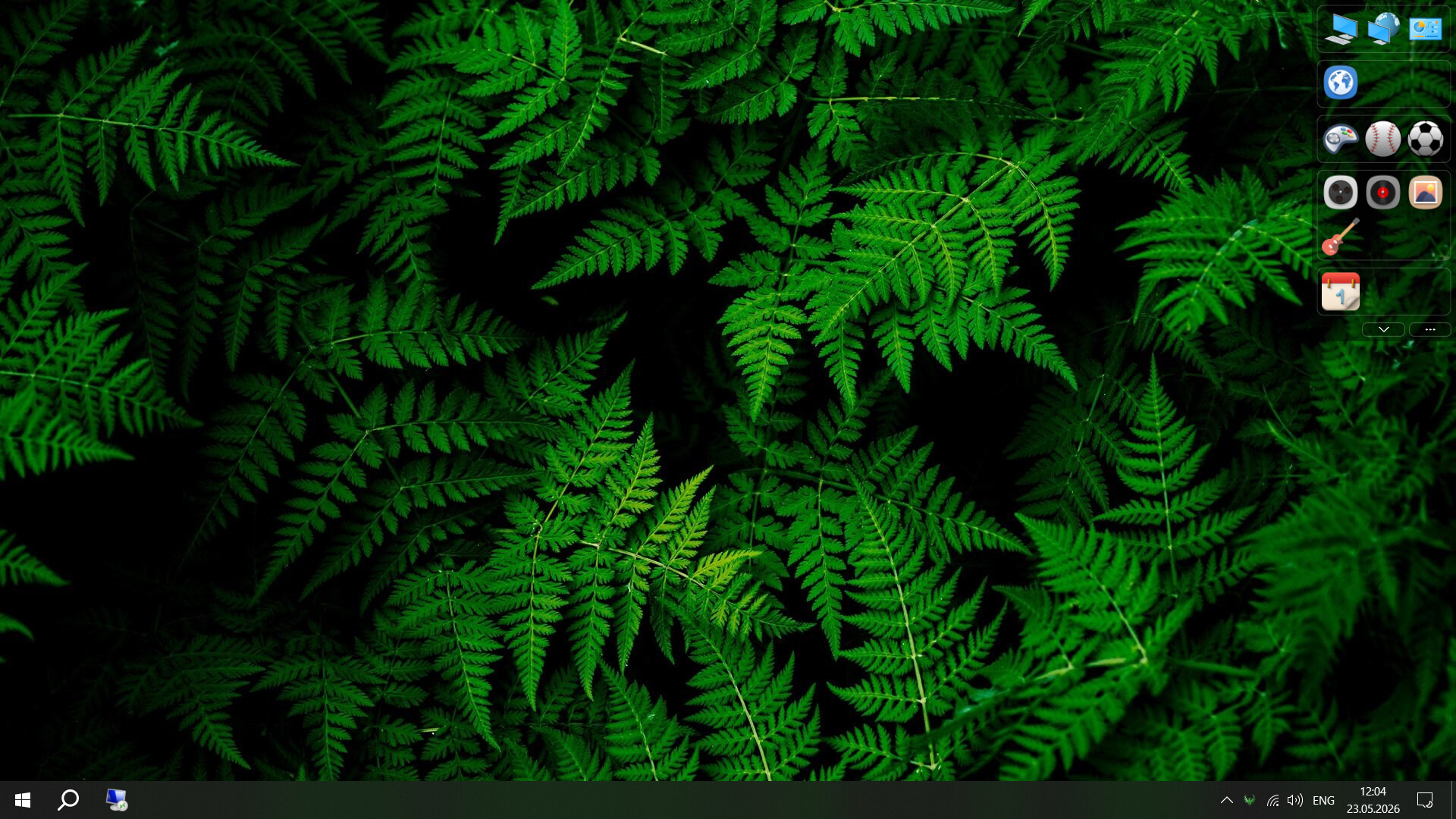
Create a clean, organized workspace for your shortcuts. Access everything instantly.

Sign in to add this item to your wishlist, follow it, or mark it as ignored

Download Shortcutty Demo

Buy Shortcutty

SPECIAL PROMOTION! Offer ends July 9

-30%
$4.99
$3.49
 

About This Software

Shortcutty™ is a desktop organizer that creates a separate, highly customizable workspace for launching games, apps, files, folders, and websites through shortcuts.

Instead of digging through folders or searching for shortcuts, you get dedicated spaces for everything — all in one place and always within reach.

Keep your desktop clean while staying fully in control of your shortcuts.

KEY FEATURES

Organize your desktop into a structured workspace

Create a workspace built around tabs, groups, and shortcuts. Keep everything separated and organized based on how you actually use your PC. Access games, apps, files, folders, and websites from one place without relying on a cluttered desktop.

Visibility of the main window

The app’s main window can be placed on any of your monitors. Its display can be configured in different ways:

  • snap it to the edge of the desktop or place it anywhere on the screen

  • set the window to automatically collapse into an interactive edge panel that opens on mouse hover, or keep it always visible

  • set the window to always stay on top of other windows

Orientation of the main window

Customize the layout of the main window to your preference: a horizontal single-row panel or a vertical layout with a configurable number of shortcuts per row.

Clean setup in seconds

Import all desktop shortcuts with a single click, then organize them into a clean structured layout.

Flexible structure

Manage tabs, groups, and shortcuts freely. Move items between sections and adapt your setup as your workflow changes.

Deep customization

Adjust the number of shortcuts per row and their size, spacing, and other settings to match your preferences — from minimal interfaces to complex layouts.

Personalized appearance

Create custom themes with colors, transparency, fonts, and background images. Apply unique styles to tabs and groups.

System behavior control

Launch at startup, assign hotkeys, and define how Shortcutty behaves after launching shortcuts.

Works offline

No internet connection required.

AI Generated Content Disclosure

The developers describe how their game uses AI Generated Content like this:

Generated application icon

System Requirements

    Minimum:
    • Requires a 64-bit processor and operating system
    • OS: Windows 10.0.17763.0
    • Memory: 70 MB RAM
    • DirectX: Version 11
    • Storage: 200 MB available space
    Recommended:
    • Requires a 64-bit processor and operating system
    • OS: Windows 10.0.17763.0
    • Memory: 70 MB RAM
    • DirectX: Version 11
    • Storage: 200 MB available space

Customer reviews for Shortcutty About user reviews Your preferences

Overall Reviews:
4 user reviews (4 reviews)


To view reviews within a date range, please click and drag a selection on a graph above or click on a specific bar.


Filter reviews by the user's playtime when the review was written:


No minimum to No maximum

Show reviews in selected display order


Learn More
Filters
Excluding Off-topic Review Activity
Playtime:
Played Mostly on Steam Deck
Operating System:
CPU:
GPU:
Device Type:
Review Filters