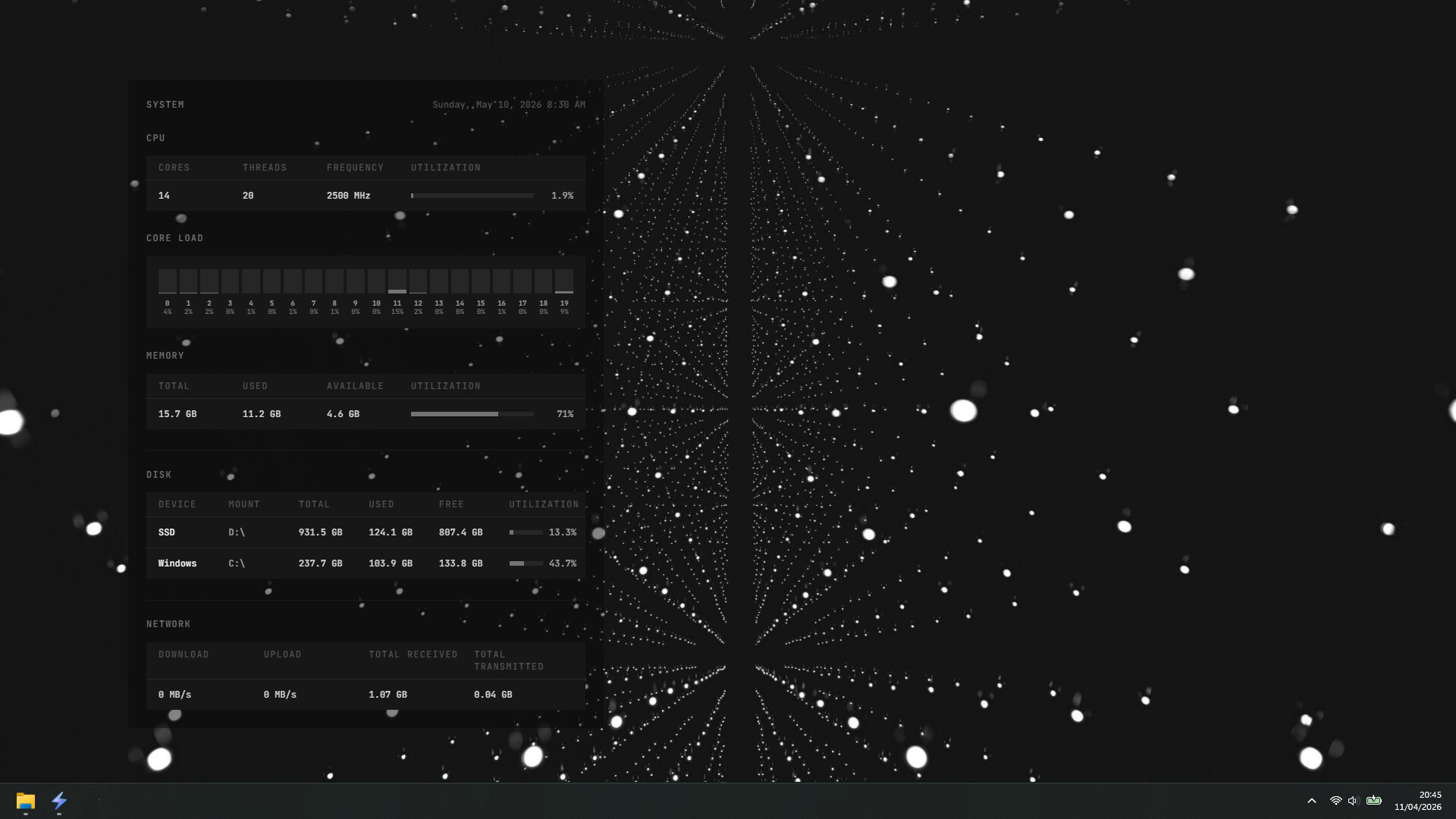
StormGauge is a modern desktop customization platform where you can create, move, and resize elements, monitor system stats, build app docks, and switch themes instantly.

Sign in to add this item to your wishlist, follow it, or mark it as ignored

Buy StormGauge


About This Software

StormGauge is a modern desktop customization platform. Choose a wallpaper, add elements, customise themes, and share your creations with others.

  • Seamless Theme Switching - Instantly switch between themes with a single click. Your wallpaper and elements update in real time.

  • Edit Mode - Enable Edit Mode to move and resize elements directly on your desktop.

  • Theme Editor - Customise fonts, colors, opacity, layout and more with the built-in editor.

  • Create your own themes - Start with a wallpaper and build your layout using modular elements.

  • Built-in Elements - Includes a range of elements at launch:

    • App Dock

    • Date & Time

    • CPU, Memory, Disk, and Network stats

  • Works Offline - Comes with 5 prebuilt themes and 18 elements that work fully offline.

  • Share Your Themes - Export and share themes easily. All themes are fully portable.

  • Lock Dashboard - Disable interactions with your dashboard to return your desktop to normal behaviour.

  • Lightweight Performance - Uses approximately 150–200 MB of RAM depending on active elements.

  • System Tray Integration - Quickly access the editor and toggle lock mode from the tray.

  • Auto launch - Option to start StormGauge automatically on system startup.

  • Security First - Runs in a sandboxed environment. Themes and elements are validated on load for safety.

System Requirements

    Minimum:
    • OS: Windows 10
    • Processor: Dual-core 2.0 GHz CPU
    • Memory: 4 GB RAM
    • Storage: 100 MB available space
    • Additional Notes: StormGauge uses ~150-200 MB RAM during normal operation.

Customer reviews for StormGauge About user reviews Your preferences

Overall Reviews:
1 user reviews (1 reviews)


To view reviews within a date range, please click and drag a selection on a graph above or click on a specific bar.


Filter reviews by the user's playtime when the review was written:


No minimum to No maximum

Show reviews in selected display order


Learn More
Filters
Excluding Off-topic Review Activity
Playtime:
Played Mostly on Steam Deck
Operating System:
CPU:
GPU:
Device Type:
Review Filters