เนื้อหานี้ต้องการแอปพลิเคชันหลัก GamingPulsePRO บน Steam เพื่อเริ่มใช้งาน

เข้าสู่ระบบ เพื่อเพิ่มผลิตภัณฑ์นี้ลงในสิ่งที่อยากได้ของคุณ ติดตาม หรือทำเครื่องหมายเป็นถูกละเว้น

ไม่รองรับภาษาไทย

ผลิตภัณฑ์นี้ไม่รองรับภาษาท้องถิ่นของคุณ โปรดตรวจสอบรายชื่อภาษาที่รองรับก่อนทำการสั่งซื้อ

เนื้อหาดาวน์โหลด

เนื้อหานี้ต้องการแอปพลิเคชันหลัก GamingPulsePRO บน Steam เพื่อเริ่มใช้งาน

เตรียมวางจำหน่าย

ผลิตภัณฑ์นี้ยังไม่พร้อมใช้งาน

น่าสนใจ?
เพิ่มในสิ่งที่คุณอยากได้ และรับการแจ้งเตือนเมื่อผลิตภัณฑ์พร้อมใช้งาน
 

เกี่ยวกับเนื้อหานี้

🔊 GamingPulsePRO — Soundboard


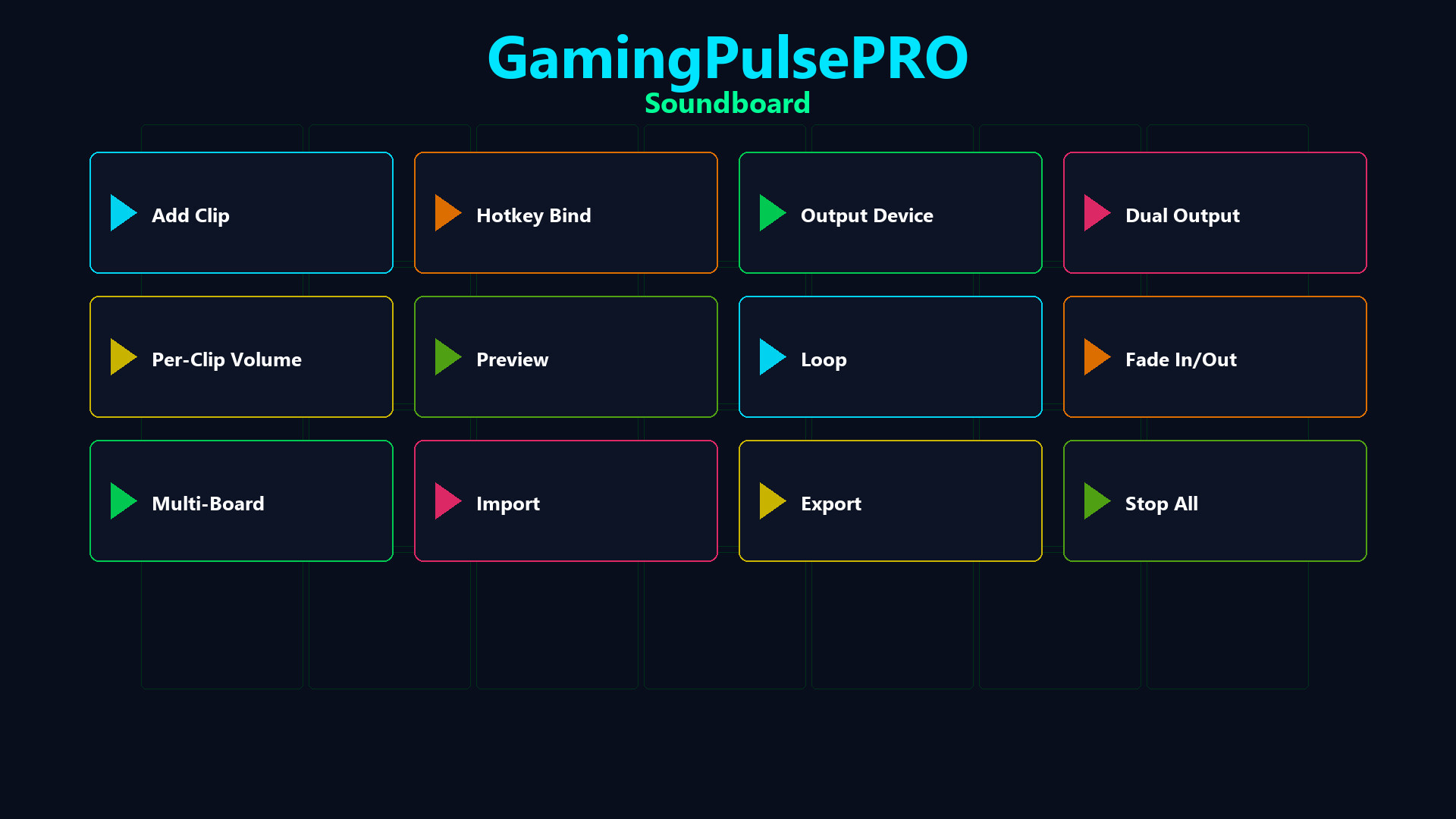
A full-featured audio board built right into GamingPulsePRO. Bind any WAV or MP3 clip to a hotkey, route audio to your voice chat through a virtual cable and manage multiple boards — all with zero latency. 🎯

🎵 Clip Playback


⌨️ Hotkey Bindings
Assign any keyboard shortcut to any sound. Trigger clips instantly during gameplay, streams or calls with a single key press.

🔁 Loop & Fade
Enable loop mode for ambient sounds or fade in/out for smooth transitions. Set per-clip fade duration for professional-sounding playback.

🎚️ Per-Clip Volume
Individual volume slider (0–100 %) for every clip. Fine-tune each sound's loudness without affecting others.

🔀 Audio Routing


🎤 Virtual Microphone Injection
Route sounds through VB-Audio Virtual Cable or VoiceMeeter directly into Discord, Steam Voice, OBS or any voice chat. Your friends hear the sound as if it's coming from your mic.

🔊 Dual Output Mode
Play simultaneously on two audio devices — hear the clip in your headphones while sending it to voice chat at the same time.

⚠️ Smart Detection
Auto-detects installed virtual audio cables. If none found, a warning banner guides you to set up VB-Audio Virtual Cable (free).

📚 Clip Library


🗂️ Visual Clip Grid
All your sounds organized in a scrollable card grid with preview buttons. Dark-themed cards (#1A1A2E) with purple accent (#4C2EA8) and color-coded buttons.

📁 Multi-Board Support
Create separate boards for different games, streams or moods. Switch between boards with a single click.

📤 Import / Export
Export your entire board configuration and share it with friends. Import boards from JSON files with all hotkeys and settings preserved.

🎮 Controls


  • ➕ Add Sound — browse and load WAV/MP3 files
  • 📂 Open Folder — open the sounds directory
  • 🛑 Stop All — immediately silence every active clip
  • 🎤 Play-to-Mic toggle — green indicator when active
  • 📊 Status bar — shows number of active sounds
  • 🔄 Concurrent playback — multiple clips at once, thread-safe

⚠️ Requires the base GamingPulsePRO application.

ความต้องการระบบ

    ขั้นต่ำ:
    • ต้องการโปรเซสเซอร์และระบบปฏิบัติการแบบ 64 บิต
    • ระบบปฏิบัติการ: Windows 10 / 11 (64-bit)
    • โปรเซสเซอร์: Dual Core 2.0 GHz or higher
    • หน่วยความจำ: แรม 2048 MB
    • กราฟิกส์: Integrated Graphics
    • เครือข่าย: การเชื่อมต่ออินเทอร์เน็ตแบบบรอดแบนด์
    • พื้นที่จัดเก็บข้อมูล: พื้นที่ว่างที่พร้อมใช้งาน 100 MB
    แนะนำ:
    • ต้องการโปรเซสเซอร์และระบบปฏิบัติการแบบ 64 บิต
ไม่พบบทวิจารณ์สำหรับผลิตภัณฑ์นี้

คุณสามารถเขียนบทวิจารณ์ของคุณเองสำหรับผลิตภัณฑ์นี้เพื่อแบ่งปันประสบการณ์ของคุณให้กับชุมชน ใช้พื้นที่ด้านบนของปุ่มซื้อในหน้านี้เพื่อเขียนบทวิจารณ์ของคุณ