Aby uruchomić tę zawartość, wymagana jest podstawowa wersja aplikacji GamingPulsePRO na Steam.

Zaloguj się, aby dodać tę pozycję do listy życzeń, zacząć ją obserwować lub oznaczyć jako ignorowaną

Polski język nie jest obsługiwany

Ten produkt nie obsługuje twojego lokalnego języka. Przed zakupem zapoznaj się z listą obsługiwanych języków, która znajduje się poniżej.

Zawartość do pobrania

Aby uruchomić tę zawartość, wymagana jest podstawowa wersja aplikacji GamingPulsePRO na Steam.

Wkrótce dostępne

Ten produkt nie jest jeszcze dostępny

Interesuje cię ten produkt?
Dodaj go do swojej listy życzeń i otrzymaj powiadomienie, gdy stanie się dostępny.
 

O tym DLC

🔊 GamingPulsePRO — Soundboard


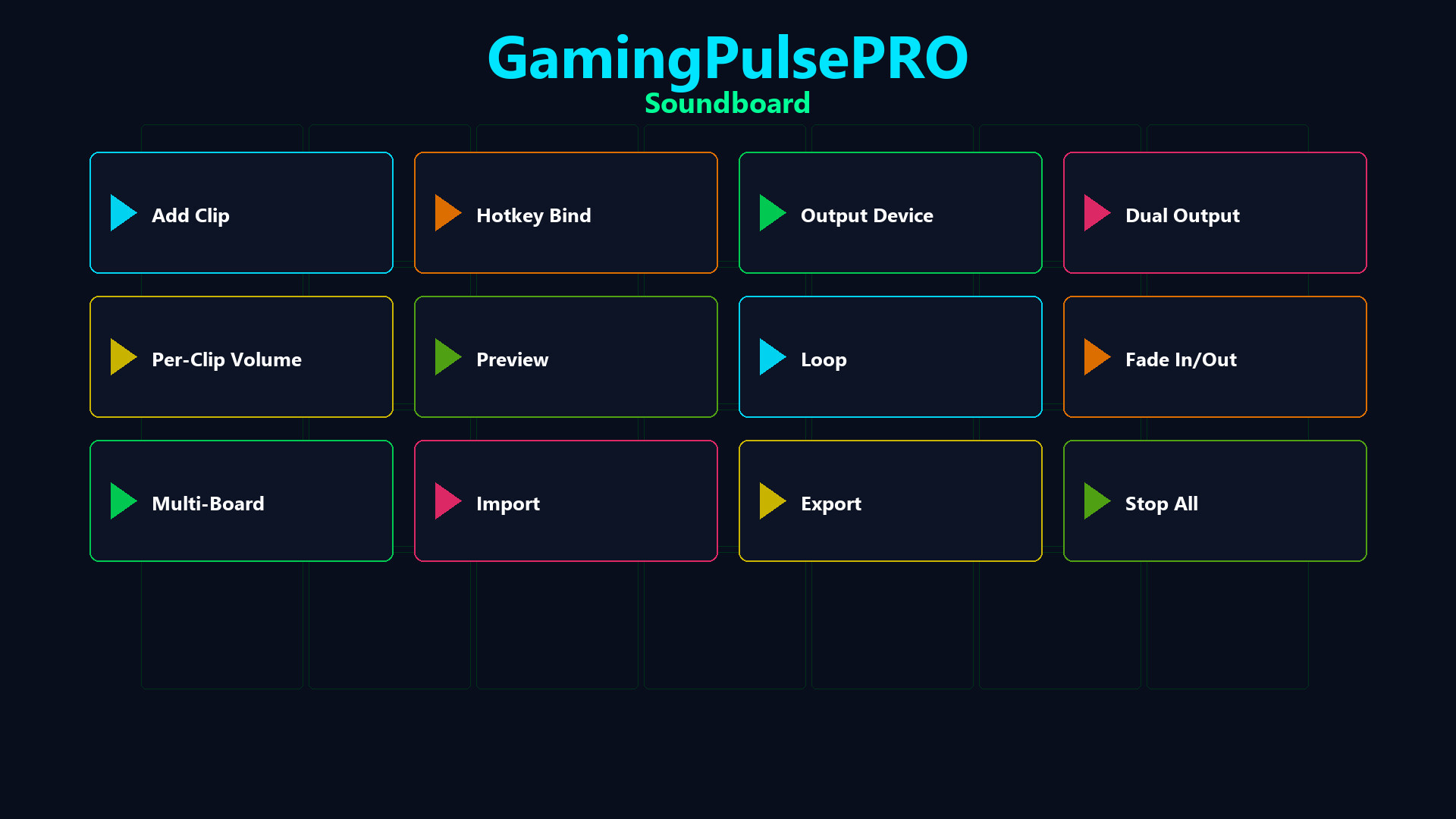
A full-featured audio board built right into GamingPulsePRO. Bind any WAV or MP3 clip to a hotkey, route audio to your voice chat through a virtual cable and manage multiple boards — all with zero latency. 🎯

🎵 Clip Playback


⌨️ Hotkey Bindings
Assign any keyboard shortcut to any sound. Trigger clips instantly during gameplay, streams or calls with a single key press.

🔁 Loop & Fade
Enable loop mode for ambient sounds or fade in/out for smooth transitions. Set per-clip fade duration for professional-sounding playback.

🎚️ Per-Clip Volume
Individual volume slider (0–100 %) for every clip. Fine-tune each sound's loudness without affecting others.

🔀 Audio Routing


🎤 Virtual Microphone Injection
Route sounds through VB-Audio Virtual Cable or VoiceMeeter directly into Discord, Steam Voice, OBS or any voice chat. Your friends hear the sound as if it's coming from your mic.

🔊 Dual Output Mode
Play simultaneously on two audio devices — hear the clip in your headphones while sending it to voice chat at the same time.

⚠️ Smart Detection
Auto-detects installed virtual audio cables. If none found, a warning banner guides you to set up VB-Audio Virtual Cable (free).

📚 Clip Library


🗂️ Visual Clip Grid
All your sounds organized in a scrollable card grid with preview buttons. Dark-themed cards (#1A1A2E) with purple accent (#4C2EA8) and color-coded buttons.

📁 Multi-Board Support
Create separate boards for different games, streams or moods. Switch between boards with a single click.

📤 Import / Export
Export your entire board configuration and share it with friends. Import boards from JSON files with all hotkeys and settings preserved.

🎮 Controls


  • ➕ Add Sound — browse and load WAV/MP3 files
  • 📂 Open Folder — open the sounds directory
  • 🛑 Stop All — immediately silence every active clip
  • 🎤 Play-to-Mic toggle — green indicator when active
  • 📊 Status bar — shows number of active sounds
  • 🔄 Concurrent playback — multiple clips at once, thread-safe

⚠️ Requires the base GamingPulsePRO application.

Wymagania systemowe

    Konfiguracja minimalna:
    • Wymaga 64-bitowego procesora i systemu operacyjnego
    • System operacyjny: Windows 10 / 11 (64-bit)
    • Procesor: Dual Core 2.0 GHz or higher
    • Pamięć: 2048 MB RAM
    • Karta graficzna: Integrated Graphics
    • Sieć: Szerokopasmowe połączenie internetowe
    • Miejsce na dysku: 100 MB dostępnej przestrzeni
    Konfiguracja zalecana:
    • Wymaga 64-bitowego procesora i systemu operacyjnego
Brak recenzji dla tego produktu

Możesz napisać swoją własną recenzję dla tego produktu, żeby podzielić się swoimi wrażeniami ze społecznością. Użyj obszaru, który znajduje się na tej stronie nad przyciskiem zakupu, żeby napisać swoją recenzję.