The essential playspace manipulation tool for SteamVR. OVR Space Dragger lets you move your world with a button press. No extra features, no cost—just a fast, lightweight "OVR" utility for VR enthusiasts and VRChat users.

Sign in to add this item to your wishlist, follow it, or mark it as ignored

Early Access Software

Get involved with this software as it develops.

Note: This Early Access software is not complete and may or may not change further. If you are not excited to use this software in its current state, then you should wait to see if it progresses further in development. Learn more

What the developers have to say:

Why Early Access?

“This application is only tested on limited VR devices, I wish to receive some tests especially for Valve controllers.
Goal is to
- Implement support for Valve Index controller with testing helps from users who have access to such devices
- identify and fix any major bugs”

Approximately how long will this software be in Early Access?

“I wish to complete the app before end of the year 2026
If serious bugs are found, it might take longer”

How is the full version planned to differ from the Early Access version?

“Completed version is planned to include
- controller support for Valve Index ”

What is the current state of the Early Access version?

“The current app has been able to achieve space dragging for Oculus and Pico controllers with certain prepared commonly used binding options such as double click grip and buttons ABXY.
Assistive features like auto launch and persistent saving on binding choice has been implemented too.
Currently, there is an experimental record binding id feature added, with which I aim to addressing controller compatibility issue.”

Will this software be priced differently during and after Early Access?

“I plan to keep the base app free by keeping it simple and avoid adding new features unless really necessary.
Depending on demand, there may be paid DLCs to unlock advanced features.
There may be cheap paid DLCs with decoration-only contents to allow users to support the development.”

How are you planning on involving the Community in your development process?

“I wish to receive feedbacks on user experiences, bug reports, and device compatibility confirmations.
Please leave any feedback on discussion forum or comments section.
- If any Index controller user is willing to help me with testing controller support, please create a post there on discussion forum or email to my support email”
Read more

Join the OVR Space Dragger Playtest

Request access and you’ll get notified when the developer is ready for more participants.
VR Only

Use OVR Space Dragger

Free To Play
 
See all discussions

Report bugs and leave feedback for this software on the discussion boards

About This Software

The essential playspace manipulation tool for SteamVR. OVR Space Dragger lets you move your world with a button press. No extra features, no cost—just a fast, lightweight OpenVR utility for VR players and VRChat users.

Features

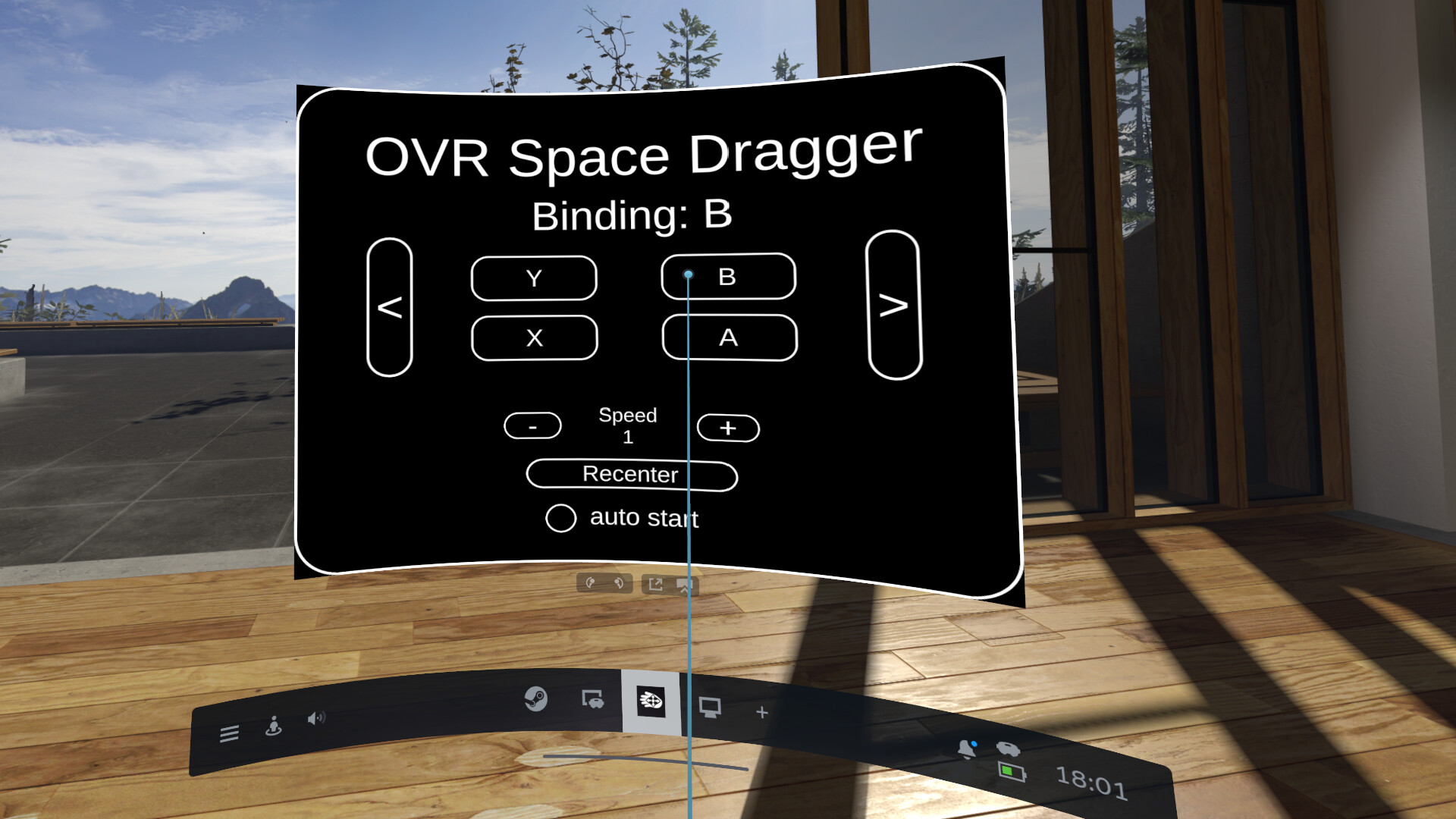
1. Key binding

  • left or right controller grip double tap

  • left or right controller thumbstick press

  • any one of the X, Y, A, B button press

  • (experiment) record customized binding

2. Control speed of the drag

3. Recenter 

4. Auto-launch toggle

5. User preferences are saved persistently 

Known issues

Thank you for trying out the app! As a solo developer with limited hardware, I am actively working to improve stability. Please be aware of the following known issues:

  • Random Teleportation: Some users may experience random teleportation instead of dragging. Restarting the app and set movement speed to 1 may fix the issue. Helps in debugging the issue will be appreciated, please reach out the debug server if someone is willing to help.

  • Headset & Controller Compatibility: Tested and fully supported on Oculus and Pico. Other headsets—especially Valve Index controllers—and connection methods like Steam Link may not function as intended yet.

  • Window Interface: The app currently launches with a redundant main window. It will be streamlined into a simple system tray icon in a future update.

  • Tracking Loss: If your headset loses tracking, space manipulation may glitch or cause random movements. A quick app restart usually fixes this.

Support server link can be found under "Guides" to report a bug and share any clues.

Playtest version will generate debug reports to share more detailed clues, bringing the generated log to the developer will greatly help debugging.

Apologies for the issues and many thanks for supports from everyone.

Disclaimer

OVR Space Dragger is a third-party utility and is NOT an official product of Valve Corporation.

System Requirements

    Minimum:
    • OS: Windows 10
    • Processor: Intel Core i5-4590/AMD FX 8350
    • Memory: 4 GB RAM
    • Graphics: NVIDIA GeForce GTX 970, AMD Radeon R9 290 equivalent or better
    • VR Support: Only supporting Pico and Meta via Virtual Desktop using SteamVR for now. Other headsets may or may not work as intended.
    • Additional Notes: for now only tested on Quest 3 and Pico 4 pro on Windows 11
    Recommended:
    • OS: Windows 11

Customer reviews for OVR Space Dragger About user reviews Your preferences

Overall Reviews:
6 user reviews (6 reviews)


To view reviews within a date range, please click and drag a selection on a graph above or click on a specific bar.


Filter reviews by the user's playtime when the review was written:


No minimum to No maximum

Show reviews in selected display order


Learn More
Filters
Excluding Off-topic Review Activity
Playtime:
Played Mostly on Steam Deck
Operating System:
CPU:
GPU:
Device Type:
Review Filters