Run your own hobby shop in this first-person store management demo. Order stock, fill shelves, set prices, match kits with paints through the Hobby Basket System, and let customers assemble their projects at Build Tables.

Zaloguj się, aby dodać tę pozycję do listy życzeń, zacząć ją obserwować lub oznaczyć jako ignorowaną

Sprawdź całą kolekcję PlayWay S.A. na Steam
Bezpłatne demo

Graj w Model Kit Shop Simulator: Demo

Sprawdź pełną grę


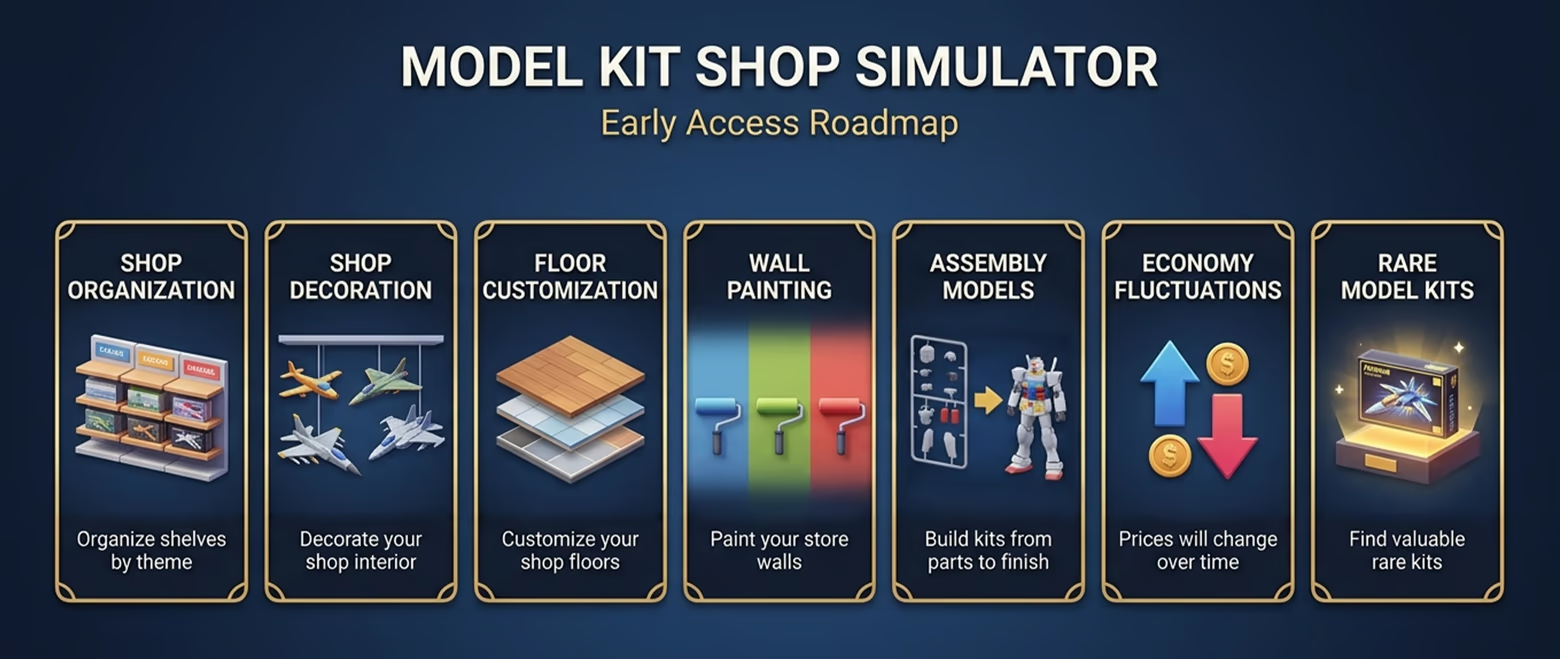
Mapa rozwoju gry

O tym demie

ABOUT THIS DEMO

Model Kit Shop Simulator Demo lets you experience the core of running your own first-person hobby shop.

Order stock, unpack master boxes, fill your shelves, set prices, and serve customers as you begin building a small but growing model kit store.

This demo highlights the game’s two main systems: the Hobby Basket System and the Build Table. To earn more from each sale, you need to keep the right matching paints in stock and create better baskets for your customers.

Core Systems

Hobby Basket System

Customers do not just buy a single kit — they start a project. When a customer picks a model kit, they may also look for the matching paints needed to complete it. If you keep those paints on your shelves, they can add them to their basket, increasing the total value of each sale. If the paints are missing, they may still buy the kit, but your basket value and profit will be lower.

Build Table System

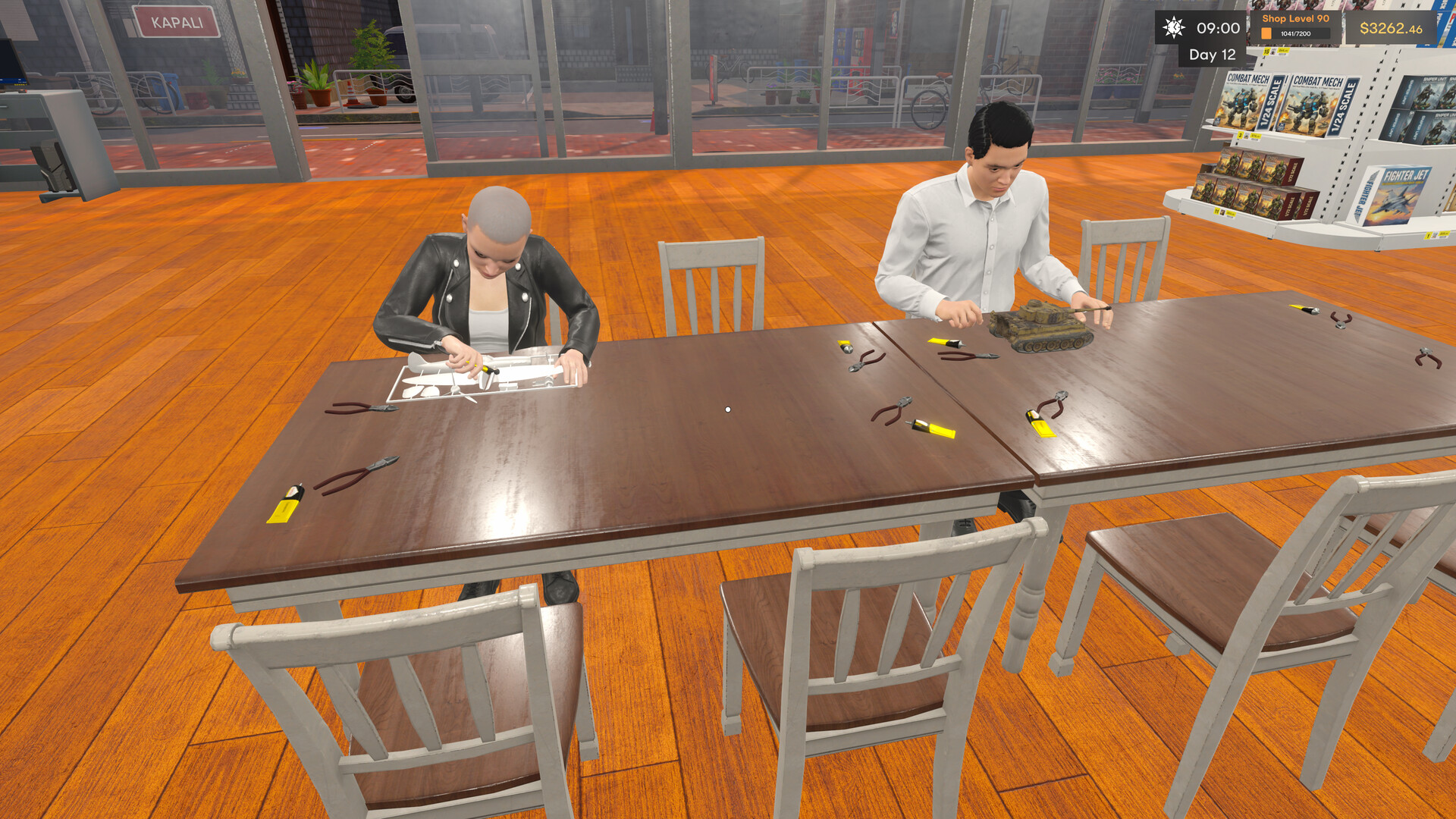
Customers who complete the right kit-and-paint combination can pay to use a Build Table after checkout. There, they sit down, assemble their kit, and turn a box of parts into a finished model inside your shop. This gives the store a more distinctive hobby-shop feel and shows the building process as part of the customer experience.

The demo offers a focused slice of the full game and is designed to showcase the core store loop, product matching, and the unique identity of your hobby shop.

Demo Features

  • Run a first-person model kit shop

  • Order and unpack products from master boxes

  • Stock shelves and manage your layout

  • Set prices and serve customers

  • Use the Hobby Basket System to increase basket value

  • Keep matching paints in stock to support model kit sales

  • Let customers use Build Tables after checkout

Start small, learn the core systems, and get a first look at the hobby shop experience of Model Kit Shop Simulator.

Wymagania systemowe

    Konfiguracja minimalna:
    • Wymaga 64-bitowego procesora i systemu operacyjnego
    • System operacyjny: Windows 10 (64-bit)
    • Procesor: Intel Core i5-2500K or AMD FX-6300
    • Pamięć: 8 GB RAM
    • Karta graficzna: NVIDIA GeForce GTX 960 or AMD Radeon R9 280 (2 GB VRAM)
    • DirectX: Wersja 11
    • Miejsce na dysku: 6 GB dostępnej przestrzeni
    • Karta dźwiękowa: DirectX compatible
    • Dodatkowe uwagi: Integrated graphics cards are not supported.
    Konfiguracja zalecana:
    • Wymaga 64-bitowego procesora i systemu operacyjnego
    • System operacyjny: Windows 10/11 (64-bit)
    • Procesor: Intel Core i5-8400 or AMD Ryzen 5 2600
    • Karta graficzna: NVIDIA GeForce GTX 1660 Ti or AMD Radeon RX 5600 XT (6 GB VRAM)
    • DirectX: Wersja 12
    • Miejsce na dysku: 6 GB dostępnej przestrzeni
    • Karta dźwiękowa: DirectX compatible
    • Dodatkowe uwagi: Integrated graphics cards are not supported.

Recenzje klientów dla produktu Model Kit Shop Simulator: Demo O recenzjach użytkowników Twoje preferencje

Ogólne recenzje:
W większości pozytywne (14)


Aby zobaczyć recenzje w wybranym zakresie dat, kliknij i przeciągnij zaznaczenie na powyższym wykresie lub kliknij na wybrany słupek.


Filtruj recenzje według czasu gry użytkownika w momencie publikacji recenzji:


Bez minimum do Bez maksimum

Pokaż recenzje w wybranej kolejności wyświetlania


Dowiedz się więcej
Filtry
Wyłączanie okresów występowania recenzji nie na temat
Czas gry:
Głównie Steam Deck
System operacyjny:
CPU:
GPU:
Typ urządzenia:
Filtry recenzji