This content requires the base application Immersive English on Steam in order to run.

Sign in to add this item to your wishlist, follow it, or mark it as ignored

Downloadable Content

This content requires the base application Immersive English on Steam in order to run.

Download Immersive English - Translation Extension


About This Content

The Translation Extension can translate recognized sentences or paragraphs for you.

1. Enable Translation Extension

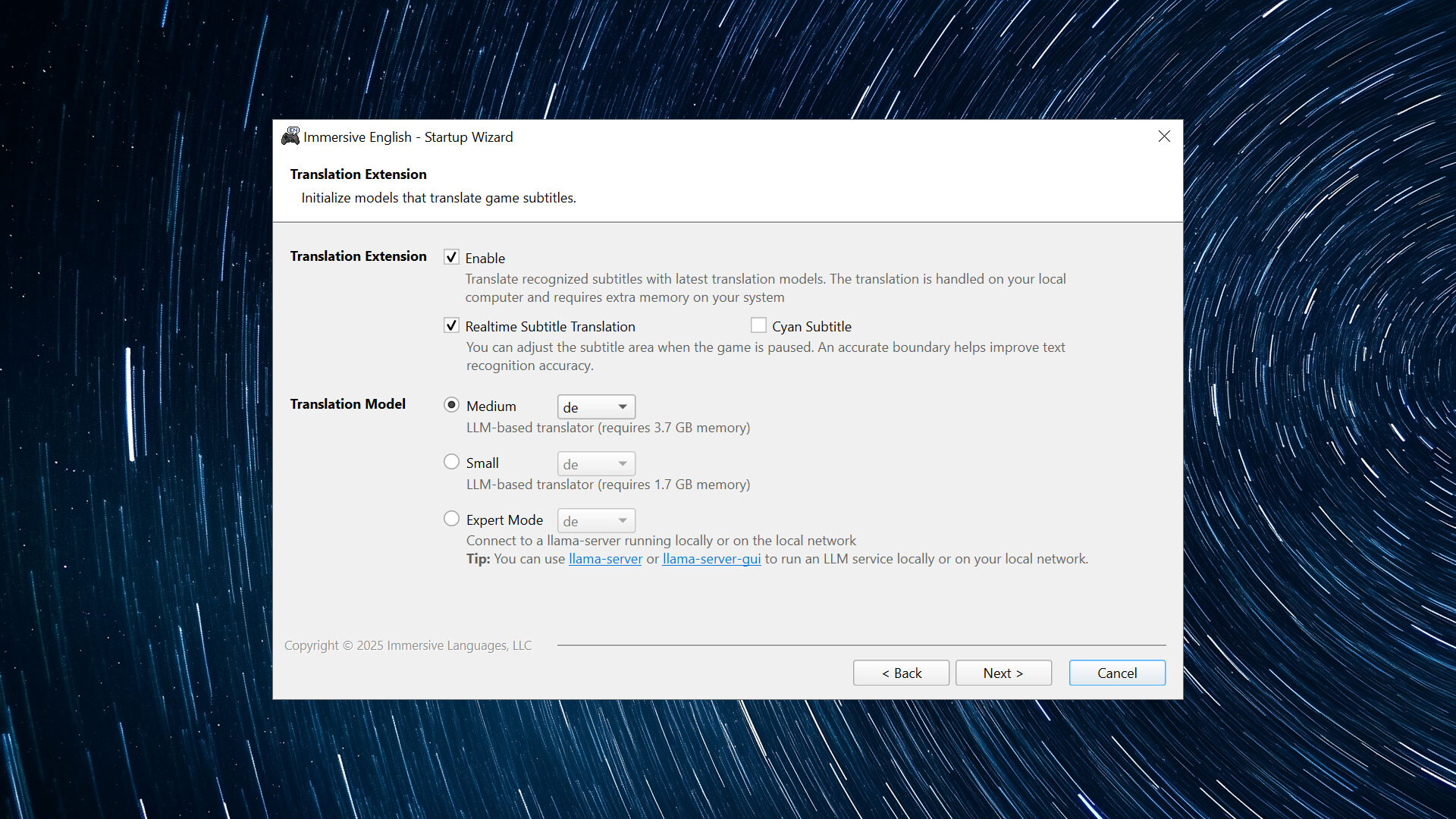
Check the "Enable Translation Extension" option in the startup wizard, and then select the translation model you want to use. The translation will be handled on your local computer and it consumes pretty much memory.

  • The medium model requires 3.6 GB memory

  • The small model requires 2.3 GB memory

  • The tiny model requires 500 MB memory

The medium model is recommended if your computer has 16 GB memory.

2. Start Immersive English and Pause the Game

Start Immersive English and the game as usual, and then pause the game with the hotkey (Pause/Break by default).

3. Translate Recognized Paragraphs

If a paragraph is detected, a small button will appear on its bottom-left corner. Click on it to start translation.

AI Generated Content Disclosure

The developers describe how their game uses AI Generated Content like this:

This extension includes several models for translation. The LLM-based translator is recommended and it requires 3.6 GB memory on your local computer.

System Requirements

    Minimum:
    • Requires a 64-bit processor and operating system
    • OS: Windows 10 / 11 64-bit
    • Processor: Core i5-8400 / AMD Ryzen 5 1600
    • Memory: 8 GB RAM
    • Storage: 8 GB available space
    Recommended:
    • Requires a 64-bit processor and operating system
    • OS: Windows 10 / 11 64-bit
    • Processor: Core i7-8700K / AMD Ryzen 7 1700X
    • Memory: 16 GB RAM
    • Storage: 8 GB available space

Customer reviews for Immersive English - Translation Extension About user reviews Your preferences

Overall Reviews:
1 user reviews (1 reviews)


To view reviews within a date range, please click and drag a selection on a graph above or click on a specific bar.


Show reviews in selected display order


Learn More
Filters
Excluding Off-topic Review Activity
Playtime:
Played Mostly on Steam Deck
Operating System:
CPU:
GPU:
Device Type:
Loading reviews...