Frameglyph is an intuitive video review and reference tool for animators and creators. It features simultaneous multi-video playback, frame-by-frame navigation, direct on-frame drawing (Live Ink), and bookmarking. By organizing your essentials into one screen, it powers up your workflow.

Daftar masuk untuk menambah item ini ke senarai hajat anda, ikuti atau tandakannya sebagai diabaikan

Perisian Akses Awal

Libatkan diri dengan perisian ini seiring pembangunannya.

Nota: Perisian Akses Awal ini belum lengkap dan mungkin akan mengalami perubahan. Jika anda tidak tertarik untuk menggunakan perisian ini dalam versi semasanya, anda seharusnya menunggu untuk melihat jika ia akan terus dibangunkan. Ketahui lebih lanjut

Kata-kata daripada pembangun:

Kenapa Akses Awal?

“This software is a tool designed to directly improve the workflows of video creators and animators. Therefore, we believe that receiving direct feedback from the user community on how it is used in actual production environments and what features are needed is the best way to build the most practical and refined tool possible.”

Berapa lama perisian ini dijangka akan berada dalam Akses Awal?

“Depending on the volume of community feedback and the scale of requests, we expect to be in Early Access for approximately [6 months to 1 year]. We will decide to transition to a full release once we are confident that the quality has reached our target standards.”

Apakah perbezaan yang dirancang antara versi penuh dan versi Akses Awal?

“The Early Access version already includes core features (synchronized video playback, frame-by-frame stepping, bookmarks, layout export, etc.). For the full version, we plan to introduce the following additional content and features:
* Expansion of supported video formats and codecs
* Further performance optimization and stability improvements
* Integration of advanced UI customization and additional features highly requested by users
(*These are plans and may change depending on development progress and feedback.)

Bagaimanakah keadaan semasa versi Akses Awal?

“Currently, all core features of the software are implemented, and it is fully usable as a daily reference tool. Simultaneous loading of multiple video files, highly accurate seeking, timeline features, and basic export features are all functional. We are currently focusing on further improving stability and fixing minor bugs.”

Adakah harga perisian ini berbeza semasa dan selepas Akses Awal?

“During Early Access, the software will be offered at a lower price to show our appreciation for your early support. We plan to raise the price to an appropriate level upon the full release, or when major features are added leading up to it.”

Bagaimana anda merancang untuk melibatkan Komuniti dalam proses pembangunan anda?

“We will actively use the Steam Discussion boards to gather bug reports, feature requests, and workflow ideas from our users. Additionally, we plan to publish patch notes with every update to transparently communicate how your feedback is being reflected in the development. ”
Baca lagi
Bahasa Bahasa Melayu tidak disokong

Produk ini tidak menyokong bahasa tempatan anda. Sila semak senarai bahasa yang disokong di bawah sebelum membuat pembelian

Beli Frameglyph

 
Lihat semua perbincangan

Laporkan pepijat dan tinggalkan maklum balas untuk perisian ini di papan perbincangan

Tentang Perisian Ini

FrameglyphPrecision Video Review & Annotation

Frame-accurate playback, expressive Live Ink annotations, and seamless export. Elevate your review workflow in one powerful workspace.

Frame-by-Frame Precision

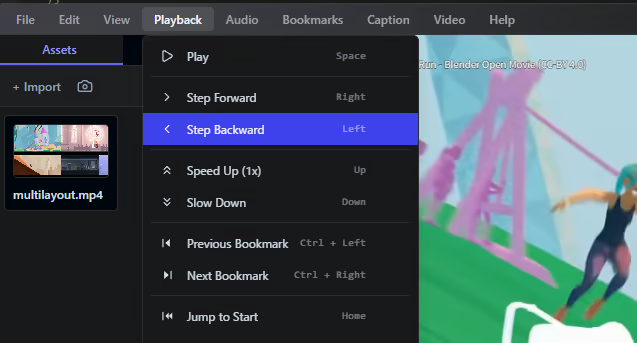
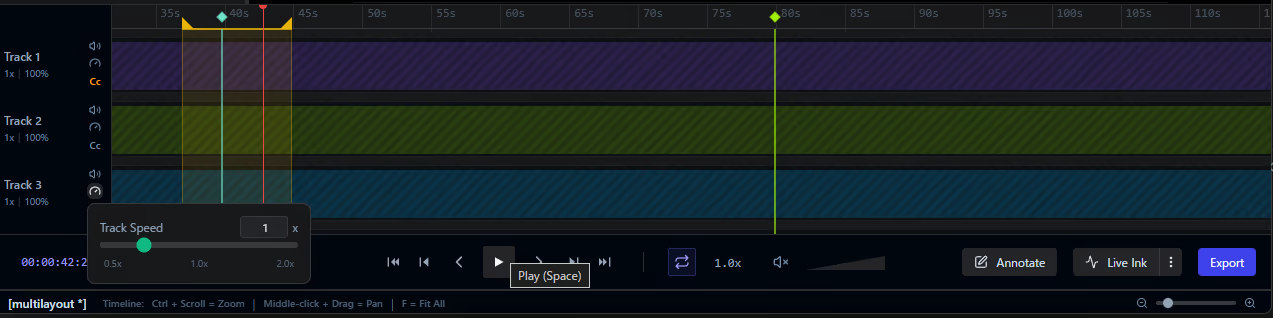
Navigate your media with absolute control. Variable speed playback and customizable loop ranges allow you to scrutinize every single frame at your own pace.

Expressive Annotations

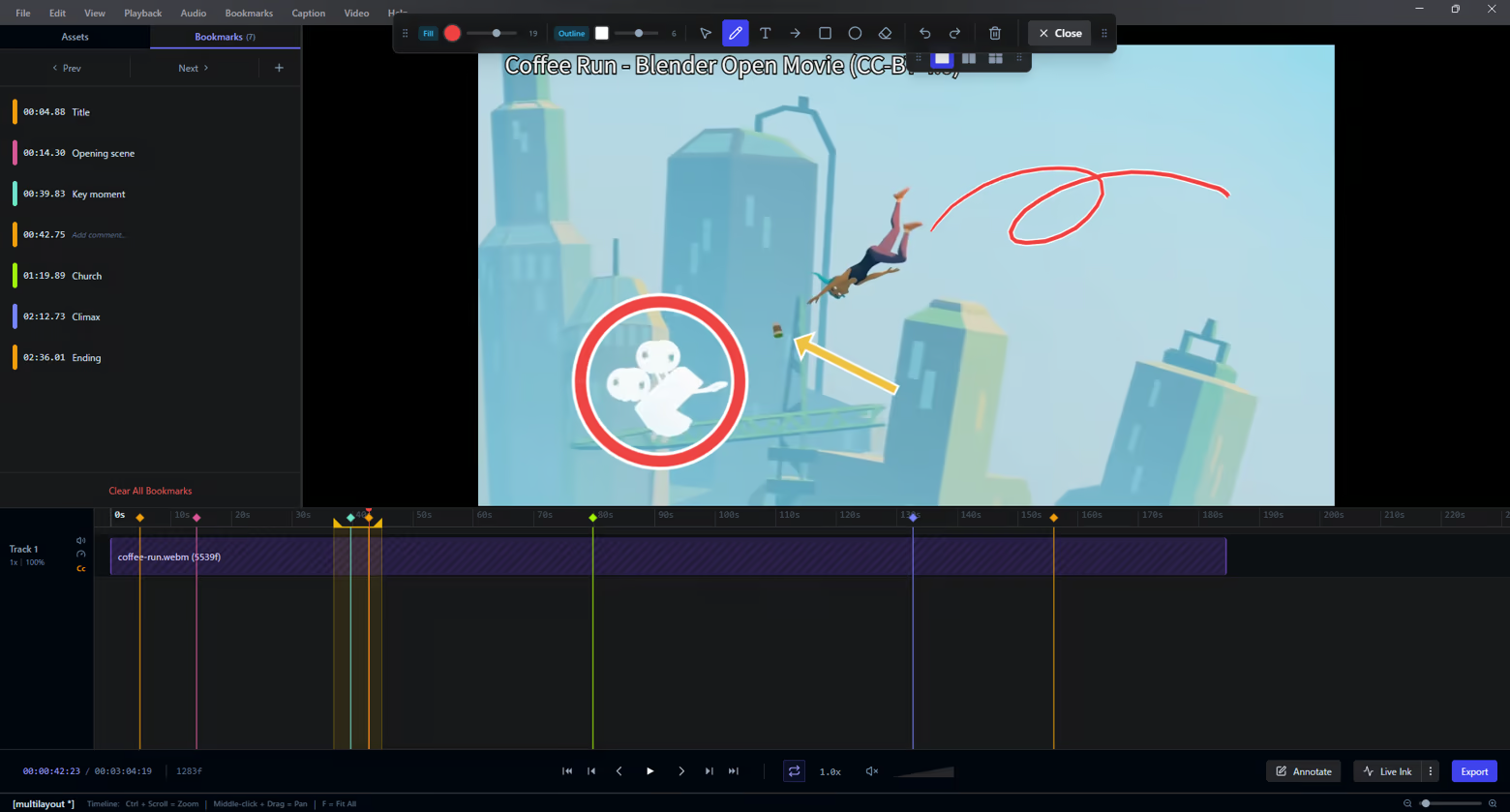
Communicate feedback instantly. Draw freehand with Live Ink, add shapes, or place text overlays directly onto video frames to highlight exactly what matters.

Interactive Timeline

Keep your review sessions perfectly organized. Drop bookmarks at key moments, define precise loop regions, and manage your keyframes intuitively along an interactive timeline.

Seamless Multi-Video Comparison

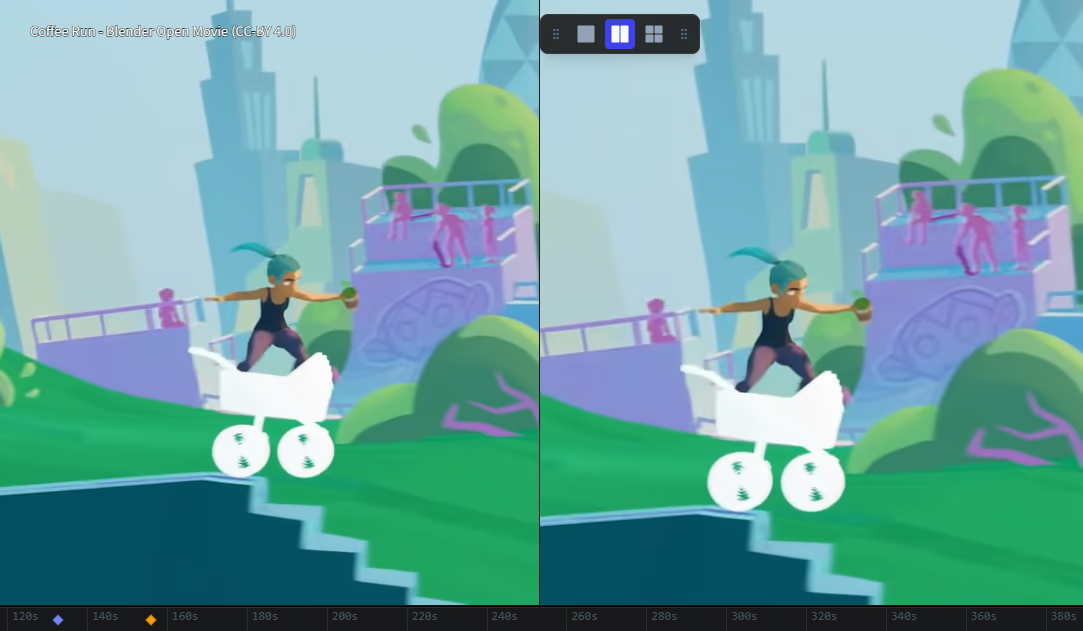
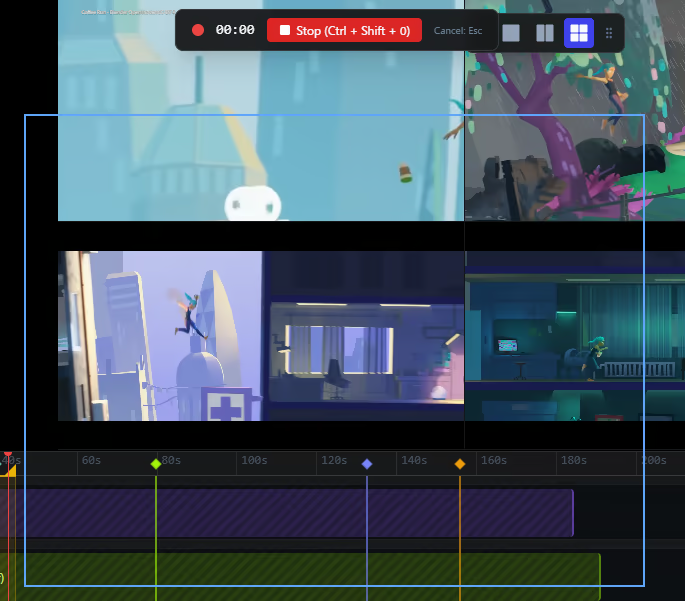
Review iterations side-by-side. Watch up to 4 videos simultaneously in fully configurable layouts (1x1, 2x1, 2x2) — ideal for comparing takes or checking animation progress.

Effortless Export

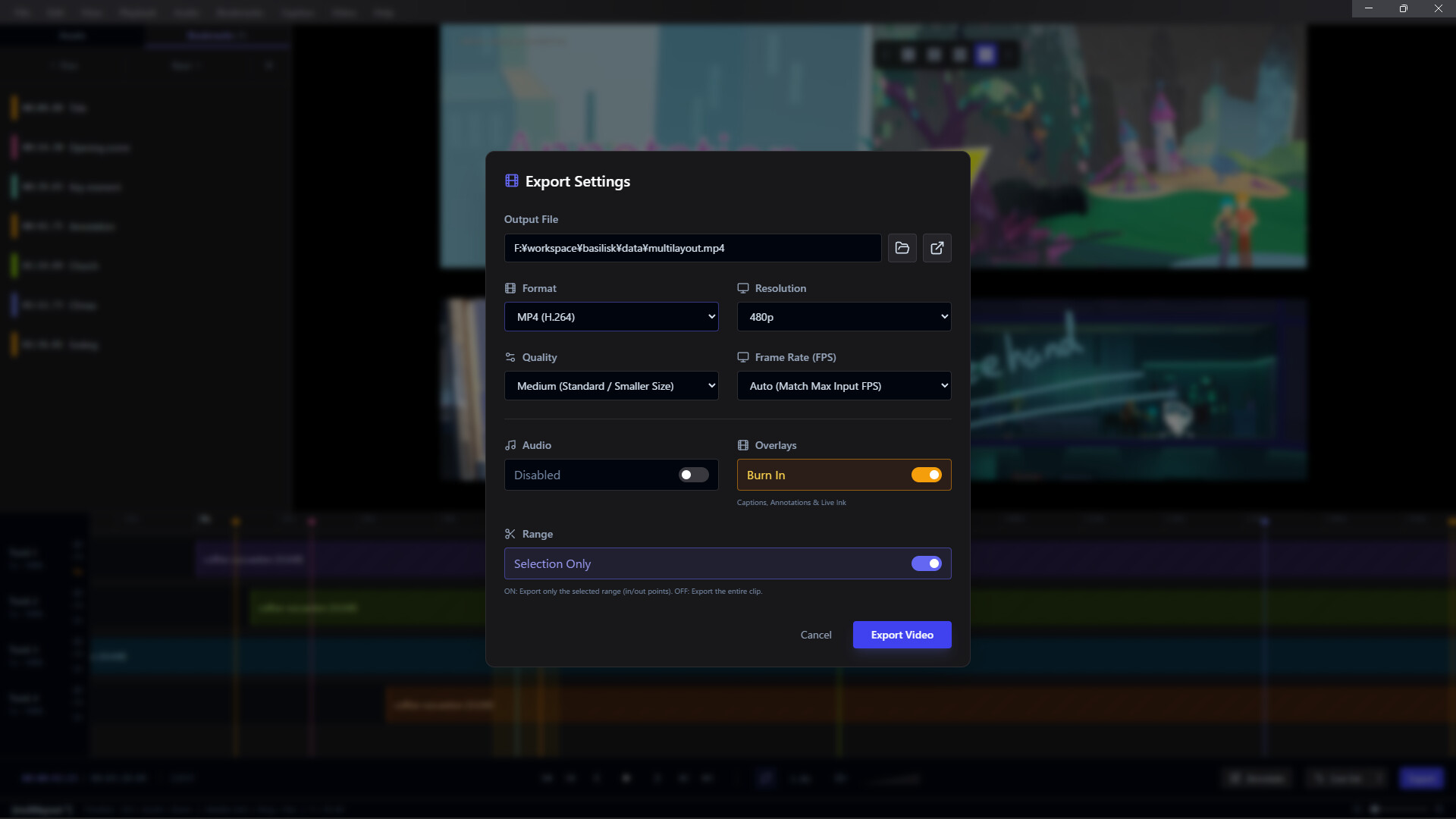
Share your feedback anywhere. Render and burn your annotations directly into MP4, WebM, GIF, APNG, or image sequences using integrated FFmpeg processing.

Integrated Screen Capture

Never break your flow. Use the built-in screen recorder to capture your workflow and bring it directly into Frameglyph for immediate review and annotation.

Global Accessibility

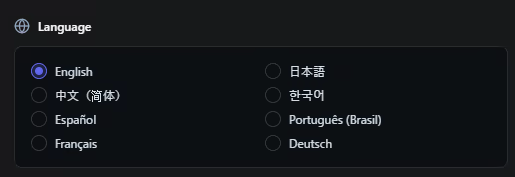
Work in the language you prefer. Frameglyph is fully localized and available in English, Japanese, Chinese, Korean, Spanish, Portuguese, French, and German.

Keperluan Sistem

    Minimum:
    • Memerlukan pemproses 64-bit dan sistem pengendalian
    • OS: Windows 10 (64-bit)
    • Pemproses: Intel Core i3 / AMD Ryzen 3 or equivalent x64/x86 processor
    • Memori: 4 GB RAM
    • Grafik: DirectX 11 or OpenGL 3.3 compatible GPU
    • DirectX: Versi 11
    • Storan: 500 MB ruang tersedia
    Dicadangkan:
    • Memerlukan pemproses 64-bit dan sistem pengendalian
    • OS: Windows 10 or Windows 11 (64-bit)
    • Pemproses: Intel Core i5 / AMD Ryzen 5 or better multi-core processor
    • Memori: 8 GB RAM
    • Grafik: NVIDIA GeForce GTX 1060 / AMD Radeon RX 580 or better dedicated GPU (4GB+ VRAM recommended)
    • DirectX: Versi 11
    • Storan: 500 MB ruang tersedia
    • Nota Tambahan: SSD is highly recommended for loading large video files quickly. High-resolution (4K) or high-framerate videos may require higher specifications.
Penapis Ulasan