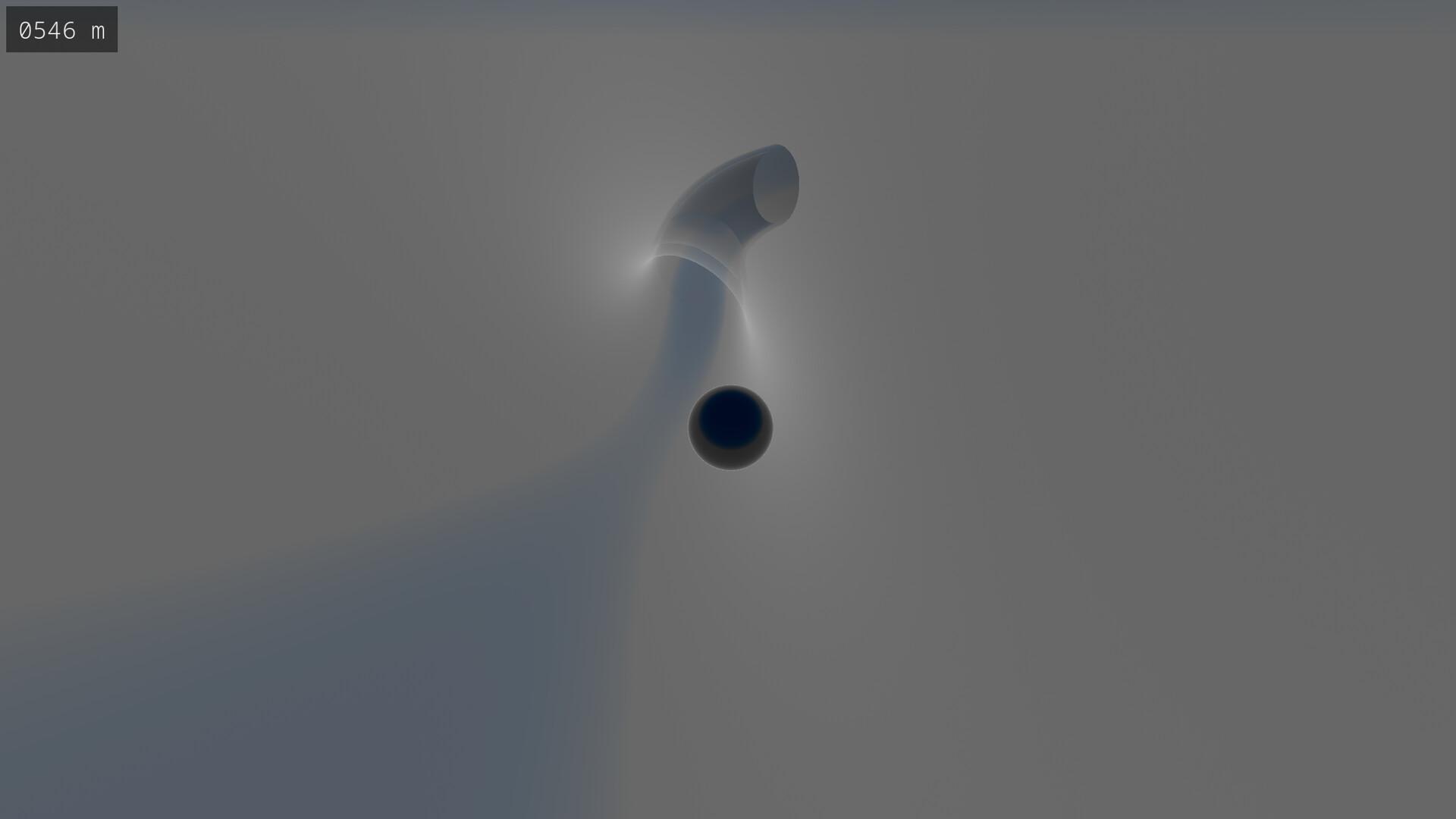
Simple yet mesmerizing, Glass can be both relaxing and considerably challenging. With over 18 quintillion randomly-generated tracks, you can have a new experience each time you play.

Sign in to add this item to your wishlist, follow it, or mark it as ignored

This game is not yet available on Steam

Coming soon

Interested?
Add to your wishlist and get notified when it becomes available.
Add to your wishlist
 

About This Game

In Glass, you control a marble with the goal of getting the marble to the end of a randomly-generated track. There are over 18 quintillion tracks, so you can always play a track you've never played before.

Game Modes

Glass features four different game modes with four difficulty settings. Both mode and difficulty can be changed mid-game; there's no need to restart a track in order for these changed to be applied.

Freeride

In freeride, there is no challenge whatsoever. You can navigate the track at your leisure. The difficulty settings do not apply to freeride.

Dash

Dash is a race against time. The track components disappear soon after you reach them, so you'll need to move fast.

Fragile

In fragile, you're required to move smoothly down the track. If you collide with a track component too hard, it will break and disappear.

Dash + Fragile

This game mode combines both dash and fragile simultaneously. It provides a considerable level of difficulty when played on the higher difficulty settings.

Track Selection

Whilst you may choose to play a randomly-selected track, you can also manually select the track number in the game menu. This allows you to replay a track you enjoy or challenge a friend to beat a track that you've beaten. A track number is denoted using 1 to 16 digits, where a digit is 0 to 9 or A to F. Note that track selection is not available in the demo version.

Mechanics

A track begins at a start terminal with an altitude of 1,024 meters and will tend downhill. Once below 64 meters, an end terminal will be generated and the track will finish. Your altitude is shown in the upper-left corner of the screen. If playing in fragile mode, a timer is shown next to the altimeter which displays the time which has elapsed since starting the track.

Controls and Game Settings

The controls and settings are shown in the game menu under their respective tabs. Under Settings, you're able to change the camera sensitivity and music volume, and you can choose between ocean and cloud as the color of the lower sky.

System Requirements

Windows
SteamOS + Linux
    Minimum:
    • Requires a 64-bit processor and operating system
    • OS: Windows 10
    • Processor: Intel i5
    • Memory: 8 GB RAM
    • Graphics: Integrated Graphics
    • Storage: 150 MB available space
    Recommended:
    • Requires a 64-bit processor and operating system
    • OS: Windows 10
    • Processor: Intel i7
    • Memory: 8 GB RAM
    • Graphics: Dedicated Graphics Card
    • Storage: 150 MB available space
    Minimum:
    • OS: Fedora 42 or later
    • Processor: Intel i5
    • Memory: 8 GB RAM
    • Graphics: Integrated Graphics
    • Storage: 150 MB available space
    • Additional Notes: Expected to work on other Linux distributions
    Recommended:
    • OS: Fedora 42 or later
    • Processor: Intel i7
    • Memory: 8 GB RAM
    • Graphics: Dedicated Graphics Card
    • Storage: 150 MB available space
    • Additional Notes: Expected to work on other Linux distributions
There are no reviews for this product

You can write your own review for this product to share your experience with the community. Use the area above the purchase buttons on this page to write your review.