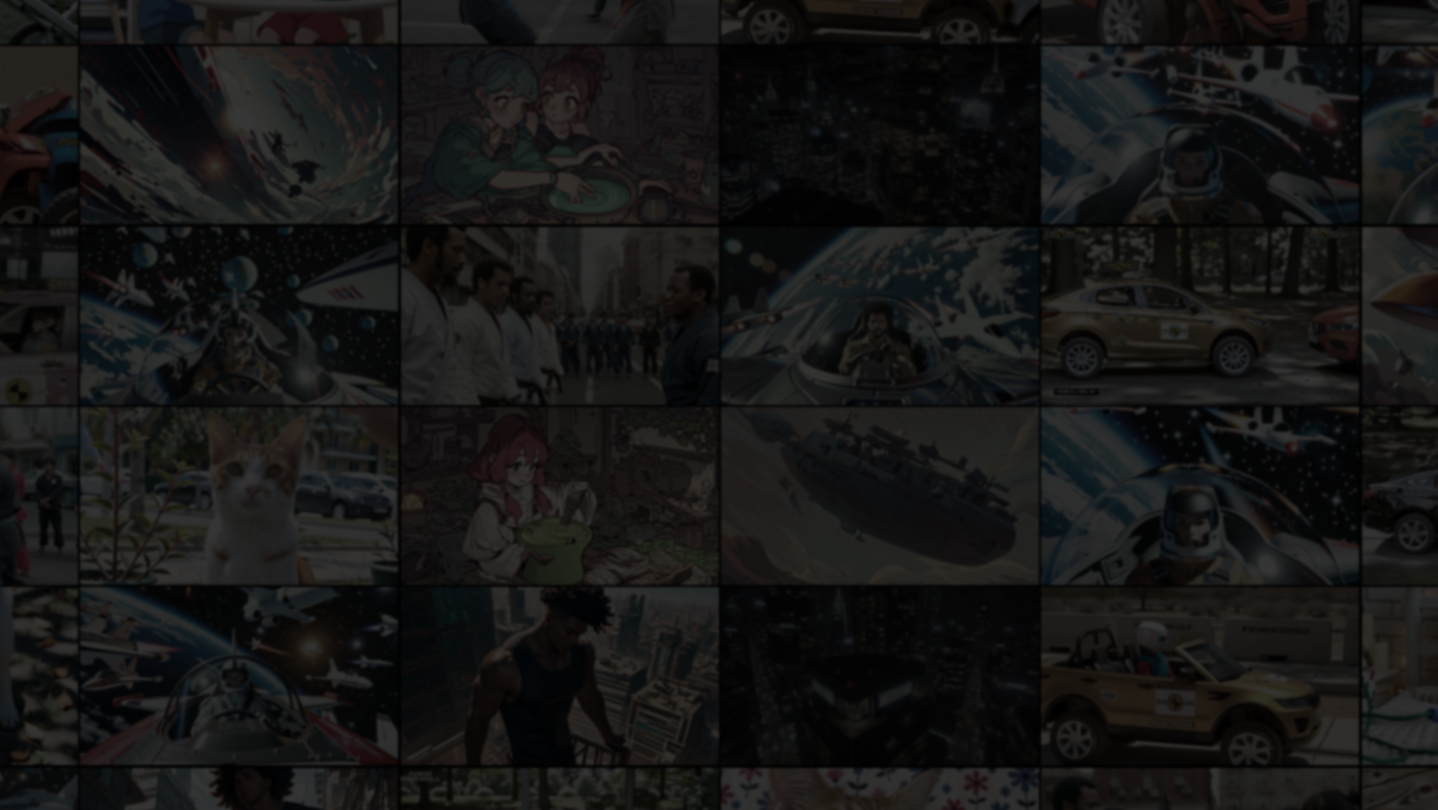
Turn any monitor into a personal video wall. Arrange videos in custom grid layouts, shuffle through collections, and save everything as one-click compositions. Your videos, your wall, your Mosaiplay. No internet required.

Login untuk menambahkan item ini ke wishlist-mu, mengikutinya, atau mengabaikannya

Bhs. Indonesia tidak didukung

Produk ini tidak didukung dalam bahasamu. Silakan tinjau daftar bahasa yang didukung di bawah ini sebelum melakukan pembelian.

Game ini belum tersedia di Steam

Rencana Tanggal Rilis: 6 Mar 2026

Aplikasi ini akan terbuka dalam kurang lebih 7 hari

Tertarik?
Tambahkan ke wishlist dan dapatkan pemberitahuan saat tersedia.
Tambahkan ke wishlist-mu
 

Tentang Software Ini

Mosaiplay turns any monitor into a fully customizable video wall. Pick your videos, choose a layout, and let it play. No streaming services, no internet connection, just your local video library, displayed however you want.


PLAY MULTIPLE VIDEOS AT ONCE

Arrange up to 36 videos in a grid and watch them all simultaneously*. Each tile plays independently with its own controls for volume, shuffle mode, and video fit. Choose from 8 built-in layout presets, including Single, Split, 2×2, 3-Column Portrait, Picture-in-Picture, or design your own grid with the visual layout editor.


ORGANIZE WITH COLLECTIONS & COMPOSITIONS

Import video folders as collections and assign them to tiles. Save your entire setup, layout, collections, volumes, widgets, and shuffle modes as a composition and restore it in one click. Use Auto-start so Mosaiplay picks up right where you left off in the last session.


6 SHUFFLE MODES & TRANSITIONS

Go beyond basic shuffle. Choose from Sequential, Shuffle All, Shuffle Videos Only, Shuffle Collections Only, Repeat One, or Repeat Collection — and set different modes per tile. Pick from 6 transition effects (Fade, Slide, Zoom, Blur Fade, and more) with adjustable timing.


NOT JUST VIDEO, ADD WIDGETS

Mix utility tiles into your wall alongside videos:

- Clock with 12/24h format, timezone support, stopwatch, and countdown timer

- Text Notes for reminders, labels, or annotations

- RSS Feed Reader with auto-scroll and configurable refresh

Each widget supports independent font scaling and per-tile color themes.


DECOY BUTTON

Press B to instantly hide everything behind a decoy screen — a fake spreadsheet, a fake desktop, or your own custom image. Press B again to resume exactly where you left off.


PLAYS ALMOST ANYTHING

MP4, WebM, MKV, AVI, MOV, WMV, FLV — Mosaiplay handles all major video formats out of the box. Many incompatible files are automatically converted via bundled FFmpeg: no codec packs, no extra downloads.


BUILT FOR EVERYONE

- 3 color themes (Dark, Light, High Contrast)

- Color blindness filters (Protanopia, Deuteranopia, Tritanopia)

- OpenDyslexic font toggle

- UI scale from 0.5× to 3.0×

- 9 languages: English, Chinese (Simplified), Japanese, Korean, Russian, Spanish, Portuguese, German, French

- Fully rebindable keyboard shortcuts


WORKS OFFLINE. STAYS ON. KEEPS PLAYING.

No internet required for any feature (technically, you can have a local RSS feed ^_^). Mosaiplay prevents display sleep, so your video wall stays running, continues playback in the background, and auto-saves everything, layouts, playlists, compositions, and settings, so nothing is ever lost**.

The videos shown in screenshots are for demonstration only and are not included with the application. Mosaiplay plays your own local video files.

*The number of streams that can be played depends on your hardware.

**Mosaiplay Team not responsible for lost data.

Pernyataan Konten Buatan AI

Pengembang menjelaskan bagaimana game mereka menggunakan Konten Buatan AI seperti ini:

The store page features AI-generated video content for demonstration purposes only and is not distributed with the product.

Persyaratan Sistem

    Minimum:
    • Prosesor 64-bit dan OS diperlukan
    • OS: Windows 11 (64-bit)
    • Prosesor: 64-bit processor with SSE3 support (Most 2006 or later CPUs)
    • Memori: 4 GB RAM
    • Grafis: GPU with DirectX 10 support and hardware video decode for H.264 (Most 2012+ GPUs)
    • DirectX: Versi 10
    • Penyimpanan: 3 GB ruang tersedia
    • Catatan Tambahan: Software video decode works without hardware support, but uses significantly more CPU and is much slower, and is not recommended. Integrated graphics are sufficient for most use cases (1-6 tiles at 1080p).
    Direkomendasikan:
    • Prosesor 64-bit dan OS diperlukan
    • OS: Windows 11 (64-bit)
    • Prosesor: Quad-core processor or better (2014 or later CPU)
    • Memori: 8 GB RAM
    • Grafis: GPU with VP9 and HEVC hardware decode for best format compatibility (Most 2016+ GPUs)
    • DirectX: Versi 11
    • Penyimpanan: 5 GB ruang tersedia
    • Catatan Tambahan: Larger grids (7+ tiles) with FHD content benefit from dedicated GPUs.
Tidak ada ulasan untuk produk ini

Kamu bisa menulis ulasanmu tentang produk ini untuk membagikan pengalamanmu dengan komunitas. Gunakan area di atas tombol pembelian di halaman ini untuk menulis ulasanmu.