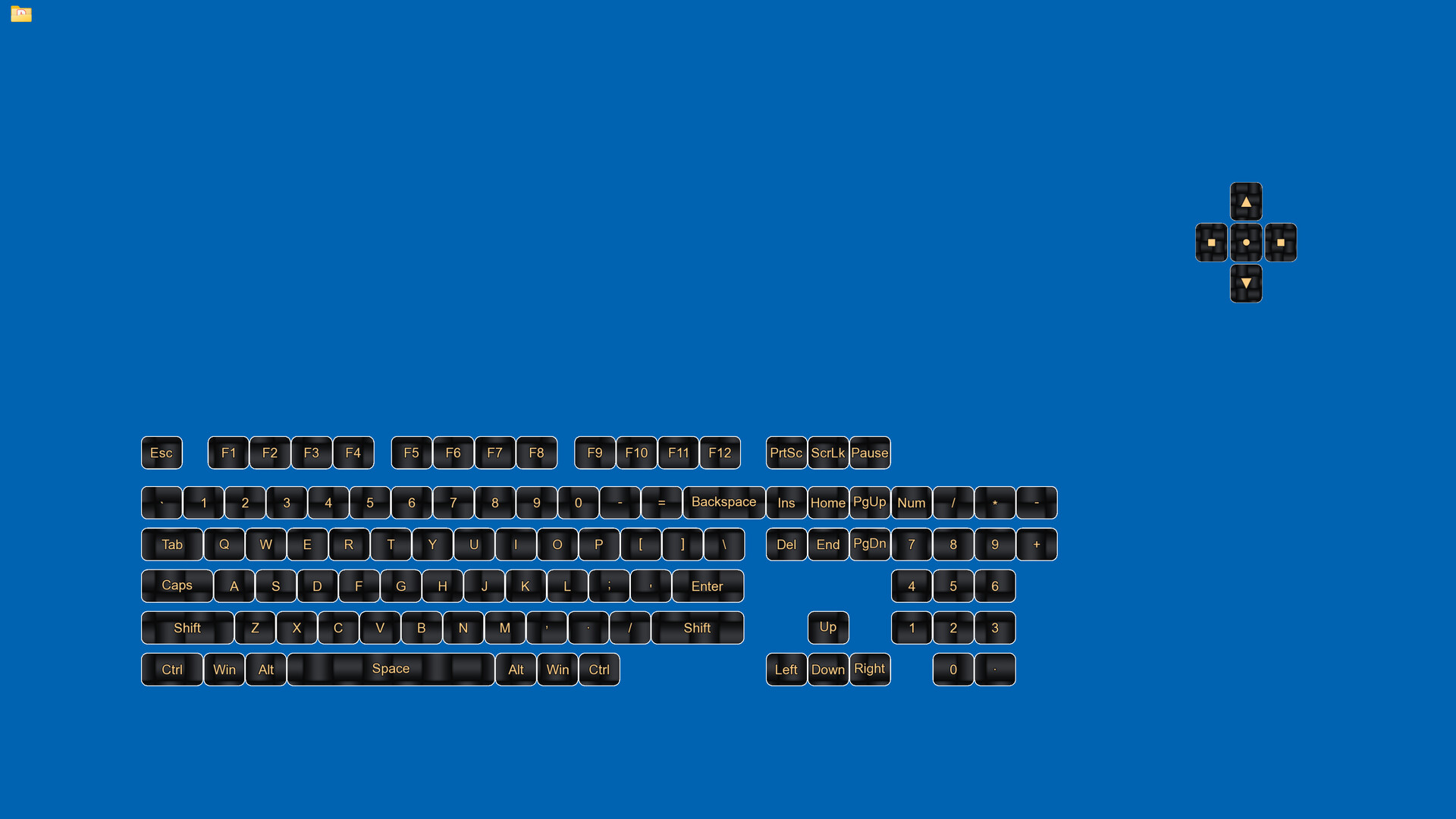
Display your keyboard and mouse inputs in real-time with fully customizable overlays. Perfect for content creators, educators, and streamers who want to show their audience exactly what they're pressing during gameplay, tutorials, or demonstrations.

Daftar masuk untuk menambah item ini ke senarai hajat anda, ikuti atau tandakannya sebagai diabaikan

Bahasa Bahasa Melayu tidak disokong

Produk ini tidak menyokong bahasa tempatan anda. Sila semak senarai bahasa yang disokong di bawah sebelum membuat pembelian

Beli Keyboard & Mouse Overlay


Tentang Perisian Ini

Display your keyboard and mouse inputs in real-time using a customizable overlay system. The application is designed for content creators, educators, and streamers.

Perfect for showing your audience what keys are being pressed during gameplay, software demonstrations, tutorials, or other computer-based instruction.

KEY FEATURES

- Three Overlay Types: Fun Keys (bar/oscillogram visualization), Keyboard Press overlay, and Mouse Press overlay

- Built-In Themes: Five ready-made looks, including patterns generated from real physics and mathematics

- Custom Skins: Use your own image as the backdrop for your keys and mouse buttons, set separately for each overlay

- Multiple Keyboard Layouts: QWERTY, QWERTZ, AZERTY, and ЙЦУКЕН layouts are supported

- Full Customization: Colors, opacity, sizes, corner style, and positioning can be adjusted for each element independently

- Configure Mode: Overlays can be positioned and scaled using visual controls, on any monitor

- Layout Presets: Configurations can be saved and loaded as needed

- Statistics Tracking: Key-press data can be recorded for personal review

- Stream Ready: Always-on-top display, or a Send To Back mode for clean Window Capture in your streaming software

- Lightweight: The application has minimal performance impact on the system

IDEAL FOR

- Content creators producing instructional videos

- Educators demonstrating computer skills

- Streamers displaying inputs to viewers

- Tutorial creators teaching software or gaming techniques

- Users who wish to visualize their keyboard and mouse activity

EASY TO USE

Launch the configuration window, select your desired overlays, pick a theme or your own image, adjust positioning, then let the overlay run in the background. A system tray icon keeps setup and exit one click away.

TECHNICAL DETAILS

- Built with C++ using Qt and SFML.

- ALL keyboard and mouse inputs will be shown during use.

- This application is NOT an on-screen keyboard.

- Windows 10 and 11.

NOTE

A small number of games run kernel-level anti-cheat (such as nProtect GameGuard), which blocks all outside programs from seeing your input while that game is focused. That is intentional on their part and applies to every external overlay — no third-party tool can display your key presses in those titles.

Keperluan Sistem

    Minimum:
    • Memerlukan pemproses 64-bit dan sistem pengendalian
    • OS: Windows 10 64-bit or later
    • Pemproses: Intel Core i3 or AMD equivalent (2.0 GHz or higher)
    • Memori: 4 GB RAM
    • Grafik: DirectX 11 compatible graphics card with 512 MB VRAM
    • DirectX: Versi 11
    • Storan: 200 MB ruang tersedia
    • Nota Tambahan: Requires administrator privileges for keyboard/mouse input capture. Compatible with streaming and recording software.
    Dicadangkan:
    • Memerlukan pemproses 64-bit dan sistem pengendalian
Penapis Ulasan