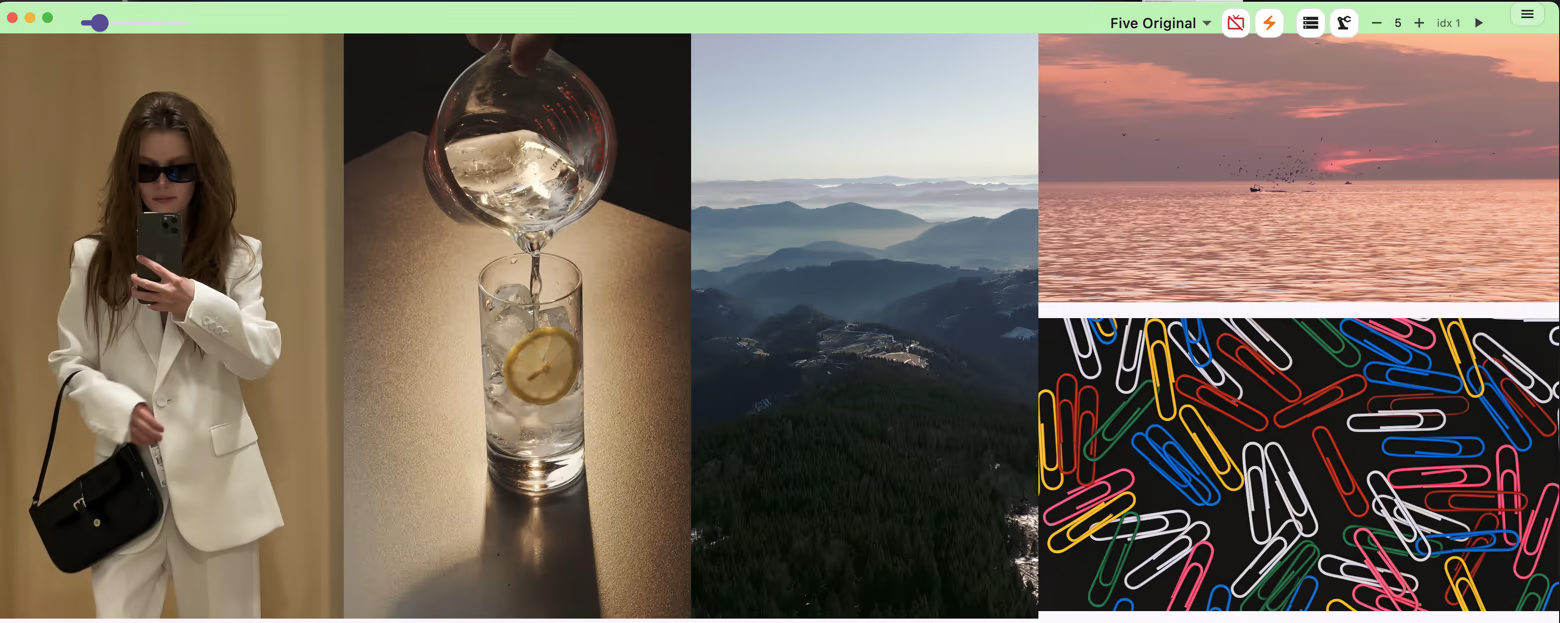
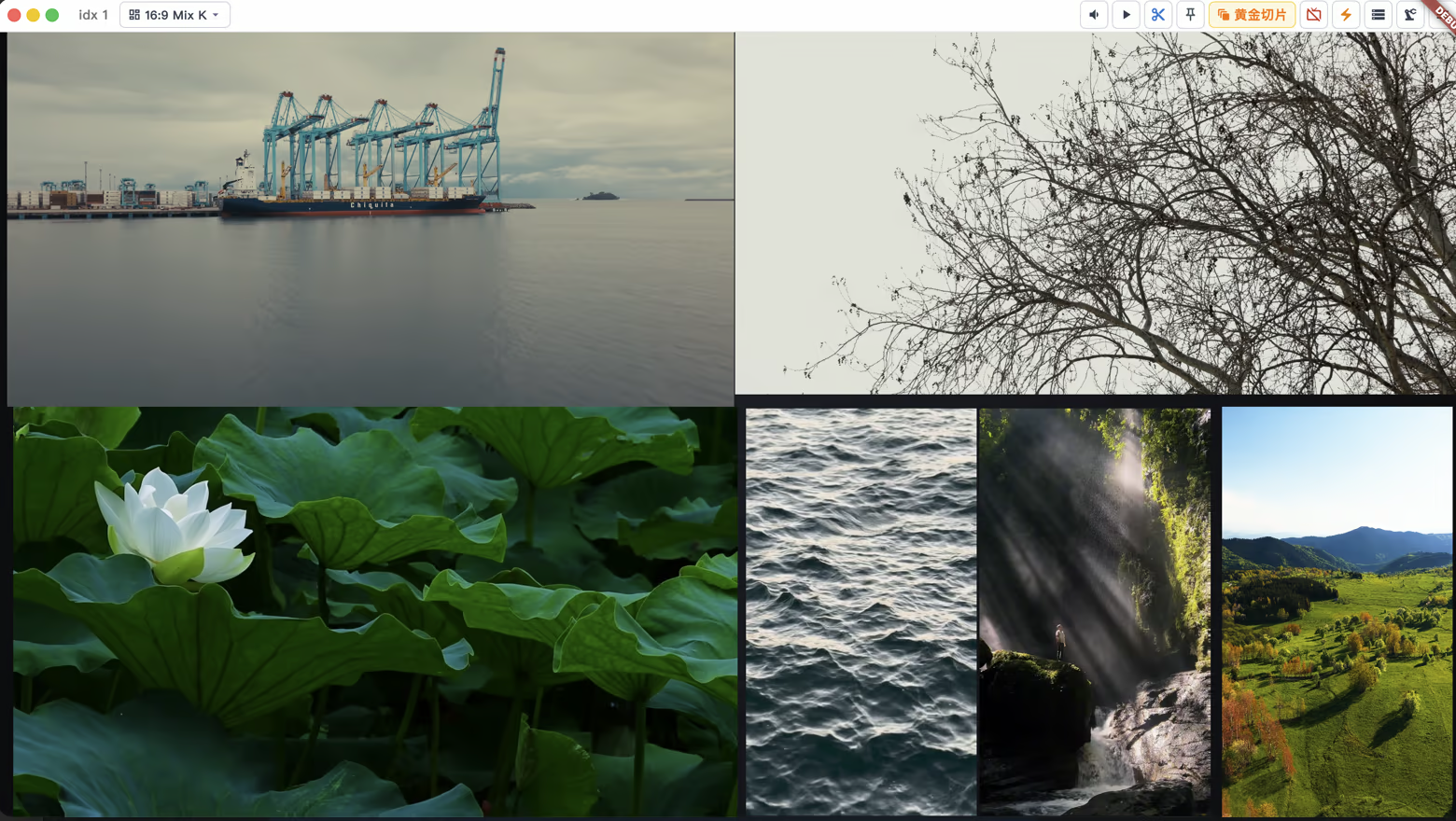
Play multiple videos simultaneously and automatically layout the entire screen. Intelligent recognition of landscape and portrait videos, automatic allocation of playback queues; Support video comparison, frame by frame inspection, and one click recovery of complex playback scenes through workflow.

Sign in to add this item to your wishlist, follow it, or mark it as ignored

Early Access Software

Get involved with this software as it develops.

Note: This Early Access software is not complete and may or may not change further. If you are not excited to use this software in its current state, then you should wait to see if it progresses further in development. Learn more

What the developers have to say:

Why Early Access?

“I want to gather firsthand market feedback, as I've been the sole user of this software over the past year
In areas where visual improvements are possible, I'm slightly uncertain about how to determine the solution
Perhaps more interesting features can be added on top of the basic functions”

Approximately how long will this software be in Early Access?

“It should not exceed 2.753 months and will be fully launched before the end of this year”

How is the full version planned to differ from the Early Access version?

“The plan is to introduce more features that align with market preferences
Plan to achieve better compatibility with Windows and improve its performance
The plugin system will likely be opened in the future
Attempt to incorporate more granular usage data statistics
There might be some Zen-do games serving as a form of distraction mechanism within the player”

What is the current state of the Early Access version?

“About the features you can refer to the section "About This"
All the features mentioned in the "About This Game / Content Introduction / Description" section are available
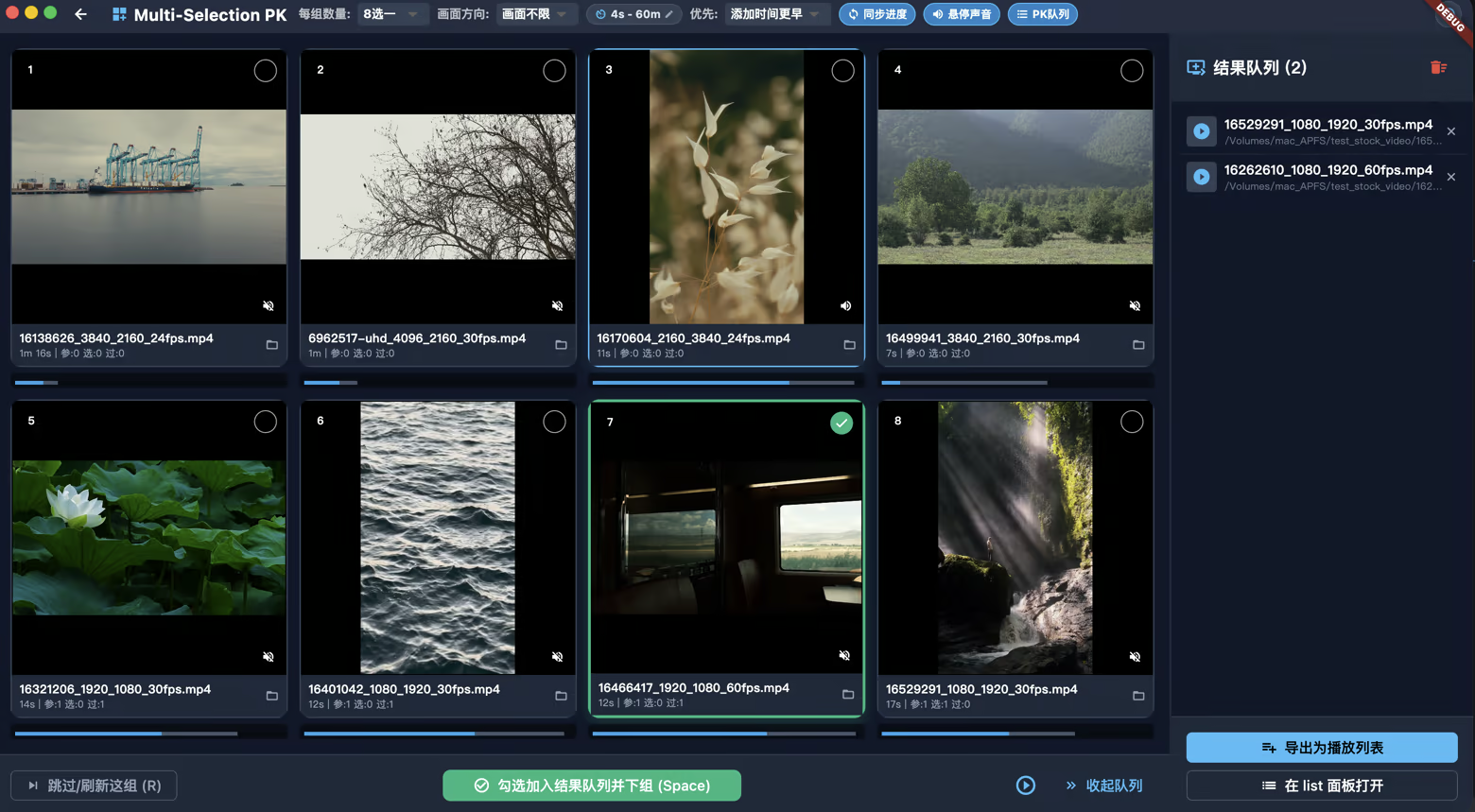
For example, multiple lists are automatically injected into suitable layouts for playback / multiple lists consume and play multiple videos simultaneously / video management features such as tag galleries / multiple videos play simultaneously with selection of the best performer and corresponding Elo scoring system / playback within a specified time range
------
The core gameplay is relatively complete, but the specific interaction flow may still require adjustments
It can generally run smoothly with some minor bugs
Occasionally, it may crash
However, there are no critical bugs”

Will this software be priced differently during and after Early Access?

“The price may rise, but not by much”

How are you planning on involving the Community in your development process?

“You can give me suggestions or submit effective bug reports”
Read more
English language not supported

This product does not have support for your local language. Please review the supported language list below before purchasing

This game is not yet available on Steam

Planned Release Date: To be announced

Interested?
Add to your wishlist and get notified when it becomes available.
 
See all discussions

Report bugs and leave feedback for this software on the discussion boards

About This Software

Multiplayer
A professional workstation for simultaneous video playback, comparison, and automation.
Play unlimited videos at once, automatically arrange them to fit any canvas, compare footage frame by frame, and restore complex playback setups with one click.

Automatic layout

Make the most of your screen
Multiplayer automatically detects landscape and portrait videos and routes them to the appropriate queues. Play both orientations simultaneously, each in its own area, without wasting space on unnecessary black bars.

Custom queues

Build your own playback system
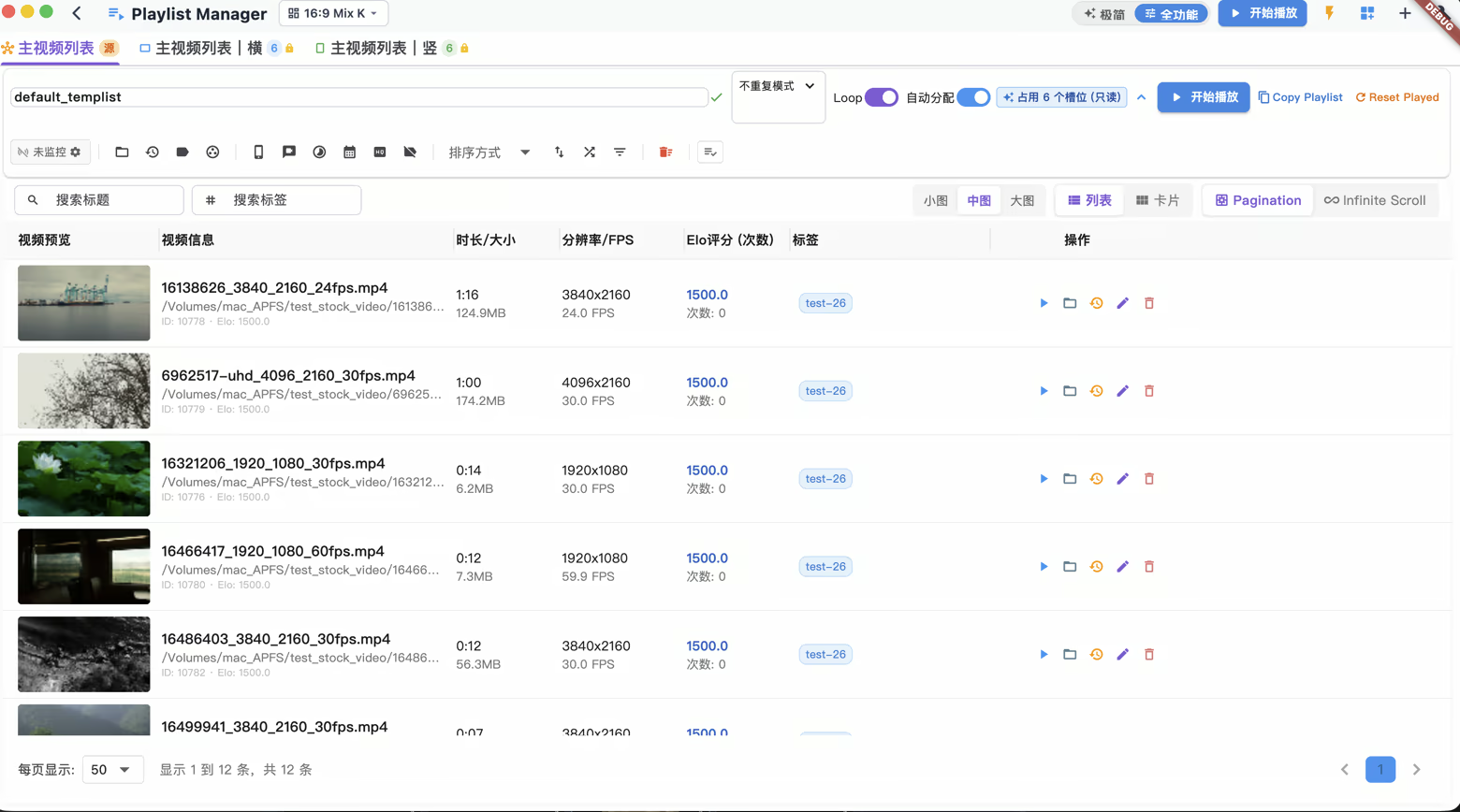
Create as many queues as you need and assign them to different screen slots. Every queue, slot, and layout can be customized to match your workflow.

Workflows

Automate complex playback setups
Run a workflow with one click to build and launch multiple video queues automatically. Save and restore entire playback scenes whenever you need them.

Comparison

Compare video side by side
Put multiple videos on screen at once and compare footage frame by frame.

Platform

Built for any screen
Available on macOS and Windows (later), with support for both 16:9 and ultrawide 21:9 displays.

---

good for 16:9 too

---

video management

video pk and build your list

System Requirements

    Minimum:
    • Requires an Apple processor
    • OS: 14
    • Processor: Apple M1 or Intel Core M
    • Memory: 8 GB RAM
    • Graphics: m1
    • Storage: 200 MB available space
    Recommended:
    • Requires an Apple processor
    • OS: 12
    • Processor: Apple M5 or Intel Core M
    • Memory: 16 GB RAM
    • Graphics: m5
    • Storage: 500 MB available space
Review Filters