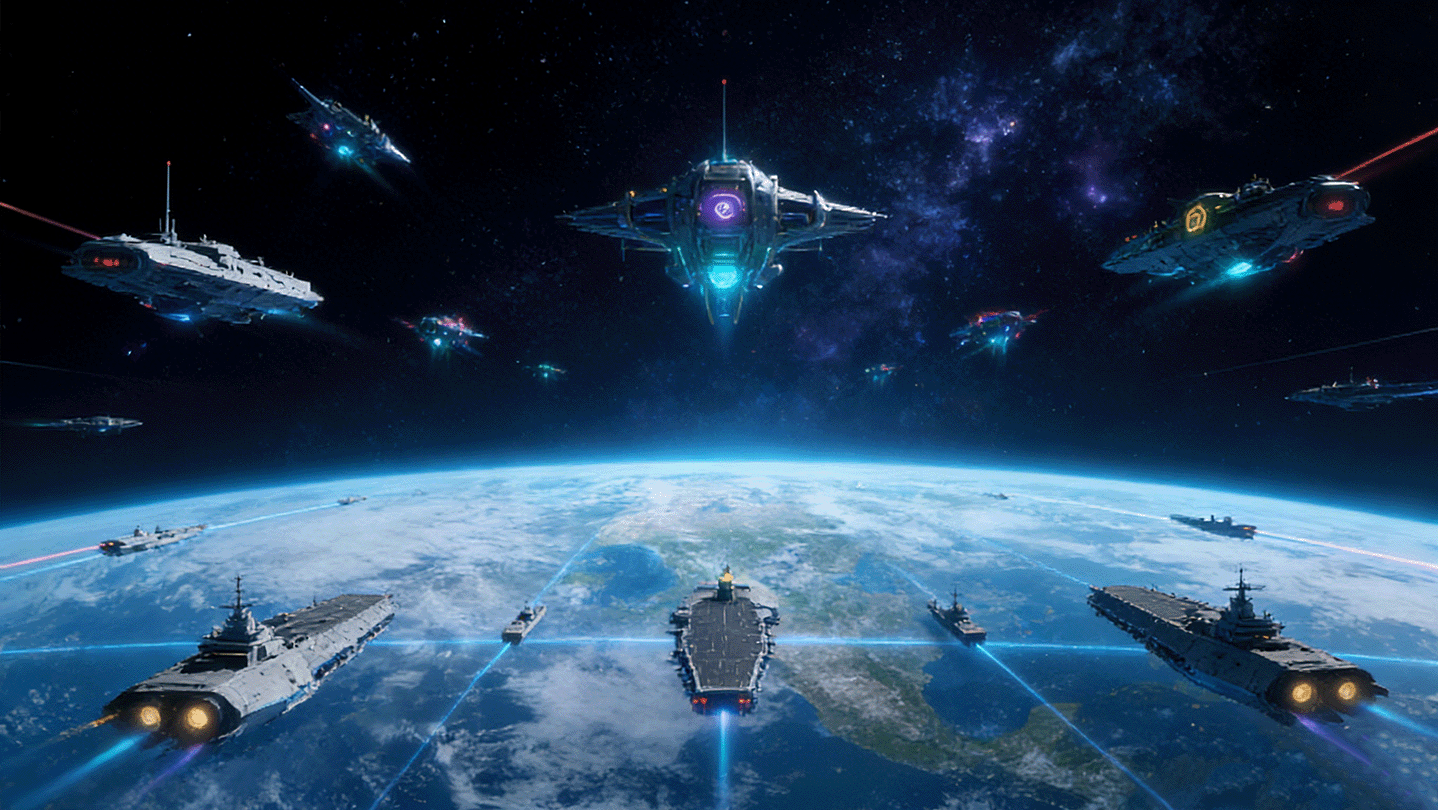
"Morse Challenger" is an innovative and fun shooting game based on Morse code. In the game, you can learn about Morse code, input the code matching the letters above enemies\' heads, fire bullets to shoot down incoming alien warships, and protect your own ship from being destroyed!

Conectează-te pentru a adăuga acest articol în lista ta de dorințe, a-l urmări sau a-l marca drept ignorat.

Nu este disponibil în limba: Română

Acest produs nu este disponibil în limba ta locală. Te rugăm să consulți lista de mai jos cu limbile în care jocul este disponibil înainte de achiziționare

Acest joc nu este încă disponibil pe Steam

În curând

Ți-a stârnit interesul?
Adaugă-l în lista de dorințe pentru a fi notificat atunci când devine disponibil.
Adaugă în lista de dorințe
 

Despre acest joc

"Morse Challenger" is a casual shooting game centered around Morse code.

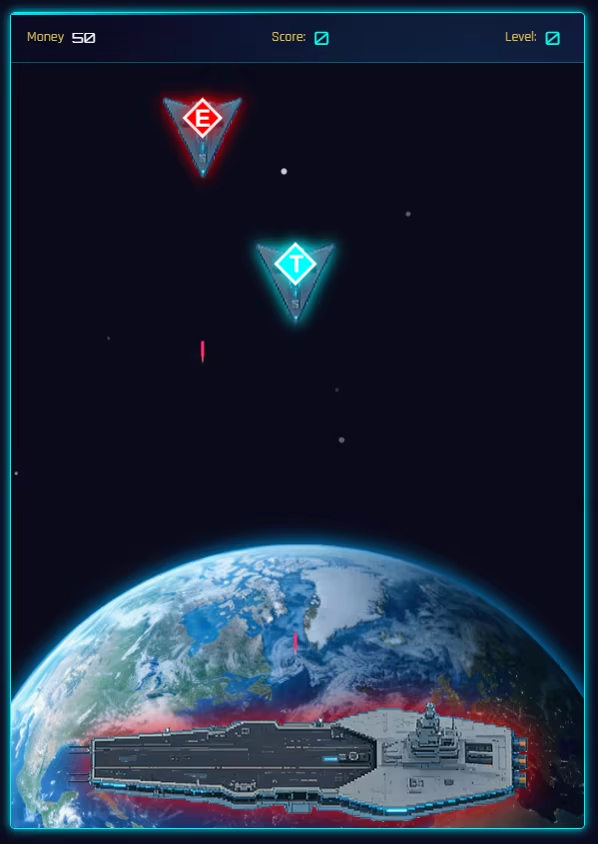
This game allows you to become familiar with Morse code while playing. During gameplay, simply input the code that matches the enemy's letter, and your ship will fire bullets to shoot down the alien invaders and protect your homeland!

The game is easy to pick up, with most operations completed by simple taps and holds.

After the game starts, enemy spaceships will continuously appear in the play area. They will attack while charging toward your ship. When an enemy ship collides with your ship, it will self-destruct. Your ship has a certain amount of shield, which can effectively defend against enemy bullets, but enemy self-destructions can easily destroy one of your shields.

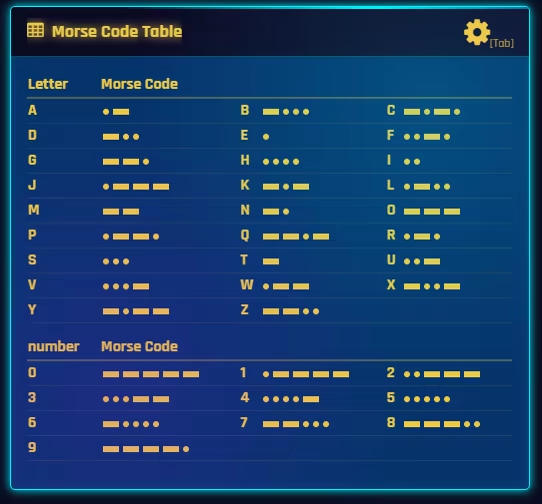
You need to observe the letter on the enemy ship and quickly find the corresponding Morse code combination in the Morse code table. Inputting the correct code will lock onto the enemy ship.

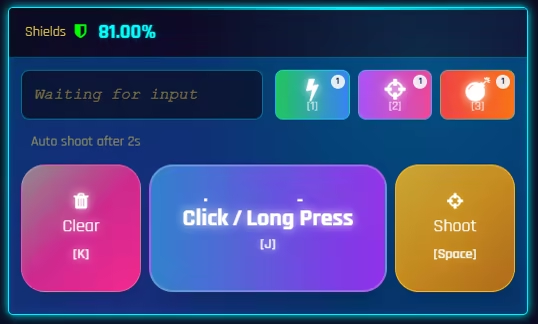
On the control panel, by tapping the largest "Tap" button (or the J key), you can input a Morse code "."; by holding the "Tap" button, you can input a Morse code "-". All letters and numbers are composed of "." and "-". As long as you input the correct code combination, you can lock onto the enemy target and attack.

After successfully inputting the Morse code on the control panel, you can quickly issue a firing command by tapping the "Fire" button (or the space key), or you can wait for 2 seconds, and the system will automatically execute the firing command. Additionally, the waiting time for the automatic firing command can be adjusted in the settings via the challenge sensitivity setting.

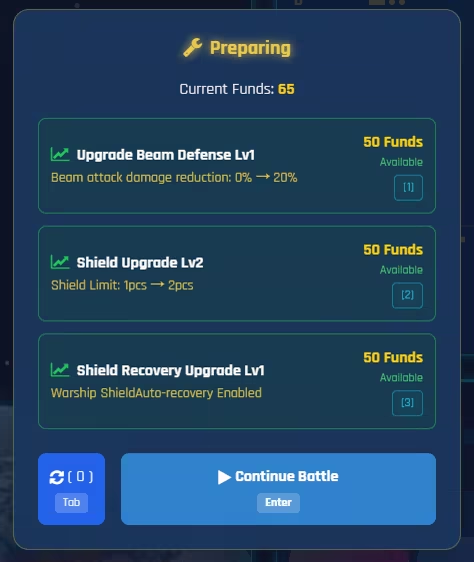
The difficulty of the battle will gradually increase as your score rises. Whenever the difficulty increases, you will get a chance to resupply. You can choose the desired upgrade direction during resupply. Of course, the funds needed for upgrades must be obtained by destroying enemy ships in battle.

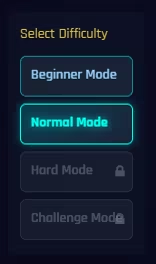
As a casual game, it adopts a linear challenge mode where you play through levels one by one. However, there are multiple difficulty modes that need to be unlocked by completing them one by one.

The ultimate goal of the game — to challenge higher score records!

The way to achieve the goal — become more familiar with Morse code the more you play!

Cerințe de sistem

Windows
macOS
    Minim:
    • SO *: Windows 7
    • Procesor: Intel i3 3rd generation or AMD A4 5300
    • Memorie: 1 GB RAM
    • Grafică: NVIDIA Geforce GTX480+ or Radeon HD 5850
    • DirectX: Versiune 9.0c
    • Stocare: 200 MB spațiu disponibil
    • Placă audio: DirectX 9 compatible
    Recomandat:
    • SO: Windows 10
    • Procesor: Intel Core i5-3470 (4 * 3200); AMD FX-4350 (4 * 4200)
    • Memorie: 2 GB RAM
    • Grafică: NVIDIA Geforce GTX960+ or AMD Radeon HD 7950
    • DirectX: Versiune 9.0c
    • Stocare: 500 MB spațiu disponibil
    • Placă audio: DirectX 9 compatible
* Începând cu 1 ianuarie 2024, clientul Steam va fi compatibil numai cu Windows 10 și versiunile ulterioare.
    Minim:
    • SO: Mac OS X 10.13 or later
    • Procesor: Intel Core i5-5350U (2 * 1800) or equivalent; Intel Core i5-2400S (4 * 2500) or equivalent
    • Memorie: 1 GB RAM
    • Grafică: Intel HD Graphics 6000 or equivalent; Radeon HD 6750M (512 VRAM) or equivalent
    • Stocare: 200 MB spațiu disponibil
    Recomandat:
    • SO: Mac OS X 10.13 or later
    • Procesor: Intel Core i5-6500 (4 * 3200) or equivalent
    • Memorie: 2 GB RAM
    • Grafică: AMD Radeon R9 M390 (2048 VRAM) equivalent
    • Stocare: 500 MB spațiu disponibil
* Începând cu 15 februarie 2024, clientul Steam nu va mai oferi compatibilitate pentru jocurile pe 32 de biți sau macOS 10.14 și versiunile anterioare.
Nu există recenzii pentru acest produs

Poți scrie propria recenzie pentru acest produs pentru a-ți împărtăși experiența cu comunitatea. Folosește zona de deasupra butoanelor pentru achiziție pe această pagină pentru a-ți scrie recenzia.