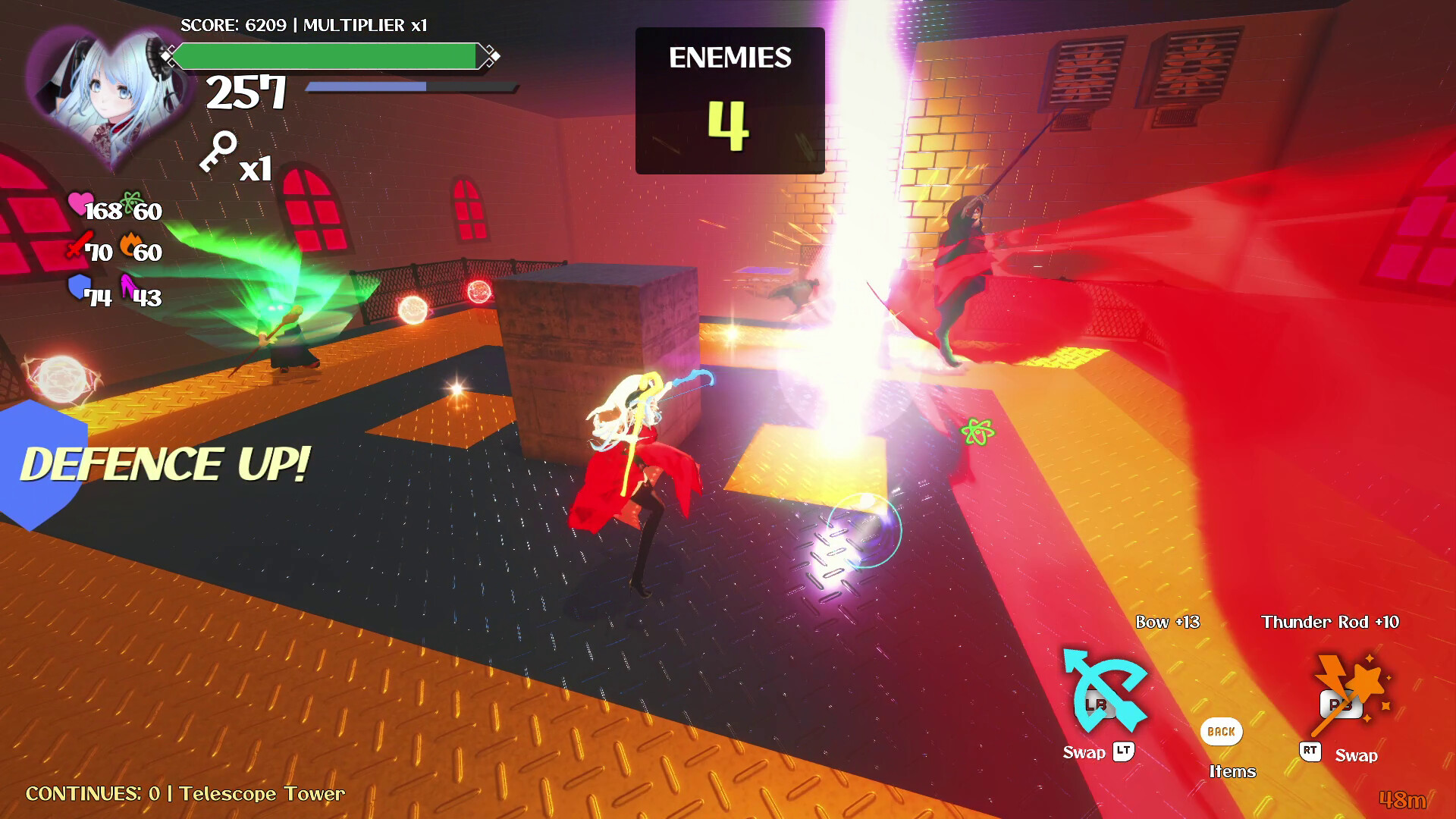
A 3D action RPG looter with dual-wielding weapons inspired by arcade games! Run, jump, loot, power up, and defeat monsters before time runs out. This demo offers a fast glance through the "Beginner" course of Quickplay.

Sign in to add this item to your wishlist, follow it, or mark it as ignored

Free Demo

Play Ecrazeus Castle Demo

Check out the full game


About This Demo

In this demo, you'll be playing through the Quickplay mode's "Beginner" course, which will act as the tutorial course for the full game. It should offer a quick but compressed glance at the 3D action gameplay loop of Ecrazeus Castle, with a heavily reduced selection of random sky stages. It plays in a similar way to the Advanced course, but is significantly shorter, both in the time limit, and the length of the tower stage consists only of a single, predefined room, and a boss room. The course ends when you reach and defeat the boss of the tower.

Run, jump, loot and dual-wield various weapons in this arcade inspired 3D action game with looter elements! Defeat enemies and open treasure chests to collect powers ups that improve your base stats, various weapons with unique functionalities, and consumable items that can be used in a pinch!

AI Generated Content Disclosure

The developers describe how their game uses AI Generated Content like this:

No AI Art, Sound or Music is present in the game.

AI Code was used to create small C# scripts that accomplish certain functions within the game engine, RPG Developer Bakin, that aren't built-in. Additionally, AI Code was used to create external production tools to speed up production and automate menial tasks.

AI Code in the game's C# scripts:
- Keeping objects tied to a specific position of the player regardless of orientation for the minigun weapon
- Having the camera locked onto the boss enemies
- Dynamically replace objects in the shop interface
- Porting over and improving attack hitbox logic from Bakin events into C# code.
- Implement lip-sync based off an audio file following Rhubarb syntax
- Send and receive online leaderboard information
- Dynamically swap button icons based on control scheme used and controller design by swapping unicode symbols from a list of presets
- Code to show a layout object when close to an NPC to indicate that you can interact with them
- Implement mouse and controller stick sensitivity options
- Modify properties of dropped weapons such as name and stats

AI Code used to create external tools:
- Blender Plugin to automate a series of tasks to implement specific features on VRM models: attaching two bones for the position where items will be held, creating alternate iris shape keys to show a different texture (not AI art, must be supplied), creating alternate blushing shape keys to show a different texture (not AI art, must be supplied), and facilitating conversion of a rigged animation on the model in Blender to properly export into an FBX that works with RPG Developer Bakin's armature assigned to VRM models upon import.
- Blender plugin to adjust and alter the physics properties of the VRM models, including jiggle bones and dress physics
- Blender plugin to create the normal maps for VRM models and embed them in the model (does not create AI textures)
- Blender plugin to export 3D models from Blender into an FBX with a generated text file that defines how the material should be imported into RPG Developer Bakin
- Blender plugin to space out bone positions across an entire animation on a VRM model so that generic animations
- Web tool to dynamically assemble, modify and export credits sequence event logic for RPG Developer Bakin
- Web tool to transform exported RPG Developer Bakin event logic formatted with formatted comments into event logic that can be imported as a template event within the game engine in order to pass on parameters to events on an individual basis
- Software tool to create the normal and mask map textures (different RGBA color assignment from Unity) for 3D models based off an initial texture (does not create AI textures)
- Software tool to batch parse multiple audio files into Rhubarb Lip Sync to generate lip sync data txt files
- Fontforge script to merge a text font with multiple button prompt fonts with non-overlapping unicode symbols

AI was also used to fix bugs and debug in various aspects of the game.

Most code output and external tools were generated thanks to Grok.
Due to the utility of these tools, most of them have been released to the public on external sites.
Without AI code, the game would have taken significantly longer to make, or worse, impossible at my coding skill level all on my own.

Mature Content Description

The developers describe the content like this:

It is possible to see the female characters' panties through camera control and while performing various actions.

System Requirements

    Minimum:
    • Requires a 64-bit processor and operating system
    • OS: Windows 10 (64-bit)
    • Processor: Intel Core i3-4340 or better
    • Memory: 8 GB RAM
    • Graphics: Graphics board running OpenGL 4.4 or better
    • Storage: 2 GB available space
    Recommended:
    • Requires a 64-bit processor and operating system
    • OS: Windows 10 (64-bit)
    • Processor: Core i5-8400 / Ryzen 5 1500X or better
    • Memory: 16 GB RAM
    • Graphics: NVIDIA® GeForce™ GTX1650 AMD Radeon™ RX570
    • Storage: 2 GB available space

Customer reviews for Ecrazeus Castle Demo About user reviews Your preferences

Overall Reviews:
1 user reviews (1 reviews)


To view reviews within a date range, please click and drag a selection on a graph above or click on a specific bar.


Filter reviews by the user's playtime when the review was written:


No minimum to No maximum

Show reviews in selected display order


Learn More
Filters
Excluding Off-topic Review Activity
Playtime:
Played Mostly on Steam Deck
Loading reviews...