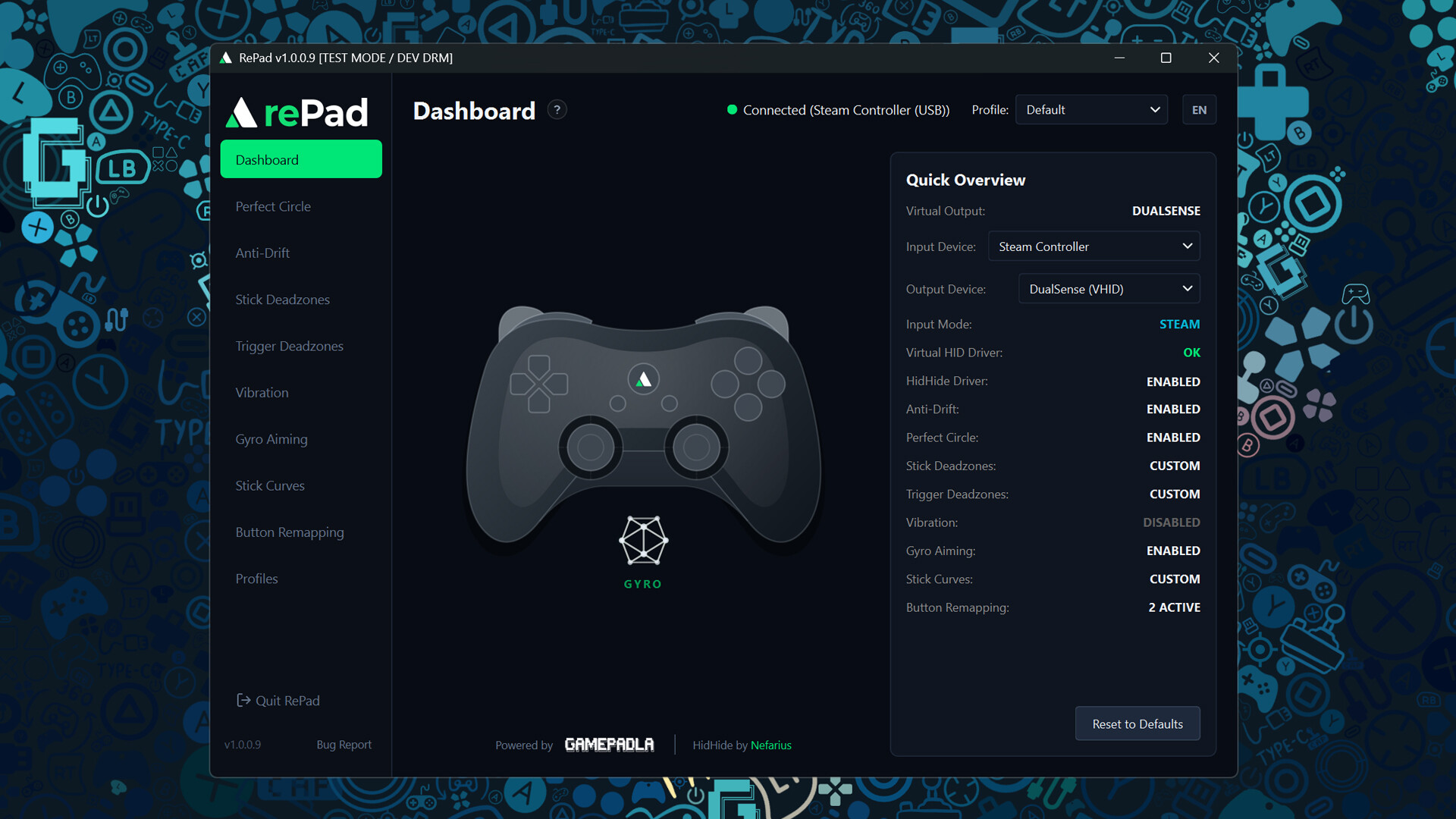
Universal controller software for Windows. Fix stick behavior, tune response curves and deadzones, remap inputs, use gyro, touchpad and rumble, and turn any controller into Xbox, DualSense or Switch Pro with less than 1 ms of added latency. 100% fair play and anti-cheat safe.
Release Date:
Coming soon
Developer:
Publisher:
Tags

Sign in to add this item to your wishlist, follow it, or mark it as ignored

This game is not yet available on Steam

Coming soon

Interested?
Add to your wishlist and get notified when it becomes available.
 

About This Software

One controller software for every gamepad

RePad is universal controller software for Windows.

Whether your gamepad has no software, limited software, or software you simply do not like, RePad gives you one place to calibrate, customize and improve the way it works.

Works with the controller you already have

RePad is designed to work with virtually any PC gamepad:

  • Xbox and Xbox-compatible controllers

  • PlayStation DualShock & DualSense controllers

  • Nintendo Switch Pro & Switch 2 Pro Controllers

  • Steam Controller 2026

  • Generic and third-party gamepads

Use your physical controller as Xbox/XInput, DualSense, or Switch Pro depending on the game or emulator. RePad handles buttons, analog sticks, triggers, motion sensors, touchpads, and vibration, while cleanly preventing double-input conflicts.

Make your sticks behave the way they should

Perfect Circle Stick Correction

Physical analog sticks are rarely symmetrical and often distort near the outer edge. RePad corrects these imperfections in real time, delivering clean circularity down to 0.0% average stick error for predictable muscle memory.

Anti-Drift and Deadzone Control

Configure inner and outer deadzones yourself instead of being stuck with factory defaults.

Response Curve Editor

Fine-tune stick response curves with an interactive editor to make sticks faster, smoother, or more linear exactly where you need it.

Full controller customization

Features that many controllers simply do not provide out of the box:

  • Button remapping and trigger calibration

  • 0.0% circularity stick correction and anti-drift settings

  • Custom inner/outer deadzones and response curves

  • Gyro aiming with sensitivity, inversion and damping controls

  • DualSense touchpad and vibration / rumble pass-through

  • Automatic per-game profile switching

  • Built-in double-input protection

If your controller does not have software, RePad becomes that software. If it already has one, RePad is a much lighter, cleaner alternative with deeper control.

Less than 1 ms of added latency

The RePad processing pipeline adds less than 1 ms of input latency.

Optimized to run at virtually 0% CPU and negligible memory usage, so you can leave it running in the background without worrying about frame drops or lost system resources.

Fair play. Anti-cheat safe. No macros.

RePad does not play the game for you.

It does not generate automated inputs, rapid-fire actions, macros, or mouse/keyboard emulation. Because it never exploits aim assist via spoofing, it is safe to run alongside anti-cheat systems in multiplayer games.

It changes how your controller behaves, not what you do with it.

One controller. Your settings. Any game.

RePad combines calibration, stick correction, remapping, motion controls and virtual controller output into a single lightweight utility. One reliable way to set up any controller.

System Requirements

    Minimum:
    • Requires a 64-bit processor and operating system
    • OS: Windows 10 / 11 (64-bit)
    • Processor: Intel Core i3 / AMD Ryzen 3 or equivalent
    • Memory: 4 GB RAM
    • Graphics: Integrated Graphics
    • Storage: 200 MB available space
    • Additional Notes: Requires ViGEmBus and HidHide drivers (installers are bundled with the app).
    Recommended:
    • Requires a 64-bit processor and operating system
    • OS: Windows 10 / 11 (64-bit)
    • Processor: Intel Core i5 / AMD Ryzen 5 or equivalent
    • Memory: 8 GB RAM
    • Graphics: Dedicated Graphics Card
    • Storage: 200 MB available space
    • Additional Notes: Requires ViGEmBus and HidHide drivers (installers are bundled with the app).
Review Filters