Yappl is a lightweight, fully offline speech-to-text voice command application for Windows. It runs actions based on spoken trigger words or short trigger sentences, without using the cloud or an internet connection, and is optimized for fast and reliable response times.
Дата выхода:
27 янв. 2026 г.
Разработчик:
Издатель:
По меткам

Войдите, чтобы добавить этот продукт в список желаемого или скрыть его

Не поддерживается русский язык

Этот продукт не поддерживает ваш язык. Пожалуйста, перед покупкой ознакомьтесь со списком поддерживаемых языков.

Эта игра ещё не доступна в Steam

Запланированная дата выхода: 27 янв. 2026 г.

До выхода этого приложения осталось приблизительно 12 дн.

Заинтересовала игра?
Добавьте её в список желаемого и получите уведомление, когда она выйдет
В желаемое
 

Об этом ПО

NOTE: Before purchasing YAPPL make sure to read this! - YAPPL currently only Supports US-ENGLISH trigger words. We may add German, Russian, France, Spanish in future Updates but as for now it does only support English words!

Yappl – Offline Voice Command Tool

Yappl is a lightweight, fully offline speech-to-text voice command application for Windows.
It executes actions based on trigger words or short trigger sentences you speak.

No cloud. No internet connection.
Optimized for fast and reliable trigger response times.

Features

Yappl supports four command types:

  • Soundboards

  • Windows Commands (CMD)

  • VRChat OSC

  • Keybinds

Designed to be resource-friendly and suitable for gaming, VR, and streaming setups.

Soundboards

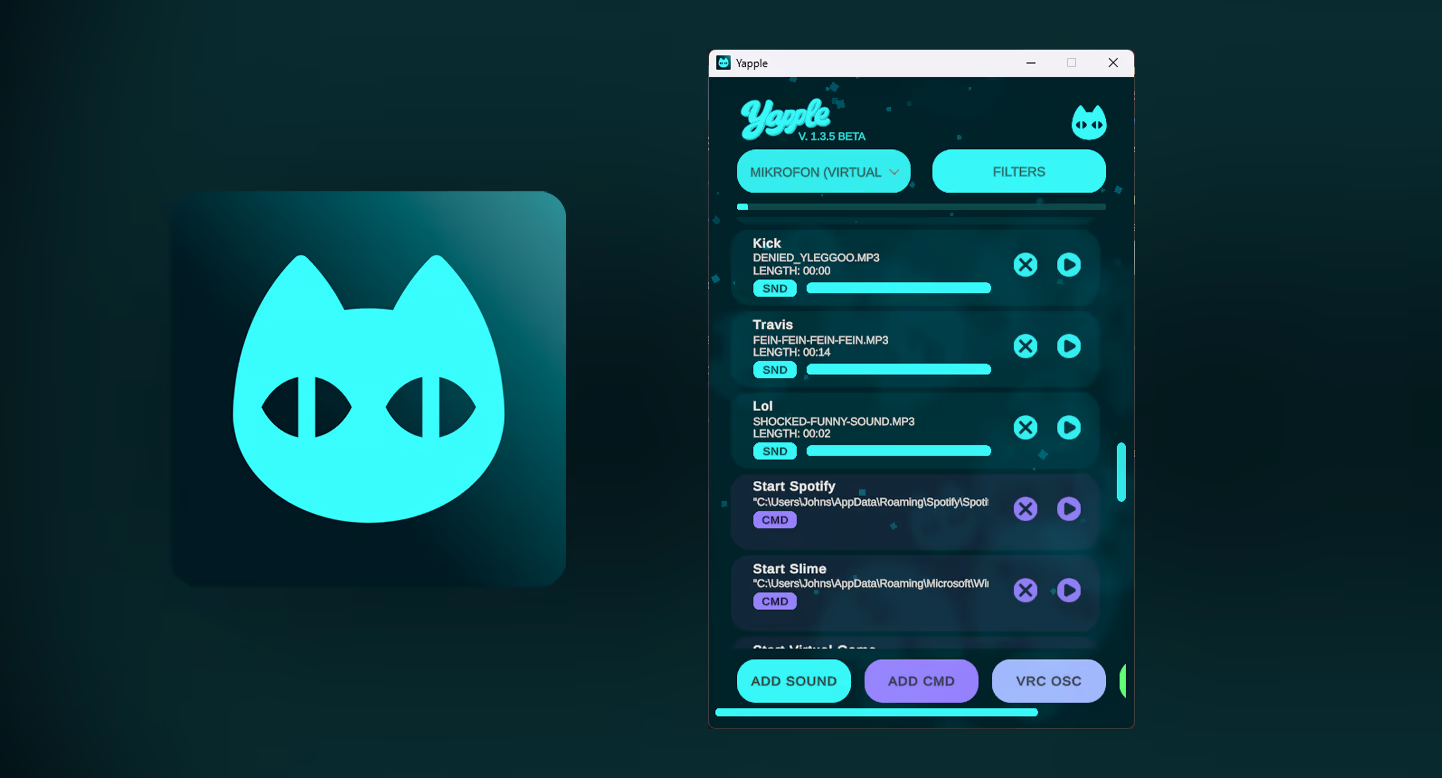
Add audio files and play them instantly using your voice.

Supported formats:

  • mp3

  • ogg (Vorbis only)

  • wav

Each sound can be assigned a trigger word or trigger sentence


minimum 1 word, maximum 4 words.

Example:
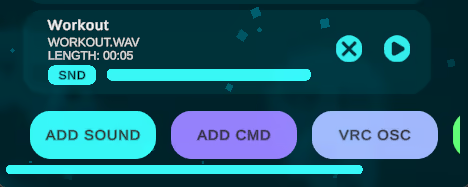
Trigger word: Workout
File: WORKOUT.wav
Saying “Workout” will play the sound.

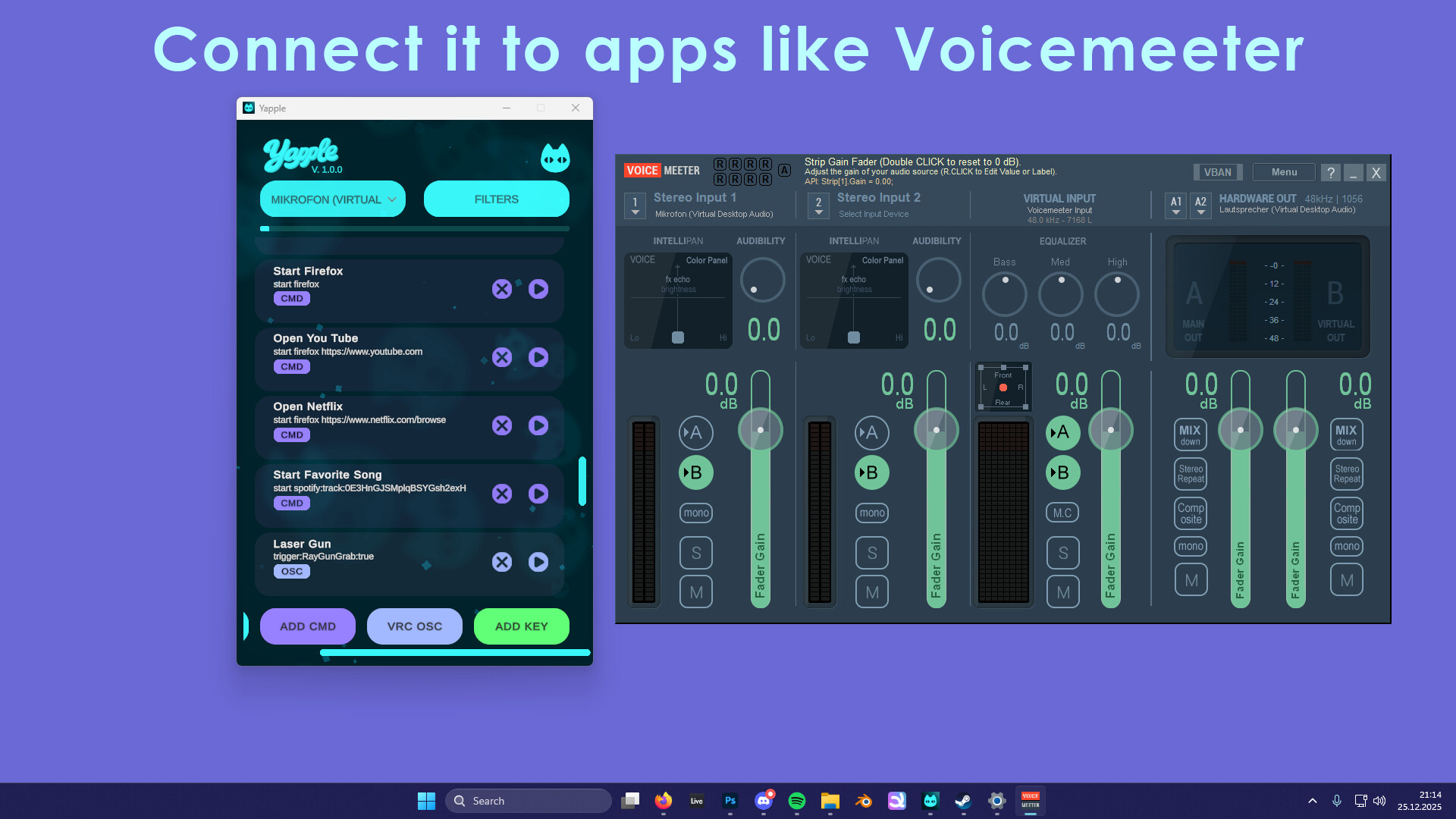
Yappl can be combined with tools like Voicemeeter, allowing others in Discord, VRChat, or games to hear the audio.

Stop Sound (System Command)

Yappl includes a built-in safety feature that allows you to immediately stop audio playback.

Example trigger:  Stop Sound

This is useful for long sounds or accidental triggers.

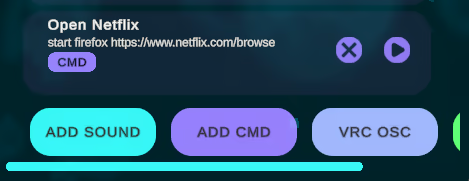
Windows Commands (CMD)

Run standard Windows commands using your voice.

Example:
Trigger: Open Netflix
Command:
start firefox

This will launch Firefox and open Netflix automatically.

Possible use cases:
Open applications
Run scripts
File management
Automation workflows

Warning:
Only use safe commands. Avoid destructive or dangerous commands that could be triggered unintentionally by speech recognition.

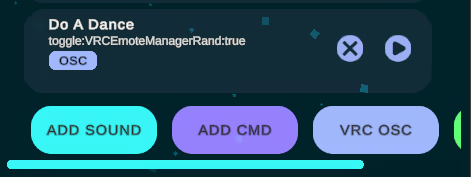
VRChat OSC

Control Bool parameters on your VRChat avatar via OSC.

Example:
Trigger: Do A Dance
Parameter:
toggle:VRCEmoteManagerRand:true

Speaking the trigger will play a random dance animation.

Use cases:
Clothing toggles
Weapons
Particle effects
Any bool-based animator logic

Prefix system

Normal:
UseWeapon:true
UseWeapon:false

Toggle:
toggle:UseWeapon:true
Toggles the value each time it is triggered.

Trigger (Contacts):
trigger:UseWeapon:true
Sets the value to true for about 1 to 1.5 seconds and then automatically resets it to false.
This is required for VRChat Contacts, which expect temporary bool activation.

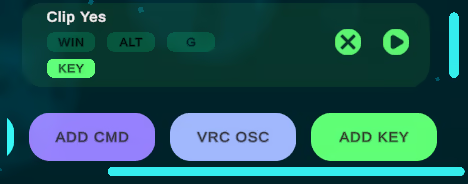
Keybinds

Assign keyboard shortcuts to voice commands.

Example:
Trigger: Clip Yes
Keybind:
WIN + ALT + G

Saying “Clip Yes” will trigger the Windows 30-second clip recording feature.

Important notes:
Do not press any keys while a voice command is executing
Pressing keys at the same time may cause Windows to misfire the shortcut

Системные требования

    Минимальные:
    • ОС: Windows 11
    • Процессор: Ryzen 3 XXXX
    • Оперативная память: 4 GB ОЗУ
    • Видеокарта: GTX 7XX
    • DirectX: версии 12
    • Место на диске: 512 MB
    • Звуковая карта: Generic Soundcard
    • Поддержка VR: SteamVR Overlay Support in future updates.
    • Дополнительно: Windows 10 is supported but not tested.
    Рекомендованные:
    • ОС: Windows 11
    • Процессор: Ryzen 5 XXXX
    • Оперативная память: 8 GB ОЗУ
    • Видеокарта: GTX 10XX
    • DirectX: версии 12
    • Место на диске: 512 MB
    • Звуковая карта: Generic Soundcard
    • Поддержка VR: SteamVR Overlay Support in future updates.
    • Дополнительно: Windows 10 is supported but not tested.
У этого продукта нет обзоров

Вы можете написать обзор этого продукта, чтобы поделиться своим опытом с сообществом. Для этого воспользуйтесь разделом над кнопками покупки.