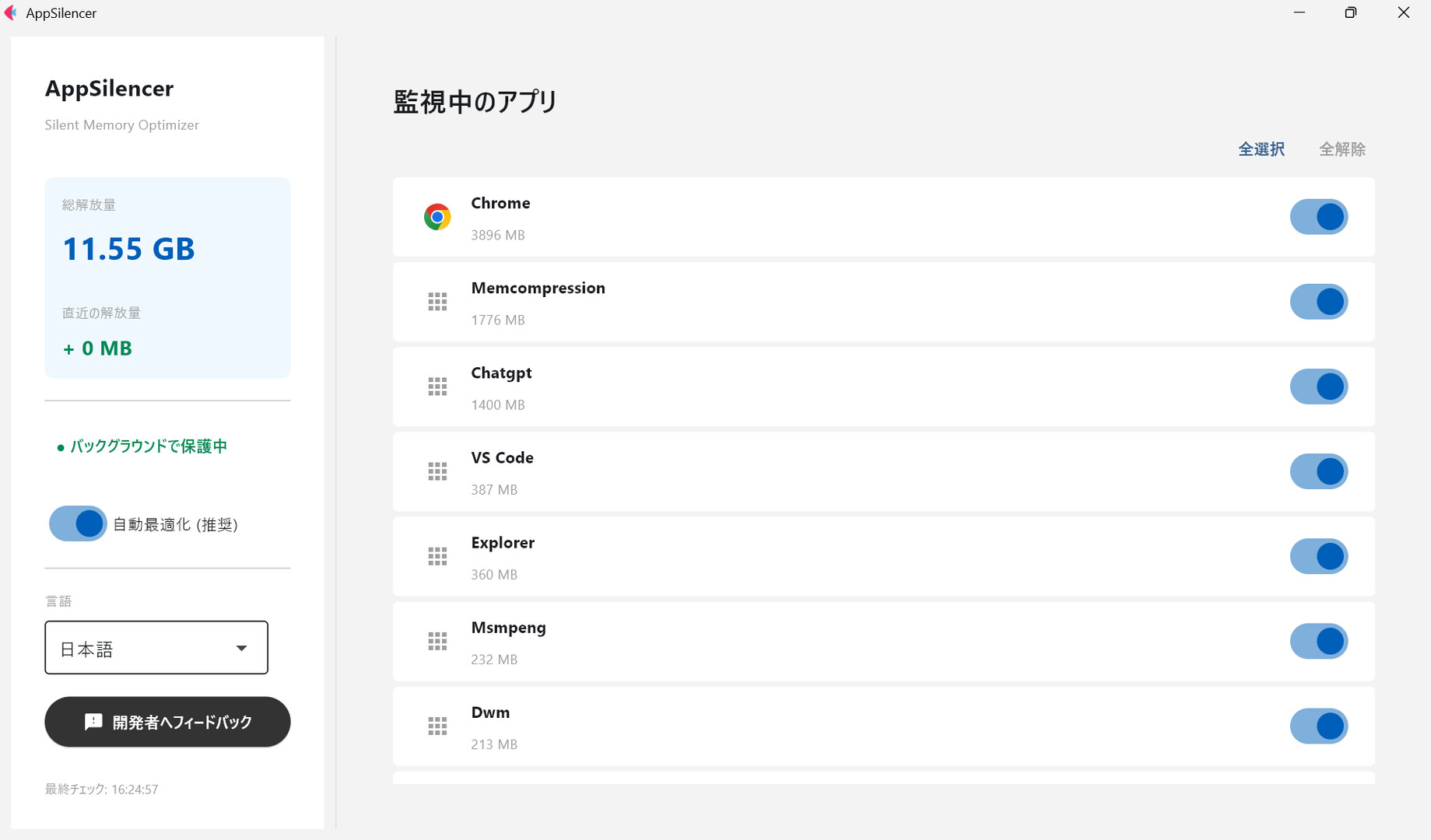
【Short Description】 Does opening browsers or Discord in the background make your games lag? AppSilencer is a fully automated utility that uses standard Windows APIs to safely free up memory from background apps. No setup required, just launch it. Reclaim your PC resources for your "Game".

Sign in to add this item to your wishlist, follow it, or mark it as ignored

Notice: AppSilencer is no longer available on the Steam store.
This game is not yet available on Steam

Planned Release Date: January 2026

Interested?
Add to your wishlist and get notified when it becomes available.
Add to your wishlist
 

About This Software

■ Overview

"I want to game, but I also want to check guides and talk on Discord."

AppSilencer was made for the modern gamer. When gaming on Windows, browsers and tools open in the background can eat up memory, causing FPS drops and stuttering.

AppSilencer is a utility that uses the standard Windows API (psapi.dll) to safely organize memory regions (Working Sets) of running applications without force-closing them. Don't leave it all to the OS memory management; take control and secure resources when you need them.

■ Key Features

  • 🛡️ Safelist Technology Automatically detects and optimizes only "safe apps" known to consume memory, such as Chrome, Discord, Steam, and OBS. It never interferes with critical system processes, so you don't have to worry about your PC freezing.

  • ⚡ Fully Automated (Install & Forget) No troublesome setup or manual operation is required. Just launch the app, and it will quietly start monitoring in the background. You just focus on your game.

  • 🕊️ Surprisingly Lightweight Built with a lightweight GUI library. The software itself will never hog system resources.

  • 🔒 Safe Clean Design

    • No Admin Rights Required

    • No Registry Changes

    • No Background Services Installed

    • Portable (No Installation Required)

■ Developer's Thought

"I wanted to make my PC lighter, but I didn't want to install suspicious cleaner software or tools with overly complex settings." As a gamer myself, I built this transparent tool using Python.

It does not perform excessive optimizations that could break the system, nor does it behave in ways the user doesn't intend. "A reliable companion that makes your PC a little more comfortable just by running." That is the goal of this development.

System Requirements

    Minimum:
    • Requires a 64-bit processor and operating system
    • OS: Windows 10 / 11 (64-bit)
    • Processor: Any modern CPU
    • Graphics: DirectX 9 compatible
    • Storage: 200 MB available space
    Recommended:
    • Requires a 64-bit processor and operating system
There are no reviews for this product

You can write your own review for this product to share your experience with the community. Use the area above the purchase buttons on this page to write your review.