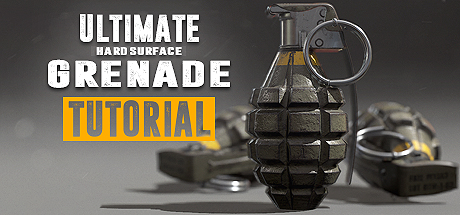
Ultimate Grenade Tutorial - Hardsurface 3D Course
In this compact tutorial you will learn from a Senior 3D Artist how to create a game ready first person model and how to texture it to make it shine. Software used: 3Ds Max & Substance Painter. Turn your passion into a profession and start creating game art today!

Daftar masuk untuk menambah item ini ke senarai hajat anda, ikuti atau tandakannya sebagai diabaikan

Bahasa Bahasa Melayu tidak disokong

Produk ini tidak menyokong bahasa tempatan anda. Sila semak senarai bahasa yang disokong di bawah sebelum membuat pembelian

Tonton Ultimate Grenade Tutorial - Hardsurface 3D Course

This tutorial is completely free and includes over 2 hours of content! After adding the tutorial videos to your account, Click Here to add the associated tutorial work files.


Video Steam

Kandungan ini hanya tersedia dalam format penstriman dalam talian. Maklumat lanjut tentang penstriman video boleh ditemui dalam Penstriman Video pada Soalan Lazim Steam.

Tentang Video Ini

Create a game ready grenade


Follow along in this free and compact ~2 hour long free tutorial as we create a game ready grenade aimed for first person view as you would see it in a modern first person shooter game right in front of the camera. Starting with the scene setup in 3Ds Max, you will learn how to set up reference images and determining the right size for our object. We will then continue with the low and high-poly modeling in which we make use of advanced actions, modifiers and tools to help us create our grenade. After the modeling process we will jump straight into the UVW Editor and focus on the importance of an optimized UV-Layout to get the maximum out of our texture.

In the Substance Painter part we will then bake our normal map as well as other important support maps. Right after that you will learn how to create an ultra realistic texture for our grenade. Follow and learn how to create our base layer materials and how to use procedural textures, masks and generators to form up the wear and tear on our grenade resulting in a photo realistic appearance.

To give feedback on some of the discussion on this tutorial, this model is not aiming to be a third person or world view model. The poly count is aimed at first person view and is not representing a game model that would only consume up a bit of space on the screen. If you have any questions you can contact me through facebook. I am always happy to help out.

What are the requirements?

It is recommended to follow the course with the same software we use throughout the tutorial:
3Ds Max and Substance Painter.
Important: The modeling part of the tutorial makes heavy use of the "chamfer" modifier which is only available in 3Ds Max 2015 and 2016.
If you have an older version of 3Ds Max you can purchase a third party modifier called "quad chamfer" which does essentially the same.

Who is the target audience?

From the amount of feedback I got I'd cautiously say it's aimed at beginners as well as intermediate.
I try to avoid heavy use of shortcuts as much as I can during the lesson so that you can see which actions I use.
The number 1 question I got for the 3Ds Max part was how do I make the object transparent? ALT + X will do that :)

What do I get from this course?

  • Over 10 lectures and 2 hours of fully documented and commented content.
  • Knowledge in modeling, unwrapping and texturing.
  • All essential reference images.
  • Final high-poly and low-poly grenade for those that just want to follow the texturing part.
Important: You'll find all essential files under Library/Software. If the entry isn't in the Library, click here to add it.

Instructor Biography

Hi! I'm Tim - Senior 3D Artist at Ubisoft Toronto.
I'm originally from Germany where I started my 3D Artist career at Crytek. I worked on titles such as Far Cry 4, Splinter Cell Blacklist and the Crysis series as well as other non disclosed titles.
In my spare time I enjoy creating tutorials in which I share all my tips and tricks which I gathered over the years. Let me help you avoiding mistakes and equipping you with powerful techniques and knowledge in game ready 3D art creation. See you in the tutorial! Cheers, Tim

Relevant links:

  • I'd like to encourage everyone with questions to message me through my Facebook page. I'll get back to you as soon as I can.
  • More samples of my work can be seen here
init_data: 0.013, render: 0.0131

Keperluan Sistem

Windows
macOS
SteamOS + Linux
    Minimum:
    • OS *: Windows 7
    • Pemproses: Intel Core 2 atau AMD setara
    • Memori: 1 GB RAM
    • Rangkaian: Sambungan Internet jalur lebar
    • Storan: 200 MB ruang tersedia
    • Nota Tambahan: Jalur Lebar Rangkaian 5Mbps untuk 540p, 3Mbps untuk 360p.
    Dicadangkan:
    • OS: Windows 10
    • Pemproses: Intel Core I3+ atau AMD setara dicadangkan untuk main semula HD 1080p
    • Memori: 2 GB RAM
    • Rangkaian: Sambungan Internet jalur lebar
    • Storan: 500 MB ruang tersedia
    • Nota Tambahan: Jalur Lebar Rangkaian 12Mbps untuk 1080p atau 8Mbps untuk 720p.
* Mulai 1 Januari 2024, Steam Client hanya akan menyokong Windows 10 dan versi yang lebih baharu.
    Minimum:
    • OS: Mac OSX 10.7
    • Pemproses: Intel Core 2 atau AMD setara
    • Memori: 1 GB RAM
    • Rangkaian: Sambungan Internet jalur lebar
    • Storan: 200 MB ruang tersedia
    • Nota Tambahan: Jalur Lebar Rangkaian 5Mbps untuk 540p, 3Mbps untuk 360p.
    Dicadangkan:
    • OS: Mac OSX 10.10+
    • Pemproses: Intel Core I3+ atau AMD setara dicadangkan untuk main semula HD 1080p
    • Memori: 2 GB RAM
    • Rangkaian: Sambungan Internet jalur lebar
    • Storan: 500 MB ruang tersedia
    • Nota Tambahan: Jalur Lebar Rangkaian 12Mbps untuk 1080p atau 8Mbps untuk 720p.
* Mulai 15 Februari 2024, Steam Client tidak akan menyokong permainan 32-bit atau macOS 10.14 atau lebih rendah lagi.
    Minimum:
    • OS: Linux Ubuntu 12.04 atau lebih baru, SteamOS 2.20 atau lebih baru
    • Pemproses: Intel Core 2 atau AMD setara
    • Memori: 1 GB RAM
    • Rangkaian: Sambungan Internet jalur lebar
    • Storan: 200 MB ruang tersedia
    • Nota Tambahan: Jalur Lebar Rangkaian 5Mbps untuk 540p, 3Mbps untuk 360p.
    Dicadangkan:
    • OS: Linux Ubuntu 12.04 atau lebih baharu, SteamOS 2.20 atau lebih baharu
    • Pemproses: Intel Core I3+ atau AMD setara dicadangkan untuk main semula HD 1080p
    • Memori: 2 GB RAM
    • Rangkaian: Sambungan Internet jalur lebar
    • Storan: 500 MB ruang tersedia
    • Nota Tambahan: Jalur Lebar Rangkaian 12Mbps untuk 1080p atau 8Mbps untuk 720p.

Ulasan pelanggan untuk Ultimate Grenade Tutorial - Hardsurface 3D Course Tentang ulasan pengguna Pilihan anda

Keseluruhan Ulasan:
Sangat Positif (129 ulasan)


Untuk melihat ulasan dalam sesuatu jangka masa tarikh, sila klik dan seret pilihan pada graf di atas atau klik pada bar tertentu.


Tapis ulasan mengikut masa bermain pengguna semasa ulasan ditulis:


Tiada minimum hingga Tiada maksimum

Tunjuk ulasan dalam susunan paparan yang dipilih


Ketahui Lebih Lanjut
Penapis
Tidak termasuk Aktiviti Ulasan di Luar Topik
Masa bermain:
Kerap Dimainkan di Steam Deck
Operating System:
CPU:
GPU:
Device Type:
Penapis Ulasan