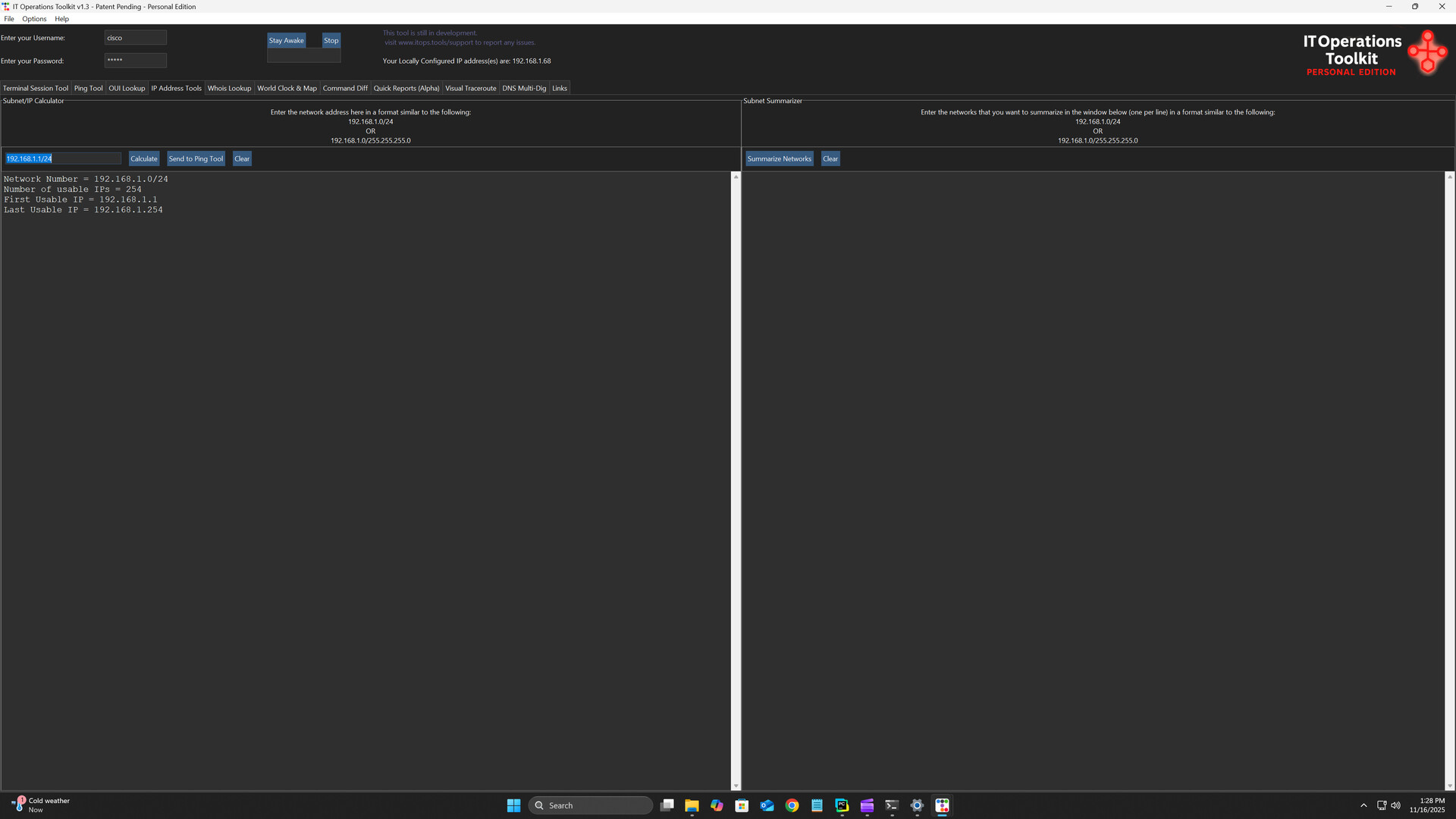
IT Operations Toolkit – Personal Edition gives home labs and learners a unified dashboard to run batch tasks, use built-in network tools, connect via SSH/RDP/Telnet, and manage up to 25 devices from one fast, intuitive interface.

登入以將此項目新增至您的願望清單、關注它,或標記為已忽略

不支援繁體中文

本產品尚不支援您的目前所在地的語言。購買前請先確認語言支援清單。

注意: 「IT Operations Toolkit Personal Edition」已不再於 Steam 商店中提供。
此遊戲尚未在 Steam 上發售

即將推出

感興趣嗎?
將這款遊戲加入願望清單,以便在發售時收到通知。
新增至您的願望清單
 

關於此軟體

About This Utility

Welcome to the IT Operations Toolkit Personal Edition— your all-in-one command center built for managing devices.

The Personal Edition is designed for home labs and small environments, supporting up to 25 devices.  Organizations requiring more devices or additional features can review licensing information on our official website.

Key Features

  • Centralized management dashboard – Manage your entire infrastructure (network devices, servers, applications) from a unified interface.

  • Batch and bulk operations – Execute tasks across multiple machines simultaneously: ping sweeps, multi-server commands, device inventory actions.

  • Remote access made easy – Connect to devices using SSH, Telnet, RDP or via web interfaces — all from one tool. Send devices/IP's between tools without having to copy/paste.

  • Network utility suite integrated – Includes tools like IP calculator, IP summarizer, WHOIS lookup, OUI lookup, and interactive world map for infrastructure visualization.

  • Customizable dashboard & workflow – Build your device hierarchies, favorite the tools you use most, apply custom themes (including Dark Mode).

  • Interactive world‐map view – Visualize your global network footprint: device locations, zoom controls, and live world clock.

Why It Matters

For home-lab builders, students, hobbyists, and technicians sharpening their operational skills, time and clarity are everything. The IT Operations Toolkit – Personal Edition brings your most important utilities together in one clean interface so you can:

  • Reduce repetitive tasks and configuration mistakes

  • Eliminate tool-hopping and manual lookups

  • Understand your environment faster with unified visibility

  • Build better habits by working the same way real operations teams do

Whether you're learning, experimenting, or managing a small set of devices, the Personal Edition keeps you focused and efficient.

Who It’s For

  • Home lab enthusiasts managing routers, switches, servers, or virtual environments

  • IT students and early-career engineers building hands-on experience with real-world operations workflows

  • Small environments or makerspaces that need simple, centralized utilities

  • Tech hobbyists who enjoy automation, command-line operations, and unified toolsets

  • Anyone managing up to 25 devices who wants a more streamlined, professional workflow

系統需求

    最低配備:
    • 需要 64 位元的處理器及作業系統
    • 作業系統: Windows 10 (64-bit)
    • 處理器: 1.5 GHz or faster (Intel/AMD)
    • 記憶體: 4 GB 記憶體
    • 顯示卡: Integrated graphics (Intel HD Graphics or equivalent)
    • 儲存空間: 250 MB 可用空間
    • 音效卡: N/A
    建議配備:
    • 需要 64 位元的處理器及作業系統
    • 作業系統: Windows 10/11 (64-bit)
    • 處理器: 2.0 GHz or faster dual-core
    • 記憶體: 8 GB 記憶體
    • 顯示卡: Integrated graphics (Intel UHD 600 series or better)
    • 儲存空間: 250 MB 可用空間
    • 音效卡: N/A
此產品無任何評論

您可以撰寫評論來與社群分享您對於本產品的看法。請使用本頁面中位於購買按鈕上方的區塊來進行評論的編寫。