Dominate the grind with IO Auto Clicker, the ultimate automation tool for PC gamers. Go beyond simple clicks with a powerful macro recorder and an intuitive visual drag-and-drop editor to automate any task, freeing you up to enjoy the game.

Inicia a sessão para adicionares este artigo à tua lista de desejos, segui-lo ou ignorá-lo.

Usar IO Auto Clicker

Grátis para Jogar
 

Acerca deste software

IO Auto Clicker for Games

Level Up Your Grinding Game. Automate. Dominate. Repeat.

IO Autoclicker is the most powerful click automation software for PC gamers who refuse to waste time on repetitive tasks. Automate clicks and inputs in Steam games, standalone PC titles, Windows applications, and web-based games. Farm resources while you sleep, automate grinding sessions, and maximize your in-game efficiency with professional-grade macro recording and automation.

Two Modes, Infinite Possibilities

Standard Mode - Quick Setup, Instant Results Jump in fast with our streamlined auto clicker designed for immediate use:

  • Configure precise intervals between clicks with random offset options

  • Choose your mouse button: left, right, middle, or side buttons

  • Single, double, and hold click support

  • Set fixed click counts or run infinite loops for AFK farming

  • Click at cursor location, fixed coordinates, or follow your mouse

  • Perfect for simple grinding, resource farming, and repetitive clicking

Advanced Mode - Pro-Level Automation Unlock complete control with our visual drag-and-drop macro editor for complex automation sequences:

  • Click Action: Execute specific clicks at exact screen positions

  • Scroll Action: Automate mouse wheel scrolling for menus and inventories

  • Interval Action: Insert precise delays between actions

  • Repeat Action: Loop action sequences multiple times or indefinitely

  • Key Action: Simulate keyboard inputs alongside clicks for full control

  • Random Action: Add randomization to any action for natural behavior

  • Custom Action: Group and organize action sets for reusable macro libraries

Autoclicker helps to Record, Replay, Dominate

Powerful Recording System Hit record and perform your actions—IO Auto Clicker captures every click, keypress, scroll, and delay with perfect timing. Replay recordings instantly or import them into Advanced Mode to build even more sophisticated automation routines.

Macro Hotkey System Assign any custom action sequence to a keyboard shortcut. Trigger complex multi-step macros instantly without leaving your game. Switch between farming profiles, combat rotations, and crafting sequences on the fly.

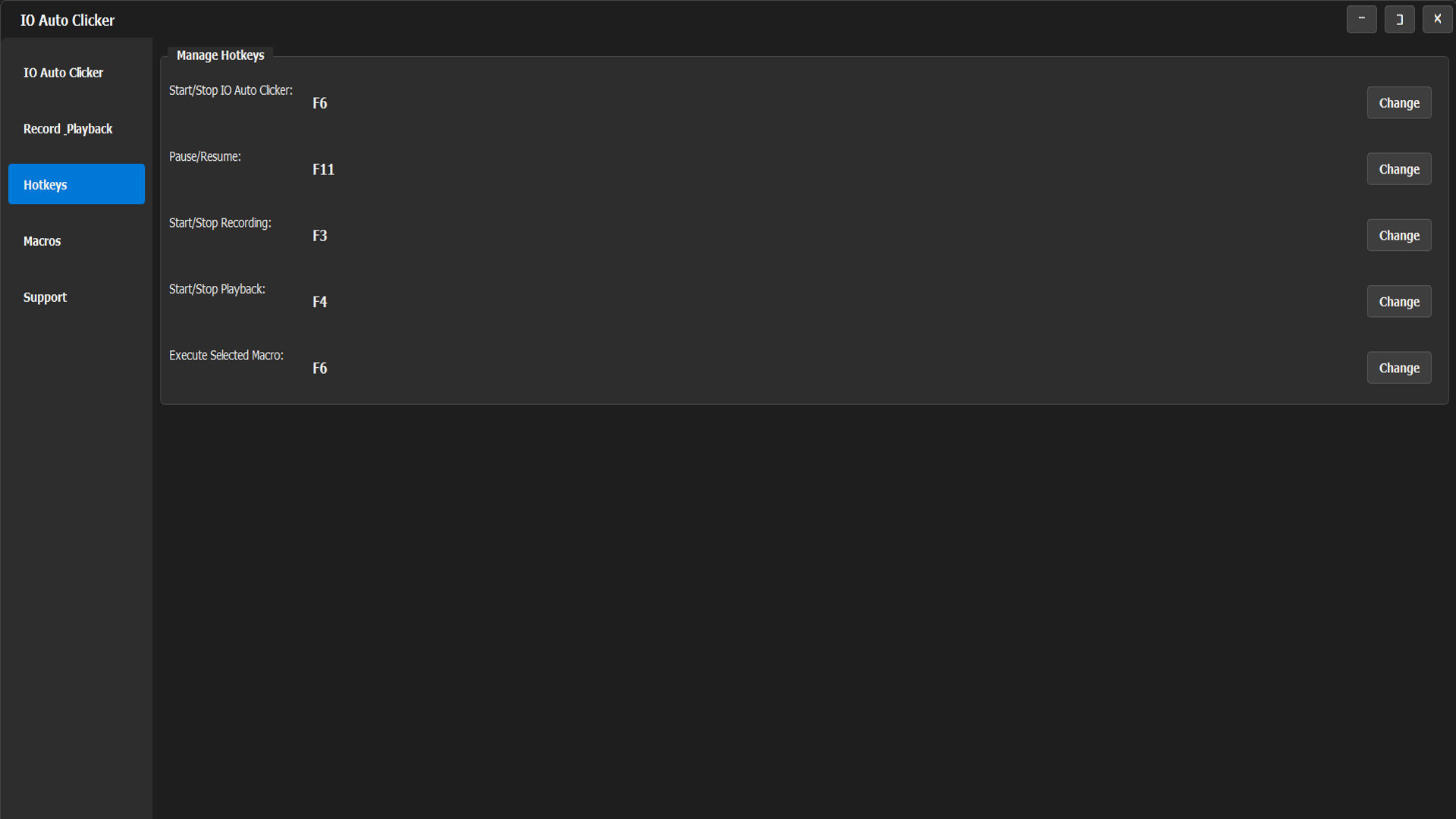
Lightning-Fast Customizable Hotkeys Full hotkey customization for start, stop, pause, and profile switching. React instantly and maintain complete control over your automation without breaking your gaming flow.

Sleek Gaming-Ready Interface Modern dark theme UI designed for gamers. Minimal, distraction-free interface that won't clutter your screen or tank your FPS. Quick setup means less time configuring, more time gaming.

Additional Pro Features

  • Multi-button support (left, right, middle, and side mouse buttons)

  • Position-locked clicking for menu farming and crafting loops

  • Cursor-following mode for dynamic automation

  • Hold click patterns for sustained actions

  • Ultra-lightweight—zero impact on gaming performance

  • Works with fullscreen, windowed, and borderless modes

  • Multiple automation profiles for different games

  • Random timing offsets to mimic human behavior

Perfect for These Games

  • MMORPGs: Auto-farm mobs, resources, and experience overnight

  • Idle/Clicker Games: Maximize your clicks per second effortlessly

  • RPGs: Automate crafting, fishing, mining, and gathering

  • Strategy Games: Speed through repetitive city building and resource collection

  • Mobile Emulators: Automate mobile game farming on PC

  • Web Games: Works seamlessly in browser-based games

  • Any Grindy Game: If it's repetitive, we can automate it

Why Gamers Choose IO Auto Clicker? 

Stop wasting precious gaming hours on mindless clicking. IO Autoclicker handles the grind so you can focus on the content that actually matters—raids, PvP, story content, and having fun. With powerful macro recording, keyboard automation, and an interface built for speed, you'll set up automation in seconds and get back to what you love.

From simple auto-clicking to complex multi-action macros with keyboard inputs and scrolling, IO Auto Clicker scales from beginner to pro. Whether you're new to automation or a macro veteran, our Standard and Advanced modes give you exactly the power you need.

Grind smarter. Game harder. Download IO Auto Clicker now.

System Requirements

  • Windows 10/11 (64-bit)

  • 100 MB available space

  • Compatible with Steam games, standalone titles, Windows apps, and web games

Important: Use IO Auto Clicker responsibly and in accordance with game terms of service. This tool is designed for single-player grinding, personal use, and games that permit automation. Always check your game's policies regarding third-party software.

Requisitos do Sistema

    Mínimos:
    • Sistema Operativo: Windows 10
    • Processador: Intel Pentium Processors
    • Memória: 1 MB de RAM
    • Espaço no disco: Requer 500 MB de espaço livre
    Recomendados:
    • Sistema Operativo: Windows 10
    • Processador: Intel Pentium Processors
    • Memória: 4 MB de RAM
    • Espaço no disco: Requer 500 MB de espaço livre

Análises de utilizadores - IO Auto Clicker Sobre as análises de utilizadores As tuas preferências

Análises no geral:
Positivas (20 análises)


Para veres análises feitas num certo intervalo de datas, clica e arrasta uma seleção num gráfico acima ou clica numa barra específica.


Filtrar análises por tempo de jogo do utilizador quando a análise foi escrita:


Sem mínimo até Sem máximo

Mostrar análises na ordem de apresentação selecionada


Mais informações
Filtros
A excluir atividade de análises irrelevantes
Tempo de jogo:
Jogado principalmente no Steam Deck
Não há mais análises que correspondam aos filtros definidos acima
Ajusta os filtros acima para veres outras análises
A carregar análises...