Professor Teaches Outlook 2016 is a computer training course designed to teach you everything you need to know about the premier e-mail program for business. Unlike other computer training that use videos to show you how to use a program, Professor Teaches provides hands-on training in a realistic simulation of the actual Outlook 2016...
發行日期:
2015 年 9 月 15 日
開發人員:
發行商:
標籤

登入以將此項目新增至您的願望清單、關注它,或標記為已忽略

不支援繁體中文

本產品尚不支援您的目前所在地的語言。購買前請先確認語言支援清單。

購買 Professor Teaches Outlook 2016


關於此軟體

Professor Teaches Outlook 2016 is a computer training course designed to teach you everything you need to know about the premier e-mail program for business. Unlike other computer training that use videos to show you how to use a program, Professor Teaches provides hands-on training in a realistic simulation of the actual Outlook 2016 software.

What is Microsoft Outlook 2016?
Microsoft Outlook is an extremely popular e-mail program used by millions of people worldwide. Outlook 2016 is the latest version of the program and belongs to the Microsoft Office Suite of products. Used by professionals and students all over the world, this e-mail program promises greater e-mail organization, search, communication and social networking features.

What Are the Benefits of Learning Microsoft Outlook 2016?
• Discover how to become more effective in your communication
• Learn how to keep your calendar organized and become more time efficient
• Build stronger relationships with an organized contact list

Outlook 2016 – Over 60 Lessons!
Our extensive computer training course will cover the following topics:
• How to keep your task list up-to-date
• Learn how to use Outlook views
• How to read and reply to e-mail
• Plan meetings and use the journal
• Learn how to print calendars
• Using the Navigation Pane
• Using multiple E-mail accounts
• Working with folders
• Exploring the Inbox
• Adding an attachment
• Adding a signature
• Formatting messages
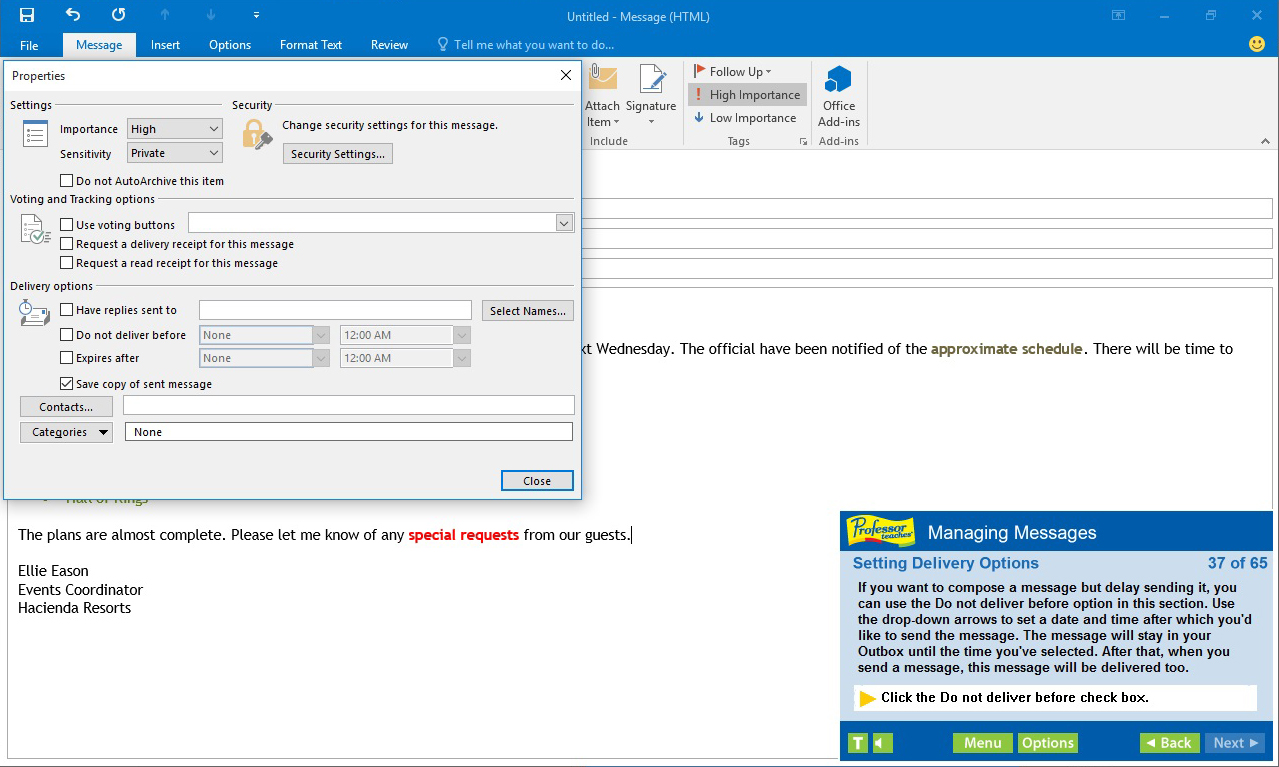
• Setting delivery options
• Modifying and Deleting Contacts
• Creating a Contact Group
• Using Outlook to Call a Contact
• Coordinating Calendars
• Scheduling Appointments
• Responding to Meeting Requests

Features of Professor Teaches Outlook 2016
Practice in a Realistic Simulation of the Software
Hundreds of Learning Topics
4 to 8 Hours of Training per Course
Realistic Simulations
Beginner to Advanced Topics
Self-Paced Learning Objectives
Introductions and Summaries
Interactive Exercises
Professional Voice Narration
End-of-Chapter Quiz Questions
Check marks for Completed Topics
Glossary, Index, and Search
Professor Answers for Instant Training

系統需求

    最低配備:
    • 作業系統 *: Windows 10, 8, 7, XP
    • 處理器: None
    • 記憶體: 150 MB 記憶體
    • 顯示卡: None
    • 音效卡: None
* 自 2024 年 1 月 1 日(PT)起,Steam 用戶端僅支援 Windows 10 及更新版本。
此產品無任何評論

您可以撰寫評論來與社群分享您對於本產品的看法。請使用本頁面中位於購買按鈕上方的區塊來進行評論的編寫。