Professor Teaches OneNote 2016 is a computer learning course designed by experts to guide you through all of the functions and features of this sophisticated digital notebook program. Learn the features of OneNote with hours of lessons and hands-on exercises in a realistic simulation of the actual OneNote program.

Jelentkezz be, hogy ezt a tételt a kívánságlistádhoz adhasd, követhesd vagy mellőzöttnek jelölhesd.

A Magyar nyelv nem támogatott.

Ez a termék nem támogatja a nálad beállított nyelvet. Kérjük, vásárlás előtt tekintsd át a támogatott nyelvek listáját.

Professor Teaches OneNote 2016 vásárlása

EGÉSZ HÉTEN AKCIÓS! Az ajánlat vége: január 19.

-30%
$14.99
$10.49
 

A szoftverről

Professor Teaches OneNote 2016 is a computer learning course designed by experts to guide you through all of the functions and features of this sophisticated digital notebook program. Learn the features of OneNote with hours of lessons and hands-on exercises in a realistic simulation of the actual OneNote program.

What is Microsoft OneNote 2016?
Microsoft OneNote 2016 is a digital notebook that is a part of the Microsoft Office Suite. OneNote creates a single place to store all of your notes and information. It provides the flexibility to gather and organize text, pictures, audio and video recordings, and more, in one location on your computer.

What are the Benefits of Learning Microsoft OneNote 2016?
Discover how to organize and search quickly
Share ideas and projects with classmates and colleagues
Improve your efficiency by converting handwriting

OneNote 2016 – Over 40 Lessons!
Our extensive computer training course will cover the following topics:
• Learn how to work with the Ribbon
• Explore using Dock to Desktop
• Learn how to take and save notes
• Add pictures and equations
• Learn how to create unfiled notes
• Learn to use the Pen Mode
• Exploring the OneNote User Interface
• Customizing the Quick Access Toolbar
• Creating and Configuring Notebooks
• Adding Screen-clippings to Notebooks
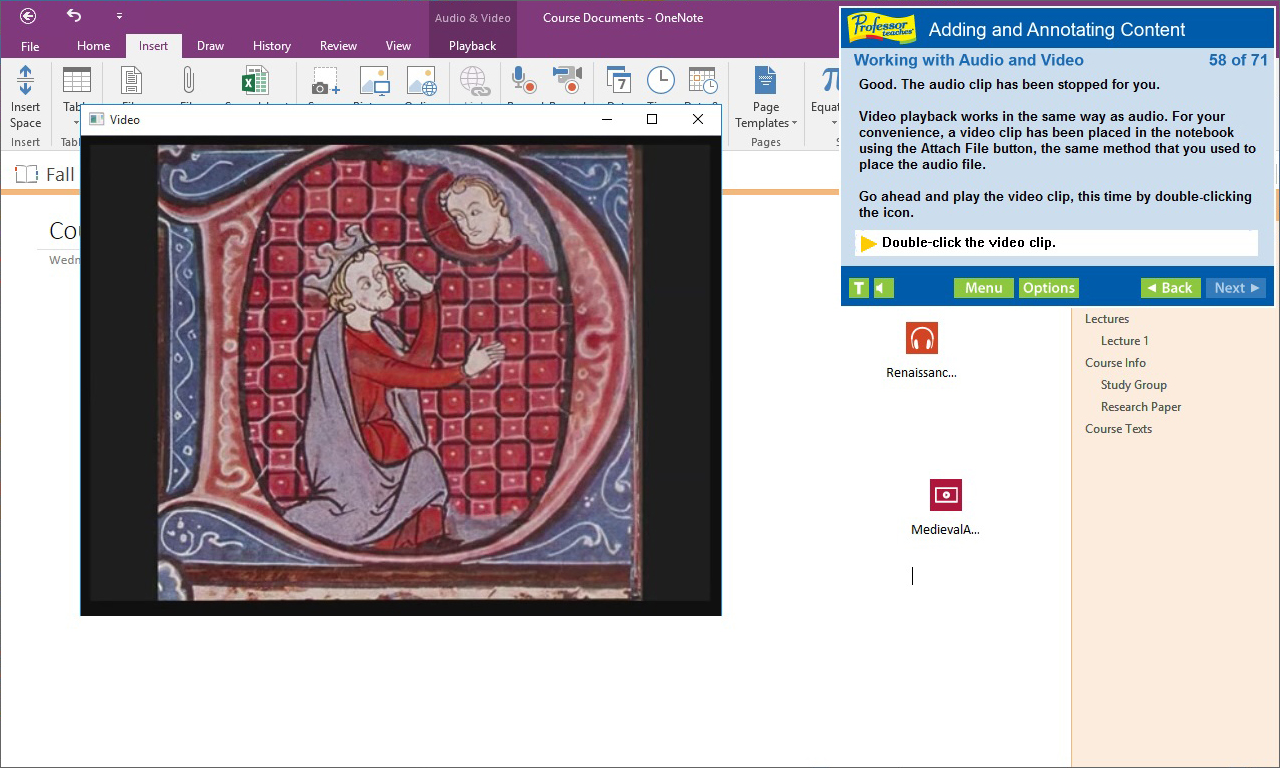
• Working with Audio and Video
• Tagging Notes
• Formatting and sharing notebooks
• Adding Equations
• Adding Pictures
• Working with Notebook Templates
• Setting Default Templates to Sections
• Changing backgrounds
• Setting Notebook Properties
• Saving and Converting Notebooks
• Sharing Notebooks on the Web
• Working in the Cloud
• Signing in with Microsoft Accounts

Features of Professor Teaches OneNote 2016
• Practice in a Realistic Simulation of the Software
• Hundreds of Learning Topics
• 4 to 8 Hours of Training per Course
• Realistic Simulations
• Beginner to Advanced Topics
• Self-Paced Learning Objectives
• Introductions and Summaries
• Interactive Exercises
• Professional Voice Narration
• End-of-Chapter Quiz Questions
• Check marks for Completed Topics
• Glossary, Index, and Search
• Professor Answers for Instant Training

Rendszerkövetelmények

    Minimum:
    • Op. rendszer *: Windows 10, 8, 7, XP
    • Processzor: None
    • Memória: 150 MB RAM
    • Hangkártya: None
* 2024. január 1-jétől a Steam kliens csak a Windows 10 és újabb verziókat fogja támogatni.

A(z) Professor Teaches OneNote 2016 vásárlói értékelései A felhasználói értékelésekről Beállításaid

Összesített értékelés:
2 felhasználói értékelés (2 értékelés)


Az értékelések egy dátumtartományon belüli megnézéséhez kattints és jelölj ki egy részt a fenti grafikonon, vagy kattints egy konkrét sávra.


Értékelések szűrése a felhasználó értékelés íráskori játékideje alapján:


Nincs minimum - Nincs maximum

Választott megjelenítési sorrendben mutatja az értékeléseket.


Tudj meg többet
Szűrők
Témaidegen értékeléstevékenység kizárása
Játékidő:
Főleg Steam Decken játszva
Nincs több értékelés, amely megfelel a fent beállított szűrőknek
Állíts a fenti szűrőkön, hogy más értékeléseket láss.
Értékelések betöltése...