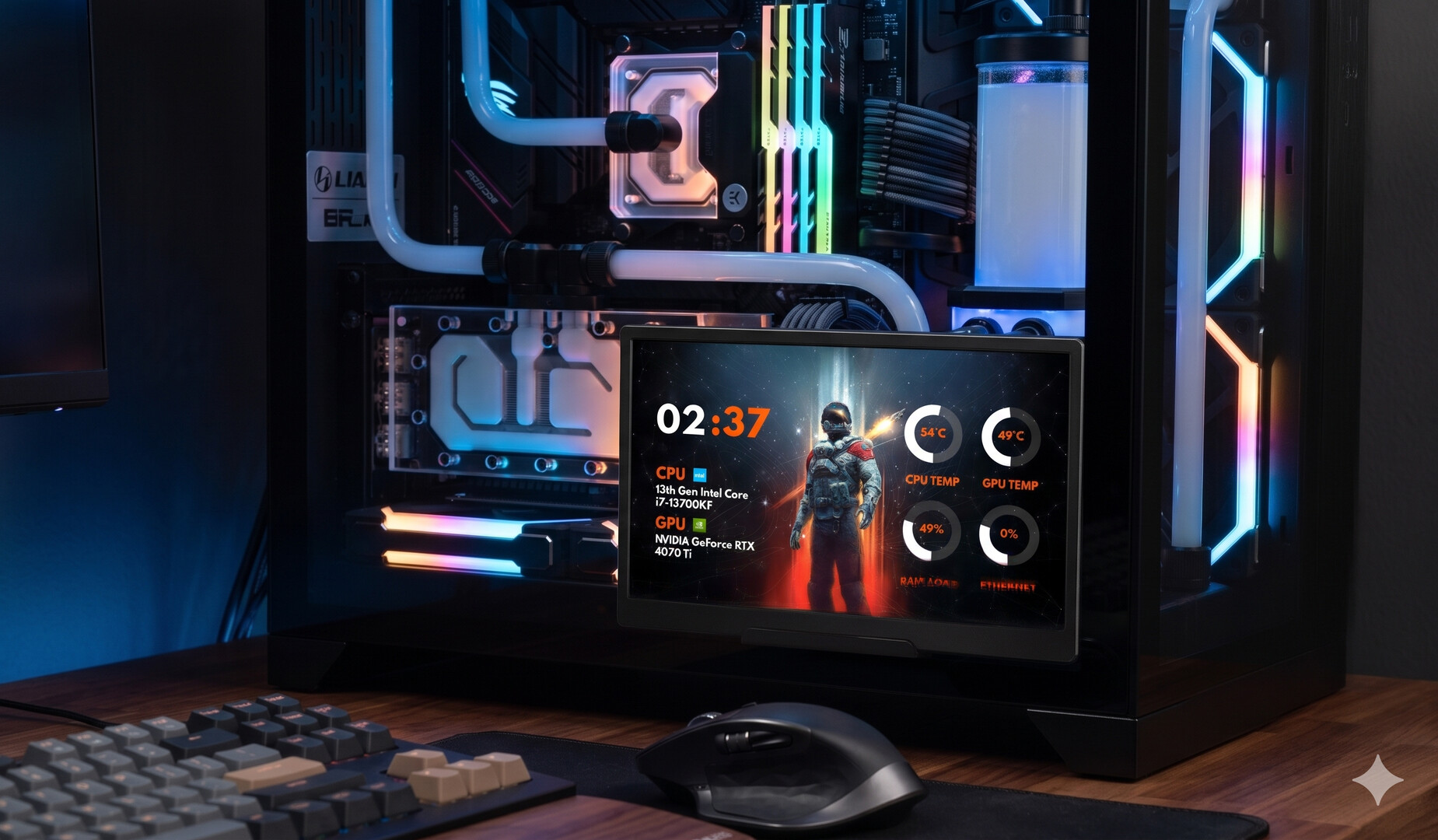
niceHW Monitoring lets you display your PC hardware stats on any screen – from an internal case display to an external secondary monitor – with beautiful, customizable themes. Create your own designs, browse the Steam Workshop for community-made themes, and monitor your system in real time.
Datum vydání:
Zanedlouho vychází
Vývojář:
Vydavatel:
Značky

Abyste si mohli tento produkt přidat do seznamu přání, začít ho sledovat nebo ho zařadit mezi ignorované, musíte se nejprve přihlásit.

Čeština není podporována

Tento produkt nepodporuje Váš místní jazyk. Seznam podporovaných jazyků je k dispozici níže na této stránce.

Tato hra prozatím není dostupná ve službě Steam

Zanedlouho vychází

Máte zájem o tento produkt?
Přidejte si ho do seznamu přání, ať nepropásnete vydání.
 

Informace o softwaru

Keep track of your PC’s performance in a stylish and customizable way!
niceHW Monitoring turns any display – whether it’s a screen inside your case or an external monitor – into a live dashboard for CPU temperature, GPU usage, RAM load, fan speeds, storage stats, and much more, all visualized with stunning themes.

The application is built around 3 core modules:

🔹 Viewer

  • Display your hardware stats in real time with beautiful graphics.

  • Use it on case-mounted displays or external monitors.

  • Track CPU, GPU, RAM, storage, fans, and system loads instantly.

  • Choose between minimal dashboards or detailed layouts that match your setup.

🔹 Editor

  • Design your own themes from scratch or customize existing ones.

  • Full control over colors, fonts, graphs, animations, and layouts.

  • Create a unique look that perfectly fits your build.

🔹 Browser

  • Explore thousands of community-made themes on the Steam Workshop.

  • Download and apply themes instantly.

  • Share your own designs and contribute to the community.

Key Features

  • ✅ Real-time monitoring of CPU, GPU, RAM, storage, and fans

  • ✅ Works on case screens and any secondary monitor

  • ✅ High-quality visuals with customizable layouts

  • ✅ Powerful Theme Editor for full customization

  • ✅ Seamless Steam Workshop integration

  • ✅ Lightweight, fast, and easy to use

Systémové požadavky

    Minimální:
    • OS: Windows 11
    • Procesor: Intel Core i9-9900K or equivalent
    • Paměť: 8 GB RAM
    • Grafická karta: Nvidia GTX 1050 or equivalent
    • DirectX: Verze 12
    • Připojení: Širokopásmové připojení k internetu
    • Pevný disk: 2 GB volného místa
    • Dodatečné poznámky: Internet needs for content browsing.
Filtry recenzí