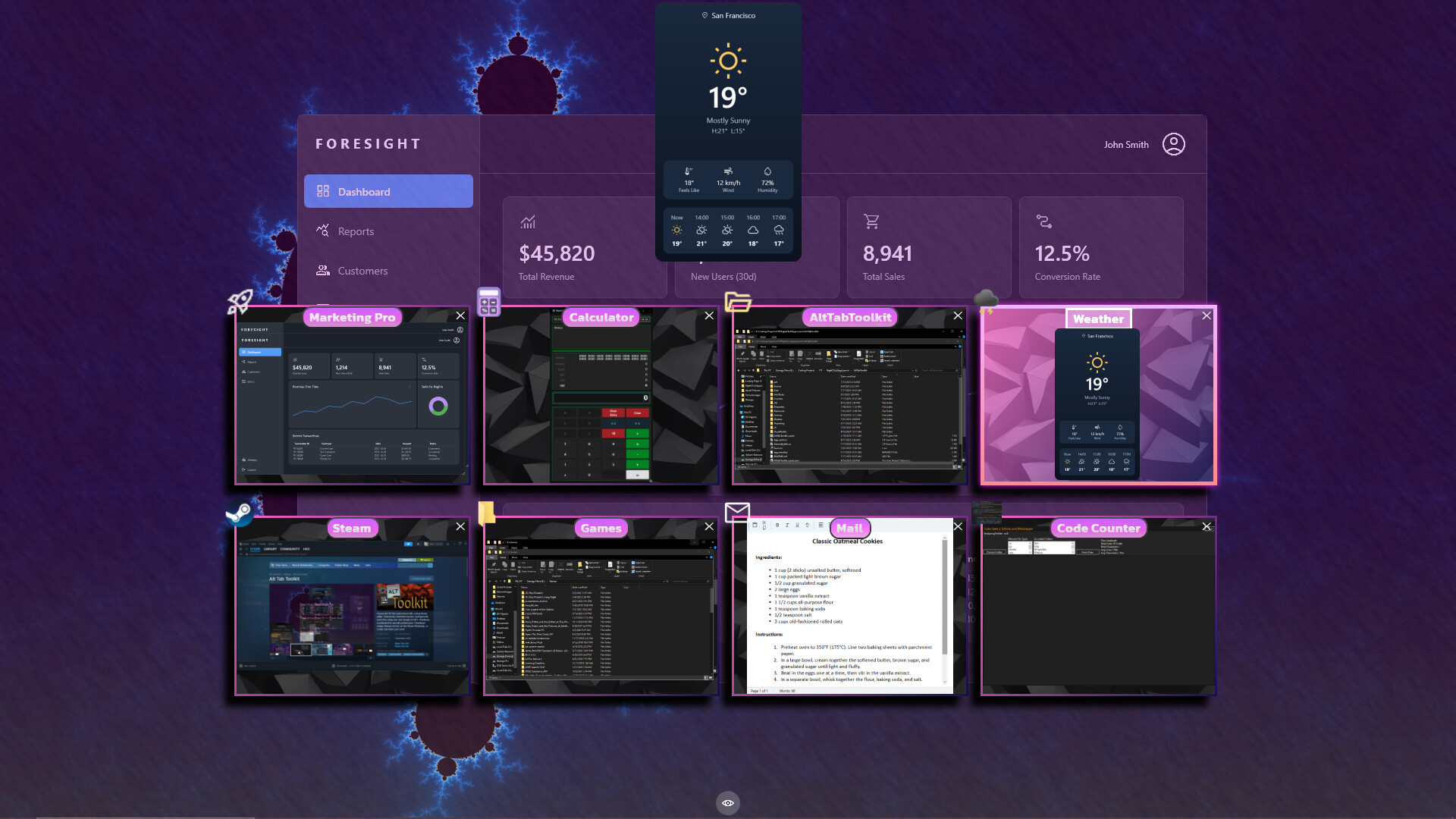
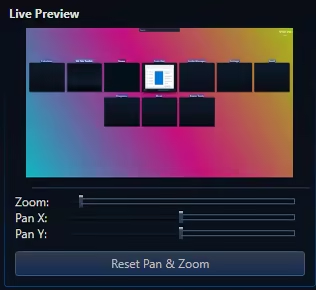
Not Just an Alt Tab replacement, but a suite of Visual Enhancement, "QOL" and Productivity Upgrades. Enhance your multitasking capabilities. Allows setting Video, GIFs, or Images for the Background / Items and Icons. Searchbar / Filter (Automatically Accepts Input) Steam Workshop Support and More!

Zaloguj się, aby dodać tę pozycję do listy życzeń, zacząć ją obserwować lub oznaczyć jako ignorowaną

Program z wczesnym dostępem

Zaangażuj się w powstawanie programu.

Uwaga: ten program oferowany w formie wczesnego dostępu nie został jeszcze ukończony i może (choć nie musi) ulec dalszym zmianom. Jeśli program w jego obecnym stanie nie interesuje cię, sugerujemy poczekać, by zobaczyć, czy prace nad nim będą kontynuowane. Dowiedz się więcej.

Od twórców:

Dlaczego wczesny dostęp?

„Alt Tab Toolkit is already a powerful and highly functional replacement for the default Windows app switcher. However, our vision for this tool is much bigger, and its deep integration with the Windows OS means that real-world testing is essential. We're choosing Early Access because we want to be transparent:

This app will likely have occasional hiccups / bugs during development.
As an application that must interact with all other software applications, and must work predictably across all different hardware setups, it is likely there will be problems to fix over the lifetime of Early Access.

Early Access allows us to prioritize what our community wants most, whether it's new theme options, plugin support, QOL features, or deeper OS integrations.

We believe the best productivity tools are shaped by the people who use them every day. We hope that early access, combined with community feedback will help us achieve the best product possible.”

Mniej więcej jak długo program będzie w fazie wczesnego dostępu?

„4 - 12 months”

Czym różni się zaplanowana pełna wersja od tej z wczesnego dostępu?

„Over the period of Early Access, our goal is to continuously improve the application by adding more 'Alt Tab Layouts' and enhancing the overall quality and polish. We plan for the full version to be more feature-rich, with a more refined UI and user experience. We also aim to offer more UI alternatives and customization options based on community feedback”

Jaki jest obecny stan wersji z wczesnego dostępu?

„The app is already in a fully functional state.
It comes out of the box with a multitude of themes, the theme editor,
Steam workshop support and more.

For a full list of already implemented features, check out the "About this software" section of the store page.

*It is possible that theme files, or layouts could become broken or unusable at some point(s) when updates are released during early access; However, we plan on working carefully to mitigate that issue as much as possible.

Some things could likely be optimized in the future, but the app already uses low amounts of system resources.”

Czy cena programu ulegnie zmianie podczas i po wczesnym dostępie?

„It's likely the price will increase after early access is finished. We plan for the 1.0 version to have more features, more polish, better stability, and the benefit of months of community feedback and development work.”

Jak zamierzacie włączyć społeczność w wasz proces tworzenia?

„The community is absolutely vital to this entire process.
We want to hear you feedback, and work to improve the quality of this app for everyone.
We plan on communicating with the community through Steam, Reddit, and Discord.”
Więcej
Polski język nie jest obsługiwany

Ten produkt nie obsługuje twojego lokalnego języka. Przed zakupem zapoznaj się z listą obsługiwanych języków, która znajduje się poniżej.

Kup Alt Tab Toolkit

OFERTA NA START! Kończy się 23 grudnia

-30%
$7.49
$5.24
 
Zobacz wszystkie dyskusje

Zgłoś błędy i zostaw swoją opinię o tym programie na forach dyskusyjnych

O tym programie

This application replaces the classic Alt-Tab switcher with a fluid, and deeply configurable suite of tools.

Animated UI: Set backgrounds of the window and Alt Tab Items to Custom Images, GIFs, or Videos!

Custom App Icons: App Icons can be substituted for custom images, including animated ones. (These custom app icons are used universally in this app, including DLC features like app launch animations, and the app launcher)

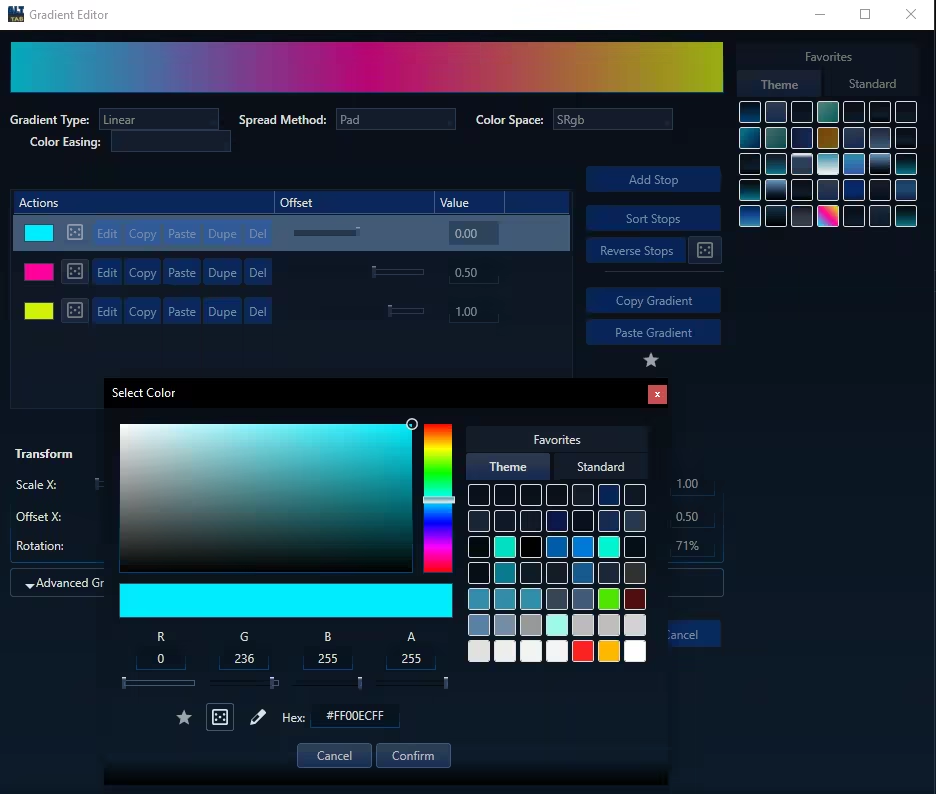
Total Visual Control: Change everything from shapes and layouts to fonts and colors. Use solid colors or create complex gradients.


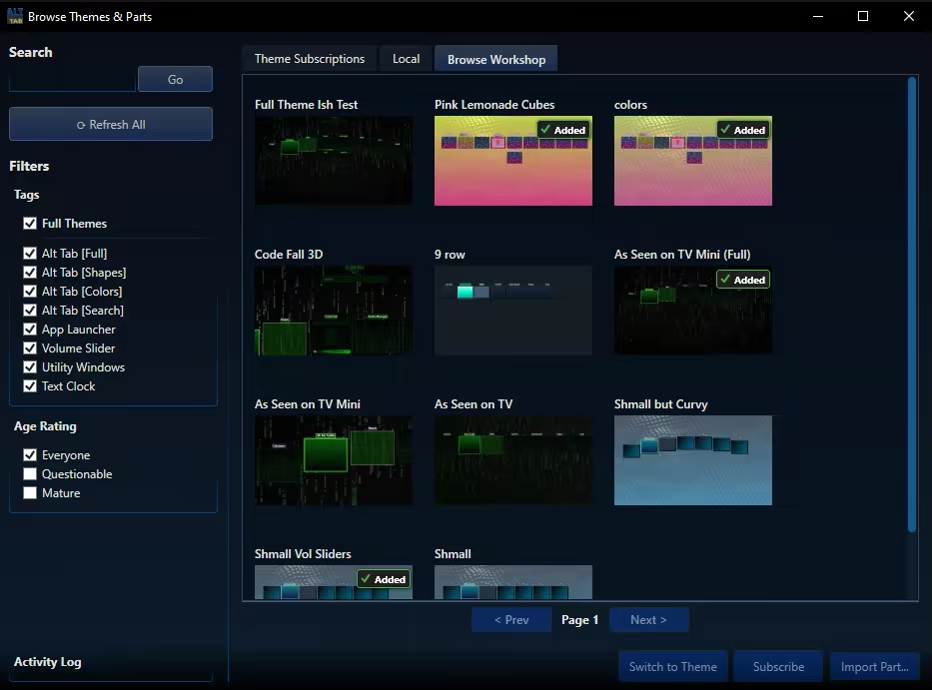
Steam Workshop Support: Share your unique designs and download themes from the community for free.

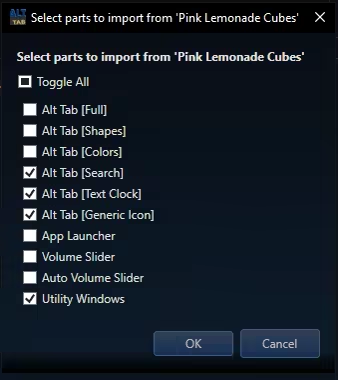
Modular Themeing: Pick and choose which parts you like from different themes. 

Improved Navigation: Navigate the Alt Tab menu using keys, mouse clicks, or mouse wheel scrolling.

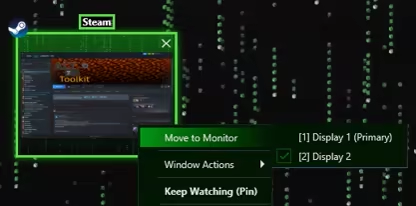
Move Monitors: Swiftly change what monitor a given window resides on

Keep Watching: This feature displays the contents of a given window in a duplicate window, which may become transparent and click-thru on hover. Awesome for single monitor work flows and watching a video while working, or quickly duplicating a screen for a multi monitor setup.

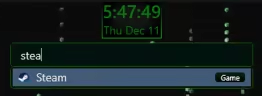
Searchbar / Filter: Any time you type while the alt tab window is open it automatically begins typing in the searchbar. This acts as a filter (i.e. typing "Th" would filter to windows like "Theme Editor"). For DLC owners, the search bar doubles as an app launcer, using the same apps you have registered with the app launcher itself.
Tags may also be applied to any "App item" (i.e. "Game") and will be included in search filtering


Highly Customizable UI: Precisely control the size, spacing, and flow of application windows within the switcher to create the perfect layout for your workflow.


Blacklist Support: Hide certain windows from appearing in your Alt Tab window at all! (Toggleable)

Lock / Toggle Alt Tab Window: Option to make the alt tab window "toggle on" instead of staying visible only while alt is held.

Wymagania systemowe

    Konfiguracja minimalna:
    • Wymaga 64-bitowego procesora i systemu operacyjnego
    • System operacyjny: 10, 11
    • Procesor: 1.66 GHz Intel i5 or equivalent
    • Pamięć: 2 GB RAM
    • Karta graficzna: NVIDIA GeForce GTX 660 or equivalent
    • Miejsce na dysku: 100 MB dostępnej przestrzeni
    Konfiguracja zalecana:
    • Wymaga 64-bitowego procesora i systemu operacyjnego
    • System operacyjny: 10, 11
    • Procesor: 2 GHz Intel i7 or equivalent
    • Pamięć: 8 GB RAM
    • Karta graficzna: NVIDIA GeForce GTX 1060 or equivalent
    • Miejsce na dysku: 1024 MB dostępnej przestrzeni

Recenzje klientów dla produktu Alt Tab Toolkit O recenzjach użytkowników Twoje preferencje

Ogólne recenzje:
Brak recenzji użytkowników


Aby zobaczyć recenzje w wybranym zakresie dat, kliknij i przeciągnij zaznaczenie na powyższym wykresie lub kliknij na wybrany słupek.


Filtruj recenzje według czasu gry użytkownika w momencie publikacji recenzji:


Bez minimum do Bez maksimum

Pokaż recenzje w wybranej kolejności wyświetlania


Dowiedz się więcej
Filtry
Wyłączanie okresów występowania recenzji nie na temat
Czas gry:
Głównie Steam Deck
Brak recenzji pasujących do filtrów ustawionych powyżej
Dostosuj filtry powyżej, by zobaczyć inne recenzje
Wczytywanie recenzji…