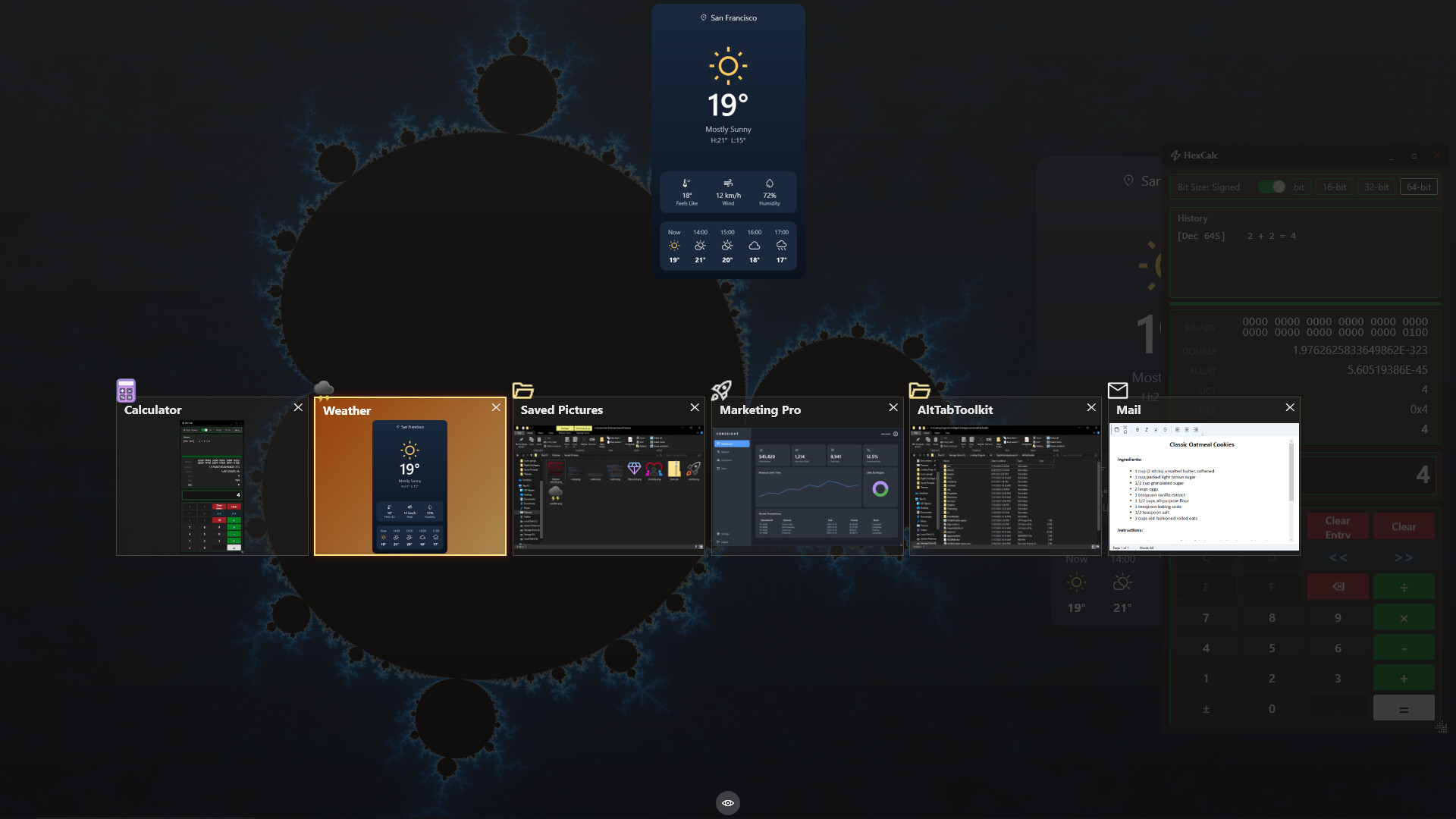
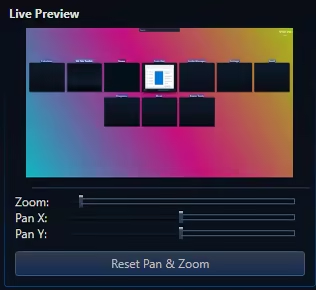
Not Just an Alt Tab replacement, but a suite of Visual Enhancement, "QOL" and Productivity Upgrades. Enhance your multitasking capabilities. Allows setting Video, GIFs, or Images for the Background / Items and Icons. Searchbar / Filter (Automatically Accepts Input) Steam Workshop Support and More!

Впишете се, за да добавите този артикул към списъка си с желания, да го последвате или да го отбележите като игнориран

Софтуер в „Ранен достъп“

Ангажирайте се с този софтуер и неговото развитие.

Забележка: Този софтуер в „Ранен достъп“ не е завършен и е възможно по-нататък да се промени или не. Ако не сте въодушевени да го използвате в текущото му състояние, тогава ще е по-добре да изчакате. Вижте дали той ще придобие по-завършен вид. Научете още.

Какво имат да кажат разработчиците:

Защо „Ранен достъп“?

„Alt Tab Toolkit is already a powerful and highly functional replacement for the default Windows app switcher. However, our vision for this tool is much bigger, and its deep integration with the Windows OS means that real-world testing is essential. We're choosing Early Access because we want to be transparent:

This app will likely have occasional hiccups / bugs during development.
As an application that must interact with all other software applications, and must work predictably across all different hardware setups, it is likely there will be problems to fix over the lifetime of Early Access.

Early Access allows us to prioritize what our community wants most, whether it's new theme options, plugin support, QOL features, or deeper OS integrations.

We believe the best productivity tools are shaped by the people who use them every day. We hope that early access, combined with community feedback will help us achieve the best product possible.“

Приблизително колко дълго този софтуер ще бъде в „Ранен достъп“?

„4 - 12 months“

Как ще се различава планираната пълна версия от тази в „Ранен достъп“?

„Over the period of Early Access, our goal is to continuously improve the application by adding more 'Alt Tab Layouts' and enhancing the overall quality and polish. We plan for the full version to be more feature-rich, with a more refined UI and user experience. We also aim to offer more UI alternatives and customization options based on community feedback“

Какво е текущото състояние на версията в „Ранен достъп“?

„The app is already in a fully functional state.
It comes out of the box with a multitude of themes, the theme editor,
Steam workshop support and more.

For a full list of already implemented features, check out the "About this software" section of the store page.

*It is possible that theme files, or layouts could become broken or unusable at some point(s) when updates are released during early access; However, we plan on working carefully to mitigate that issue as much as possible.

Some things could likely be optimized in the future, but the app already uses low amounts of system resources.“

Ще има ли разлика в цената на софтуера по време на „Ранен достъп“ и след това?

„It's likely the price will increase after early access is finished. We plan for the 1.0 version to have more features, more polish, better stability, and the benefit of months of community feedback and development work.“

Как планирате да ангажирате общността в процеса Ви на разработка?

„The community is absolutely vital to this entire process.
We want to hear you feedback, and work to improve the quality of this app for everyone.
We plan on communicating with the community through Steam, Reddit, and Discord.“
Прочетете още
Български език не се поддържа

Този продукт не поддържа родния Ви език. Моля, прегледайте списъка с поддържани езици по-долу, преди да го купите

Закупуване на Alt Tab Toolkit

ВЪВЕЖДАЩА ОФЕРТА! Офертата приключва 23 декември

 
Всички дискусии

Докладвайте неизправности и оставете отзив за този софтуер в дискусионния форум

Относно този софтуер

This application replaces the classic Alt-Tab switcher with a fluid, and deeply configurable suite of tools.

Animated UI: Set backgrounds of the window and Alt Tab Items to Custom Images, GIFs, or Videos!

Custom App Icons: App Icons can be substituted for custom images, including animated ones. (These custom app icons are used universally in this app, including DLC features like app launch animations, and the app launcher)

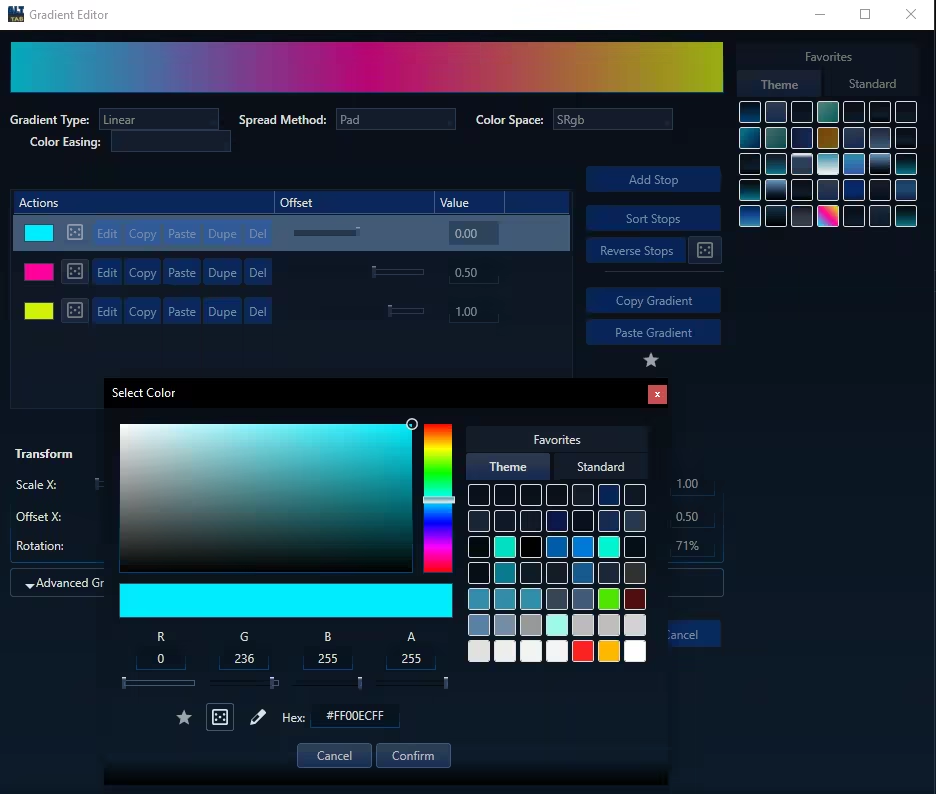
Total Visual Control: Change everything from shapes and layouts to fonts and colors. Use solid colors or create complex gradients.


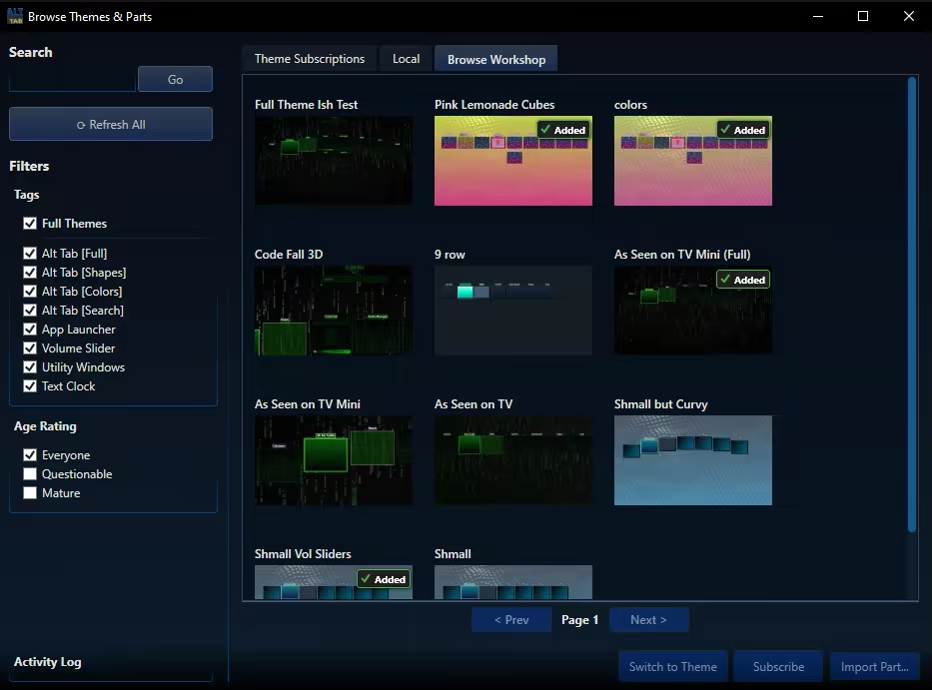
Steam Workshop Support: Share your unique designs and download themes from the community for free.

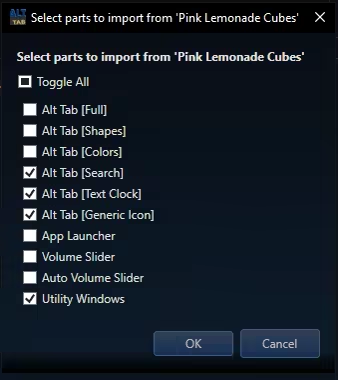
Modular Themeing: Pick and choose which parts you like from different themes. 

Improved Navigation: Navigate the Alt Tab menu using keys, mouse clicks, or mouse wheel scrolling.

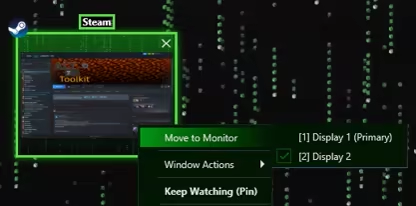
Move Monitors: Swiftly change what monitor a given window resides on

Keep Watching: This feature displays the contents of a given window in a duplicate window, which may become transparent and click-thru on hover. Awesome for single monitor work flows and watching a video while working, or quickly duplicating a screen for a multi monitor setup.

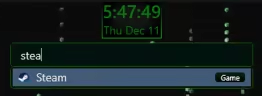
Searchbar / Filter: Any time you type while the alt tab window is open it automatically begins typing in the searchbar. This acts as a filter (i.e. typing "Th" would filter to windows like "Theme Editor"). For DLC owners, the search bar doubles as an app launcer, using the same apps you have registered with the app launcher itself.
Tags may also be applied to any "App item" (i.e. "Game") and will be included in search filtering


Highly Customizable UI: Precisely control the size, spacing, and flow of application windows within the switcher to create the perfect layout for your workflow.


Blacklist Support: Hide certain windows from appearing in your Alt Tab window at all! (Toggleable)

Lock / Toggle Alt Tab Window: Option to make the alt tab window "toggle on" instead of staying visible only while alt is held.

Системни изисквания

    Минимални:
    • Изисква 64-битов процесор и операционна система
    • ОС: 10, 11
    • Процесор: 1.66 GHz Intel i5 or equivalent
    • Памет: 2 GB памет
    • Видеокарта: NVIDIA GeForce GTX 660 or equivalent
    • Пространство за съхранение: 100 MB достъпно пространство
    Препоръчителни:
    • Изисква 64-битов процесор и операционна система
    • ОС: 10, 11
    • Процесор: 2 GHz Intel i7 or equivalent
    • Памет: 8 GB памет
    • Видеокарта: NVIDIA GeForce GTX 1060 or equivalent
    • Пространство за съхранение: 1024 MB достъпно пространство

Рецензии от клиенти за Alt Tab Toolkit Относно потребителските рецензии Предпочитанията Ви

Общо рецензии:
Няма потребителски рецензии


С цел да прегледате рецензии в даден времеви период, моля, кликнете и провлечете подбора на някоя графика по-горе или кликнете върху специфична лента.


Филтриране на рецензии по потребителското игрално време, когато рецензията е била написана:


Без минимум до Без максимум

Показване на рецензии в избрания ред за изобразяване


Научете още.
Филтри
Изключване на активността от рецензии извън темата
Игрално време:
Пускано основно на Steam Deck
Няма повече рецензии, които да съответстват на зададените по-горе филтри
Коригирайте филтрите по-горе, за да видите други рецензии
Зареждане на рецензии…