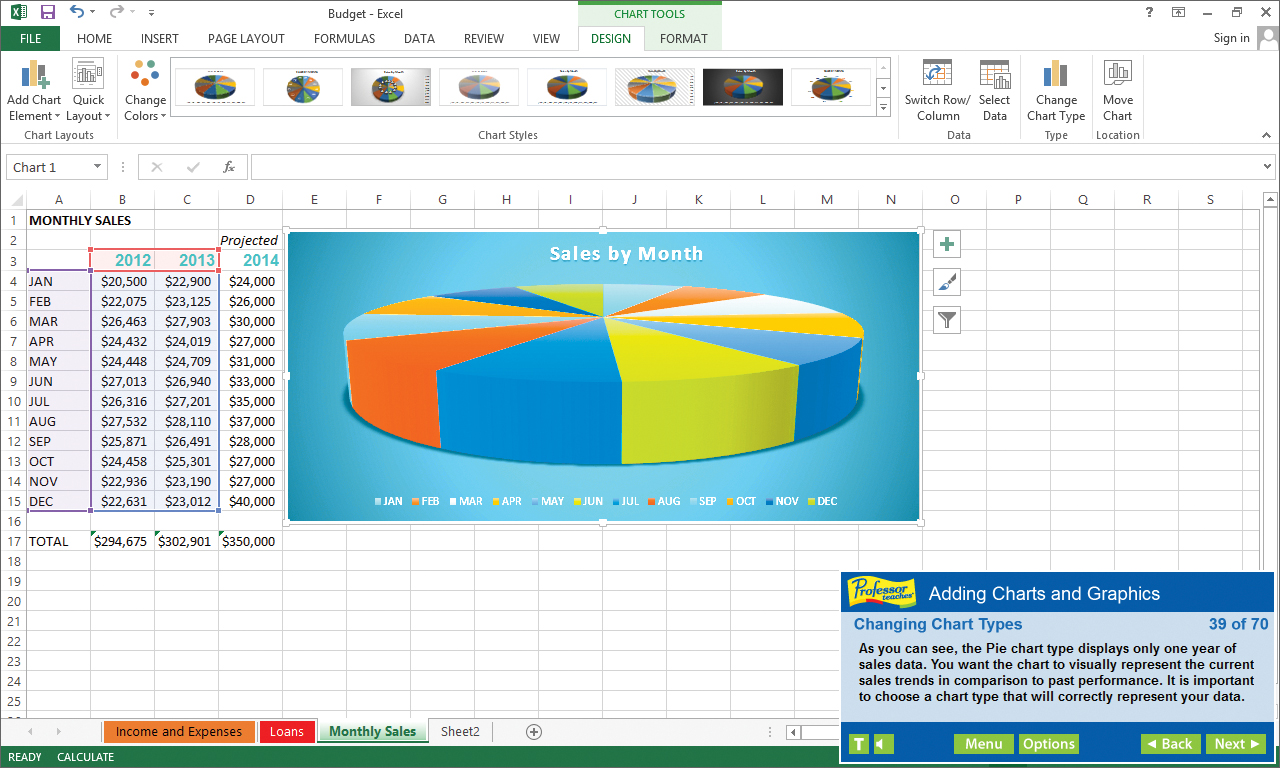
Professor Teaches Excel for Office 2013 & Office 365 is a computer learning course designed to teach you how to use all the basic features and functions of Microsoft Excel. Professor Teaches provides you with hours of interactive lessons in a realistic simulation of the software.
วันวางจำหน่าย:
29 มิ.ย. 2015
ผู้พัฒนา:
ผู้จัดจำหน่าย:
แท็ก

เข้าสู่ระบบ เพื่อเพิ่มผลิตภัณฑ์นี้ลงในสิ่งที่อยากได้ของคุณ ติดตาม หรือทำเครื่องหมายเป็นถูกละเว้น

ไม่รองรับภาษาไทย

ผลิตภัณฑ์นี้ไม่รองรับภาษาท้องถิ่นของคุณ โปรดตรวจสอบรายชื่อภาษาที่รองรับก่อนทำการสั่งซื้อ

ซื้อ Professor Teaches® Excel 2013 & 365

โปรโมชันพิเศษ! ข้อเสนอจะจบลงใน

ลด 40% ราคาปกติ $14.99 ลดราคาเหลือ $8.99

ซื้อ Professor Teaches Office 2013 Suite ชุดรวม (?)

มี 6 ผลิตภัณฑ์: Professor Teaches® Excel 2013 & 365, Professor Teaches® Word 2013 & 365, Professor Teaches® PowerPoint 2013 & 365, Professor Teaches® Access 2013 & 365, Professor Teaches® OneNote 2013 & 365, Professor Teaches® Outlook 2013 & 365แสดงน้อยลง… แสดงเพิ่มเติม

ลด 40% ราคาปกติ $29.68 ลดราคาเหลือ $17.82

ซื้อ Professor Teaches Office 2013 & Windows 10 Suite ชุดรวม (?)

มี 7 ผลิตภัณฑ์: Professor Teaches® Windows 10, Professor Teaches® Excel 2013 & 365, Professor Teaches® Word 2013 & 365, Professor Teaches® PowerPoint 2013 & 365, Professor Teaches® Access 2013 & 365, Professor Teaches® OneNote 2013 & 365, Professor Teaches® Outlook 2013 & 365แสดงน้อยลง… แสดงเพิ่มเติม

ลด 40% ราคาปกติ $39.87 ลดราคาเหลือ $23.94
 

เกี่ยวกับซอฟต์แวร์นี้

Professor Teaches Excel for Office 2013 & Office 365 is a computer learning course designed to teach you how to use all the basic features and functions of Microsoft Excel. Professor Teaches provides you with hours of interactive lessons in a realistic simulation of the software. Learn how to create professional-looking spreadsheets and analyze data in no time at all.

What Is Microsoft Excel?

Excel for Office 2013 & Office 365 is the latest version of this popular spreadsheet management program developed by Microsoft. This powerful program allows you to analyze, manage and share data in more ways than ever before. With the analysis tools, you can track and highlight important data trends and share data.

What Are the Benefits of Learning Microsoft Excel?

Discover how to create spreadsheets quickly
Learn how to analyze data and share information
Learn how to use critical information to make business decisions
What You Will Learn in Professor Teaches Excel

Our extensive computer training course will cover the following topics:
• Learn How to sort and filter
• Learn How to use spreadsheet formatting
• Learn How to create charts
• Learn How to enter formulas
• Learn How to create workbooks
• Learn How to change cell alignment

Professor Teaches Excel 2013 & 365 Includes:

• Practice in a Realistic Simulation of the Software
• Hundreds of Learning Topics
• 4 to 8 Hours of Training per Course
• Realistic Simulations
• Beginner to Advanced Topics
• Self-Paced Learning Objectives
• Introductions and Summaries
• Interactive Exercises
• Professional Voice Narration
• End-of-Chapter Quiz Questions
• Checkmarks for Completed Topics
• Glossary, Index, and Search
• Professor Answers for Instant Training

ความต้องการระบบ

    ขั้นต่ำ:
    • ระบบปฏิบัติการ: 8.1, 8, 7, Vista, XP
    • โปรเซสเซอร์: None Required
    • หน่วยความจำ: แรม 150 MB
    • กราฟิกส์: None
    • พื้นที่จัดเก็บข้อมูล: พื้นที่ว่างที่พร้อมใช้งาน 150 MB
    • การ์ดเสียง: None
    แนะนำ:
    • ระบบปฏิบัติการ: 8.1, 8, 7, Vista, XP
    • โปรเซสเซอร์: None Required
    • หน่วยความจำ: แรม 150 MB
    • กราฟิกส์: None
    • พื้นที่จัดเก็บข้อมูล: พื้นที่ว่างที่พร้อมใช้งาน 150 MB
    • การ์ดเสียง: None
ตัวกรองบทวิจารณ์