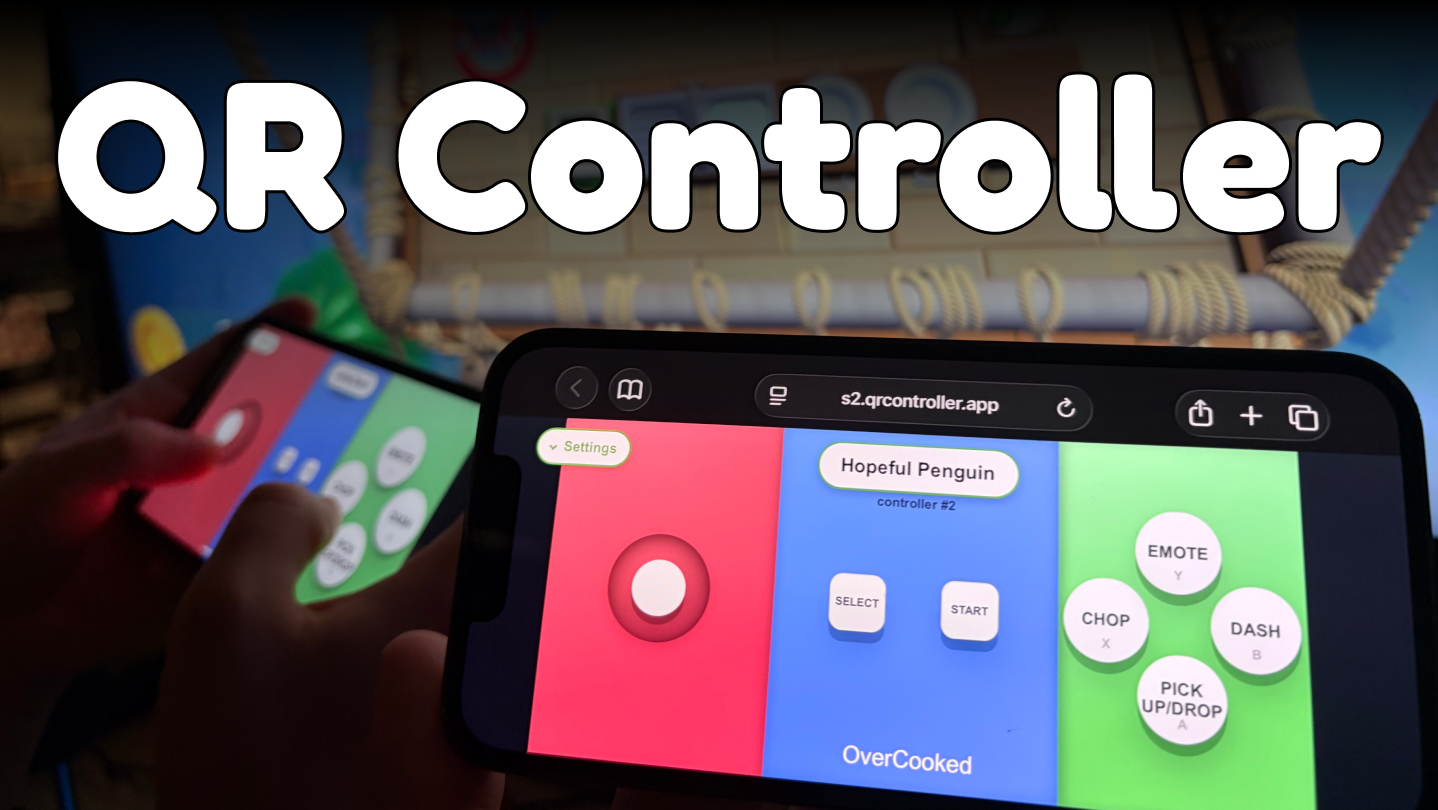
Turn any phone into a low‑latency PC controller. Scan a QR → play couch co‑op in seconds. No mobile app needed. 16+ Virtual controllers!

Sign in to add this item to your wishlist, follow it, or mark it as ignored

Buy QR Controller

SPECIAL PROMOTION! Offer ends January 5

-20%
$7.99
$6.39
 

About This Software

  • One‑step setup: Scan QR Code, and get a controller your phones browser.

  • Feels native: games see standard controllers.

  • Very low latency!

  • Easy party management! Players can easily move between virtual controllers! and bring new people in!

  • Create custom game controllers, with buttons that say what they do! 

  • No more explaining what buttons do what to new players!  

  • Tested with up to 16 virtual pads (no hard limit).

  • No need to be on the same wi-fi! Works over the internet! 

Join us, on our Discord, as we try to optimize for the least friction couch co-op experience. 

1- Scan QR Code (Will open browser on your phone)

2- Play! 

The application itself is an "Admin panel". That lets the user host configure how many virtual controllers to have, and which connected players are assigned to which controllers, and customise the controller that the players will see. 

 
Optimised for very low latency! Join the same WiFi for optimal experience! But is not necessary! 

Easy and simple, you can emulate as many controllers as you like (Tested with 16 virtual controllers connected! But no hard limit) 

You can use offline (Without internet, but over wifi)! Online is available only to get around pesky networks! Or if you don't want to force your friends to join the same wi-fi network! 

You can your phone like a steering wheel! Assign accelerometer to a joystick axis, or to button presses! You can customize almost everything!

AI Generated Content Disclosure

The developers describe how their game uses AI Generated Content like this:

AI is used for translations.
We are trying to work with people for improved human translations, but it takes a while to cover all the languages we'd like support.

System Requirements

Windows
SteamOS + Linux
    Minimum:
    • OS: OS Version: Windows 10 (build 1809 or later)
    • Processor: Dual-core 2.0 GHz or higher
    • Memory: 2048 MB RAM
    • Graphics: Integrated GPU (e.g. Intel HD Graphics 4000 or equivalent)
    • Storage: 250 MB available space
    • Sound Card: Not required
    • VR Support: N/A
    • Additional Notes: WebView2
    Recommended:
    • OS: Windows 11 or latest version of Windows 10
    • Processor: Dual-core 2.0 GHz or higher
    • Memory: 2048 MB RAM
    • Graphics: Integrated GPU (e.g. Intel HD Graphics 4000 or equivalent)
    • Storage: 250 MB available space
    • Sound Card: Not required
    • VR Support: N/A
    • Additional Notes: WebView2
    Minimum:
    • OS: Ubuntu 18.04 LTS / SteamOS 3.0
    • Processor: Dual-core 2.0 GHz or higher
    • Memory: 2048 MB RAM
    • Graphics: Integrated GPU (e.g. Intel HD Graphics 4000 or equivalent)
    • Additional Notes: Browser
    Recommended:
    • OS: Ubuntu 22.04 LTS / SteamOS 3.5+
    • Processor: Dual-core 2.0 GHz or higher
    • Memory: 4096 MB RAM
    • Graphics: Integrated GPU (e.g. Intel HD Graphics 4000 or equivalent)
    • Additional Notes: Browser

Customer reviews for QR Controller About user reviews Your preferences

Overall Reviews:
Positive (23 reviews)


To view reviews within a date range, please click and drag a selection on a graph above or click on a specific bar.


Filter reviews by the user's playtime when the review was written:


No minimum to No maximum

Show reviews in selected display order


Learn More
Filters
Excluding Off-topic Review Activity
Playtime:
Played Mostly on Steam Deck
There are no more reviews that match the filters set above
Adjust the filters above to see other reviews
Loading reviews...