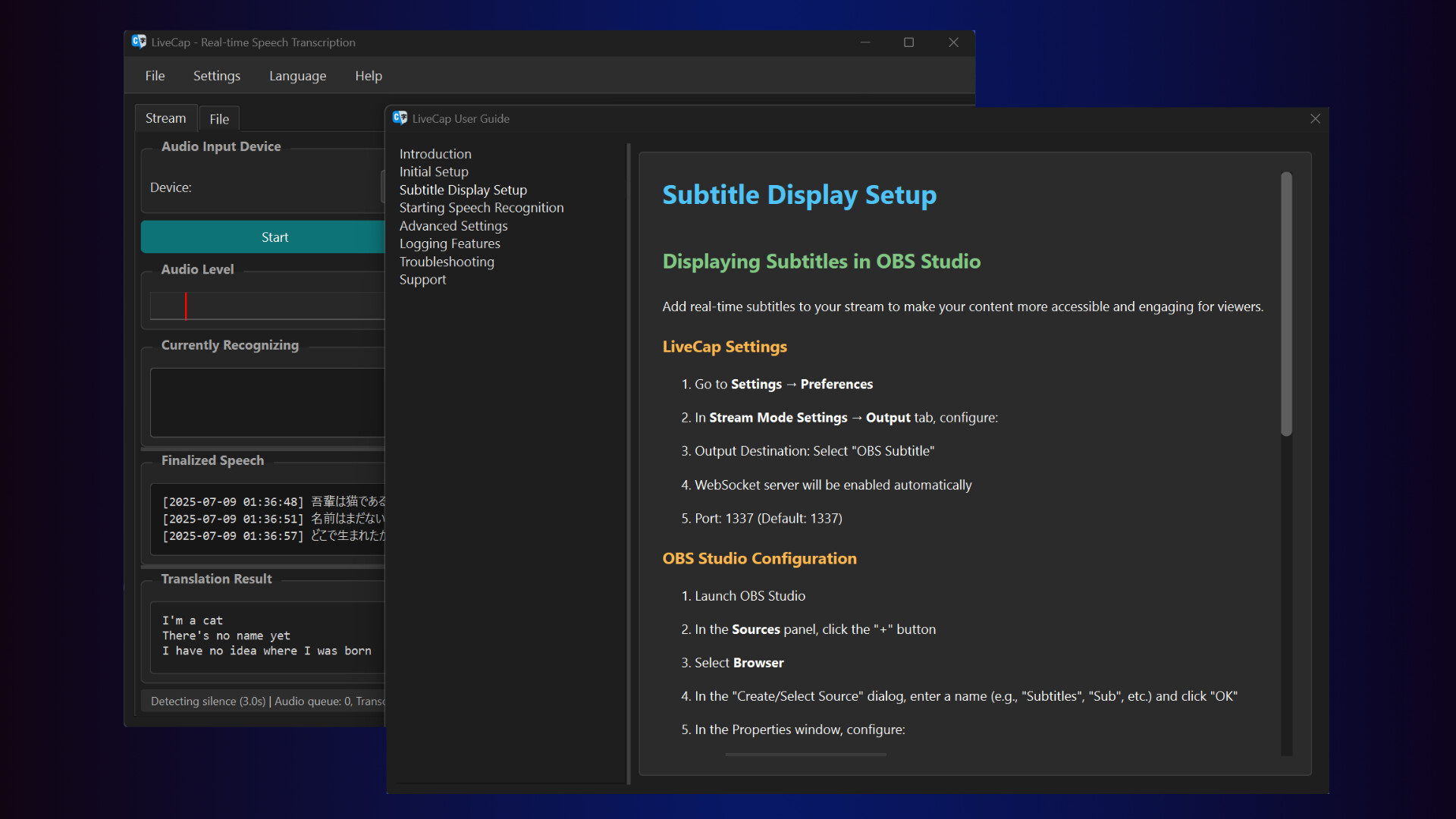
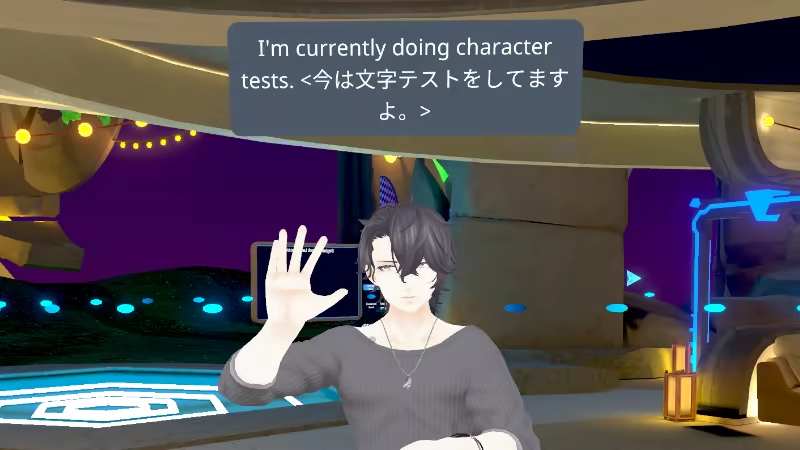
LiveCap is a subtitle generation platform powered by cutting-edge AI technology. This software delivers accurate, real-time subtitles during live broadcasts. In addition to displaying subtitles in your native language, it is capable of translating them into English in real time.

로그인하셔서 게임을 찜 목록에 추가하거나, 팔로우하거나 또는 제외로 지정하세요.

한국어(을)를 지원하지 않습니다

이 제품은 귀하의 로컬 언어를 지원하지 않습니다. 구매하기 전에 아래에 있는 지원하는 언어 목록을 확인해주세요.

LiveCap 구매


소프트웨어 정보

LiveCap is a real-time subtitle generation tool designed for streamers and gamers! With powerful speech recognition engines and translation features, break down language barriers and communicate with the world!!

All processing runs locally on your PC. No monthly fees, ever.

What LiveCap Can Do

🎮 Real-time Subtitles

Just speak and subtitles appear in real-time. Watch text grow as you talk, then solidify when confirmed. Elevate your stream's engagement instantly!

🌍 Real-time Translation

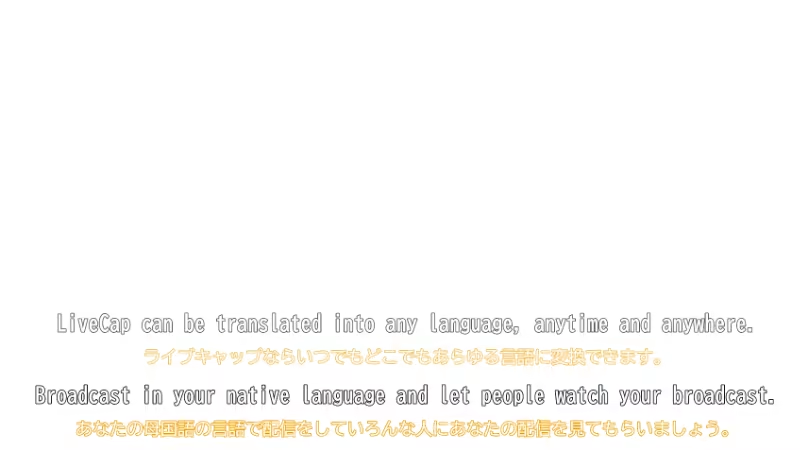
Speak in your language, get subtitles in another! Supports 14 languages (Japanese, English, Chinese, Korean, German, French, Spanish, and more). Connect with international viewers effortlessly. Choose between Google Translate and NVIDIA Riva.

📹 OBS Integration

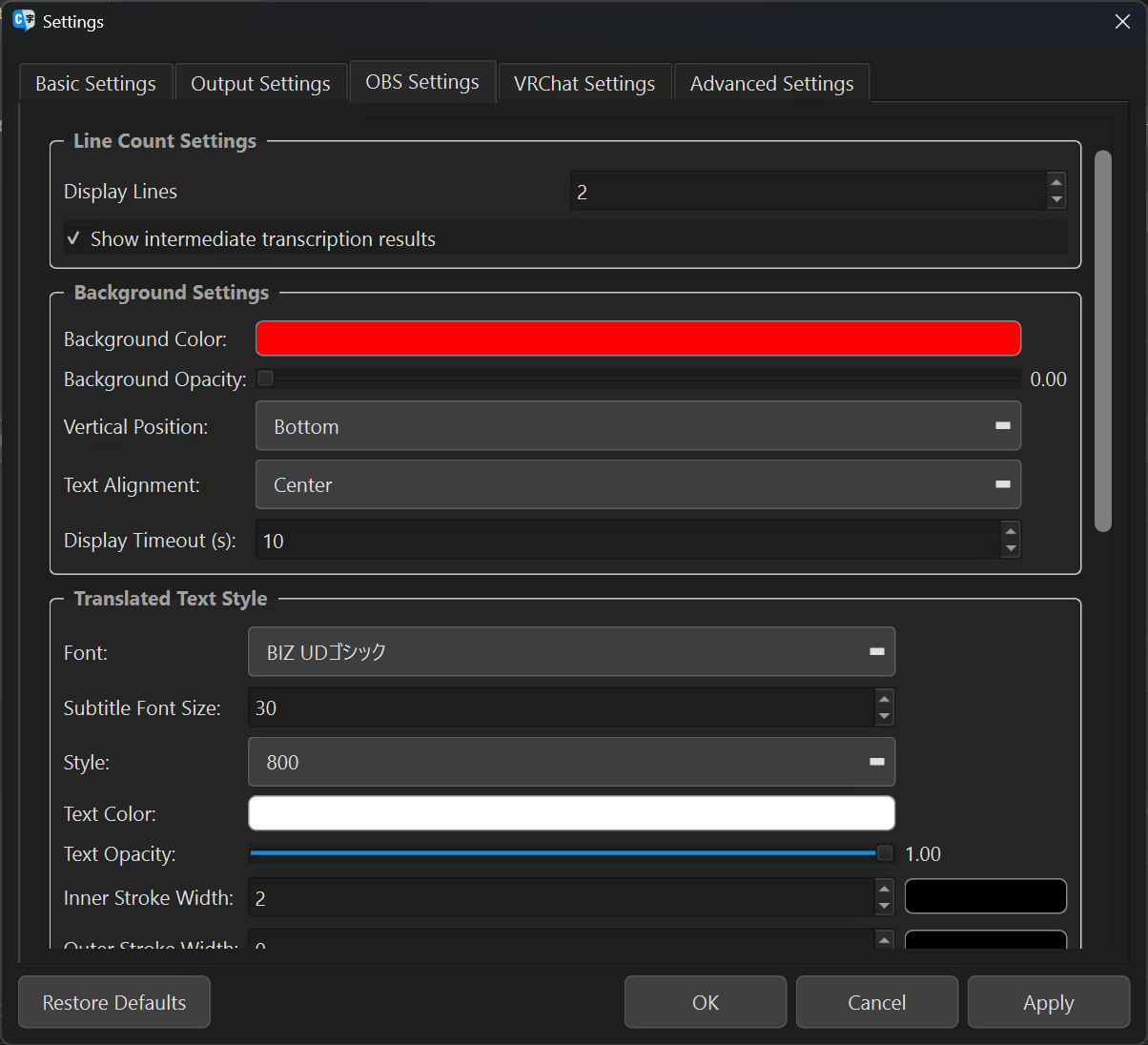
Simple browser source setup for seamless integration. Fully customizable fonts, colors, strokes, shadows, and transparency. WebSocket API for advanced tool integration.

🎭 VRChat Support

Display subtitles in Chatbox via OSC. Perfect for international events! Real-time translation lets you enjoy conversations without language barriers.

📝 Video File Subtitle Generation

Drag & drop videos to auto-generate SRT subtitle files. YouTube-ready format output. Save hours on clip editing!

🎙️ Online Meetings & Presentations

Never miss important details with real-time subtitles. Easy meeting minutes creation. Accessibility support for hearing-impaired participants.

Choose from 11 Speech Recognition Engines

Select the perfect engine for your needs and achieve optimal recognition accuracy:

Japanese Specialized

  • NVIDIA Parakeet TDT CTC 0.6B JA - Trained on 35,000 hours of Japanese audio for supreme accuracy

  • ReazonSpeech K2 v2 - Lightweight and fast, runs smoothly on low-spec PCs

English Specialized

  • NVIDIA Parakeet TDT 0.6B v2 - Ultra-high accuracy with WER 6.05%, professional-grade transcription

Multilingual

  • MistralAI Voxtral Mini 3B - Supports 8 languages with automatic language detection

  • NVIDIA Canary 1B Flash - Fast processing for English, German, French, and Spanish

  • WhisperS2T (5 sizes) - OpenAI technology supporting 13+ languages, choose size based on your needs

Not sure which engine? Auto mode has you covered! Automatically detects language and selects the optimal engine.

Why Choose LiveCap?

🔒 Complete Privacy with Local Processing

Your voice data is never sent externally (text is only sent when using translation). Stream content and meetings stay secure.

⚡ Ultra-Low Latency

Local processing means no network delays. Enjoy smooth, real-time subtitle display.

💰 Completely Free, No Limits

No monthly fees, no character limits, no time restrictions (full version). Buy once, use forever.

🎨 Full Customization Freedom

Fonts, colors, sizes, positions—all at your fingertips. Perfect match for your streaming style.

Super Simple Setup!

  • Launch and select microphone - No complicated configuration needed

  • Choose an engine - Auto mode optimizes automatically

  • Set output destination - OBS or VRChat, your choice

That's it! Start using immediately!

System Requirements

Minimum Requirements

  • Windows 10/11 (64bit)

  • Intel Core i5 8th Gen / AMD Ryzen 5 3600

  • 8GB RAM

  • 10GB Storage

Recommended Requirements

  • Intel Core i7 10th Gen / AMD Ryzen 7 5700

  • 16GB RAM

  • NVIDIA GPU (CUDA support for faster processing)

For NVIDIA Riva Translation

  • NVIDIA GPU with 8GB+ VRAM required

Supported Formats

  • Video: MP4, MKV, MOV, AVI, WebM, FLV

  • Audio: WAV, MP3, M4A, AAC, OGG, FLAC, WMA

  • Output: SRT subtitle files, WebSocket (for real-time streaming)

Before You Buy

Try the free trial version! The trial has a 3-minute limit but includes all features. Test it on your system before purchasing.

Support

Need help? Join our Discord community! Get answers to questions, request features, report bugs, and connect with our active community.

Documentation and support links available on the Steam page!

Break language barriers and connect with the world!

Start real-time subtitling with LiveCap today!!

AI 생성 콘텐츠 사용 공개

개발사는 게임에서 AI 생성 콘텐츠를 사용하는 방법을 다음과 같이 설명합니다.

Our software employs Whisper, one of the general-purpose speech recognition models, to transcribe your voice into text in real time, and it generates subtitles based on your speech. The subtitles provided are accurate transcriptions of your spoken words.
※Please note that the subtitle generation feature must not be used for purposes that infringe upon others' rights, such as copyright infringement.

시스템 요구 사항

    최소:
    • 64비트 프로세서와 운영 체제가 필요합니다
    • 운영 체제: Windows 11
    • 그래픽: NVIDIA GeForce RTX 3060 12GB
    권장:
    • 64비트 프로세서와 운영 체제가 필요합니다

LiveCap에 대한 사용자 평가 사용자 평가 정보 환경 설정

종합 평가:
긍정적 (평가 14개)


특정 날짜 범위에 속하는 평가를 보려면, 위의 그래프에서 선택 항목을 클릭한 후 드래그하거나 원하는 바를 클릭하세요.


평가를 작성한 시점의 사용자 플레이 시간을 기준으로 평가를 필터링:


최소 시간 없음 ~ 최대 시간 없음

선택한 표시 순서로 평가 보기


자세한 정보
필터
게임과 관련없는 평가 활동 제외
플레이 시간:
주로 Steam Deck에서 플레이
운영 체제:
CPU:
GPU:
기기 유형:
위에서 설정한 필터 조건에 맞는 평가가 없습니다
다른 평가를 보려면 위에서 필터를 조정해주세요
평가 불러오는 중...