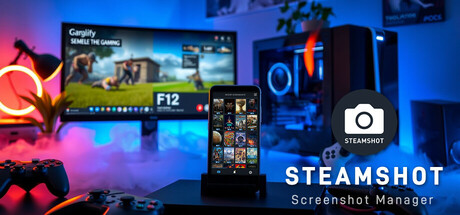
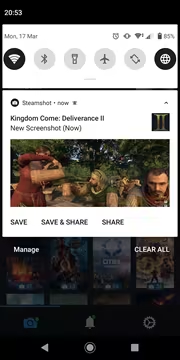
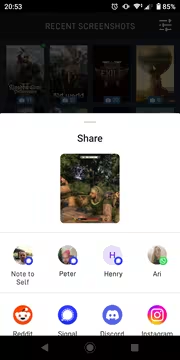
Steamshot makes it easier than ever to enjoy and share your screenshots! Whenever you take a new screenshot, Steamshot instantly transfers it to your phone, complete with a push notification. From there, you can quickly share it with friends, other apps, or save it to your gallery.

Daftar masuk untuk menambah item ini ke senarai hajat anda, ikuti atau tandakannya sebagai diabaikan

Bahasa Bahasa Melayu tidak disokong

Produk ini tidak menyokong bahasa tempatan anda. Sila semak senarai bahasa yang disokong di bawah sebelum membuat pembelian

Notis: Steamshot – Steam Screenshot Manager tidak tersedia di gedung Steam lagi.

Akan datang

Item ini belum tersedia lagi

Berminat?
Tambah ke senarai hajat anda dan terima pemberitahuan apabila permainan sudah tersedia.
 

Tentang Perisian Ini

F12 ➡ Push Notification ➡ Share – Quick and easy, every time!

Steamshot – Effortlessly Transfer Your Steam Screenshots to Your Phone

Transfer Steam screenshots to your phone? Quick & easy with Steamshot!
Steamshot makes it simple to transfer your Steam screenshots directly to your smartphone. Share your best gaming moments in seconds!

No Logins Needed.

Just run both apps in the same network and transfer instantly!

Your Steam Screenshots, Instantly Mobile.

Steamshot makes it easier than ever to enjoy and share your Steam screenshots on the go! Whenever you take a new screenshot on Steam, Steamshot instantly transfers it to your Android phone [iOS version is in the works!], complete with a push notification. From there, you can quickly share your latest captures with friends or save them to your gallery.

Seamless Screenshot Sync for Gamers.

Steamshot also includes a range of convenient tools to help you organize and view your Steam screenshots directly from your phone. Simply download the free Android App and the Companion Desktop App from the official Steam App Store. Once both apps are connected to the same Wi-Fi network, you’re ready to go!

Game Screenshots, Without the Hassle.


Why Choose Steamshot?

  • 🚀 Fast Screenshot Transfer – Move your screenshots from PC to phone with ease.

  • 🌐 Seamless Sharing – Share your favorite screenshots with friends and communities instantly.

  • 📱 Hi-Res Screenshots Available – Enjoy high-quality images with ease.

  • 🔍 Easy Screenshot Library Management – Organize and access your screenshots effortlessly.

You Are Safe!

  • No data is transferred from your computer

  • Your data is not shared or synchronized with any remote storage or third-party service

  • We do not have access to your personal data created in this application

Steamshot will run as a simple and small system tray application, with a neglectable memory and performance impact.

Important:

Steamshot requires a PC app and an Android app – Both are free for seamless screenshot transfers!

Please Note:

The current version of Steamshot will shortly display a Splash image when it starts up.

I'm planing to remove this image in one of the next updates of the application!

Keperluan Sistem

    Minimum:
    • Memerlukan pemproses 64-bit dan sistem pengendalian
    • OS: Windows 10 / 11
    • Storan: 21 MB ruang tersedia
    • Nota Tambahan: Requires free Steamshot Mobile App (Android). iOS release is planned
    Dicadangkan:
    • Memerlukan pemproses 64-bit dan sistem pengendalian
Tiada ulasan untuk produk ini

Anda boleh menulis ulasan anda untuk produk ini untuk berkongsi pengalaman anda dengan komuniti. Untuk menulis ulasan anda, gunakan kawasan di atas butang pembelian pada halaman ini.