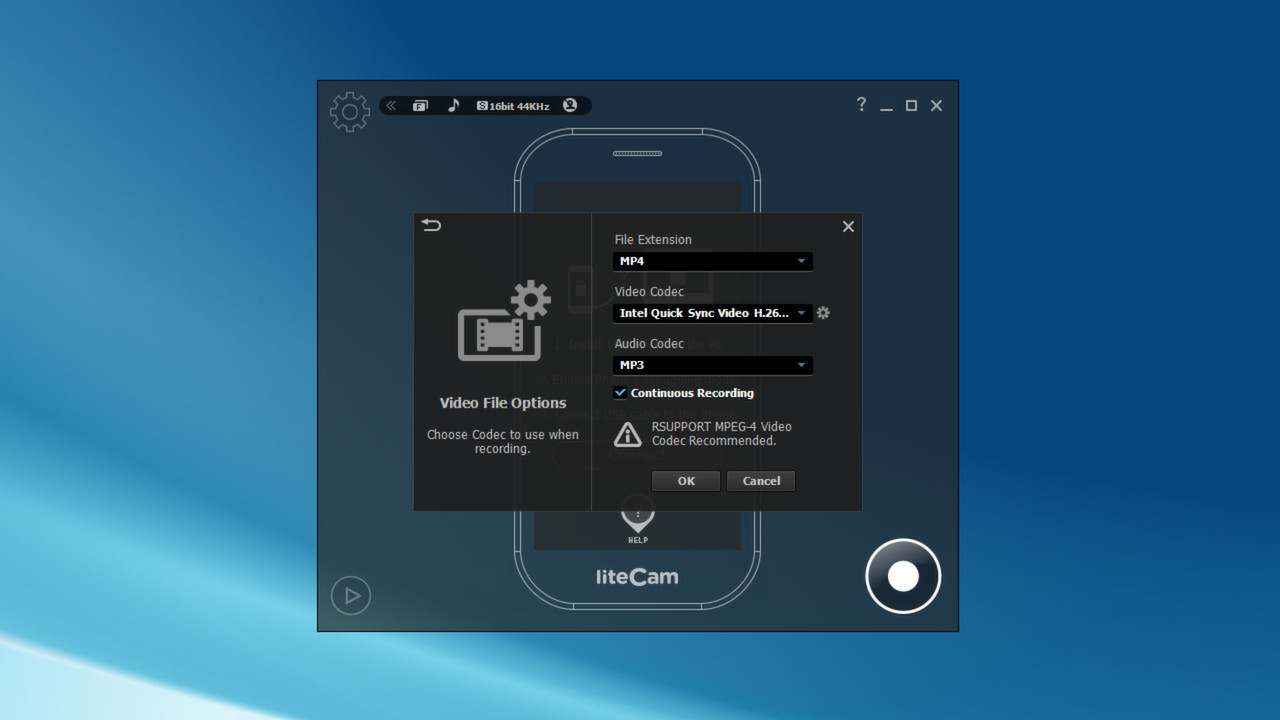
liteCam Android allows you to record the screen of non-rooted Android devices. It works on Android 4.1 or higher version. There is no limit on recording duration. Audio recording is available via your computer microphone. Check it out Today on how to Record your Android Screen without Rooting.

Daftar masuk untuk menambah item ini ke senarai hajat anda, ikuti atau tandakannya sebagai diabaikan

Bahasa Bahasa Melayu tidak disokong

Produk ini tidak menyokong bahasa tempatan anda. Sila semak senarai bahasa yang disokong di bawah sebelum membuat pembelian

Notis: liteCam Android: No Root Android Screen Recorder tidak tersedia di gedung Steam lagi.
 

Tentang Perisian Ini

liteCam Android: No Root Android Screen Recorder


liteCam Android allows you to record the screen of non-rooted Android devices. It works on Android 4.1 or higher version. Just connect your Android phone or tablet to your computer through USB cable and execute liteCam Android. You will see all your phone activities on the computer screen without lagging. Record your phone activities and the result will be save to your PC. Audio recording is available via your computer microphone. Through the webcam, you can simply add a video of yourself using PIP feature. It is quite useful when videos are save on your PC so that you can do further video editing.
Are you planning on releasing an Android game? Why not create a trailer for your game with liteCam Android? liteCam Android is decent enough.
Gamers, upload your Android gameplay videos to Samsung GameCast Today. Samsung released a 'GameCast' beta version like Twitchtv mobile version;

liteCam Android Main Features


Running Android 4.1 and Above
liteCam Android now lets you record Android screen on non root Android devices of Android 4.1 and above.
Please note that Android 5.0 lollipop will be supported after a minor upgrade on the first quarter of 2015.

Up to 2560*1440 pixels(QHD)
liteCam Android can capture Android phone screen at full 2560 by 1440 resolution video.

No Time Limit
liteCam Android does not have video recording time limit restriction.

Audio Capture
liteCam Android records sound on Android using external mic on your computer. To record clear audio from your android device, you can also use audio jack connection cable, connect your phone audio output to PC audio input or microphone input.

Upload Android videos to YouTube
Once you finish recording, you can upload a recorded video to YouTube directly.

Hardware accelerated H.264 video encoding
liteCam Android uses Hardware acceleration to speed up the encoding of H.264 codec.

Sample Video in YouTube

Temple Run with liteCam Android

Clash of Clans with liteCam Android

WWE SuperCard Gameplay: Levelling up Bluetista, Deal with it!

Bestes Android Aufnahme Programm||LiteCam No/Root [Deutsch]


Note:
Downloading USB driver for ADB interface on your PC.
Phone's debugging mode MUST be activated.
Screen protected by DRM cannot be recorded.

Keperluan Sistem

    Minimum:
    • OS *: Windows 7 and above
    • Pemproses: 1.5GHz single-core CPU
    • Memori: 1 GB RAM
    • Grafik: 512MB video memory or more. A graphic card supporting DirectX 9 and WDDM driver
    • DirectX: Versi 9.0
    • Storan: 40 MB ruang tersedia
    • Kad Bunyi: A sound card that supports full-duplexing required
    • Nota Tambahan: You need to install USB Driver and enable USB debugging mode.
    Dicadangkan:
    • OS *: Windows 7 and above
    • Pemproses: 2GHz Dual-Core CPU or Better
    • Memori: 1 GB RAM
    • Grafik: 512MB video memory or more. A graphic card supporting DirectX 9 and WDDM driver
    • DirectX: Versi 9.0
    • Storan: 40 MB ruang tersedia
    • Kad Bunyi: A sound card that supports full-duplexing required
    • Nota Tambahan: You need to install USB Driver and enable USB debugging mode.
* Mulai 1 Januari 2024, Steam Client hanya akan menyokong Windows 10 dan versi yang lebih baharu.

Ulasan pelanggan untuk liteCam Android: No Root Android Screen Recorder Tentang ulasan pengguna Pilihan anda

Keseluruhan Ulasan:
Kebanyakan Negatif (56 ulasan)


Untuk melihat ulasan dalam sesuatu jangka masa tarikh, sila klik dan seret pilihan pada graf di atas atau klik pada bar tertentu.


Tapis ulasan mengikut masa bermain pengguna semasa ulasan ditulis:


Tiada minimum hingga Tiada maksimum

Tunjuk ulasan dalam susunan paparan yang dipilih


Ketahui Lebih Lanjut
Penapis
Tidak termasuk Aktiviti Ulasan di Luar Topik
Masa bermain:
Kerap Dimainkan di Steam Deck
Operating System:
CPU:
GPU:
Device Type:
Penapis Ulasan