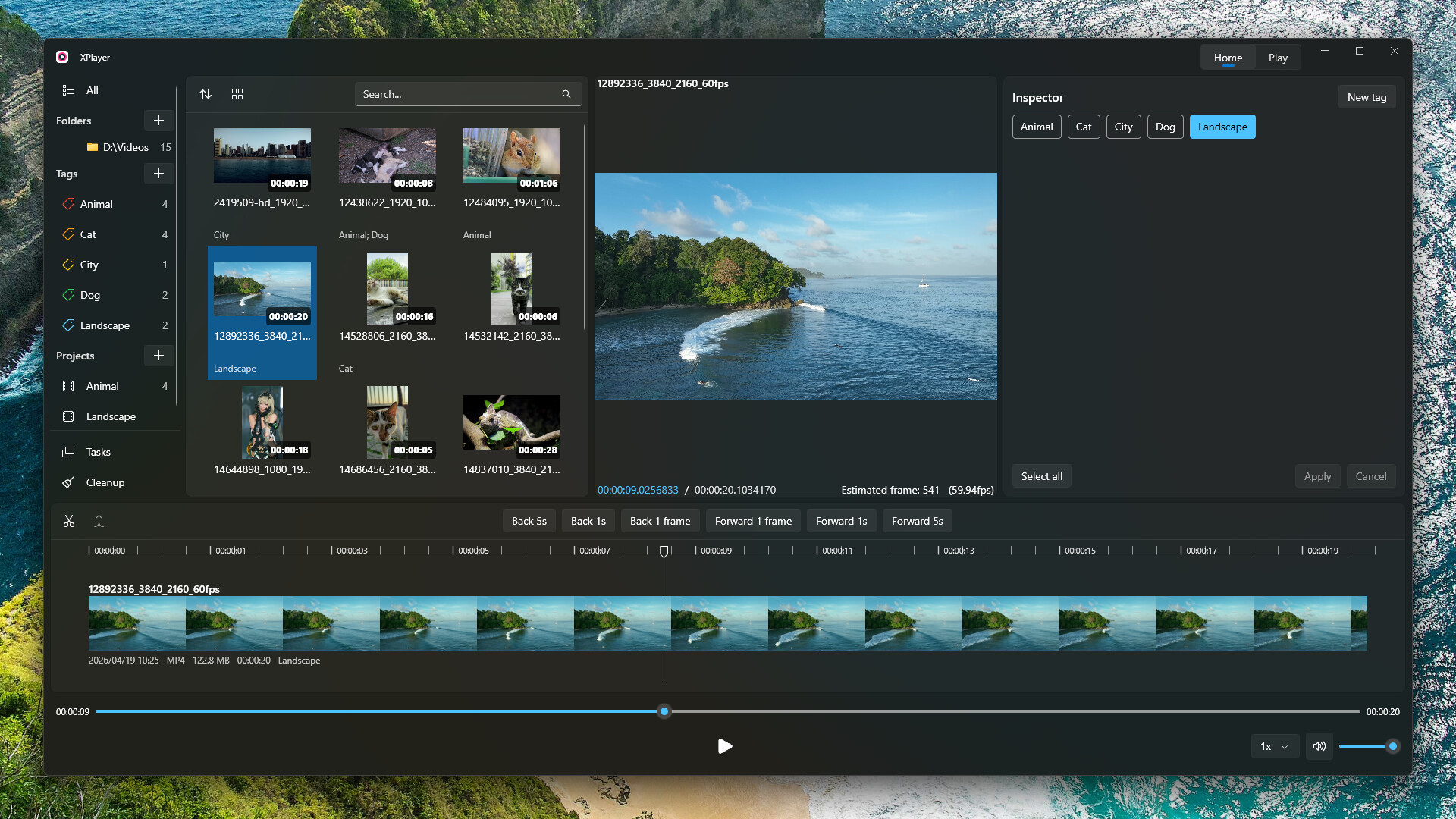
XPlayer allows you to intuitively browse your local videos, cut out your favorite clips, and add tags to them. You can switch to the playback view to watch your favorite clips, or export them as a single video file.
發行日期:
2024 年 5 月 12 日
開發人員:
發行商:
標籤

登入以將此項目新增至您的願望清單、關注它,或標記為已忽略

下載 XPlayer Demo

購買 XPlayer


關於此軟體

XPlayer allows you to intuitively browse your local videos, cut out your favorite clips, and add tags to them. You can switch to the playback view to watch your favorite clips, or export them as a single video file.

Features

  • Native Windows application, Microsoft Fluent Design, Mica background, and system accent color support.

  • Video folder sync: add a folder and XPlayer will automatically sync all videos in it. Click the Sync button at any time to refresh.

  • One-button switch between Edit view and Playback view.

  • Fast video switching.

  • Hash-based local data storage: all data is associated with the video’s hash instead of the file path, so it won’t be lost after moving or renaming the file.

  • Export selected video clips as a single video file.

系統需求

    最低配備:
    • 需要 64 位元的處理器及作業系統
    • 作業系統: Windows 10 (64)
    • 處理器: Intel i5 8400, AMD Ryzen 5 2600
    • 記憶體: 3 GB 記憶體
    • 顯示卡: Intel UHD Graphics 630, NVIDIA GeForce GTX 1050 Ti, AMD Radeon RX 560
    • 儲存空間: 300 MB 可用空間
    建議配備:
    • 需要 64 位元的處理器及作業系統
    • 作業系統: Windows 11 (64 bit)
    • 處理器: Intel i5 13600K, AMD Ryzen 7 7700X
    • 記憶體: 3 GB 記憶體
    • 顯示卡: Intel UHD Graphics 630, NVIDIA GeForce GTX 1050 Ti, AMD Radeon RX 560
    • 儲存空間: 300 MB 可用空間
此產品無任何評論

您可以撰寫評論來與社群分享您對於本產品的看法。請使用本頁面中位於購買按鈕上方的區塊來進行評論的編寫。