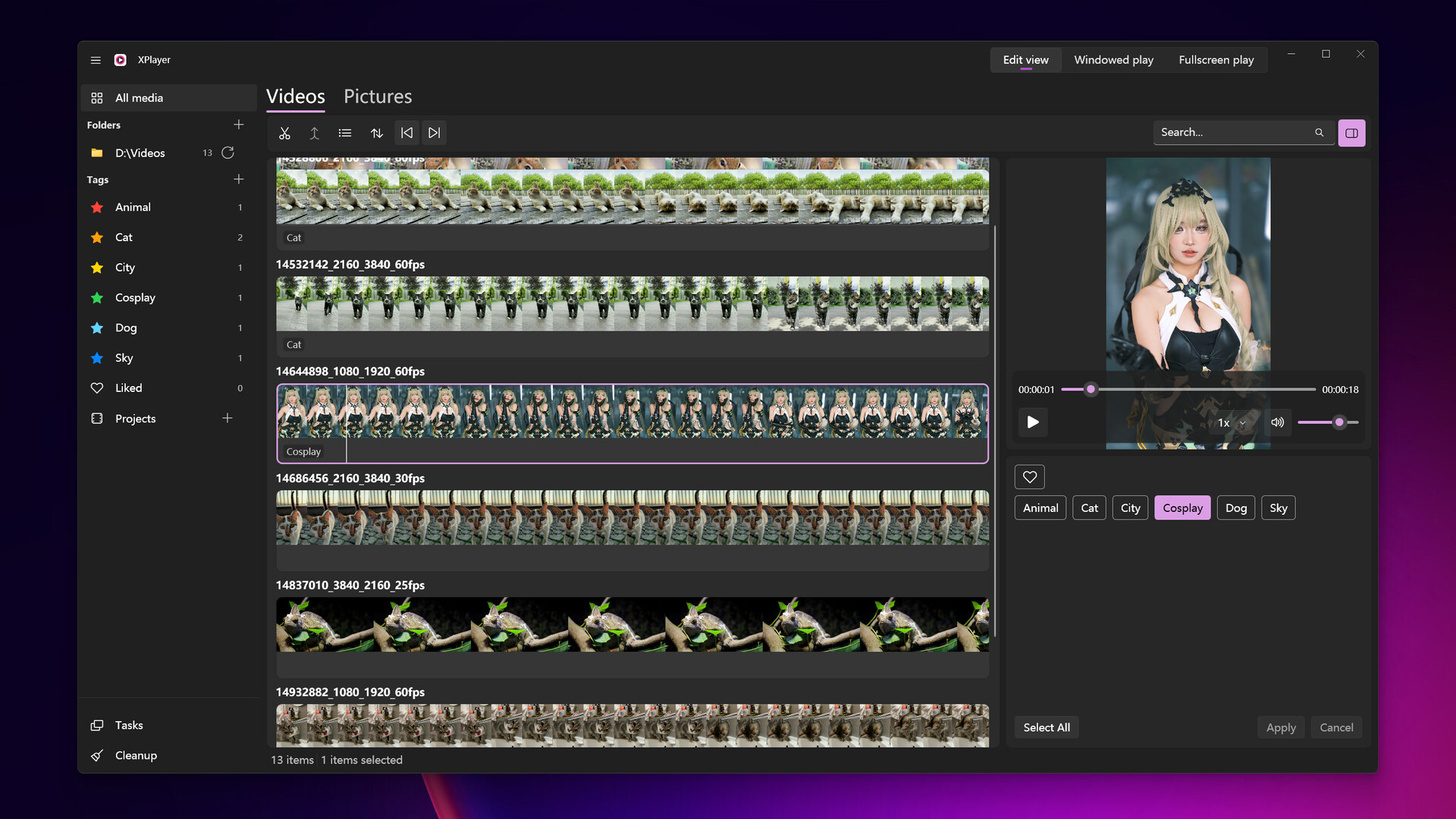
XPlayer allows you to intuitively browse your local videos, cut out your favorite clips, and add tags to them. You can switch to the playback view to watch your favorite clips, or export them as a single video file.
Julkaisupäivä:
12.5.2024
Kehittäjä:
Julkaisija:
Tunnisteet

Kirjautumalla sisään voit lisätä tämän tuotteen toivelistallesi, seurata sitä tai merkitä sen ohitetuksi

Lataa XPlayer Demo

Osta XPlayer


Tietoa ohjelmistosta

XPlayer allows you to intuitively browse your local videos, cut out your favorite clips, and add tags to them. You can switch to the playback view to watch your favorite clips, or export them as a single video file.

Features

  • Native Windows application, Microsoft Fluent Design, Mica background, and system accent color support.

  • Video folder sync: add a folder and XPlayer will automatically sync all videos in it. Click the Sync button at any time to refresh.

  • One-button switch between Edit view and Playback view.

  • Fast video switching.

  • Hash-based local data storage: all data is associated with the video’s hash instead of the file path, so it won’t be lost after moving or renaming the file.

  • Export selected video clips as a single video file.

Järjestelmävaatimukset

    Vähintään:
    • Vaatii 64-bittisen suorittimen ja käyttöjärjestelmän
    • Käyttöjärjestelmä: Windows 10 (64)
    • Suoritin: Intel i5 8400, AMD Ryzen 5 2600
    • Muisti: 3 GB RAM
    • Grafiikka: Intel UHD Graphics 630, NVIDIA GeForce GTX 1050 Ti, AMD Radeon RX 560
    • Tallennus: 300 MB kiintolevytilaa
    Suositus:
    • Vaatii 64-bittisen suorittimen ja käyttöjärjestelmän
    • Käyttöjärjestelmä: Windows 11 (64 bit)
    • Suoritin: Intel i5 13600K, AMD Ryzen 7 7700X
    • Muisti: 3 GB RAM
    • Grafiikka: Intel UHD Graphics 630, NVIDIA GeForce GTX 1050 Ti, AMD Radeon RX 560
    • Tallennus: 300 MB kiintolevytilaa
Tuotteella ei ole arvosteluja

Arvostele tuote ja jaa kokemuksesi yhteisön kanssa. Kirjoita arvostelu ostopainikkeiden yläpuolelta löytyvään kenttään.