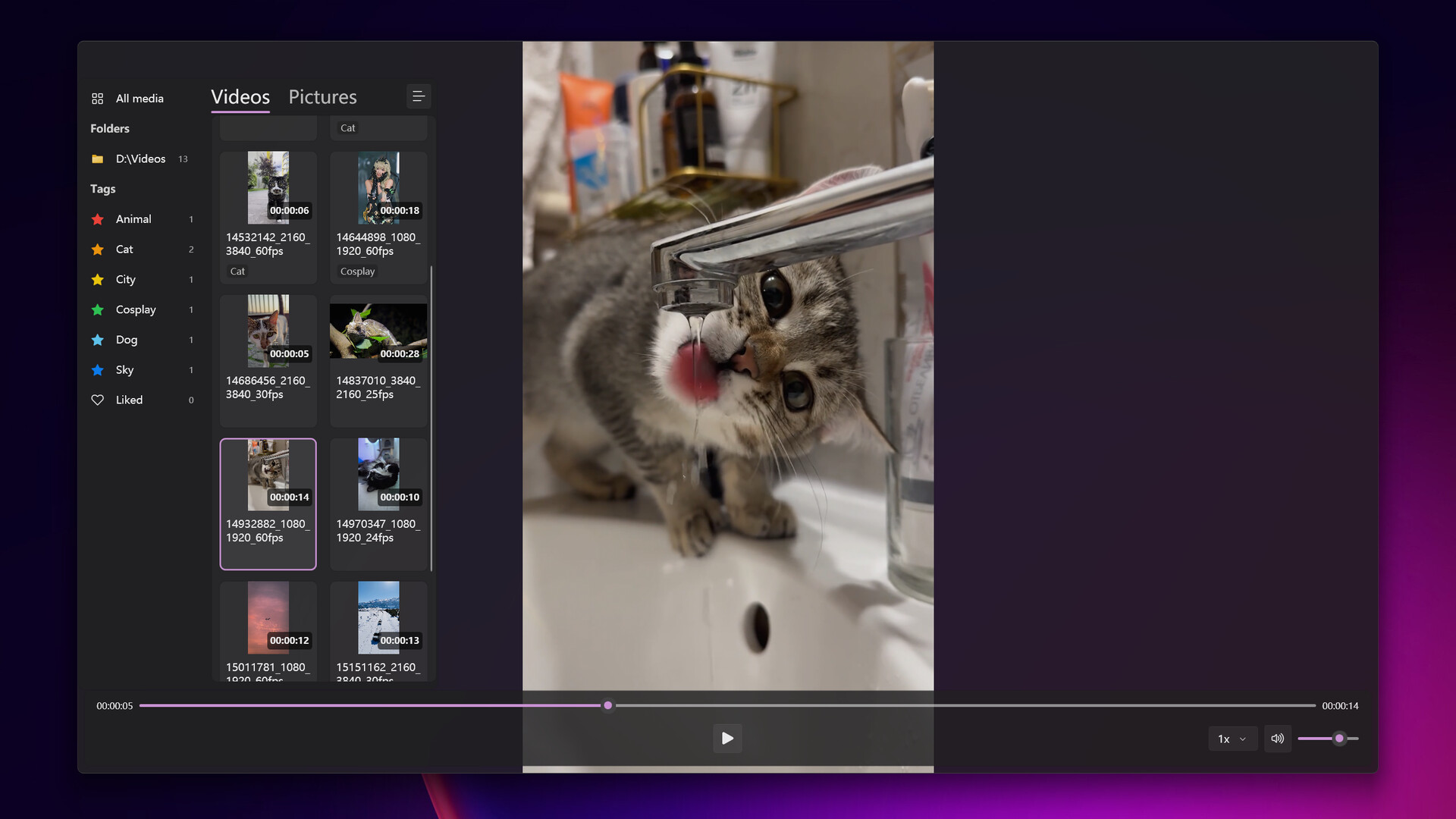
XPlayer allows you to intuitively browse your local videos, cut out your favorite clips, and add tags to them. You can switch to the playback view to watch your favorite clips, or export them as a single video file.
Release Date:
May 12, 2024
Developer:
Publisher:
Tags

Sign in to add this item to your wishlist, follow it, or mark it as ignored

Buy XPlayer


About This Software

XPlayer allows you to intuitively browse your local videos, cut out your favorite clips, and add tags to them. You can switch to the playback view to watch your favorite clips, or export them as a single video file.

Features

  • Native Windows application, Microsoft Fluent Design, Mica background, and system accent color support.

  • Video folder sync: add a folder and XPlayer will automatically sync all videos in it. Click the Sync button at any time to refresh.

  • One-button switch between Edit view and Playback view.

  • Fast video switching.

  • Hash-based local data storage: all data is associated with the video’s hash instead of the file path, so it won’t be lost after moving or renaming the file.

  • Export selected video clips as a single video file.

System Requirements

    Minimum:
    • Requires a 64-bit processor and operating system
    • OS: Windows 10 (64)
    • Processor: Intel i5 8400, AMD Ryzen 5 2600
    • Memory: 3 GB RAM
    • Graphics: Intel UHD Graphics 630, NVIDIA GeForce GTX 1050 Ti, AMD Radeon RX 560
    • Storage: 300 MB available space
    Recommended:
    • Requires a 64-bit processor and operating system
    • OS: Windows 11 (64 bit)
    • Processor: Intel i5 13600K, AMD Ryzen 7 7700X
    • Memory: 3 GB RAM
    • Graphics: Intel UHD Graphics 630, NVIDIA GeForce GTX 1050 Ti, AMD Radeon RX 560
    • Storage: 300 MB available space
There are no reviews for this product

You can write your own review for this product to share your experience with the community. Use the area above the purchase buttons on this page to write your review.