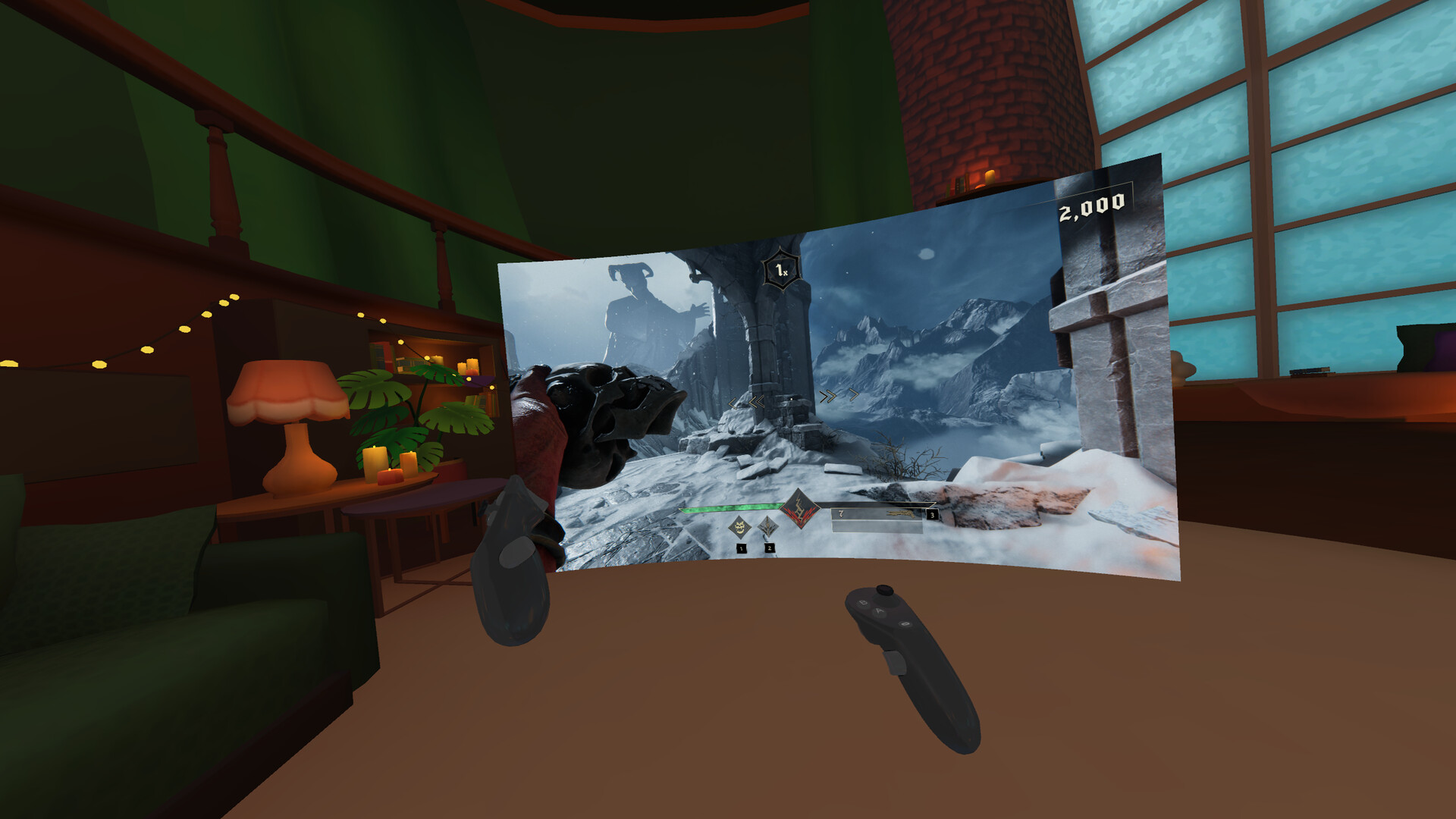
Play your non-VR Steam games in VR with GameVRoom! Invite friends to big-screen sessions, customize controls, and build your virtual room. By popular demand, it’s back for free as is. Please note: we no longer support or update the app, but enjoy!

Sign in to add this item to your wishlist, follow it, or mark it as ignored

Notice: GameVRoom is no longer available on the Steam store.
VR Only

Use GameVRoom

Free To Play
 

Known Issues

  • Please note that we are no longer updating the app or monitoring messages, but it is available for you to enjoy. Have fun

  • Some games may cause GameVRoom to drop to a very low framerate. This can usually be resolved by enabling VSync or adjusting other graphics settings in the game.

  • A few competitive games, such as Valorant, may block mouse and keyboard emulation from GameVRoom, but most games allow it. Some games that block mouse and keyboard may support gamepad emulation instead.

  • When hosting a multiplayer game, other players may hear their own voice getting streamed back to them along with the rest of the audio coming from the host.

  • Using Grip on the Valve Index controllers is very sensitive by default. To fix this, activate our custom bindings at: SteamVR Settings -> Controllers -> Show old bindings UI -> GameVRoom -> Shared binding from Really Interactive

About This Software

GameVRoom is back for free!

Due to popular demand, we have made the app available again as is. Please note that we are no longer updating the app or monitoring messages, but it's available for you to play around with. Have fun

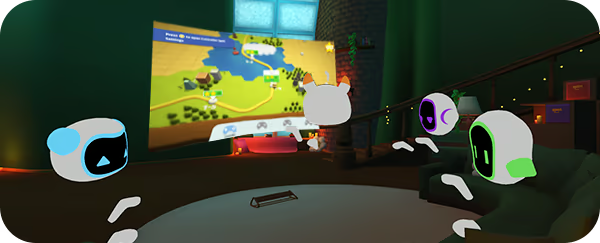
Ever dreamt of playing your non-VR games from Steam using your VR headset? With GameVRoom you can invite up to three friends for multiplayer gaming sessions on a big screen, set up personalized controller bindings, gestures or even build your own control room with virtual props!

Couch gaming with friends from afar

GameVRoom provides a new type of social experience for playing non-VR games in VR:

  • Invite up to three friends in multiplayer mode - only the host needs to own the non-VR game.

  • Play split-screen in “couch co-op”, spectate or control different parts of a single-player game.

  • Talk with your friends over VOIP.

  • Create private sessions or join other gamers in public rooms.

Tailor-make your gameplay experience

Lots of unique tools and features give you the ability to:

  • Emulate a mouse, keyboard, or gamepad for seamless movement in ways tailored for VR.

  • Bind controller actions, poses and gestures like twisting your hand or reaching over your shoulder to perform actions on your PC.

  • Create virtual buttons and place them anywhere in the environment to build your own control surface, then share your layouts in the community library.

System Requirements

    Minimum:
    • Requires a 64-bit processor and operating system
    • OS: Windows 10
    • Processor: Intel i5-4590 or AMD FX 8350 equivalent
    • Memory: 4 MB RAM
    • Graphics: Nvidia GeForce GTX 970 or AMD Radeon R9 290 equivalent
    • Storage: 300 MB available space
    • Additional Notes: Systems with hybrid graphics cards (integrated and dedicated GPUs) are not supported.
    Recommended:
    • Requires a 64-bit processor and operating system

Customer reviews for GameVRoom About user reviews Your preferences

Overall Reviews:
Mixed (16 reviews)


To view reviews within a date range, please click and drag a selection on a graph above or click on a specific bar.


Filter reviews by the user's playtime when the review was written:


No minimum to No maximum

Show reviews in selected display order


Learn More
Filters
Excluding Off-topic Review Activity
Playtime:
Played Mostly on Steam Deck
Operating System:
CPU:
GPU:
Device Type: