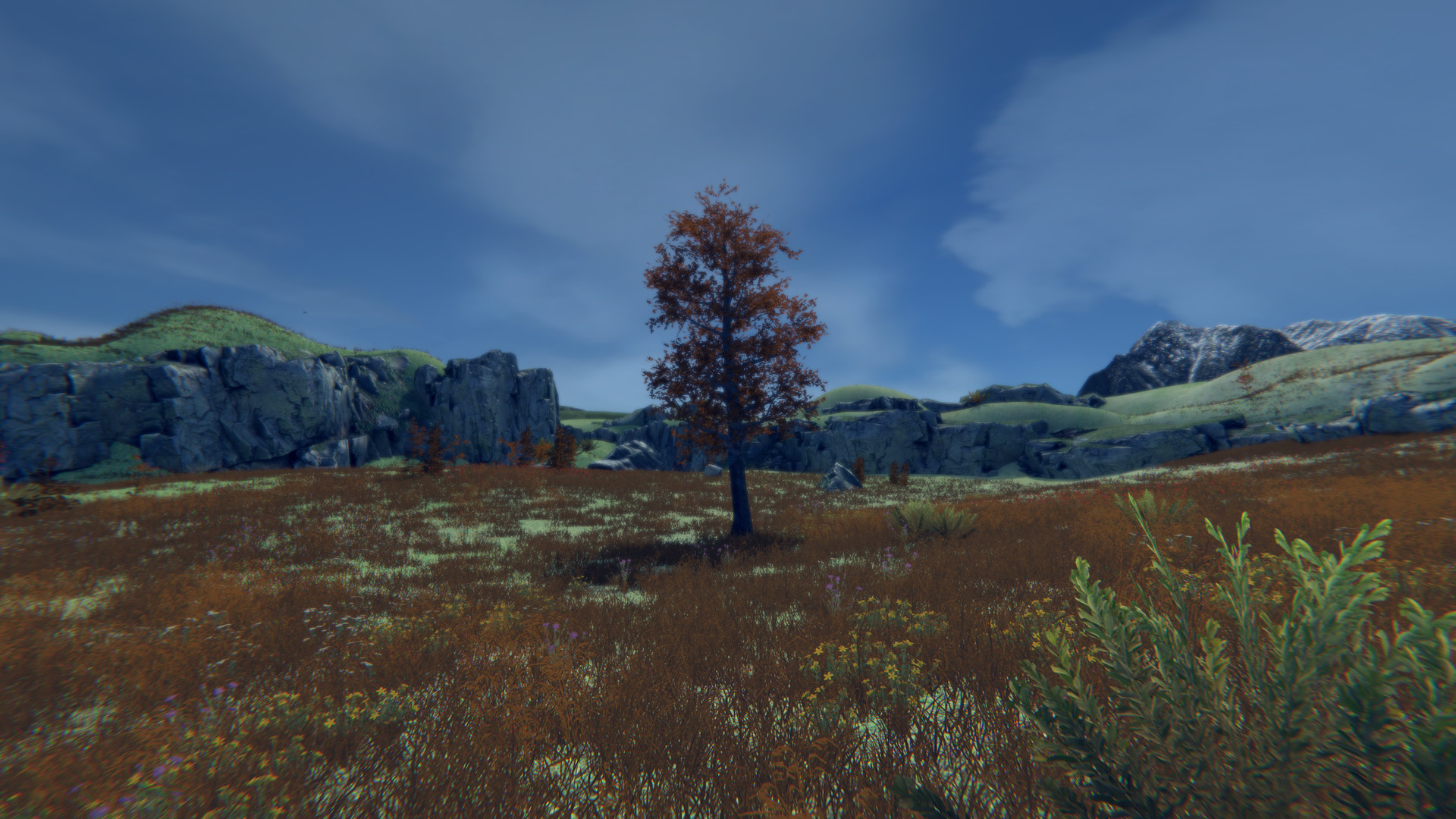
It's exactly what it sounds like! Have you ever wanted to be a tree? Do you like odd numbers? How about multiplayer, weather, seasons and more!? Well then this is the game for you! Come on down to a place where you will never want to leaf. Relax and be the best tree you can be. 1-250 players.

Connectez-vous pour ajouter cet article à votre liste de souhaits, le suivre ou l'ignorer

Français non disponible

Ce produit n'est pas disponible dans votre langue. Veuillez consulter la liste des langues disponibles ci-dessous avant de l'acheter.

Acheter Tree Simulator 2023

OFFRE SPÉCIALE ! La promotion prend fin le 12 décembre

-80%
$7.99
$1.59

Acheter Treefecta BUNDLE (?)

Comprend 4 article(s) : Tree Simulator 2020, Tree Simulator 2021, Tree Simulator 2022, Tree Simulator 2023

-50%
-32%
$9.98
$6.76
 

À propos de ce jeu

It's that time! Its time to discover what it means to be a tree! Become a true work of art!
Every frame a painting, every tree an original masterpiece.
Be a tree alone or with friends online!

A lot went into 2023 so here is a breakdown of some of the features.

Features

  • Be a tree
  • 3rd "person" camera
  • Stretch your roots and move around.
  • More cosmetic items similar to the "Red tie"
  • Small handcrafted map now with a new area
  • Select from 31 trees
  • Many configurable tree settings
  • Customizable weather system (Rain, Snow, Wind, Fog, Overcast)
  • Day night cycle
  • Seasons (As the seasons change, the trees appearance, weather, and environment will change)
  • Save settings
  • Multiplayer
  • Server admin support
  • Server browser that helps you easily connect with other players
  • Private game support
  • Password required servers (optional)
  • Built in text based chat
  • Halloween mode
  • Christmas mode
  • Ultra-wide monitor support
  • Windowed support (a little wonky)
  • Wallpaper engine support
  • Xbox Controller support
  • PS4 Controller Support

Multiplayer


Be the best forest you can be! Invite up to 250 glorious trees to join your forest. You can host a server and set the amount of trees that can join along with passwords and making the lobby private. Servers that are public will appear in a lobby list when trees click "Join". If a server is private you will only be able to join if that person is on your friends list or by invite.

For transparency, multiplayer is tested with 4 trees, but it should support up to 250.

There is no built-in voice chat. It is recommended that Discord or Steam chat be used.

You can join a game in various ways:

Host a game

  1. Host tree clicks "Host"
  2. Host tree configures various desired settings or leaves them as default (Server name, private, password required)
  3. Host tree clicks "Confirm"

Join a game from the menu

  1. Tree clicks "Join"
  2. Tree observes desired lobby in the list
  3. Tree clicks "Connect" on desired lobby

Join a game from an invite

  1. Host tree presses [Esc] on the keyboard
  2. Host tree clicks "Invite"
  3. Host tree uses invite dialog to invite other trees
  4. Other trees start Tree Simulator 2023
  5. Other trees press [Shift]+[Tab] to activate the Steam overlay
  6. Other trees click "Play Game" in the Steam chat window

Join a game from your friends list

  1. Tree observes friend tree playing Tree Simulator 2023
  2. Tree immediately tells everyone they know
  3. Tree starts Tree Simulator 2023
  4. Tree presses [Shift]+[Tab] to activate the Steam overlay
  5. Tree clicks "Join game" in the Steam overlay from their friends name

Configuration requise

    Minimale :
    • Système d'exploitation  *: Windows 7, 10 or 11
    • Processeur : Intel i3
    • Mémoire vive : 2 GB de mémoire
    • Graphiques : GTX 560
    • DirectX : Version 11
    • Espace disque : 3 GB d'espace disque disponible
    • Carte son : Yes
* À compter du 1ᵉʳ janvier 2024, le client Steam sera compatible uniquement avec Windows 10 et ses versions plus récentes.

Évaluations pour Tree Simulator 2023 À propos des évaluations Vos préférences

Évaluations globales :
extrêmement positives (654 évaluation(s))


Pour consulter les évaluations publiées lors d'une période spécifique, cliquez et faites glisser votre sélection sur un graphique ci-dessus ou cliquez sur une barre.


Filtrer les évaluations en fonction du temps de jeu des utilisateurs au moment de leur publication :


Pas de minimum à pas de maximum

Afficher les évaluations dans l'ordre sélectionné


En savoir plus
Filtres
Activité d'évaluation hors sujet exclue
Temps de jeu : 
A joué surtout sur Steam Deck
Plus aucune évaluation ne correspond aux filtres définis ci-dessus
Ajustez les filtres ci-dessus pour voir d'autres évaluations
Chargement des évaluations...