N-Studio is a full featured screen recorder with an integrated editor. Capture your screen, the mouse cursor + clicks, the pressed keys and audio from multiple devices.
Release Date:
To be announced
Developer:
Publisher:
Tags

Sign in to add this item to your wishlist, follow it, or mark it as ignored

This game is not yet available on Steam

Planned Release Date: To be announced

Interested?
Add to your wishlist and get notified when it becomes available.
 

About This Software

N-Studio

Capture, edit, and share your screen with a fast and flexible recording studio built for Windows.

Whether you are creating tutorials, documenting workflows, recording presentations, capturing gameplay, or making timelapse videos, N-Studio gives you the tools to record exactly what you need and refine it before sharing.

Capture your screen your way

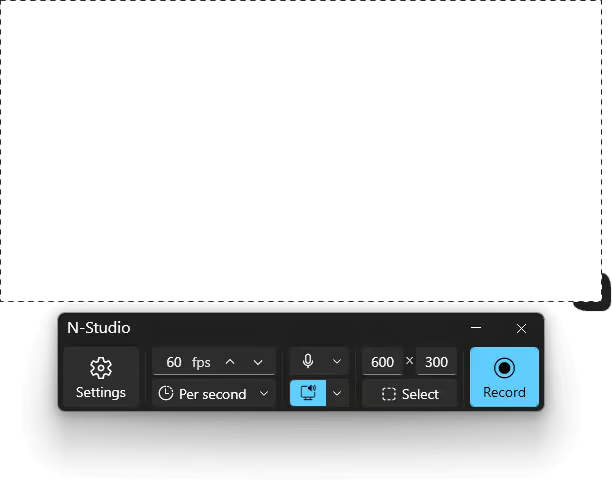
Record an entire display, a specific window, or a custom region of your screen. N-Studio supports several capture modes for different workflows:

  • Standard recording at up to 60 captures per second

  • Timelapse recording by second, minute, or hour

  • Frame capture triggered by keyboard and mouse interaction

  • Manual capture using the Snap button or a configurable shortcut

  • Optional mouse cursor, click, scroll, and keyboard event capture

  • Customizable capture region with keyboard controls

  • Cursor-following capture for demonstrations and presentations

  • Configurable countdowns and recording shortcuts

Select your microphone, system audio, or multiple audio sources and keep them available as separate tracks in your project.

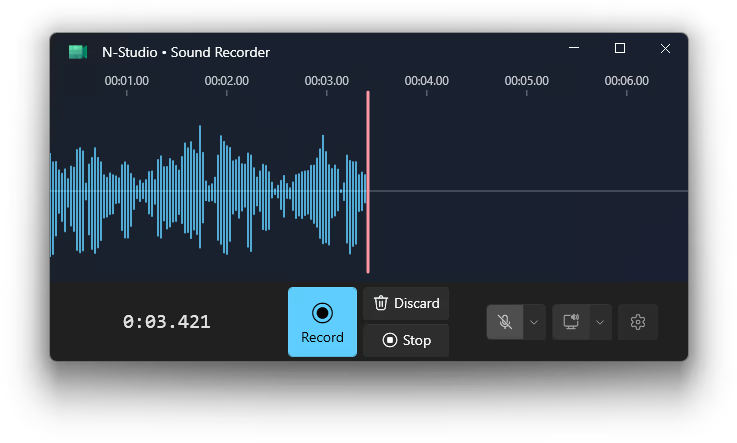
Record audio independently

Use the sound recorder to capture audio from your microphone, system sound, or both at the same time.

N-Studio lets you choose your preferred input and output devices, save device preferences, and configure shortcuts for starting, pausing, stopping, snapping, or discarding a recording.

Share a focused view

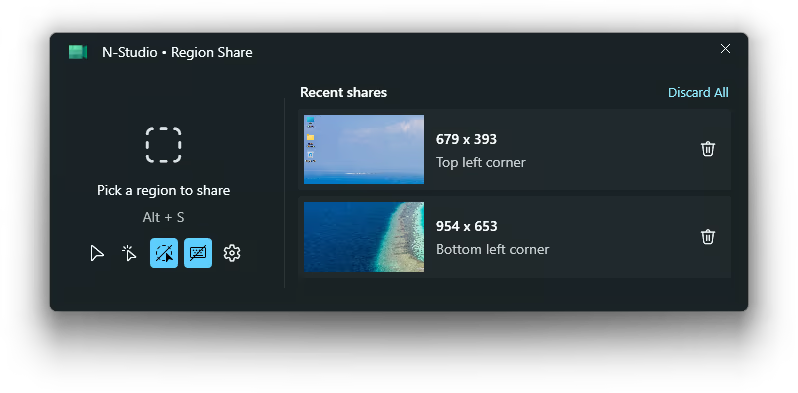
Region Share lets you select a specific area of your screen and cast it into a separate window for online meetings, presentations, and demonstrations.

Customize the sharing window with options to:

  • Hide the mouse cursor

  • Hide cursor click effects

  • Disable cursor following

  • Hide displayed key presses

  • Pause the shared view

  • Quickly select another region

Edit without leaving your project

Open your recording in the built-in editor and turn your capture into a polished video.

The editor includes:

  • A previewer with playback controls

  • Timeline-based editing

  • Trimming and splitting

  • Layer and segment controls

  • Text, media, and overlay insertion

  • Canvas resizing, cropping, and trimming

  • Configurable playback framerate

  • Undo and clipboard editing controls

Use the timeline to organize layers and segments, make precise edits, and preview the result before exporting.

Export and share

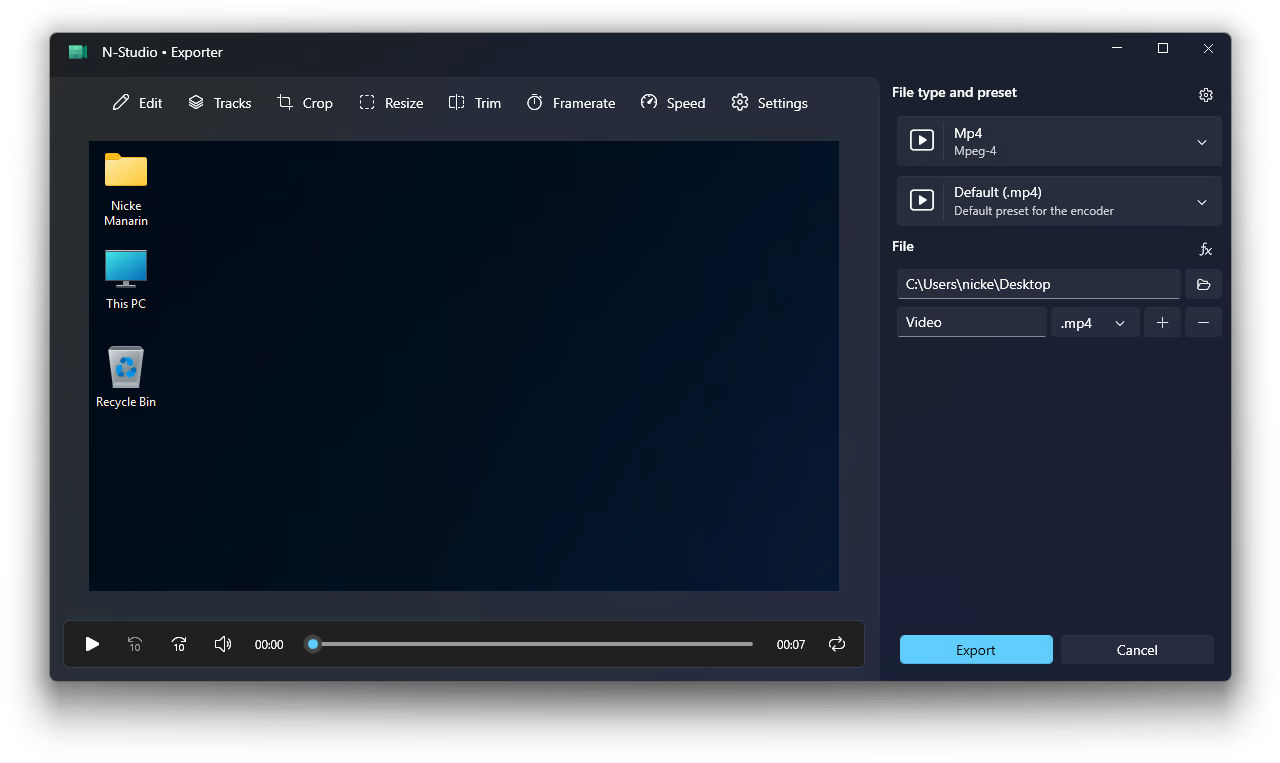
When your project is ready, use the exporter to prepare it for publishing or sharing.

Choose your output format and quality profile, configure resolution and framerate, select a destination folder, and export your finished recording.

Import existing media

Already have recordings from another application? Import your media into N-Studio and continue editing on the timeline.

You can use N-Studio to:

  • Edit a single existing clip

  • Assemble multiple clips

  • Replace or add audio

  • Combine imported media with new recordings

Designed for flexible workflows

N-Studio is made for creators who want direct control over how their screen content is captured and edited. Start with a simple recording, create a detailed timelapse, capture interaction-based frames, or build a project from multiple media files.

Capture it. Edit it. Share it.

System Requirements

    Minimum:
    • Requires a 64-bit processor and operating system
    • OS: Windows 10
    • Memory: 4 GB RAM
    • DirectX: Version 9.0c
    • Storage: 10 GB available space
    Recommended:
    • Requires a 64-bit processor and operating system
    • OS: Windows 11
    • Memory: 8 GB RAM
    • DirectX: Version 12
    • Storage: 50 GB available space