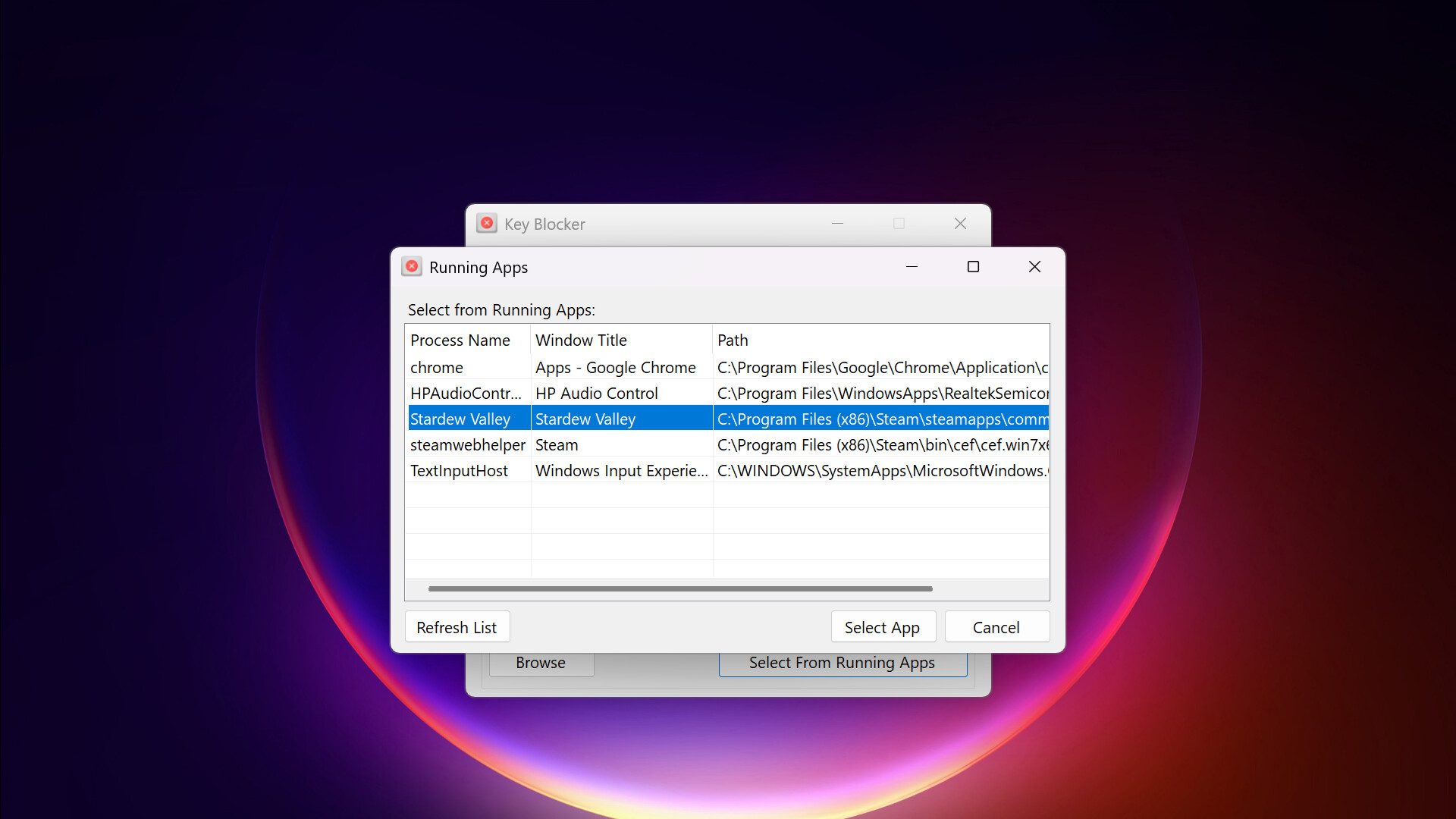
Stop accidental key presses and disruptive shortcuts. Key Blocker is a lightweight utility that disables specific keyboard inputs in your active applications, ensuring uninterrupted gameplay and focused work.
วันวางจำหน่าย:
19 มิ.ย. 2025
ผู้พัฒนา:
ผู้จัดจำหน่าย:
แท็ก

เข้าสู่ระบบ เพื่อเพิ่มผลิตภัณฑ์นี้ลงในสิ่งที่อยากได้ของคุณ ติดตาม หรือทำเครื่องหมายเป็นถูกละเว้น

ไม่รองรับภาษาไทย

ผลิตภัณฑ์นี้ไม่รองรับภาษาท้องถิ่นของคุณ โปรดตรวจสอบรายชื่อภาษาที่รองรับก่อนทำการสั่งซื้อ

ซื้อ Key Blocker


เกี่ยวกับซอฟต์แวร์นี้

Introducing Key Blocker

Key Blocker is a utility designed to prevent unwanted keyboard inputs within specific applications. This program assists anyone who experiences workflow interruptions or gameplay issues due to accidental key presses or conflicting system shortcuts.

Key Features

  • Disables chosen keys in a single, user-defined application.

  • Prevents common interruptions like accidental Windows key presses during full-screen activities.

  • Allows you to assign custom, memorable labels to keys for easier identification and management.

  • Offers a straightforward method to manage key conflicts without scripting.

Functionality

Key Blocker operates by allowing the you to specify which individual keyboard keys or common key combinations should be disabled when a designated application is in the foreground.

  • Targeted Key Blocking: Select specific keys (e.g., Windows key, Alt, Ctrl) to be blocked.

  • Application-Specific Operation: Blocking is active only when the selected application is in focus, ensuring normal keyboard function elsewhere.

  • Simple Configuration: The interface provides direct controls for selecting applications and defining keys to block.

  • Background Operation: Runs as a lightweight process in the system tray, consuming minimal resources.

Use Cases

  • Gaming: To prevent the Windows key or other system hotkeys from minimizing games.

  • Creative Software: To avoid unintended shortcuts in design, audio, or video editing applications.

  • General Productivity: To eliminate specific key interferences during focused tasks.

Key Blocker provides a direct and reliable solution for managing keyboard input within specific applications, enhancing your control and minimizing unwanted interruptions.

ความต้องการระบบ

    ขั้นต่ำ:
    • ต้องการโปรเซสเซอร์และระบบปฏิบัติการแบบ 64 บิต
    • ระบบปฏิบัติการ: Windows 10
    • โปรเซสเซอร์: Intel or AMD
    • หน่วยความจำ: แรม 1 GB
    • หมายเหตุเพิ่มเติม: Intended for use on physical hardware and may not work correctly in virtualized environments.
    แนะนำ:
    • ต้องการโปรเซสเซอร์และระบบปฏิบัติการแบบ 64 บิต
    • ระบบปฏิบัติการ: Windows 11
    • โปรเซสเซอร์: Intel or AMD
    • หน่วยความจำ: แรม 2 GB
    • หมายเหตุเพิ่มเติม: Intended for use on physical hardware and may not work correctly in virtualized environments.
ไม่พบบทวิจารณ์สำหรับผลิตภัณฑ์นี้

คุณสามารถเขียนบทวิจารณ์ของคุณเองสำหรับผลิตภัณฑ์นี้เพื่อแบ่งปันประสบการณ์ของคุณให้กับชุมชน ใช้พื้นที่ด้านบนของปุ่มซื้อในหน้านี้เพื่อเขียนบทวิจารณ์ของคุณ