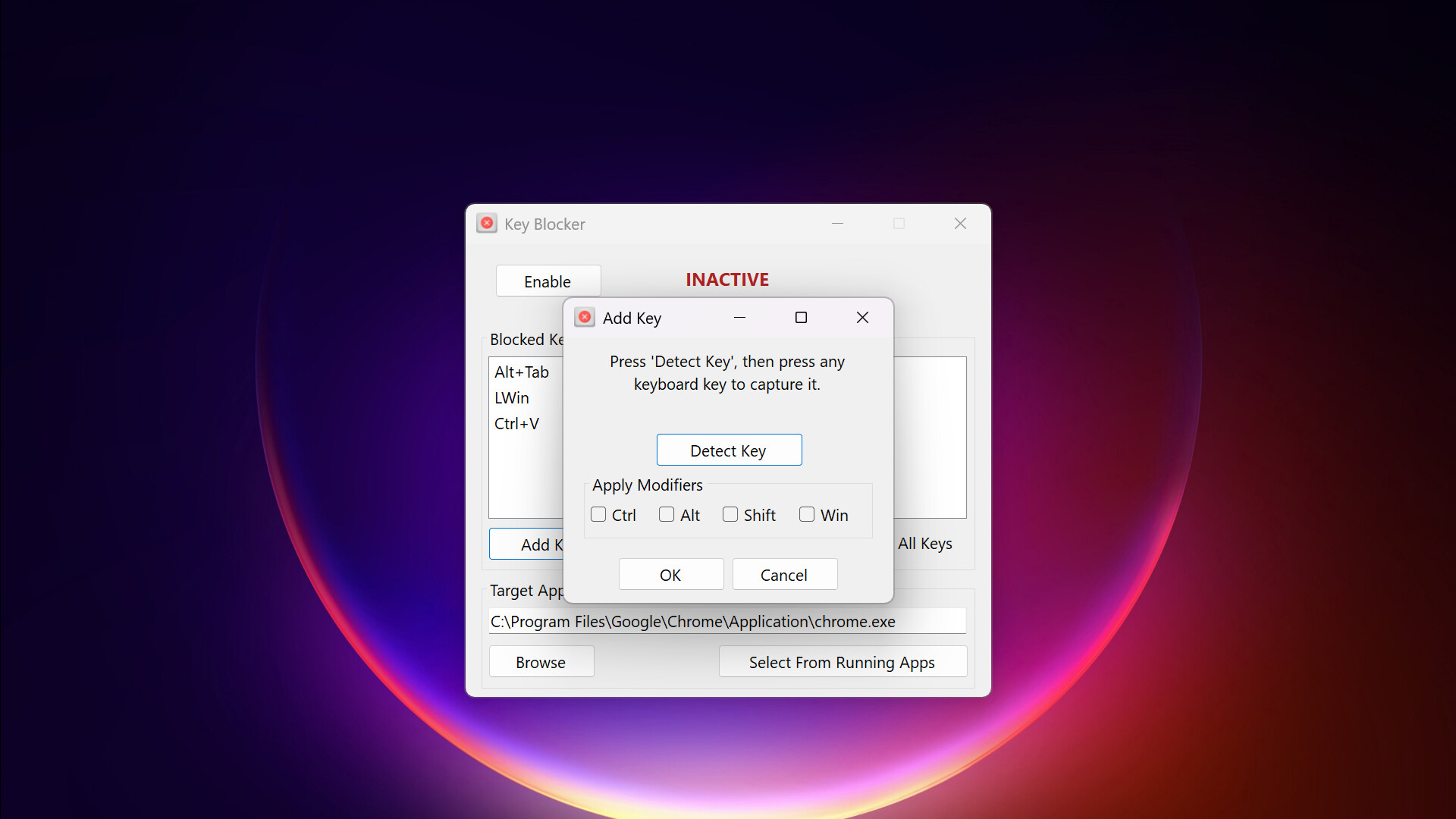
Stop accidental key presses and disruptive shortcuts. Key Blocker is a lightweight utility that disables specific keyboard inputs in your active applications, ensuring uninterrupted gameplay and focused work.

Zaloguj się, aby dodać tę pozycję do listy życzeń, zacząć ją obserwować lub oznaczyć jako ignorowaną

Polski język nie jest obsługiwany

Ten produkt nie obsługuje twojego lokalnego języka. Przed zakupem zapoznaj się z listą obsługiwanych języków, która znajduje się poniżej.

Kup Key Blocker


O tym programie

Introducing Key Blocker

Key Blocker is a utility designed to prevent unwanted keyboard inputs within specific applications. This program assists anyone who experiences workflow interruptions or gameplay issues due to accidental key presses or conflicting system shortcuts.

Key Features

  • Disables chosen keys in a single, user-defined application.

  • Prevents common interruptions like accidental Windows key presses during full-screen activities.

  • Allows you to assign custom, memorable labels to keys for easier identification and management.

  • Offers a straightforward method to manage key conflicts without scripting.

Functionality

Key Blocker operates by allowing the you to specify which individual keyboard keys or common key combinations should be disabled when a designated application is in the foreground.

  • Targeted Key Blocking: Select specific keys (e.g., Windows key, Alt, Ctrl) to be blocked.

  • Application-Specific Operation: Blocking is active only when the selected application is in focus, ensuring normal keyboard function elsewhere.

  • Simple Configuration: The interface provides direct controls for selecting applications and defining keys to block.

  • Background Operation: Runs as a lightweight process in the system tray, consuming minimal resources.

Use Cases

  • Gaming: To prevent the Windows key or other system hotkeys from minimizing games.

  • Creative Software: To avoid unintended shortcuts in design, audio, or video editing applications.

  • General Productivity: To eliminate specific key interferences during focused tasks.

Key Blocker provides a direct and reliable solution for managing keyboard input within specific applications, enhancing your control and minimizing unwanted interruptions.

Wymagania systemowe

    Konfiguracja minimalna:
    • Wymaga 64-bitowego procesora i systemu operacyjnego
    • System operacyjny: Windows 10
    • Procesor: Intel or AMD
    • Pamięć: 1 GB RAM
    • Dodatkowe uwagi: Intended for use on physical hardware and may not work correctly in virtualized environments.
    Konfiguracja zalecana:
    • Wymaga 64-bitowego procesora i systemu operacyjnego
    • System operacyjny: Windows 11
    • Procesor: Intel or AMD
    • Pamięć: 2 GB RAM
    • Dodatkowe uwagi: Intended for use on physical hardware and may not work correctly in virtualized environments.
Brak recenzji dla tego produktu

Możesz napisać swoją własną recenzję dla tego produktu, żeby podzielić się swoimi wrażeniami ze społecznością. Użyj obszaru, który znajduje się na tej stronie nad przyciskiem zakupu, żeby napisać swoją recenzję.