您必須在 Steam 上擁有遊戲主程式 How To Date A Magical Girl! 才能遊玩此內容。

登入以將此項目新增至您的願望清單、關注它,或標記為已忽略

不支援繁體中文

本產品尚不支援您的目前所在地的語言。購買前請先確認語言支援清單。

可下載的內容

您必須在 Steam 上擁有遊戲主程式 How To Date A Magical Girl! 才能遊玩此內容。

購買 How To Date A Magical Girl! Art Book


關於此內容

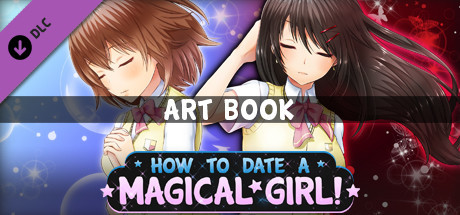
This beautiful color art book features illustrations of the characters and events from How To Date A Magical Girl!

This 34 page .PDF file is not to be missed for fans of the game!


[LOCATING YOUR DLC ONCE PURCHASED & DOWNLOADED]

DLC files are downloaded to your game's Steam directory after purchase. The default location is:

\Program Files (x86)\SteamLibrary\steamapps\common\How To Date A Magical Girl!\

If this is not valid on your computer, locate your game's install directory using these instructions:

- Open the Steam client and navigate to your game library
- Right-click the entry for How To Date A Magical Girl! and select Properties
- Click the Local Files tab
- Click Browse Local Files

This will open the game's directory, and once your DLC is installed, you'll be able to view the files.

系統需求

Windows
macOS
    最低配備:
    • 作業系統 *: Windows 7/8/8.1/10 (32bit/64bit)
    • 處理器: Intel Core2 Duo or better
    • 記憶體: 2 GB 記憶體
    • 顯示卡: DirectX 9/OpenGL 4.1 capable GPU
    • 儲存空間: 4 GB 可用空間
    • 備註: 1280 x 720 or higher display
* 自 2024 年 1 月 1 日(PT)起,Steam 用戶端僅支援 Windows 10 及更新版本。
    最低配備:
    • 作業系統: Mac OSX 10.10 or better
    • 處理器: Intel Core2 Duo or better
    • 記憶體: 2 GB 記憶體
    • 顯示卡: Compatible OpenGLR
    • 儲存空間: 4 GB 可用空間
    • 備註: 1280 x 720 or higher display
* 自 2024 年 2 月 15 日(PT)起,Steam 用戶端將不再支援 32 位元遊戲或 macOS 10.14 或更舊版本。

How To Date A Magical Girl! Art Book 的顧客評論 關於使用者評論 您的偏好設定

整體評論:
1 篇使用者評論 (1 篇評論)


如欲檢視特定日期範圍內的評論,請在上方圖表框選一段日期範圍,或點擊直條。


以所選顯示順序顯示評論


進一步了解
篩選條件
排除離題評論活動
遊戲時數:
主要在 Steam Deck 上遊玩
評論讀取中…