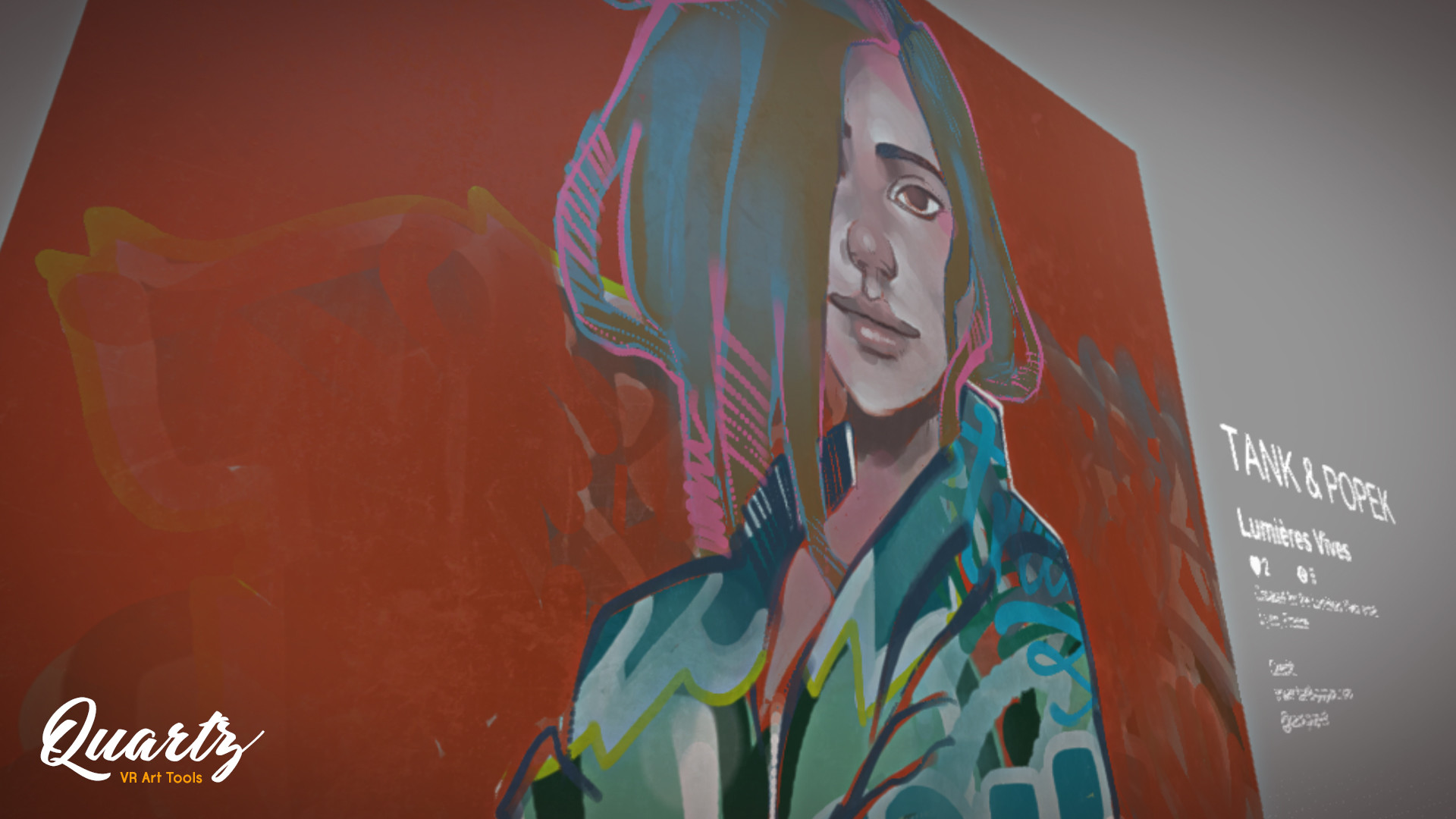
Create, exhibit and share your artworks in VR! Quartz is an amazing toolbox for beginners or experienced artists. One limit: Your imagination!

เข้าสู่ระบบ เพื่อเพิ่มผลิตภัณฑ์นี้ลงในสิ่งที่อยากได้ของคุณ ติดตาม หรือทำเครื่องหมายเป็นถูกละเว้น

ซอฟต์แวร์ระหว่างการพัฒนา

มีส่วนร่วมกับซอฟต์แวร์นี้ในขณะที่กำลังพัฒนา

หมายเหตุ: ซอฟต์แวร์ระหว่างการพัฒนานี้ยังไม่เสร็จสมบูรณ์ ซึ่งอาจจะมีหรืออาจจะไม่มีการเปลี่ยนแปลงเพิ่มเติมก็ได้ หากคุณไม่ตื่นเต้นกับการใช้ซอฟต์แวร์นี้ในช่วงสถานะปัจจุบัน คุณควรจะรอเพื่อตัดสินใจในกรณีที่ซอฟต์แวร์มีความคืบหน้าในการพัฒนาเพิ่มเติมมากกว่านี้ เรียนรู้เพิ่มเติม

หมายเหตุ: ผู้พัฒนาอัปเดตครั้งล่าสุดเมื่อ 3 ปีที่ผ่านมา ข้อมูลและกำหนดเวลาที่ผู้พัฒนาอธิบายไว้ที่นี่อาจไม่ใช่ข้อมูลล่าสุดอีกต่อไป
สิ่งที่ผู้พัฒนาต้องการจะบอก:

เหตุใดจึงเป็นช่วงระหว่างการพัฒนา?

“We wish create the best VR painting and exhibition software ever made, however we are a small team, we have many ideas to improve Quartz but we don't want be out of step with community expectations.

That's why we believe it's essential to continue development with your help.”

ซอฟต์แวร์นี้จะอยู่ในช่วงระหว่างการพัฒนานานเท่าไรโดยประมาณ?

“We don't have a release date yet. But we hope to be able to launch Quartz in 6 to 12 months. This will depend on dealing with community feedback in addition to the development of planned features.”

เวอร์ชันเต็มได้ถูกวางแผนไว้ให้แตกต่างจากเวอร์ชันระหว่างการพัฒนาอย่างไร?

“The final release of Quartz plans to add new painting tools (Brushes and settings, multilayers, import 3D mesh and more) along with new environments.

Also, Quartz is an exhibition and sharing app, so we want to add a gallery editor and community features like multi-user, comments and more. Your gallery will be accessible to everyone on PC, mobile and VR.

We would like incorporate all these features during the early access.
A feature integration roadmap will be available soon.”

สถานะปัจจุบันของเวอร์ชันระหว่างการพัฒนาเป็นอย่างไร?

“You can now paint on 6 different 3D meshes (canvas, sphere, statue, ...) in 2 environments.

Moreover, you can use 4 painting tools like spray, marker, stencil and eraser which combine with related brushes and settings. Additionally, you can use a set of color charts or a color picker to create your own.

It's possible to add a name and a description to your work. Watch the whole creation process with the replay mode and share it with the community.

Finally, you can follow other artists, like their works and create your own profile.”

ซอฟต์แวร์นี้จะมีราคาเปลี่ยนแปลงไปหรือไม่ในระหว่างและหลังจากช่วงระหว่างการพัฒนา?

“We don't plan to increase the price during early access, however, depending on the content and new features added, the price might be adjusted in the time of the final release.”

คุณกำลังวางแผนให้ชุมชนมีส่วนร่วมในขั้นตอนการพัฒนาของคุณอย่างไร?

“Because Quartz is a creative app with community features, we want to hear all of yours relevant feedback that will help Quartz to move in the right way.

Please send your comments or suggestions and follow the app development on our Discord channel () or via the community HUB on Steam.

We will try to be as responsive as possible and attentive.”
อ่านเพิ่มเติม
ไม่รองรับภาษาไทย

ผลิตภัณฑ์นี้ไม่รองรับภาษาท้องถิ่นของคุณ โปรดตรวจสอบรายชื่อภาษาที่รองรับก่อนทำการสั่งซื้อ

VR เท่านั้น

ซื้อ Quartz

 
ดูกระดานสนทนาทั้งหมด

รายงานจุดบกพร่องและฝากข้อเสนอแนะสำหรับซอฟต์แวร์นี้บนกระดานสนทนา

เกี่ยวกับซอฟต์แวร์นี้

QUARTZ offers a VR toolkit dedicated to illustration and art exhbition.
Thanks to a panel of intuitive and complete tools, it lets you create, share and visualize artworks in virtual reality.

You can paint whatever you want on all kinds of canvases in different environments and exhibit your creations in your virtual gallery.

  • Create
Select one of the 3D canvases and start painting from your own sketch or a blank page.
With spray, marker, stencil and eraser tools, you have everything you need to create whatever you want.
Combine them with a brush to open your style, use color charts or create your own to unleash your creativity!

  • Exhibit
More than a painting software, Quartz lets you create your own gallery.
Exhibit your works and watch the creation process thanks to the replay mode.
Import your artworks created from-third party software (png, jpeg) to share them in a virtual world.

  • Share
Export your works to use them whatever you want.
Get inspired and improve your skills by watching community creations.
Follow your favorite artists, works and exhibitions.
Create your profile and expand your community!

Key features
  • Painting simulator
  • Import 2D artworks and sketches
  • Export artwork from Quartz
  • Virtual gallery and replay
  • Social interactions

ความต้องการระบบ

    ขั้นต่ำ:
    • ต้องการโปรเซสเซอร์และระบบปฏิบัติการแบบ 64 บิต
    • ระบบปฏิบัติการ: Windows 10
    • โปรเซสเซอร์: Intel® i5-4590 / AMD FX 8350
    • หน่วยความจำ: แรม 8 GB
    • กราฟิกส์: NVIDIA GTX 1050 Ti / AMD Radeon RX 480
    • DirectX: เวอร์ชัน 11
    • เครือข่าย: การเชื่อมต่ออินเทอร์เน็ตแบบบรอดแบนด์
    • พื้นที่จัดเก็บข้อมูล: พื้นที่ว่างที่พร้อมใช้งาน 1 GB
    • การรองรับ VR: SteamVR
    แนะนำ:
    • ต้องการโปรเซสเซอร์และระบบปฏิบัติการแบบ 64 บิต
    • ระบบปฏิบัติการ: Windows 10
    • โปรเซสเซอร์: Intel® i7-6700 / AMD Ryzen 5 3600
    • หน่วยความจำ: แรม 8 GB
    • กราฟิกส์: NVIDIA RTX 2060 / AMD Radeon RX 580 or greater
    • DirectX: เวอร์ชัน 11
    • เครือข่าย: การเชื่อมต่ออินเทอร์เน็ตแบบบรอดแบนด์
    • พื้นที่จัดเก็บข้อมูล: พื้นที่ว่างที่พร้อมใช้งาน 1 GB

บทวิจารณ์จากผู้ซื้อ Quartz เกี่ยวกับบทวิจารณ์จากผู้ใช้ การปรับแต่งของคุณ

บทวิจารณ์โดยรวม:
ไม่มีบทวิจารณ์จากผู้ใช้


ในการดูบทวิจารณ์ตามช่วงวันที่ โปรดคลิกและลากการเลือกบนกราฟด้านบน หรือคลิกบนแท่งที่กำหนด


กรองบทวิจารณ์ตามเวลาเล่นของผู้ใช้เมื่อบทวิจารณ์ถูกเขียน:


ไม่มีต่ำสุด ถึง ไม่มีสูงสุด

แสดงบทวิจารณ์ตามลำดับการแสดงผลที่เลือกไว้


เรียนรู้เพิ่มเติม
ตัวกรอง
กำลังละเว้นกิจกรรมบทวิจารณ์นอกเรื่อง
เวลาเล่น:
เล่นบน Steam Deck เป็นส่วนใหญ่
ไม่มีบทวิจารณ์ใดเลยที่ตรงกับตัวกรองที่กำหนดไว้ด้านบน
ปรับแต่งตัวกรอกด้านบนเพื่อดูบทวิจารณ์อื่น ๆ
กำลังโหลดบทวิจารณ์...