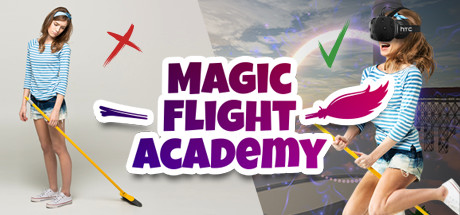
MUST HAVE for VR arcade centers. Perfect for the first-time experience. Join the MFA and take a walk on a plank hundreds of meters above the ground, fly an enchanted broomstick around the ancient magical academy, cast spells with a magic wand and fight a fire-breathing dragon!
Belum ada tag yang dimasukkan
+ Tambah tag anda sendiri

Daftar masuk untuk menambah item ini ke senarai hajat anda, ikuti atau tandakannya sebagai diabaikan

Bahasa Bahasa Melayu tidak disokong

Produk ini tidak menyokong bahasa tempatan anda. Sila semak senarai bahasa yang disokong di bawah sebelum membuat pembelian

VR Sahaja

Beli Magic Flight Academy


Tentang Permainan Ini

MUST HAVE for VR arcade centers. Perfect for the first-time experience.

FUN INCLUDES

  • a breathtaking walk on a plank from the top of a tower
  • flying on a broomstick around the school of magic
  • casting spells with a magic wand
  • fighting a giant dragon

KILLER-FEATURE

Use a real-life plank to intensify the wow effect (instruction below).

COMING SOON

Use a real-life broomstick to make competitive promo photos.

WARNING!

Only COMMERCIAL LICENSE includes MULTIPLAYER.

STORY

In our famous VR Magic Flight Academy, we train the best broomstick flyers in the world. Join in with your mates to fly around the magical flying castle and cast some explosive spells!

Experience the thrill of getting up in the air, hundreds of feet above the ground. Use your magic wand to cast spells midflight. Explore the ancient school of magic. Find secret tunnels and shortcuts. Compete with your friends, see who handles the broomstick better. And, of course, use your skills to defeat the dragon!

HOW TO USE A REAL-LIFE PLANK


1. Put the plank on the floor. Start the game and go to the "Setup plank" menu.
2. To calibrate the length, place the controllers at the ends of the plank on both sides. Press the button at the controller, from which side the board will start. Click "To length" on the screen.
3. To calibrate the width, put the controllers on the sides of the board and press the button on one of them. Click "To Width" on the screen.
4. Verify the correctness of the calibration in the VR glasses, make any changes, if necessary.
5. Save the settings by clicking the "Save" button.
To reset the settings, click "Reset".
To load the previous settings, click "Load".
To return to the initial menu, click "Back".

Keperluan Sistem

    Minimum:
    • OS: Windows 10
    • Pemproses: Intel i5-4590 equivalent or greater
    • Memori: 8 GB RAM
    • Grafik: GTX 970
    • Storan: 6 GB ruang tersedia
    • Sokongan VR: SteamVR. Standing or Room Scale
    Dicadangkan:
    • OS: Windows 10
    • Pemproses: Intel Core i7 6700K equivalent or greater
    • Memori: 16 GB RAM
    • Grafik: GTX 980
    • Storan: 6 GB ruang tersedia

Ulasan pelanggan untuk Magic Flight Academy Tentang ulasan pengguna Pilihan anda

Keseluruhan Ulasan:
4 ulasan pengguna (4 ulasan)


Untuk melihat ulasan dalam sesuatu jangka masa tarikh, sila klik dan seret pilihan pada graf di atas atau klik pada bar tertentu.


Tapis ulasan mengikut masa bermain pengguna semasa ulasan ditulis:


Tiada minimum hingga Tiada maksimum

Tunjuk ulasan dalam susunan paparan yang dipilih


Ketahui Lebih Lanjut
Penapis
Tidak termasuk Aktiviti Ulasan di Luar Topik
Masa bermain:
Kerap Dimainkan di Steam Deck
Operating System:
CPU:
GPU:
Device Type:
Penapis Ulasan