Kandungan ini memerlukan aplikasi asas RPG Maker MV di Steam untuk berfungsi.

Daftar masuk untuk menambah item ini ke senarai hajat anda, ikuti atau tandakannya sebagai diabaikan

Bahasa Bahasa Melayu tidak disokong

Produk ini tidak menyokong bahasa tempatan anda. Sila semak senarai bahasa yang disokong di bawah sebelum membuat pembelian

Kandungan Boleh Muat Turun

Kandungan ini memerlukan aplikasi asas RPG Maker MV di Steam untuk berfungsi.

Beli RPG Maker MV - MADO

PROMOSI ISTIMEWA! Tawaran berakhir pada 28 Julai

-80%
$9.99
$1.99

Beli RPG Maker MV tools BUNDLE (?)

Termasuk 3 item: RPG Maker MV - SAKAN, RPG Maker MV - MADO, RPG Maker MV - GENE

-20%
-80%
$35.98
$7.17
 

Tentang Kandungan Ini

The Ultimate tool to easily customize your windows

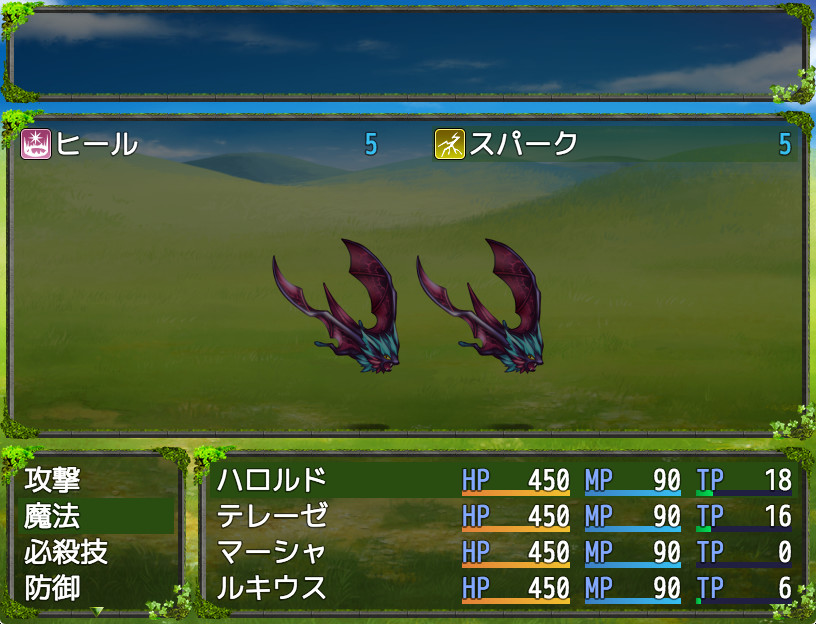
MADO is tool created for the RPG Maker MV series. It lets you customize the window graphic used in your game. MADO includes, 50 themes for frame, corners and background patterns! You're just a few clicks away from making the perfect windows to match your game world! These include:

  • Standard
  • Modern
  • Pop
  • Material
  • Machine
  • Other

With that much choices, you can customize your game windows to fit several game themes such as the classic fantasy RPG, futuristic worlds, high-school romance, horror and much more.

Installing MADO


  • Open RPG Maker MV and your Project.
  • Select Tools -> RPG Maker MV Tools...
  • Select Window Maker -> Add
  • Press OK.
  • Press the newly added icon to start using MADO! There is a guide to help you use it in the Help Tab.

NOTE: MADO installs a plugin to your desired project. This is how it will modify the windows of your game.

Customizing MADO

You can also add your own original window graphic parts!
  • Go to the Root Folder of the Tool. Normally this is in Steam\steamapps\common\RPG Maker MV\tool\MADO\Parts
  • You will see an img folder. This is where you will place the new Window Graphics you wish to use. Window_ID050 is a template that you can follow.
  • Once you are done, simply name your new graphic as "Window_ID0XX" 0XX being the new number. This is the unique ID of your graphic.
  • The thumbs folder is a small preview of your newly made window graphic to display on the tool itself. Make sure to add a thumb image on your newly created graphic as well!
  • Go back to parts folder and open setting.json.
  • At the very end of "category": "All" add your newest window graphic such as "051"
  • Then add the same ID based on which category you want to set it to. If your new window graphic classifies as fantasy, go to "category": "Standard" and add the latest id at the very end of the id. It would look like something like this:
    "id": ["001","006","007","009","011","012","017","018","036","037", "051"]
  • Congrats! You have added your own custom graphic!

Keperluan Sistem

Windows
macOS
    Minimum:
    • OS *: WindowsR 7/8/8.1/10 (32bit/64bit)
    • Pemproses: Intel Core2 Duo or better
    • Memori: 2 GB RAM
    • Grafik: DirectX 9/OpenGL 4.1 capable GPU
    • Storan: 500 MB ruang tersedia
    • Nota Tambahan: 1280x768 or better Display
    Dicadangkan:
    • Grafik: OpenGL ES 2.0 hardware driver support required for WebGL acceleration. (AMD Catalyst 10.9, nVidia 358.50), iOS 8.0, Android 4.4.4*
* Mulai 1 Januari 2024, Steam Client hanya akan menyokong Windows 10 dan versi yang lebih baharu.
    Minimum:
    • OS: Mac OSX 10.10 or better
    • Pemproses: Intel Core2 Duo or better
    • Grafik: Compatible OpenGLR
* Mulai 15 Februari 2024, Steam Client tidak akan menyokong permainan 32-bit atau macOS 10.14 atau lebih rendah lagi.

Ulasan pelanggan untuk RPG Maker MV - MADO Tentang ulasan pengguna Pilihan anda

Keseluruhan Ulasan:
Campur (58 ulasan)


Untuk melihat ulasan dalam sesuatu jangka masa tarikh, sila klik dan seret pilihan pada graf di atas atau klik pada bar tertentu.


Tapis ulasan mengikut masa bermain pengguna semasa ulasan ditulis:


Tiada minimum hingga Tiada maksimum

Tunjuk ulasan dalam susunan paparan yang dipilih


Ketahui Lebih Lanjut
Penapis
Tidak termasuk Aktiviti Ulasan di Luar Topik
Masa bermain:
Kerap Dimainkan di Steam Deck
Operating System:
CPU:
GPU:
Device Type:
Penapis Ulasan