The perfect way to get started with 3D modeling, texturing and rendering. If you’re just getting started, and don’t need animation and the latest in power that the CX version provides just yet, Design 3D SE is the perfect way to get started. With Design 3D SE you can learn the basics with a very capable tool.

想要将此项目添加至您的愿望单、关注它或标记为已忽略,请先登录

不支持简体中文

本产品尚未对您目前所在的地区语言提供支持。在购买请先行确认目前所支持的语言。

使用 Strata Design 3D SE

免费
 

评测

“Strata Design 3D SE helps you start a project from scratch or import output files from popular applications like Collada, Photoshop or Illustrator. After creating or importing a project you can easily start adding new resources to it, a task that can be done by accessing the Resource toolbar. This toolbar includes a large number of backgrounds, shapes, textures and FX, which enable you to create a unique, beautiful 3D model.”
4.5/5 – SOFTPEDIA

“There is a lot of hidden functionality in this free download. Utilize the tools and support strata is offering and you will begin to feel like you’ve been working with it for a long time. The rendering engine is very, very good.”
5/5 – Tom Aroma

“If you’re a designer who spends a lot of time in Photoshop or Illustrator creating product illustrations, architectural renderings, or even logos, you’ll benefit from being able to navigate and work in a familiar style”
4/5 – Macworld

Introducing the Design Asset Store!

You can now buy and sell 3D design assets you make with Design 3D SE. Visit the Design Asset Store to browse the shop, or click here to see how you can submit your own designs. With your help, we'll be adding new design assets to the store daily!

关于此软件

Strata Design 3D SE: The Perfect Way to Get Started

3D MODELING, TEXTURING & RENDERING

If you’re just getting started, and don’t need animation and the latest in power that the CX version provides just yet, Design 3D SE is the perfect way to get started. With Design 3D SE you can learn the basics with a very capable tool.

MODEL WITH POWERFUL TOOLS

Every 3D image starts with a model, and SE gives you some key tools to get started – including polygon modeling, spline curves and Booleans. And you can bring in existing 3D assets – you’ll find a variety of import filters for third-party models and scenes.

APPLY SURFACE TEXTURES

Design 3D SE gives you some of the key texturing features you’ll need to produce quality work, including: Wrap any image around any 3D object; Give surfaces texture with bump and normal maps; Generate realistic metals with anisotropic maps; use polygon subset texturing and – more! And it’s easy to get started with the huge library of pre-made textures.

SET UP YOUR SCENE AND LIGHTING

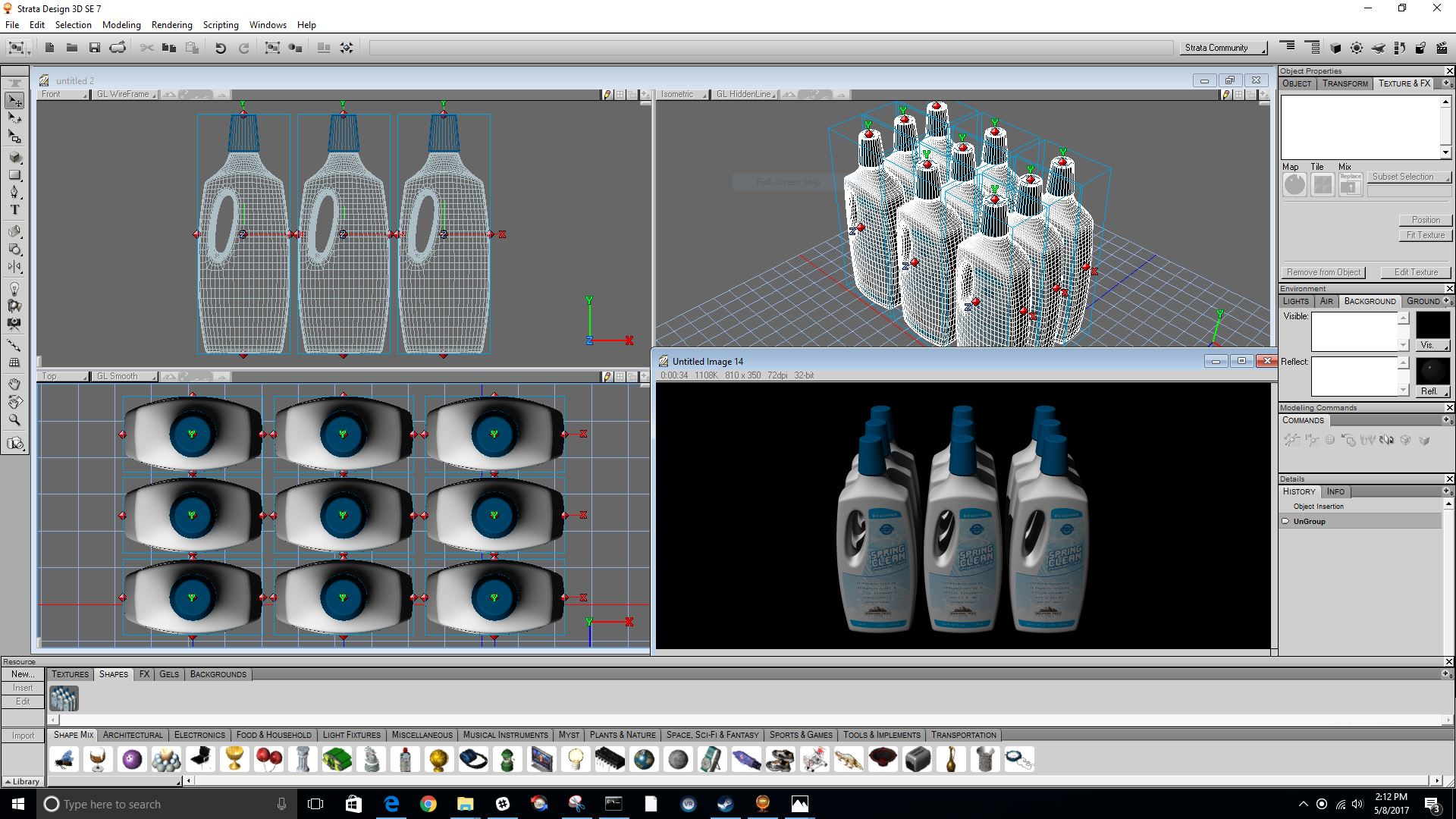
Design 3D SE is like a photography studio where you have total control. Position your 3D objects and then place lights, reflection panels, cameras, backgrounds, environments and more to produce a quality final render.

RENDER PROFESSIONAL IMAGES

Design 3D SE’s renderer produces excellent results. From outlines, to toon-style rendering, to photo-realism – Design 3D SE can produce quality images fit for professional work.

CONNECT TO EVERYTHING ELSE

Several 2D and 3D file formats connect you to the rest of the world. This includes Collada files tailor-made for Apple’s iBooks Author app, OBJ, DXF and more. You can even 3D print with the included file formats that are accepted by desktop 3D printers and popular online 3D printing services.

TAKE ADVANTAGE OF THE 3D UNIVERSITY

Strata offers a complete online training site that provides tutorials covering all aspects of the Design 3D line of products. This includes first time users to 3D professionals. It’s a great way to learn and is guaranteed to get you up to speed. Visit the University

YOU’RE READY TO STEP UP

Design 3D SE is a subset of its big brother, Design 3D CX. Once you’ve mastered Design 3D SE you’ll be ready to step up to CX without missing a beat. With Design 3D CX you’ll get an expanded toolset – including powerful modeling tools, UV texturing tools, animation, special effects and more. Learn more about Design 3D CX for Mac and for Windows.

IN-DEPTH FEATURE LIST

Drawing Features Strata Design 3D SE makes it easy for 2D designers to get started in 3D. You can import 2D elements from applications like Adobe Illustrator or you can draw 2D objects directly in Strata Design 3D SE.

  • 2D/3D Text
  • 3D Primitives
  • 2D Drawing Tools
  • Bezier Lines/Regions

Modeling Features Strata Design 3D SE offers an incredible array of modeling options. You can model using familiar Bezier splines, but now in 3D: traditional polys- but now with Quad Polysplines; Extrude and Lathe; Boolean to combine or subtract; Skin and more!

  • Polyspline SDS
  • Bezier Surfaces
  • Extrude
  • Lathe
  • Boolean
  • Skin
  • Polygonal Modeling
  • Path Extrude

Lighting Features You’ve heard of “looks good in any light” – now you’ve found the tool that gives you that elusive “any light”.

  • Point Lights
  • Spot Lights
  • Directional Lights
  • Glowing Surfaces
  • Gels

Special Effects Features Any image can be spiced up with special effects like Lens Flare, Auras, Particles – and Script FX. Add multiple effects, and place effects on any object.

  • Lens Flares
  • Auras
  • HotSpots
  • ScriptFX

Rendering Features The core of what makes Strata Design 3D SE so good – and what it’s famous for – is the high-quality rendering. Rendering is the process of taking the design you worked to put together and creating the final image.

  • Toon
  • Photons
  • Raytracing
  • Raydiosity
  • Pointcloud
  • Anti-Matter Effect
  • Atmospheric Effects
  • MIP Mapping
  • Soft Shadows
  • Reflection Blurring

Texturing Features “What if” is as simple as drag-and-drop in Strata Design 3D SE. Select from the palette of pre-made surface textures or make your own using Photoshop or other 2D image files.

  • Bump & Normal Mapping
  • Anisotropic Reflections
  • Blurred Reflections
  • Blurred Transparencies
  • Layer & Mix
  • Fog
  • 15 Channels

Multi-Texture Blending Mix Modes
File Import/Export Features Being able to talk to other programs in your design studio is an important issue. Strata Design 3D SE offers a number of options in this area.

  • Collada (in/out)
  • Illustrator/EPS v8 or AI v8 (in)
  • Photoshop PSD (in/out)
  • STL (out)
  • 3DS (in)
  • DXF (in/out)
  • OBJ (in/out)
  • VRML 1 & 2 (in/out)
  • True Type Fonts (in)

系统需求

    最低配置:
    • 操作系统 *: Windows™ 7 or later
    • 处理器: Pentium 4, Athlon, Intel or better
    • 内存: 4 GB RAM
    • 显卡: NVIDIA or AMD Graphics Card
    • 存储空间: 需要 3 GB 可用空间
    推荐配置:
    • 操作系统: Windows™ 10
    • 内存: 8 GB RAM
    • 存储空间: 需要 6 GB 可用空间
* 2024 年 1 月 1 日(PT)起,Steam 客户端将仅支持 Windows 10 及更新版本。

Strata Design 3D SE 的顾客评测 关于用户评测 您的偏好

总体评测:
多半好评 (28 篇评测)


要查看某个日期范围内的评测,请在上方图表中点击并拖动选定的范围或是点击某特定时间柱。


按用户的游戏时间筛选此评测撰写时的评测:


无最低限制无最高限制

按选择的显示顺序显示评测


了解更多
筛选条件
排除跑题评测活动
游戏时间:
大部分在 Steam Deck 上
操作系统:
CPU:
GPU:
设备类型:
无其他评测符合上述筛选条件
调整上方筛选条件以查看其它评测
加载评测中…